
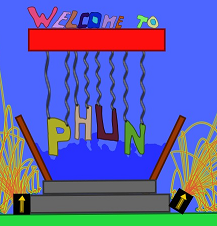
Have a look at Phun, the free physics sandbox, available for Windows, Linux, and Mac OSX. I’m really excited to share this game with any touchscreen users out there because it is really well made and lots of fun if you like to create and tinker.
Phun is not a goal oriented game. It is more of a playground, or a sandbox if you will. You have at your disposal many different tools to create whatever you can think of. You are essentially using these tools to create objects and see how they act and react given the properties that you have specified. Tools range from simple circle and box creation to more complex and interesting mechanics such as the spring tool which allows you to couple objects together with springs that are totally adjustable by the user (things like spring strength, dampening, etcetera).
The great thing about this game, with regards to touchscreen users, is that just about every adjustment can be made on screen using your stylus. The major tools are represented with nicely sized on-screen buttons and it makes them easy to select with the stylus. Right clicking on any object brings up a menu with lots of options that are specific to each object. For example, right clicking on a block will allow you to change its density, friction, color, and lots more. Selecting the object menu from the top bar without having anything selected brings up a small window that will make it really easy for touchscreen users to navigate. See the video-demo below.
continue reading for video-demo, download link and more…

One of my favorite parts of the game is the ability to liquefy objects and see how the simulated water interacts with objects. Water is simulated and rendered in an interesting way; it would obviously be extremely complicated to simulate true fluid dynamics and track each bit of water as it interacts. Phun simplifies it quite a bit, but manages to retain a convincing water simulation. Clumps are water are represented as circles with very low friction. The circles slide over each other with ease, and are displaced by other objects. If you leave the Simple Water Rendering box unchecked, circles that are near each other have an almost magnetic effect in their color. This means nearby water drops blend together as though they are a body of water instead of just lots of circles. As a circle, or drop of water, gets far away from the group, it pulls back into its own circular shape and looks like a droplet. Give it a try for yourself, it is much more fun to see than to read about! Make any object, right-click > geometries > liquefy object. If you are using a computer that doesn’t have much horsepower, checking-off Simple Water Rendering will increase your framerate.
It is almost hard to explain – what – a player should do in this game because it is completely up to them. I’ll use the example of creating a car. It’s really simple and works great if you have a touchscreen. A simple car can be created by using your stylus to select the box tool. Pausing the simulation while you create objects can make is much more simple (use the play/pause button). Draw a rectangle for the body of the car, draw a circle and place it over the area where you’d like to attach it to the body, right click and under another menu you will find the "add center hinge" button. Clicking that will ad a hinge directly in the center of the circle and it will be attached to any object behind that hinge (the car body). Right-click, clone the wheel and place it where you’d like. Voila, you have a simple car! Play the simulation and drag it around. From here there is lots of fun stuff to play around with, you just need to use your imagination. I create a car like this in the video demo above.
If you need some ideas, go to the file menu and click "load scene". There are some cool pre-loaded creations that might spur an idea of something interesting to create.










Installed it on the Everun Note.
A lot of fun!
Steve.
cool, I will have to try this one. I just installed one on my touch so fun!!!
looks cool, plays well on my desktop.
Don’t bother to try it on your Everun (original, not the note)…. it won’t run.
A set of decent games for UMPC are Pocket Slay (and the rest of Sean O’Connor’s games)… I am still hooked even though I started playing it on a PPC six years ago.
http://www.windowsgames.co.uk/slay.html
can i put this on my windows mobile ppc,its an x-bond and i all ready have 3 games on it.and if i can can you tell me how to install it.Thanks and happy new year!!!:p
Crea tu propia ropa con los diseños mas exclusivos. Desde hace mucho tiempo
resulta facil que cada persona plasme una idea o frase graciosa. Una forma rapida
de trasformarse en anuncio andante, muchos creen que todos los dias nos
disfrazamos con marcas a las que hacemos publicidad, esta es la mejor forma de
romper con esta idea. A la hora de diseñar una camiseta no existen reglas a seguir.