
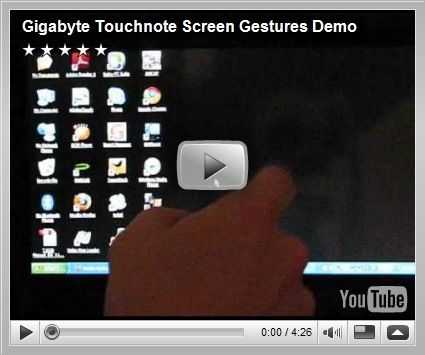
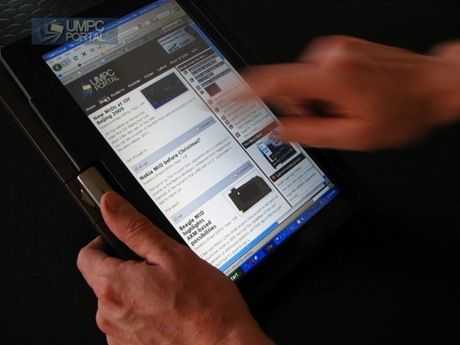
One element of the Gigabyte Touchnote that I’m starting to get used to now is the gesture support. It’s built into a special set of eGalax drivers that have been included on the device. Originally I wanted to turn them off as they were interfering with selecting text and Grab and Drag under Firefox but after tweaking them a little, removing a few that were clashing with other on-screen actions and getting used to new ones that I have set up, i’m really liking them. Here’s a video showing them in action on the standard XP build. The only thing missing is being able to register your own gestures. Graffiti recognition would be great.
As a side note, the Touchnote has been performing flawlessly. I’m currently restoring it to out-of-the box build using the built-in recovery partition and will copy that over to my Runcore SSD. With the 3G, Draft-N, BT and reasonable battery life (I plan to pick a 6-cell in Taiwan next week to bring it up to 5hrs) I can’t ask for any more. The Asus T101H is tempting me a little but I can’t imaging the 3G antenna being as good as it is on the Touchnote and I won’t compromise on that.
More details on the Touchnote including links to reviews and testing notes, are available in the product database.









New article: Gigabyte Touchnote Screen Gestures in Action. Useful and Fun! http://cli.gs/A3E8jR
Thats a really nice feature, and im wondering, is there something similar available for other UMPCs in general?
I think it is, only if the hardware let’s You do that.
http://www.tcbmi.com/strokeit/
Brilliant, thats just what I was looking for. ;)
Is there a possibility to zoom in/out in IE or firefox using gestures ?
No problem. The CTRL-+ and CTRL– can be mapped to a gesture.
Steve
Thank You, Velik!
Is it possible to use it to Scroll in any Window with Scrollbars?
There is a page-up / page-down mapping that can be used. Similar to Screen Flicks in Vista.
I’ve found this Software http://www.mouseimp.com/ .
With this Software it is possible to scroll in any Windows with Scrollbars.
Sebi
Gigabyte Touchnote Screen Gestures in Action. Useful and Fun! – http://tinyurl.com/lqghoc
Any word on when the M1028X will be available?
We’ll hear more about the M1028X/P next week.
Phew, I’m glad I read this.
I wanted the X, but was just going to order the M for sake of impatience.
Thanks for the heads up.
yeah a glimps of info about the X :)
just to heat things up. I found on umpcfever.com the info the the P model would not be produces and X is comming in june. I can’t judge how trustworthy this info is and how good google translates chinese. so take this info with a grain of salt.
Yeah I really want the X because of the higher resolution, but waiting just sucks lol.
Gigabyte Touchnote Screen Gestures in Action. Useful and Fun! (Chippy/UMPCPortal) http://bit.ly/15fG1P
@MoriahJovan aka TheHeadlessOne http://bit.ly/q1x0Q
great video thanks for that. i have two words for asus: too late
i order the gigabyte now.
have fun at comoutex and always full batterys :-)
I really like the touchnote but it has to be imported here in the states and the price is too high for me :(
Any word about the higher resolution version of the M1028? The P and X versions?
hi
I got a t1028 from ebay a guy called e_bagel he even negotiated the price down to $700US with a six cell battery and 2gb ram free delivery!
Chippy, you seem to get much better grab and scroll in windows than I can. If i touch the screen and move down to scroll say a web page all it does is select text or click a link???? also my curser seems to be slightly lower than where i touch the screen so, say i try to hit “ok” on a box, more than likely it hits below the box and minimizes it????
Is it better to have 9 or 25 vectors??
Thanks!!