
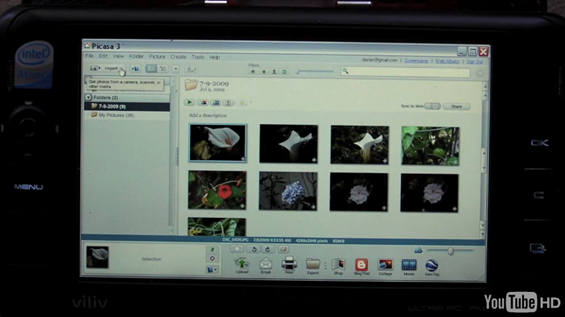
 Over at GottaBeMobile, Xavier Lanier has a nice video showing us how he uses his Viliv S5 [Portal page] as a mobile photo studio. Its a pretty cool setup. Xavier uses an Eye-Fi card to import photos to his S5 as they are taken. No USB cords or SD card transfers involved. After snapping a few photos, he pulls out the S5 and they are already right there, waiting to be tuned. Using Picasa 3, he is able to make basic but powerful adjustments to his photos on the go. Xavier mentioned that this is a particularly useful setup because he knows how he wants a photo to look just after taking it, but with a traditional setup, he might forget the exact adjustments he wants to make to a photo by the time he gets around to uploading them to a computer back at home base. Using this mobile setup he can edit his photos practically on the fly. Click through the link above to watch the video.
Using the Viliv S5 as a mobile photo studio
Posted on 13 July 2009, Last updated on 12 November 2019 by Steve Paine










New article: Using the Viliv S5 as a mobile photo studio http://cli.gs/szpJG
Dang, I was planning on writing a piece about this very function but with a X70 once I got it. I like Picasa for its quick thumbnail gallery and “I’m Feeling Lucky” button.
It’s a very good solution.
I also use my MID (UMID M1 mbook) to import photos from my camera and to edit them. And I would like to be able to do that without having to connect my camera to the MID through USB.
Unfortunately my Olympus reflex camera doesn’t support SD cards (only XD and CompactFlash), and I cannot use the Eye-Fi card.
Does anybody know if I could use a SD / CompactFlash adapter? There is a problem of thickness of the CompactFlash card depending on its type (I or II), and I’m not sure that it’s possible to find a SD adapter for a CompactFlash type I slot…
I do almost no camera work so I’m not sure if this is what your looking for.
http://www.camerahacker.com/Minolta/SD-CF1.shtml
Thank you for the tip. All the SD / CompactFlash adapters that I had found were for CF type 2. But the Minolta SD / CF1 adapter doesn’t seem any more available…
And however I’m not sure that such an adapter would work with the Eye-Fi card.
Bad news for the owners of a Compact Flash compatible digital camera:
http://support.eye.fi/troubleshooting/known-issues-with-compact-flash-card-adapters/
and another info:
Q: What if my camera takes CompactFlash (CF), MemoryStick, xD, or something else?
A: You’ll need a CF Adapter, but a bit of warning, the CF Adapter only works with the 2GB Eye-Fi Home.
Where’s the video? There’s no white box that says I have no flashpayer installed and there’s no link offered by download helper and there’s no youtube ID to find a suitable link for download helper. I like flash banner ad free browsing and the power of external players like vlc or mplayer. Downloading takes time first but it avoids stuttering on slow servers.
The new open video function in Firefox 3.5 is great too but there’s no content for it. At least I know now that there are eye-fi cards and I’ll look into it further.
actually the concept is speaking for itself.
personally i prefer xnview (also free) over picasa. its more powerful, handles tasks quicker, offers more options and is capable to use photoshop filters. you also can configure an external image editor for more sophisticated tasks to work in conjuction with the image organizer. it is in addition capable to handle some video formats for organizing also. there is also a portable version running from usb stick or sd card without installation available.
I do a similar thing with my Archos 5, although not editing is possible. i don’t even think it’s possible to use the eye-fi.
http://www.youtube.com/watch?v=jFA5Vx7WAkc
Nice solution but the Eye-fi doesn’t spport RAW files so not musch use to a lot of togs that only shot in RAW.
Eye-fi pro does raw : http://www.eye.fi/cards/pro.html
Just grabbed the feed… thanks for posting this.