Tag Archive | "720p"

Ultra Mobile Video Editing Part 3 – ARM Solutions with iPad2 and Nokia N8

Tags: , , , , , , , , ,


In Part 1 of this series we put aside the idea of ARM-based video editing based on the requirement for higher levels of CPU processing power and tight coupling of hardware and software. Two very interesting solutions have just appeared that could dovetail together as an ARM-based solution  and possibly enable 720p video editing on-the-go. Even if you haven’t got an iPad2, some new software for the Nokia N8 will enable netbook-level H.264 editing.

ipad2-usbnokia_n8_camera

Last week Apple launched the iPad2 and it turns out that it’s quite the performer in terms of rendering 720p videos through the iMovie application. Based on the measurements we can only assume it’s got a hardware H.264 encoder that iMovie is using to speed up the encoding process. Because of the CPU and GPU inprovements, the editing process looks smooth too. You won’t be able to do b-roll cutaways but I bet you’ll see that included in the next iMovie release for iOS.

This morning I’ve also learnt about a new camera application for the Nokia N8 which enables 480p H.264 recording and continuous auto-focus. As I write this I’m rendering a titled, cross-faded 480p video taken with the CameraPro N8 application in Windows Live Movie Maker. It was a smooth editing process which might surprise some of you because I’m using a netbook to do it.

Put the two together and, if iMovie can import and work with Nokia N8 videos (they are .mp4 files containing H.264 videos but there are some interesting advanced settings in the CameraPro app that can teak bitrates, codecs and sizes) then you might have the most flexible, ultra-mobile video camera, editing and posting solution yet. The iPad2 weighs 600gm (possibly 630gm for the 3G version) and the Nokia N8 weighs 135gm. That’s an amazing, seriously amazing sub 800gm, 1.7lbs and the total cost of both, with 3G, is under 1000 Euro. 720p-capable, 480p when on-the-go and direct posting to YouTube.

Ongoing and outstanding: Does the iPad2 import videos from the Nokia N8 and can iMovie work with the imported videos without conversion? One would need to connect the N8 via the camera connection kit either via USB or by removing the Micro-SD card, slotting it into an SD card adaptor. I’m waiting to have this confirmed. I’m hoping that this author has the answer soon.

Even if the Nokia N8 files don’t work with the iPad, it enables netbook usage which opens up the user to more software options. Windows Live Movie Maker can handle the 480p files without re-rendering for editing and output a 480p WMV file at a time ratio of 3.24 mins per minute of video rendered. For clips of 5 mins or less, as are many mobile videos, this is acceptable.

Here’s a 480p video posted directly from the N8 to YouTube via Pixelpipe. It was a 92MB upload and the bitrate was just over 3Mbps. It would make sense to try this at 2.5Mbps and via a service that posts direct to the YouTube API to cut down time and failure-points.

Obviously you should watch this in HQ and at full-frame size.

Here’s the same source video edited in Windows Live Movie Maker with titles and crossfades. The output format from Movie Maker is WMV which means there could be some degradation in quality as the file is converted back to H.264 at YouTube. Update: I see some frame-rate and smoothness issues. You too?

I used the Acer Aspire One 522 for this and the rendering time ratio was 3.24:1 (3 mins 15s per minute of video)

As a camera, the N8 just keeps on getting better and with developers continuing to write specialized apps for it you wonder why there aren’t many other good quality internet and app-enabled cameras around. It’s these sort of enhancements that just aren’t possible on closed-firmware dedicated cameras.

I plan to buy a 3G-enabled iPad2 when they become available here in Europe but I’m sure others are going to test out the N8/iPad2 combo beforehand. When they do, I’ll try and link the information in below. If you know of any articles or videos on the subject, please feel free to link them in the comments below (one URL per comment otherwise the comment is held for approval.)

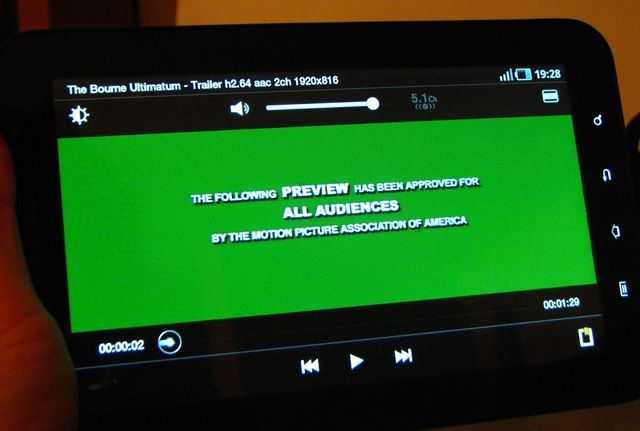
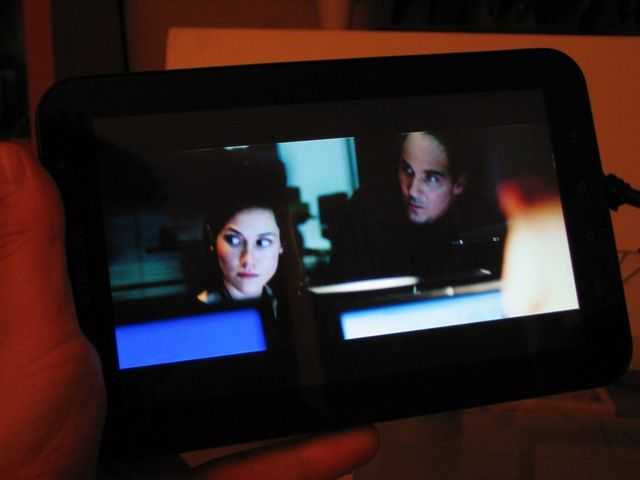
Streaming YouTube HD on the Archos Internet Media Tablet. (Video)

Tags: , , , , , ,


IMG_0912 Before we start on the topic of video performance I have to highlight how complex the subject is and how difficult it is to present performance figures. Digital video is a complex matrix of multiple wrappers for multiple encoding types (video, multi-track audio and multiple subtitles) with different encoding profiles, options, resolutions and bitrates. Format conversion, phsycovisual optimization, buffering and on-the-fly resizing is another set of complex topics. Speak to anyone in the video streaming business and they will take pleasure in telling you how extremely complex it is. For example, at IDF I spoke  Envivio, a company that specialises in video streaming.  Because of the complexities and ever-changing capabilities of client devices they’ve chosen to do all their encoding in software on general purpose X86 CPU’s rather than in dedicated silicon.

As consumers, we tend to use a number of benchmarks. YouTube streaming, DVD and camcorder files.  YouTube quality is determined by how smooth LQ, HQ and HD versions are in windowed and full-screen mode. DVD is a tighter standard based on MPEG-2. Camcorder files have already reached high bitrates and there are even 1080p (1920×1080 resolution) consumer cameras out there. I tend to talk in terms of codecs and bitrates rather than 720p/1080p because those expressions are often used incorrectly but for online video, the simplest way to do it is just to demonstrate it using what most web-based customers are moving to. HD-quality YouTube.

YouTube HD quality is based on MPEG-4 Part 10/AVC  (H.264) and offers 720p resolutions (1280×720) at an average bitrate of 2Mbps. (See good Wikipedia entry here for more info) Netbooks and UMPCs running XP can not play this file format but by installing the Adobe Flash player, you get access to this format via YouTube and their embedded Flash content. Unfortunately, the Adobe Flash player is heavy on CPU usage so on these low powered devices the quality is terrible.  There are ways to improve this. YouTube download tools allow you to play content in a separate video player which works in an efficient way. I’m able to play downloaded YouTube HD files on my netbook right here. In the near future, the Flash 10.1 player will be able to access hardware video decoders (not currently on most netbooks although the next generation of netbooks will be able to support this) making it even easier for consumers but there are already a few devices out there that can give you the YouTube HD experience out of the box.

I’ve been testing one of those devices. The Archos5 Internet Media Tablet running Android and many people have been asking me about the video performance so I thought I would answer most of the questions by way of a video demo. Some of the details get a bit technical and of course, the video is not representative of the actually quality of video playback on the Archos 5 but the demo gives you a good idea of what you can expect.

Just one note, this was shot in VGA using M-JPEG encoding at about 15Mbps, converted to 1.5mbps WMV  and you’re watching it via the flash decoder after conversion by YouTube to the H.264 (or Sorenson) codec. See what I mean!

Break out into a full-screen window and hit the ‘HQ’ button for the best quality possible. The original WMV version is available at Blip.tv.

For completeness and attribution, here’s the original video on YouTube.  Hit the ‘HD’ button and see how it streams on your device.

Search UMPCPortal

Sales Information


Our Network

  • ARMShowcase Tracking ARM-based mobile products
  • Big Beach Our marketing advisors. Located in UK.
  • Carrypad Tablets and consumer mobile products
  • Chromebook News Chromebook news, products and specifications
  • Device Manufacturer List List of all device manufacturers, and products, from our database
  • JKKMobile JKKMobile – Mobile computing and hacking – Partner of UMPCPortal
  • Liliputing Netbooks and small-form-factor laptoping – Partner of UMPCPortal
  • MeeGoNews News, reports and inside info from the MeeGo Ecosystem – Partner of UMPCPortal
  • MeetMobility Mobile computing podcast broadcast every two weeks – Partner of UMPCPortal
  • Netbooknews Netbooks and other mobile devices – Partner of UMPCPortal
  • Ultrabook News Ultrabook products, specs and news

Donators (Last 20)

Buy Laptop (€5.00 EUR) Says:
Sep 18, 2011 at 7:43 am

Awesome website, great read!

Jez@SammyTablet Says:
Oct 15, 2010 at 8:25 am

Keep up the good work! UMPCPortal and Carrypad are always a good read :)

MiKeN (€5.00 EUR) Says:
Oct 15, 2010 at 5:13 am

Microsoft AutoRoute Says:
Sep 3, 2010 at 10:46 pm

Trip planning and satnav software for PC

MMORPG Says:
Oct 6, 2009 at 2:07 am

Keep up the great work on UMPCPortal :)

Laptop Computers Says:
Jun 9, 2009 at 8:00 pm

Laptop reviews, ratings and netbook computer buying guides.

Laptop GPS World Says:
May 10, 2009 at 2:01 pm

PC GPS SatNav reviews and forums.

Ultimate-Netbook Says:
Apr 11, 2009 at 2:48 pm

Ultimate-addons supplier of netbook accessories

Steve Paine Says:
Apr 2, 2009 at 8:44 pm

Test from Steve