Tag Archive | "archos"

Ice Cream Sandwich preview on Archos G9 – Video

Tags: , , , , , , , , ,


image

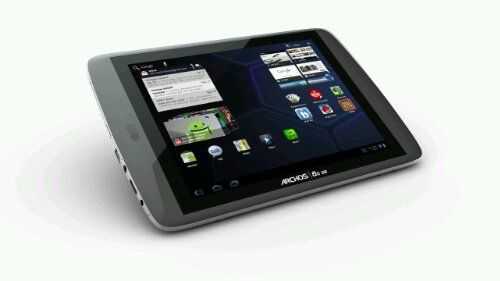
With the Archos G9 series starting at £200 in the UK you have to give this a little look. Ice Cream Sandwich is being promised for early 2012 but @Charbax has seen a preview.

“Archos is showing a preview of Android 4.0.1 Ice Cream Sandwich running on the OMAP4 based Archos G9 tablets to be finalized during Q1 of 2012. They still have to finish the hardware acceleration for video support, Samba/Upnp, 3G stick support and all of the other specific features that Archos provides on top of Android. ”

Via PR Email

Archos 101 Hands-on

Tags: , , , , ,


Full specs for the Archos 101 available here.

Archos 80 G9 Hands-on

Tags: , , , , , , ,


Chippy goes hands-on with the upcoming Archos 80 G9 [specs sheet]. Overview of Archos’ new G9 tablets here.

Lowest Capacity Archos G9 Tablets Will be Slower Than Others, But Why? (also, EU pricing confirmed)

Tags: , , , , , , , , ,


archos-g9-tablets1We’re really looking forward to Archos’ new G9 tablets, their inexpensive price and unique features are going make them a welcomed addition to the world of Honeycomb tablets.

As Charbax of ARMdevices.net shows us, the TI OMAP 4460 found in the G9 tablets will run at different speeds depending upon the capacity (and the price) of the tablet that you purchase.

When Archos first announced the Archos 80 G9 and the 101 G9, they were said to eventually be available in 8/16/250GB capacities, while other specs would remain the same. However, at IDF they are now showing that the 8GB variant of both models will run at 1GHz instead of 1.5GHz.

The lower capacity makes sense to bring down the price even further and offer additional choice to customers. What I don’t quite understand is the lower clock speed. As far as I can tell, the 8GB model of the 80 and 101 is still running the same CPU as the 16/250GB models. Feel free to correct me on this, but I can’t think of any additional fee that would be incurred to use a different clock speed on the CPU, so I have to wonder why they are lowering the speed on the 8GB variants.

My best theory is that Archos wants the more expensive models to be the most appealing, and give an additional incentive for going with one of the higher capacity units. If that’s the case, I can’t help but feel like they’re artificially giving users of the 8GB variants the shaft, though I’m hoping there is something less dubious behind it.

Archos confirmed US pricing for the 16GB variants of the 80 and 101 back when they were first announced; $270 and $349 respectively, and we should see the other models officially priced soon. Charbax has the official EU prices for all models here. The G9 80 and 101 will become available at the end of September, according to Archos.

Chippy is on the IDF show floor and we’ll see if he can get this question about the CPU speed answered for us.

Archos Gen 9 Tablets Now Tracking in the Product Database

Tags: , , , , , , , ,


archos tabletsWe’ve just finished adding the recently announced Archos 80 G9 and the 101 G9 to our mobile product database where you can find official specifications, popularity charts, links, photos, and more. Have a look here:

Archos 80 G9 tracking page

Archos 101 G9 tracking page

We’ll be keeping a close eye on these exciting upcoming devices along with plenty of others. You can browse through our entire database here, which features hundreds of mobile devices!

Archos Announces Two Unique Tablets — Honeycomb, 250GB HDD Option, Modular 3G, Well Priced [video]

Tags: , , , , ,


Archos has unveiled two “bang for bucks” Android Honeycomb tablets: the 8-inch (1024×768, 4:3) ’80 G9′ and the 10.1-inch (1280×800, 1.6:1) ’101 G9′.

The 80 and the 101 both use a dual-core TI OMAP 4460 processor running at 1.5GHz. With more grunt under the hood than most Tegra 2-powered Android tablets in the market these days, the tablet looks promising to deliver a silky smooth multitasking experience as well as high resolution video playback. Archos claims that the OMAP 4460 CPU is up to 50% faster than Nvidia’s Tegra 2 in certain situations.

As Archos is focused on creating multimedia devices for over a decade, it understands that full HD video content comes at a price and that’s storage space. This is where the Apple iPad 1/2 and most other Android tablets currently on the market are lacking in — sufficient local storage to hold oodles of HD video content.

To address this limitation, Archos offers the G9 tablets with the conventional Flash storage format or a huge 250G hard drive, although the latter introduces a slightly thicker (around 3mm more) form factor than its flash counterpart. But then, a small price to pay for those requiring lots of storage.  I’ll be mighty interested to see if the HDD version will consume more battery life than its Flash counterpart.

Both tablets will be able to hook directly to a host computer and accessed as an external HDD for easy transfer of multimedia content. You’ll also be able to play back such content through the mini HDMI-out port that both tablets are equipped with.

Focused on multimeadia, Archos has historically included kickstands to make hands-free media viewing easy, and they aren’t about to stop that trend. Both the 80 and the 101 come with built-in kickstands.

Both tablets will come with Android 3.1 Honeycomb as the operating system with Adobe Flash 10.3 support.  Archos also promises the G9 tablets will provide a great multimedia experience to its users by replacing the standard Android multimedia applications with their own Archos multimedia app suite. Full HD 1080p videos will play with no issues and there will be massive support for codec, format and subtitles.

Then there’s the 3G module that no one else on the market is doing. For $49, you can buy a USB 3G stick that slips into a slot on the back of the 80 or 101 tablet and sits flush with the edge. If you want to use the USB stick with a laptop as well, go right ahead! This inexpensive 3G module adds flexibility for customers by allowing them to add 3G at a later time if they choose, and also not forcing them to choose to pay for a 3G connection that only works on one device!

archos-g9-3gstick

Charbax of ARMdevices.net has an early hands-on video of the G9 tablets:

Now for “bang for bucks” bit: the 16GB 80 will start at $270 USD and the 16GB 101 will cost $349! The 250GB versions have not yet been priced, though Archos says 32GB flash costs nearly the same as 250GB HDD, so we’ll likely see aprox. $350 for the 250GB 80 and $429 for the 250GB 101.

One thing which I wished Archos had done was to create a model that is pocketable. Rather than the G9 80, I would have liked to see a 5” (eg size of a Dell Streak 5) or a 7” (eg, size of a Samsung Galaxy Tab), that would have been great!

Both tablets will be available to us all end September of this year and will appeal to buyers looking for a cheap but powerful tablet with unique options and full Android market access!

Update: Archos now have 8GB variants of the 80 and 101 on offer with lower CPU speed.

Today Only: Archos 7 Home Tablet (refurbished) for $79.99

Tags: , , , ,


image

News flash! Woot.com is throwing out the Archos 7 tablet out for an amazing $79.99.

Ok, the truth is that you’re not buying the best of breed tablet – this is a refurbished 7” (800×480 resolution) WiFi enabled tablet that comes with an old Android 1.6  operating system . The screen is resistive meaning that the touch screen is not going to be responsive to finger action so you will end up pecking with your fingertips instead.

It also runs an old 600Mhz Rockchip processor which is very slow when compared with the current tablets running Tegra2 1Ghz but if using the Archos mostly for audio, video,  eBook reading (ie, not a lot of finger to screen interaction), and basic web browsing  sans Adobe Flash, then this device will suit you.

Also note that also doesn’t give you the fancy accelerometer (meaning no auto-rotation of the screen), in-built GPS, Bluetooth connectivity or any video output capabilities that most of us take for granted on the most expensive Android tablets these days.

The Archos 7 does comes with some good features though – it has a mini USB2.0 interface which allows the tablet to be presented as a mass storage device to the PC for convenient file transfer and also has a kickstand which allows it to be propped up for easy screen viewing. Video playback is around 7 hours.

It comes with 8GB storage and give you the option of expanding more memory via the micro SDHC slot.

I reckon this is a great economical entry tablet for those of you that are looking to dip your feet into the Android tablet waters or looking for a good mobile multimedia entertainment companion.

As usual, remember that Woot.com is a deal a day, so if you’re interested, best to hurry down to their website today before the deal is gone, or before they sell out of stock!

Archos 70 Hands-On, Feedback says Good-Value

Tags: , , , ,


Archos 70 _5_ The price of the Galaxy Tab is gradually coming down but it’s clear that it will never reach the 250 Euro price of the Archos 70. It looks the same, comes with 8GB of storage, a similar processor, similar operating system and plays back video just like the Tab. So what’s the difference?

Balazs of Ndevil unboxes the Archos 70 in the video below and Charbax has a text/video review up. You’ll hear them talk about some of the very important differences between this and the Galaxy Tab but lets list them all here so you can compare.

Galaxy Tab Extra Features:

  • Phone, 3G, SMS, MMS
  • 1024×600 screen
  • 3.2MP Auto-focus camera and 480p video cam
  • Docking port for accessories
  • Stereo Speakers
  • 16GB Storage
  • Samsung software suite including Samsung keyboard
  • Access to Google Market and Google apps suite
  • GPS

Archos 70 Extra features

  • USB OTG (unconfirmed)
  • Micro USB Charging and connecting
  • HDMI out port
  • Kickstand

Full specs for the Archos 70 here. Galaxy Tab here.

There may be others differences and in terms of software, some of the issues on the Archos 70 can be fixed through hacks but the summary is that on the Galaxy Tab, you’re paying 450 Euros for voice,3G, hi-res screen, auto-focus cam, 8GB storage, GPS and the Samsung Google software. That’s a lot of money for features that you probably don’t need when you’re lazing around at home and if the Archos 70 is as good as people are saying (I’m getting good feedback from owners so far) and if Archos push that V2.2 firmware out ASAP then the Archos 70 is definitely a better value product for sofa-surfing. When it comes to mobility though, the Tab has the edge although with the Viewpad 7 coming in at 399 Euros in the next few weeks, there’s quite a head-to-head building up on this 7” space. (Actually there’s at least 16 devices in our database, more to come soon!)

So how’s this 7” space shaping up for you?

Archos 43, 70, and 101 Android Tablets Pop-Up on Dynamism, “Available Soon”

Tags: , , , ,


archos 101 Dynamism is gearing up to sell Archos’ latest Android tablets. They’ll be offering the top three models (check out the tracking page for full specs):

Pre-orders are not yet available but you can sign up for availability notifications from Dynamism on their Purchase page. We’ll hopefully see these tablets start to become available in mid-October, but Archos hasn’t said anything official just yet.

Archos 43 + Raging Thunder = Fun!

Tags: , , , , ,


I’ve had a lot of hands-on with the Archos 43 [specifications] today and I’m impressed. Somehow that small form factor and low price makes the speed and capability all that more impressive. I’m working on a few other videos but I wanted to show you this one first.

Update: Hands-on thoughts, gallery, videos now available.

IF (and it’s a big IF) you’re able to side-load applications and IF they work on the Archos firmware, you’ve got yourself a great value little entertainment device.

Two more videos coming up soon.

Archos 70 Combines Value with Some Good Features, Some Missing Features.

Tags: , , , ,


Archos 70 (3) Most of you will have heard about the Archos 70, part of the new range of tablet devices being launched over the next few months. Archos have stripped away their recording software and docking station, bumped up the processor, improved the operating system and hit a very competitive pricing point. Add features like HDMI, USB host, capacitive multitouch, multiple video format support and you’ve almost got a full Android Tablet specification list. It’s not complete though. While 800×480 might be acceptable as a resolution, the lack of Google applications isn’t. No Gmail. No free Google Navigation, No Contacts sync and of course, no Google Market. We’ve experienced it on the Archos 5 and it really is noticeable.

Having said that, if you consider the Archos 70 as a sofa tablet, car tablet, holiday tablet and bedside tablet, you’ve got a video and audio player that returns a great browsing experience and offers a stylish way to view photos and ebooks. If you’ve got a way to ‘sideload’ some Android applications you’ll also benefit from some really great applications for entertainment and communications.

Pricing is $275 and it’s coming in Sept or Oct. Note that it might ship with 2.1 but 2.2 will, apparently, follow-up very quickly.

We’ve had some hands-on at IFA and this is how it went…

5 New Archos Tablets – Sorry, No Google Apps.

Tags: , , ,


It’s just so depressing to see this. 2nd generation Android tablets coming out from Archos that still don’t have Google apps included. No contacts sync. No Gmail. No Buzz. No Maps. No Latitude. No Market. Again – No Google Market!

I hate to start on such a low note but really, haven’t we all learned that an Android device without Google apps is only half an Android product?

[and relax…]

archos-tabs

Moving on to the details then. We have two sub 4” devices that we’re not covering here, a 4.3” device (Archos 43) with a resistive (cough) screen that will ‘eventually’ replace the Archos 5 (according to Engadget – this will also upset the patient Archos 5 owners that are wanting  2.x upgrades) , a 7” tablet (Archos 70) with a capacitive screen…wait for it… at 800×480 resolution and a 10” device (Archos 101) with a 420 gram, 1024×600 capacitive screen.

It’s the 10” device that appears to have the right ingredients. At 420gm that’s ebook-light and if Archos are including their video playback skills (we assume they are due to the HDMI-out) then you’ve got yourself a flexible friend there assuming you can handle a bit of sideloading.

There’s a ton of specs on the Archos UK site and they include Android 2.2, a 1Ghz CPU and multitouch on the capacitive screens. Unfortunately, I don’t see any mention of 3G.

Archos 43 Specifications – $199 – Mid October – More info, specs and comparison in our database.

Archos 70 Specifications. – $274 – Mid October- More info, specs and comparison in our database.

Archos 101 Specifications – $300 – Mid October – More info, specs and comparison in our database.

Should we discuss below? We’ll get the specs in the DB as soon as we can.

Info via Engadget who have a hands-on report.

How To: ‘Backing-Up’ and Sideloading Android Apps to the Archos 5

Tags: , , , , , , ,


070720102801 I just discovered something that I’m guessing the world and his dog already knows about but despite possible embarrassment, I’m still going to write about it.

I updated the firmware on my Xperia X10 yesterday (don’t get excited, it was just a maintenance release. I’m still waiting for the latest firmware to roll-out on unbranded X10s in Germany) and part of the procedure called for backing-up the applications using the free Astro File manager (good recommendation.) I had no idea that the file manager would simply create APKs on my SDCard but it did. I popped the SD card into my Archos 5 and hey-presto! I was able to install the apps. Latest Seesmic, NewsRob and Kindle all worked first go so I’ll be looking to back-up quite a few more onto that SD card.

There’s a ‘hack’ that allows Marketplace to run on an Archos 5 but I don’t recommend it for stability reasons. The complete Google app suite is installed and there’s just not enough memory on the Archos 5 to handle it all. You’ll be forever killing applications to keep things tidy and smooth. One alternative then is to use this back-up method. If you haven’t got an Android phone, look for a second-hand one or even buy a new one. At 150 Euros entry price it’s worth having one to play around with anyway!

So to summarise: You can ‘back-up’ applications from an Android phone onto an SD card using the Astro File Manager. To install the backed-up files onto your Archos 5 just open the built-in file manager, navigate to the SDcard and backup->apps folder and you’ll find the .apk files. Double click on a file and it will start the install process. Note that the Google app suite including Maps, Goggles and Gmail needs more than just application installs to work fully so you’ll need the Marketplace hack for that.

More about the Kindle application on the Archos 5 in the following article and of-course, full information about the Archos 5 in our product page.

Dell, Archos, BT, Sharp, Smart Devices and Huawei in Internet Device News-Rush!

Tags: , , , , , , , , , ,


Not one, not two and not even three items of internet device news to update you on today. I’ve got no less than five news items here!

Lets start with Dell who’s leader, Mr. Dell, has provided an update on the Mini 5. According to reports, he’s let it be know that the Dell Mini 5 is coming to Telefonica O2 in June and to AT&T in the summer. The source article from EWeek is littered with incorrect information but the important info is that it is very close. Telefonica O2 operate in Spain (where they are launching the Android-powered Compaq Airlife 100 and have a big presence in Germany and UK amongst other countries where they have proven to be quite the progressive carrier in terms of advanced internet devices. Low data prices and multi-SIM options should really help the Dell Mini 5 to get off the ground. I’m expecting a 500 Euro SIM-free price but as yet, we have no real pricing indication.

While the Dell looks to provide the complete Google and voice experience, that’s not the case with the Archos 7 Home Tablet that has just been reviewed by Engadget’s Joanna Stern. At under 200 Euro it’s not quite targeted at the same usage model too. I’m encouraged to hear Joanna talk about a useful form factor but it seems to have been wasted somewhat because there’s no auto, or even manual rotation into portrait mode. Battery life looks good but as we’d expect with an ARM9-powered device, performance is not stunning. Here’s an educated guess – you’ll be waiting three times as long for a web page to load compared to the iPad. Casual mobile web browsing, Google Reader and eBooks, video payback, photo viewing, podcast-catching and maybe even a little bit of casual gaming will be possible though and if you can add a portable keyboard, it would make a perfect emergency or travel device. Engadget Review

Lets turn to a device that might be a little more difficult to get hold of now. It’s the very interesting Sharp IS01 clamshell-style, 5” Android device. Like the Archos 7 above, it doesn’t have the Google Marketplace so Sharp are trying to seed some applications through their own SDK and a preview version of the device. The final version of the IS01 was due later in the year.

Pocketables have news today that not only is the SDK version ready but the final product will ship much sooner than expected. As soon as next month. While the device is targeted at the Japanese KDDI network, it is possible that some unlocked versions get through as imports and if that happens it will be great to be able to try a high-powered clamshell design using Android.

huawei-smakit-s7-live-13 A device that has completely slipped us by here at Carrypad is something I’m imagining the Archos Gen 8 devices (due summer 2010) will look like. Clearly focused on home media and having a very interesting docking station, 3G and what looks like a capacitive screen, the Huawei Smakit s7 could be competition for the Dell Looking Glass. I’m assuming that Huawei are looking for customers for this though so it’s unlikely that we’ll see it soon but we’ll keep it high on the list as we cruise Computex in June.

BT have announced that they are getting into the home tablet game. The UK-based company broke the news at their strategy day. Apparently the device will be able to take calls, sms’ and will show weather and perform other functions. It will be smaller than the iPad and bigger than an iPhone. To us, it sounds like BT might have lined up to take the Intel Moorestown-powered Open Peek OpenTablet. Watch and wait.

OpenTablet7_593x428

Finally today, I want to highlight that the SmartQ V7, a slightly more powerful version of the Smart Q7 I reviewed,  is about to be launched in Android 2.1 form. Android has been running on the device via firmware updates for a while now but a new Android 2.1 release is due soon. The device, an ARM11-based tablet with a 7” resistive touchscreen, should be available in the next few weeks from Eletroworld priced at $230. Expect a similar experience to the Archos 7 Home Tablet although there’s potential for some nice hacks from the busy Smart Q7 community. We should be getting one for review soon after they become available.

That’s it for now. Hope it gives you something to think about at the weekend. Let us know if you have any thoughts on the above.

Apple iPad and Archos 5 Android Tablets. Video Comparison

Tags: , , , , , ,


IMG_3246 Is it fair to be comparing a $250 5” tablet with a $500 9” one? Yes because a) people have been asking about it b) comparing anything to a device that gets people thinking, talking and experimenting is worthwhile in my book.

Thanks to the German blog, TouchMeMobile I’ve got an iPad this week and although I don’t intend to do a full review, I am taking the chance to learn and compare as much as possible. This video is a detailed look at the differences and the overlap between two home-focused devices. Music, Video, Internet and E-Reading are at the heart of both the iPad and Archos 5 but each one delivers it in a different way. The Archos 5 is the very personal, lightweight 30cm experience with a lot of flexibility. The iPad is a 1-meter experience with a refined user interface but misses out on some connectivity and flexibility. One is easy to hold in one hand; the other needs two. One has an industry-leading application store; the other something rather disappointing. One can ‘play’ the web and 720p video out via HDMI, the other is limited to analogue video.

In the 25-minute (get yourself a cuppa!) video I discuss the form-factors, the weight, the video capabilities, the app store, communications and e-reading. The two devices do ‘internet entertainment’ in very different ways so I hope this video helps you refine your gadget ‘wanted’ list or buying decision. Feel free to feed back on YouTube or below. For the next week I’ll track it closely and try and answer queries ASAP.

A tale of two Archos 5 Android owners

Tags: , , , , ,


Archos 5 Internet Tablet _32_ I love the Archos 5 Internet Tablet. Jenn of Pocketables, on the other hand, doesn’t and we’ve been having a to-and-fro on Twitter that’s worth extending here because  it shows how personal opinions can vary widly. We’ve challenged ourselves to write one paragraph on the A5 to say why we think what we think. Before that though, here are a few tweets that kicked the discussion off.

@Smith922 I’ve never had a 5, 6, 7, 9 or 10″ device that beats this around the house. @pocketables will give you a different view though.

@chippy You’re kidding! What about it beats other at-home devices for you? And do you *only* use it at home?

@pocketables yeah. The Archos 5 rarely leaves my home, just fits me perfectly. Quite stable now too. Might get digital a/v dock soon.

@chippy Stability has been OK on mine. I just can’t stand resistive screen, stock OSK, & “ungoogled” Android. Dell Streak, where are you?

@chippy The Archos 5IT is fantastic as a PMP (like previous gens) but I went in expecting an awesome Android MID, which for me it isn’t.

Remember that this is all personal, subjective opinion!

Here’s my summary:

The Archos 5 fits my consumer internet device requirements both physically, through form-factor and font-sizing through to OS and applications and succeeds in doing it in a way that is better than any other home experience I’ve had before. Battery life is fantastic, it looks good and it’s priced at an a level that would have been unthinkable a few years ago. My use-case is home-based Twitter, email, Google Reader, MP3 player, podcatcher, storage, TV-playback, YouTube, ebooks and of course, the browser that supports all the links you receive through email and social apps. When you get a URL through twitter, you want a fast browser to view it! It CAN be better (smoothness, stability, capacitive screen, 3G) but it doesn’t exist yet and that makes the Archos 5 unbeatable in my book.

For Jenn’s summary paragraph, see her post at Pocketables here

Any Archos 5 owners care to offer another one-paragraph perspective?

Owner Post: Archos 5 Vs iPad in Productivity Scenarios.

Tags: , ,


Despite the Archos 5 and the iPad being very different in terms of size, software and even elements of the hardware, there’s still a connecting factor. These two devices are both devices that focus on home use but are very tempting to use as part of an-ultra mobile productivity solution. It’s great to see people testing out devices in this way and Hector, the author of the guest post below has gone much further than most will with their iPad. Thanks Hector for taking the time to explain how you use both devices and where each device fits into your routine.

The iPad and Archos 5 IT

1

I was one of the ones that pre-ordered my iPad to pick up at my local Apple store on April 3. I had originally thought that I might just change my mind and not get it. As time got closer I decided to go ahead and get my iPad. I also had put another iPad on pre-order for my wife, (she didn’t know it until we were at the store and one of the Apple employee’s was coming up the line and asking for name and then he said, oh you have 2 iPad’s on pre-order. That’s when she found out, priceless.)

I will start off, by saying that neither of these two devices are laptop replacements, but you really can do what you need to do on the road without bringing along your laptop. At least for me it is possible with all third party software to make this happen. Since I am doing this comparison between both I will be writing this on my iPad using Notes App and Think Outside Bluetooth keyboard.

2

The screen on the iPad is great to work for longer periods and I have used it all day. With the A5 having a smaller screen does a good job for using on short sessions. Battery life is great on both devices but the iPad really has the best so far. I haven’t had to worry about running out of battery on the iPad, and even though I can get a whole day of use on the A5 as well the iPad still gives me more. I set up my iPad and all my devices to sync with Google calendar, contacts, etc… so when I enter appointments on my iPad calendar they sync right over to my BlackBerry Storm wireless and don’t have to worry about having to sync to my Macbook, or my Netbook that I also use. I recently purchased the Verizon MiFi and going to cancel my tethering option from my BlackBerry.

The iPad is screen is visible outside in the day and really doesn’t affect the way I do my work when I am outdoors. If the sun is bright and I can still keep the brightness at about 75% and I can still view the screen. On the Archos 5, I have to set the brightness all the way to 100% and it’s not as viewable as the iPad. Not that you can see the screen on the A5, it’s just that once you get use to the iPad screen it is a little harder to get back to the A5 screen. Here you can see the screen of the iPad outdoors and you can view the screen without any problems. You can see reflection on the screen, but when you are viewing the screen you don’t really see it as much as in the picture.

3 Most people are trying to compare the iPad to a Netbook, Notebook, or a computer, and it is not. You have to remember that it can’t be compared to a PC, even though you can do most of your work with applications that are available from the App Store. Yes you do have to purchase these to make more use of the iPad, but to me it is worth the portability of the iPad when I just want to be able to do some work without bringing my Laptop. With the Archos 5 it is possible to do work, but only if I will be doing very limited work on it.

Lately I have been taking the iPad more with me than my Archos 5, because I am able to Log back into my computer at home and also to the office using LogMeIn and Desktop connect and work really good. These are great apps for the iPad and run any application from the remote computers. On the A5, I haven’t found an RDP app to use to connect to my office so again the iPad will see more use. I still haven’t installed any Word app for the iPad, but GoodReader for the iPad is a excellent app that lets me actually drop files straight into the iPad or download any files that I have in my DropBox or Google account to my iPad, and upload any file back to either accounts. This works great because when I want to travel light I can grab my Archos 5 and hit the road and still be able to access the same files as I would on my computer or iPad. With both the iPad and A5 I can compose or answer email on the road but it is more comfortable to do this on the iPad, again because of the capacitive screen. For those long emails, or documents the BT keyboard comes into use for either device. The screen on the A5 is not as easy to use as the iPad. You have to use a stylus on the A5 for better experience. Now that I have been using the iPad the screen on the A5 is not as easy as I thought it was to click on things and get around. I find myself clicking a few times to open up apps on the A5. I do have the market place on the A5, but the iPad has more apps from the App Store. This gives you more options and usually be able to find something that will work for you and make more use out of the iPad. Since the A5 doesnt have the official Android ‘Google apps’ , you don’t get full access to the Marketplace but I have been able to get what I need on my A5 installed to make use of it on the road and be productive. It is great to have the A5 in your back pocket and get a email from the office and get the info for a certain job without having to carry anything bigger. Yes my BlackBerry Storm can do the same but some of the files I get are PDF and contain several pages so it is easier to read on the A5, when I don’t need anything bigger than the A5t. Also if I just need a file I can get it by using DropBox and download the document or whatever file I need to my A5. Another plus for the A5, is that I use it as a GPS when I carry it with me; iPad has AGPS [I believe Hector means Wifi-based location services – Ed.] which works great too, but it’s not as accurate as the A5. I have NDrive and CoPilot Live on my A5.

4

I like the CoPilot features and I can check traffic and weather at the location that I will be arriving. The scrolling is great on the iPad when you want to scroll pages or when in a browser. Reading books is much better on the iPad than the A5, but if I was standing in a line the A5 would be much better to use then the iPad. Zino magazine app is another great one on the iPad to view your magazines. No more worrying about bringing all your subscriptions with you when your out in the road, because with the Zino app you have all in your iPad along with your books if you have the iBooks, Kindle, and B & N app installed. The music player is much better on the iPad and having the iTunes on it is a plus compare to the A5. By using iTunes you don’t necessary have to buy the music from iTunes, just to sync it to your iPad, which is what I do. I will be pairing up the iPad with the Bluetooth to my car to be able to play music, music videos to play right over to the car stereo. I already do this with my iPod Touch and works great. Besides been able to do all my work stuff on the iPad and most on the A5, I get more done with the iPad because of the other apps that are available on it.

5 Another great app is NetFlix. You can watch movies if you have a NetFlix subscription and can add new movies to your Que or watch what you have and if you pause the movie, you can resume from where you left off next time you play the movie. The iPad pretty much doesn’t get hot at all. The only spot I can feel some heat; I should say warmness is at the top corner where the power off switch is on the front part of the glass. The Archos 5 actually feels warmer in the back, but again nothing like you would feel on a computer.

The browser is much better on the iPad then the A5 in my opinion not that the A5 browser is bad just much faster and fluid on the iPad. I do have the Dolphin Browser on the A5 which works fairly good on it and lets you browse with taps very easily. Here is the Dolphin Browser in action. Even though you can’t play or view flash websites on either devices, I haven’t run into problems where I would need it for anything using both of the devices.

Even if I put the A5 on standby, the iPad seems to be faster [to start-up? – Ed.]  than the A5. This isn’t much but when you’re on the run, this makes a difference. Since I have the Incase case, I just push the power button off and close the flap and grab the iPad and out I go from the office with the ability to be able to either control computer or be productive on the road and get my work done.

6 Both devices are geared towards a portable media device and the iPad does a better job at this. You can sync your favorite movies, TV shows, or video PodCast along with your favorite music. You can always download ABC app to watch some shows on the road as well. The Archos 5 does have more options to watch video formats which is much better but, the way you can open up iTunes and look for your favorite Podcast makes it so easy on the iPad. I know you can download Air Video from App Store to play other video formats on the iPad but from what I see is it won’t work for video files in the iPad. The sound is much better on the iPad vs Archos 5, even if the room is pretty noisy you can still pretty much hear the iPad. On the Archos 5 sounds loud but kind of sounds a little distorted.

Using PadNotes for filling out PDF files that I might need to fill out on the road and this is a great app. On the A5 I am only able to review the PDF file and not fill it out as with the iPad.


Recommended Sites

  • Big Beach Our marketing advisors. Located in UK.
  • Carrypad Tablets and consumer mobile products
  • JKKMobile JKKMobile – Mobile computing and hacking – Partner of UMPCPortal
  • Liliputing Netbooks and small-form-factor laptoping – Partner of UMPCPortal
  • Ultrabook News Ultrabook products, specs and news