Posted on 28 November 2013
This is going to be music to some peoples ears because APT-X is now supported on Ultrabooks and notebooks with some Intel Centrino Bluetooth stacks. I heard the news in September but it’s only now I’m able to confirm it.

That message just popped up on the Samsung ATIV Book 9 Plus I’m testing as I paired some Sennheiser PX210 Bluetooth headphones.
Read the full story
Posted on 24 February 2011

X-Fi Pro Go allows ‘What You Hear’ recording on netbook.
Originally uploaded by umpcportal.com
For anyone looking for a way to record Skype audio (or other two-way audio conversations) without special software, you might be aware that creative offer a ‘what you hear’ recording solution in their soundcards. You rarely find it on built-in audio chipsets.
For the MeetMobility podcast I tend to use two soundcards and a mixer to record the audio across two PCs but when i’m out and about I don’t have that luxury. Skype audio recording via paid plugins is a possibility but I’d rather have something more flexible. Obviously I cant drop a PCI card into my netbook but there’s a USB solution that works.
Introducing the solution i’m going to use at CeBIT next week for our MeetMobility.com podcast next week. The Create X-Fi Pro Go USB sound module. It’s not cheap (I paid around 40 Euros) but it solves the problem by offering ‘What You Hear’ recording.
I just tested it with Skype and Audacity and it worked. Skype seems to want to mute the headphone i’m using on the start of a call but I supect I can solve that problem. If not, all that’s needed is a manual un-mute from the control panel after you’ve started the call.
Everything is confirmed working on a single-core netbook too. Try doing that on an Android Tablet!
Posted on 24 February 2011
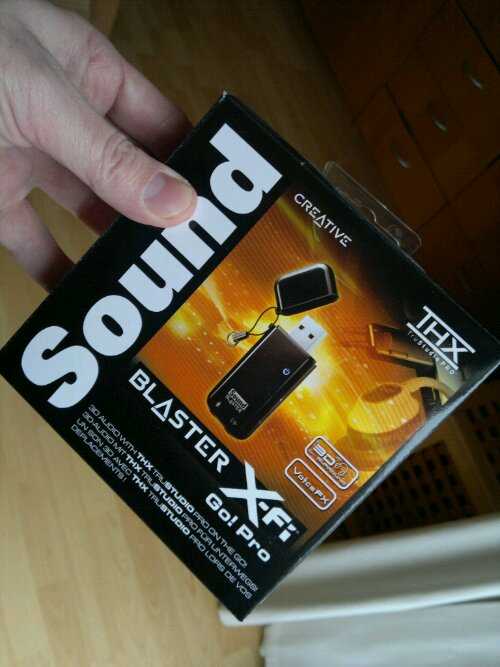
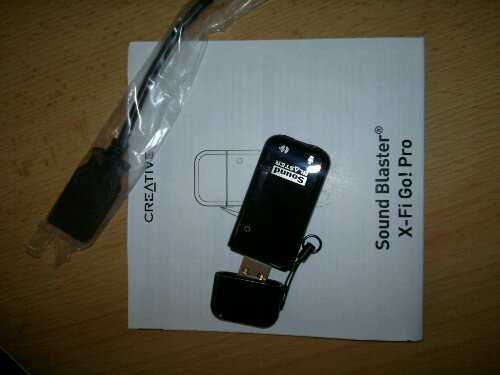
Why, you may ask, did I just buy a USB audio stick? The answer – ‘What-you-hear’
This is going to allow me to record Skype conversations by using a netbook without Skype plugin software. At least that’s the plan!
At about 40 Euros it wasn’t that cheap but I can’t think of a better way to record our next Meetmobility podcast at Cebit next week.
Posted from WordPress for Android with the Galaxy Tab
Posted on 04 November 2010

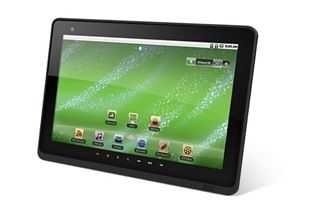
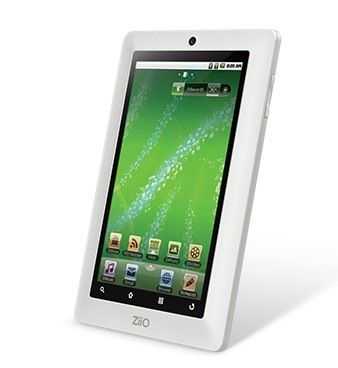
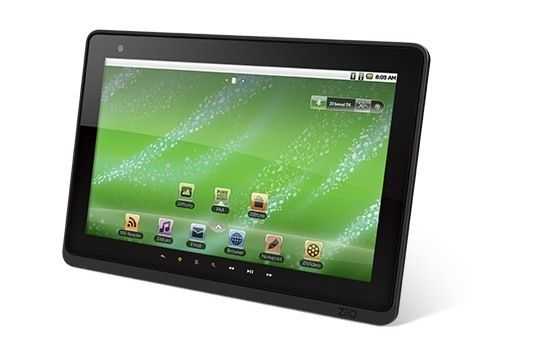
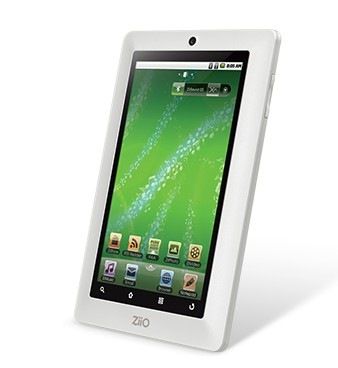
Lets put aside the issue of resistive touchscreens for the minute as I think most of you know that it’s not the best way to implement a finger-touch user interface. I’m taking a closer look at the Creative Tablets for one reason APT-X.
APT-X is a 352kbps ‘CD-quality’ codec implementation that can be used over the Bluetooth A2DP profile (instead of the default SBC codec) to provide high quality audio, something that A2DP hasn’t really delivered on yet. [More information here.] Up until now, if you wanted a high-quality digital stream to feed into your HiFi, you had to take either HDMI or a digital audio output from a docking station. If you wanted something without wires, there wasn’t much choice.
The ZiiO Tablets are built on the Creative ARM Cortex A8 core in their own ZMS-08 application processor and they seem to have focused well on audio reproduction. I’m not saying this will be ‘pure’ but it’s likely, with the APT-X implementation, to able to deliver high quality wireless digital audio. Of course, you’ll have to find a device that can receive the audio (Surprise! Creative have some headphones and speakers) so there’s still some way to go here.
As for the rest of the tablet, it looks like an AOS (Android Open Source) solution with a good chunk of storage and a decent price although Android 2.1 won’t get the best out of the ARM Cortex core for sure. If you can handle the resistive touchscreen and fancy playing with some HQ audio and video (H.264, MPEG4, WMV9, MJPEG, MOV, AVI, MKV is supported) it could be of interest for you. If not, you’re probably going to be taking a look at the Archos Tablets.
ZiiO 7 information at Creative website. 16GB version will be available for just under 220 UK Pounds
ZiiO 10 information at Creative website 16GB version will be available for just under 270 UK Pounds
News found via Journal Du Geek