I’m somewhat frustrated by all the Apple tablet talk. Number 1, nobody has a clue what’s going on and 2, there are so many design issues with ‘tablets’ that people need to be very careful about what they get excited about. I wrote these notes a few months ago but it makes sense to post them now so that you can make assessments about WHAT YOU NEED before any wave of marketing hits you. (*1)
In addition to the notes, I’ve added a couple of diagrams that I’ve previously used in posts and presentations and I also want to point out that this article is mainly focused on hardware. Software is a critical part of the equation.
Finally, I’m not saying that this is a set of rules. This is just my perception of what’s going on. I’m excited to hear what you think and ready to learn more from you comments.
Usage Scenarios
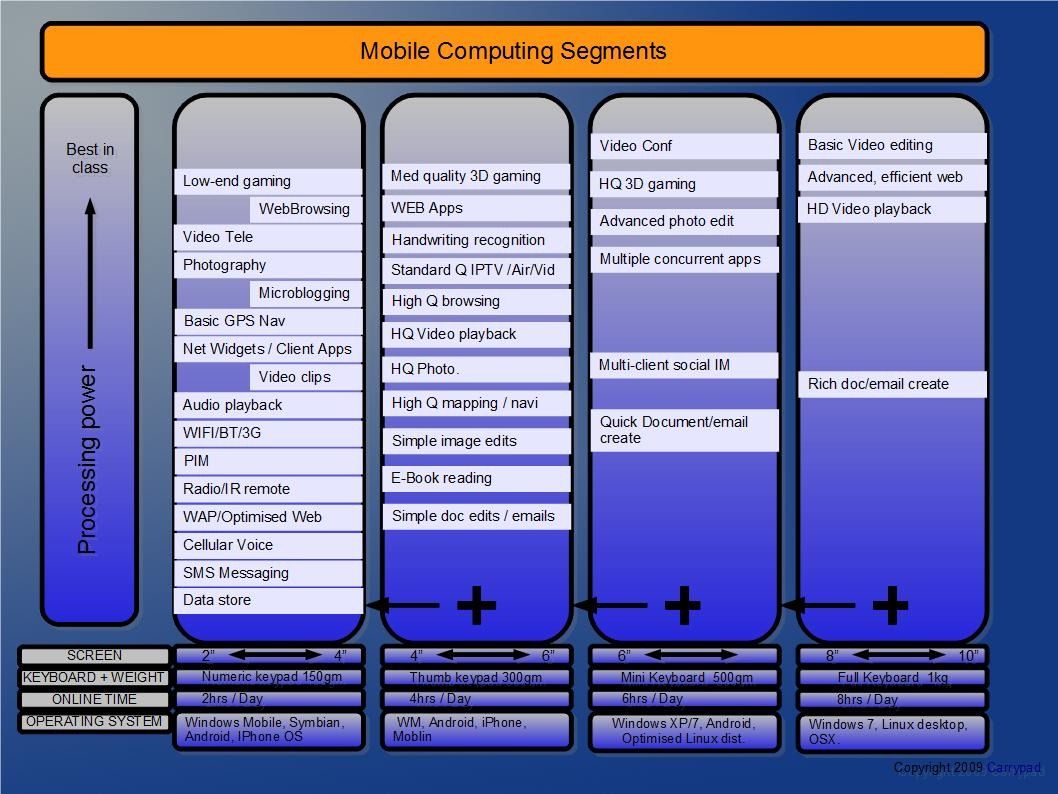
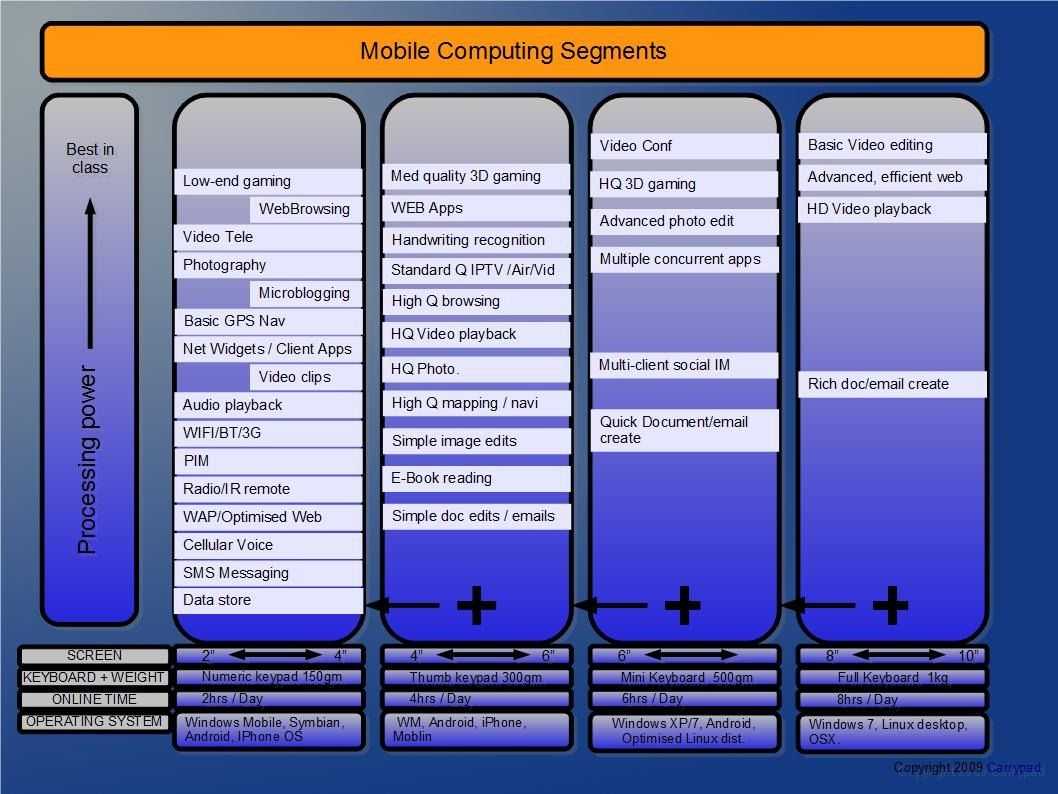
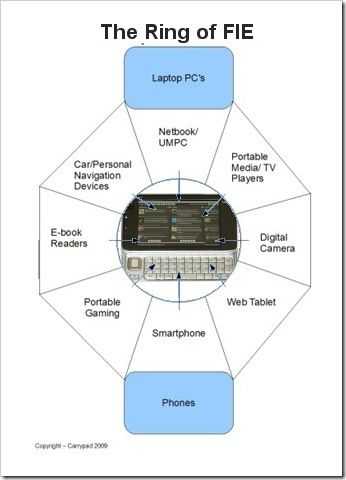
Firstly, here’s a diagram of internet-connected usage scenarios that lie between Laptops and Smartphones. There might be a few other niche categories like digital photo frames and video conferencing but the ‘ring’ below covers the primary sectors.
Usage by screen size.
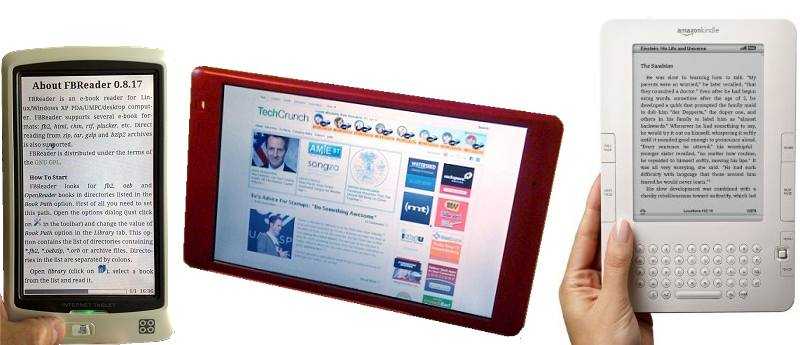
Secondly, here’s a diagram that highlights functions that sit comfortably in certain screen sizes. There are 4 screen size ranges and I’ve positioned tasks in the smallest possible category. Example: Try doing advanced photo editing on a 5 inch screen!
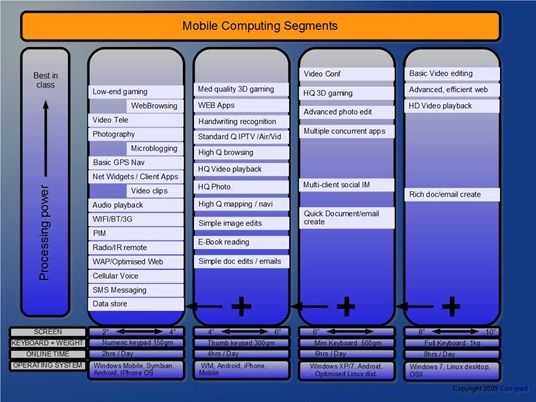
Click to enlarge.
Design/Usage Notes.
In no particular order, here’s a brain dump of design and usage considerations for tablet PCs.
- One handed use: weight needs to be under 400gm for one-handed (finger-touch) use.
- One-handed use: Width of device needs to rest comfortably in the hand in portrait mode (7 inch max)
- Two-handed (only) operation not possible unless frame, corner or rear controls are implemented.
- Current screen backlighting technology will add between 0.5W (for a 5 inch screen) to 2.5W (for a high-brightness 10 inch screen) Idle power drain tends to 200mw for well-designed screen-off, idle networking scenarios.
- Minimum power envelope for an operating, connected device is about 2W (5 inch) or 3W (10 inch) (Only latest RISC CPU’s on best silicon processes can achieve this expensive.)
- Max drain can reach +2W over operating power envelope.
- Battery capacity required for a 5 inch smart device 10Wh. For a 10 inch device = 15WhTo achieve 4hrs always-on, dynamic and multitasking environment such as web and internet apps.
- Battery weighs about 8gm per watt/hour (without control / feedback electronics add 50gm for that)
- Min battery (removable) and power electronics weight for a 7 inch smart device = 100gm
- Screen backlights are ALWAYS needed for low-light operation.
- Backlight average in-use power ranges from 0.5w (3-5 inch screen) to 2W or more (10 inch screen)
- Capacitive touchscreens can’t be used with gloves or basic stylus.
- Capacitive screens can’t be used for natural handwriting input, annotations, graphic creation/painting.
- Keyboards need to split/position correctly when in portrait and landscape modes.
- Tethering keyboards / headphones / data modems via Bluetooth is a long-winded process and requires batteries in end devices.
- Pixel density should be between 180 and 250 pixels per inch for standard web pages unless intelligent reflowing /zooming is used. An 800-wide webpage would require about 4-inch width (about 6 inch diameter screen in portrait mode.)
- Resistive touchscreens are not rugged.
- Book reading does not require two-pages per view.
- Hard drives are not rugged, are noisy and generate heat and vibration. Not to be used in tablets.
- An integrated folding stand needs to be incorporated for PMP functions.
- Wifi/Bt/3G/FM/GPS antenna separation is needed.
- Mouse pointers allow selection with minimal hand movement.
- Removing buttons helps aesthetics and ruggedness, reduces shortcuts for two-handed operation.
- Moving buttons to ‘on screen’ reduces physical feedback, reduces usable screen area.
- Buttons need to be backlit for night=time use
- Screen brightness needs to be extremely low for night-time use.
- Indicator lights distract and annoy when reading.
- Good quality speakers allow for multi-person viewing.
- Wifi needs to remain connected at all times (standby disconnection results in awkward delays on start-up.)
- Web pages need to load in a 10-second average time. (with text and scrolling being available in 50-75% of that time)
- Access to 100% of the internet requires Adobe Flash support (and, to a lesser extent, Silverlight and other run-time apps.)
- Text selection for web applications is critical. (cut and paste.)
- Zooming a web-page must re-flow the text to avoid left-right panning.
- Auto screen rotate from landscape to portrait must not reset previous text selections
- Using 3G when moving in car / train can drastically increase power drain from 3G components. (3G can take up to 1.5W in these scenarios huge % of power drain.)
- Docking stations help to keep a device charged and located.
- Removable battery gives customer confidence about life-span of product.
- Glossy screens can be filtered. Matt screens can not be made glossy with third party products.
- Bigger screens are expected to be faster by the customer (and therefore highlight slow performance)
- The concept of ‘idle’ is only for the lab.
- Slider keyboards increase cost and size. decrease style.
- Nothing over 4 inch screen is truly pocketable for most people.
- Flash running on multiple tabs can easily take 100% of CPU on a ARM-based device.
- A frameless device is impossible. 10mm frame is a tough design challenge.
- For productivity users, a new operating system is a new learning curve.
- Third party applications decrease stability and security.
- Multi-tasking decreases battery life.
- Fingerprint readers can drastically improve security while decreasing key presses.
- A 7 inch screen device can be too big for a car dashboard.
- Ebook readers are useless to the average consumer without commercial content being available through the device.
- Cloud-based usage model is currently a home-zone possibility. (Not mobile) i.e. local storage and sync is still needed.
- Larger designs permit higher pricing.
- Larger designs need to deliver a faster experience (to satisfy user expectations.)
- Notebook / clamshell designs are recognized as computers.
- Sub 5 inch designs can be mistaken for smartphones.
- New business models dictate that consumer tablets must be low-cost point of sale devices. (Marketplace for apps, content, accessories)
- There are undiscovered usage scenarios.
- There are huge numbers of new technologies and inventions that I don’t know about!
Example scenarios and solutions.
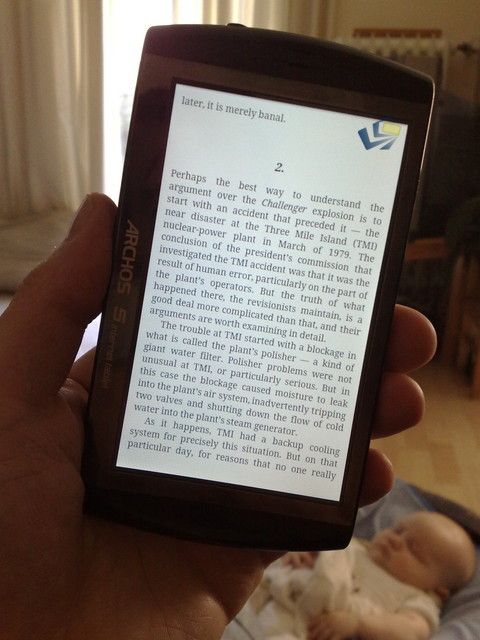
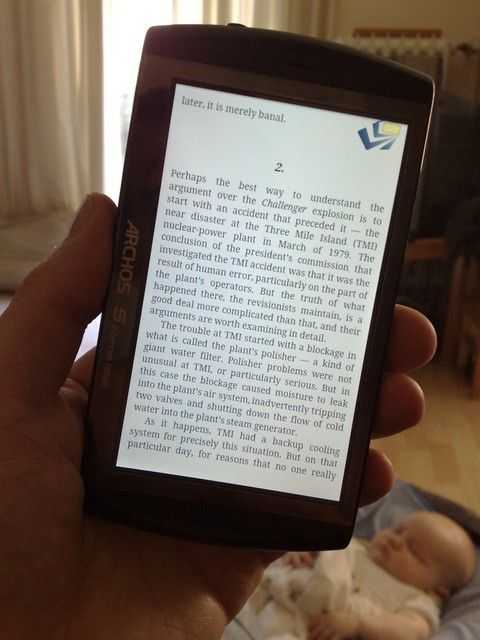
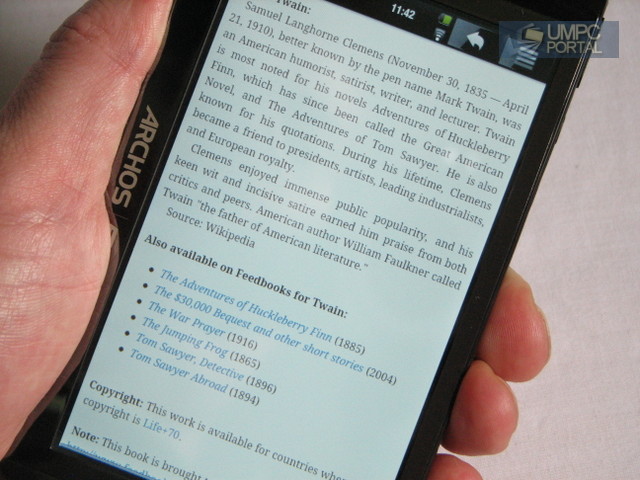
Ebook reading. 200 PPI screen with 300gm or less. Daylight (ambient light support) and backlight support needed. Content must be easy to access. Color screens important for education market (and advertising.) See also this article.
PMP. 5 inch screen gives a comfortable 60-80cm experience. HD playback on small-screens is required because that’s what many users create and many websites deliver. You have no choice! 7 inch give HD (720p) experience and 1 meter. 5-7 inch screen in 300gm allows for only a 10-15wh battery. 5hrs online use. 7hrs video use.
Newspapers. Large screen format 9-12 inch format is impressive and permits newspaper layout ‘standards.’ Requires significantly more battery power. Advertisers want color and animated advertising. Difficult to design for one-handed use. 12 inch awkward for mobile situations. 9-12 inch also required for one-page per view A4/Letter sizing. (PDFs)
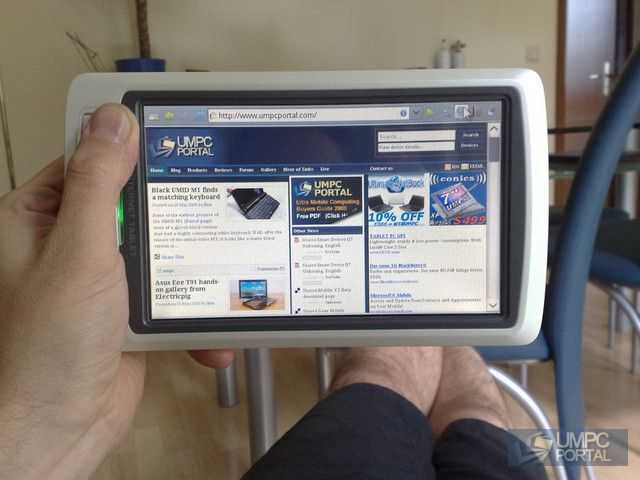
Web. Minimum resolution 800×480 although 1024×600 more comfortable and allows better portrait mode. 1024×600 at standard web (readable at 100% zoom) font sizes requires 7 inch screen. Multi-tab Flash enabled web pages can kill battery life and hog CPU if uncontrolled.
Mail, IM, social networking.Two handed thumb keyboard can only be built around max 5 inch (landscape) or 7 inch (portrait) screen dimensions without separate keyboard. Requires always-on scenario. See also: Perfect Microblogging Device article.
An example multi-use tablet: 7 inch 300gm with 12wh battery, Cortex A8 CPU (high-end), 3D GPU, Video decoder hardware. (Intel Moorestown also a contender here.) Stand. Highly advanced on-screen keyboard with haptic feedback. 3mb HQ camera. 1.3mp LQ camera. Capacitive touchscreen. GPS, accelerometers, ambient light sensor, 3G, Wifi, docking port, 3.5mm headphone jack, array mic, stereo speakers.
The ideal tablet hardware is worth nothing without the correct software, services and content.
(*1) over the last 3.5 years I’ve learnt a lot about tablets and mobile computing devices including a lot about what doesn’t work for the masses through our pro-mobility-focused sister website, UMPCPortal.