 Intel’s Ultrabook campaign is quite rapidly transforming what consumers can expect from a PC laptop. They’ve driven prices and weight down, and performance and features up. I’d argue that PC laptops are looking the best that they have in recent memory thanks to Intel’s Ultrabook project. But that’s just the hardware. On the software side, we’re still dealing with Windows and the same frustrations it’s shown us for several years now. Can Microsoft up the ante with Windows 8 to bring software quality in line with Ultrabook hardware? Read the full story

Tag Archive | "Hardware"

Can Microsoft Do For Windows What Intel Has Done for the Laptop?
Posted on 22 May 2012
HTC Status Testing Notes and Software Gallery
Posted on 13 October 2011
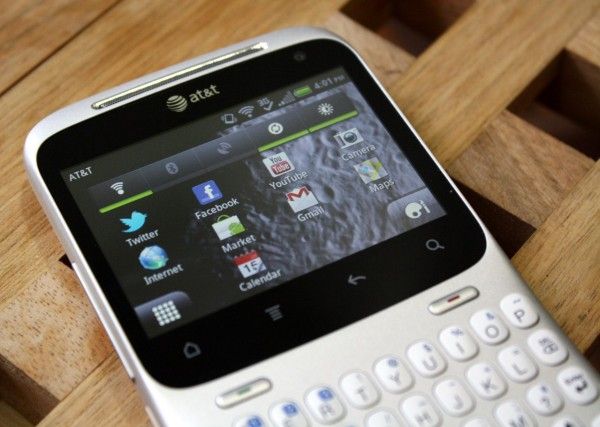
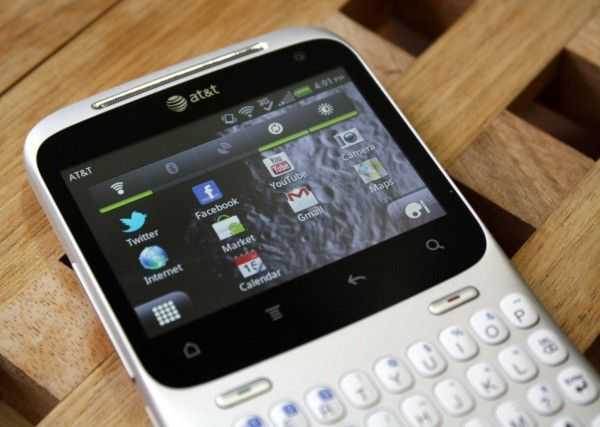 I opted to take the HTC Status for a spin recently to see how Android handles hardware that isn’t ‘top of the line’, and I came away quite refreshed; thanks mostly to the size of the screen and the practical battery life. I won’t be doing a full review of this device as a number of other great sites have you covered on that front, but I will be dropping an expanded list of my testing notes. You’ll see some comments about the hardware here in the notes, though you may be interested to see my previous article in which I detailed the impressive hardware of the HTC Status in photos. I’ve also included a gallery of software so you can see how Android smartly scales applications to fit the screen, but they can still feel cramped.
Testing Notes:
- The small screen is actually a breath of fresh air. Unlike the 4″+ monster-phones of late, the HTC Status has a 2.6″ screen which is incredibly easy to use because one hand can pull down the notification bar and reach the Android buttons across the bottom of the screen with no shuffling!
- Keyboard is great, keys are firm with good feedback that isn’t too loud. Keys are not overbound (too many alternate symbols/characters assigned to keys). With a hardware keyboard, knowing whether you are in caps/shift/alt is very important. The HTC Status indicates this easily by changing the way the cursor looks. You’ll never be left guessing which modifier is queued up, even in applications that remove the status bar (like the browser). Typing on the keyboard when not in a text field will take you right to search in almost all places, which is handy as you don’t have to hit the search button. The keyboard backlight is well done; all letters and symbols are illuminated and the lighting is even across the keys. The backlight is toggled intelligently based on the ambient light sensor.
- The keyboard takes a little getting used to, and could use some simple auto-correction to save time on typing works with contractions. I’ve always wondered why we don’t get the same auto-correction with hardware keyboards as we have with software keyboards. Changing “thats” to “thats” automatically would save me a keypress, and more importantly, brain cycles. By not having to think about using the modifier keys as much (thanks to auto-correction) I could focus more on what I’m typing, rather than how I’m physically entering it into the phone.
- Phone looks impressively beautiful — it seems HTC doesnt skimp on build quality even on lower end phones. I’ve had a number of people grab the phone and be immediately impressed with it’s build quality and styling, which is very slick and sharp. Kudos to HTC on this!
- Screen feels way cramped at times. The reality of it is that most applications are designed for larger screens. The HTC Status has a 2.6″ touchscreen @ 480×320 with a 3:2 ratio. Most Android phones on the market are 16:9 on somewhere near it, and the top end phones have At least 854×480 or beyond (with some now creeping up to a ridiculous 1280×720). Cramped, yes, but I was extremely impressed by the robust scaling that applications were able to do to fit themselves on the screen. Despite the low resolution, apps look impressively sharp on the phone’s screen; a testament to Android’s forward thinking scaling capabilities.
- You can use the HTC Status in portrait mode by tilting it on its side. It looks a little silly but is actually quite useful. Most Android applications are designed for portrait orientations, and the HTC Status uses a landscape orientation. Flipping it to portrait actually makes some apps easier to use. You can see some examples of this in the software gallery bellow.
- Multiple sign-ins for the same accounts are very confusing — not easy enough to use for the target demographic. When you set up your phone, you are asked to add your various accounts. However, the HTC Status is equipped with HTC Sense, a suite of apps and widgets that overlay the Android 2.3 build. HTC Sense wants to get all up in your biz, and it leads to confusion about which app you should use to configure a Twitter, Facebook, etc account. Additionally, HTC Sense is constantly bugging you (through the notification bar) to ‘link’ contacts without explicitly telling you what it is doing. I understand that they are trying to get your twitter/facebook/phone contacts all on one page, but the target demographic may not quite understand this, and it isn’t clear whether or not this is happening for this phone only, of if they are actually going into your contacts (through Google) and editing them.
- The proprietary FB implementations make the phone less useful than it should be. If you’ve read any of my prior Android reviews where a phone company has slapped on an overlay that wants to manage all your social networking, then you’ll know that I hate proprietary implementations of such features. The HTC Status is another perfect example why — if Facebook makes changes (which they do, all the time), you are left at the mercy of HTC to create an update to fix broken stuff or add new features, and I think we all know the update delay horror stories from numerous Android devices. This isn’t the only issue with proprietary implementations either. Often times you’re left without the ability to actually do what you want. You’re supposed to use the Facebook button on the HTC Status to be able to quickly share stuff to Facebook, and while this works appropriately for photos, links, etc., you are limited to posting to your own wall, or to a friend’s wall. No messaging, no group-only sharing, and pretty much no using the social network in any way other than what’s been defined for you, which is silly. What this leads to is users going with the official Facebook app instead of the limited proprietary implementation. The Facebook button on the HTC Status should be user-configurable to launch any app (I’m sure there are hacks for this, but naturally only a small portion of people will know how to seek them out and install them).
- Pulling the notification bar down is silky smooth, as is home screen navigation — very impressive for a phone that isn’t touting the latest dual-core CPU and loads of RAM. On that note, the battery life is outstanding compared to recent flagship Android devices (especially LTE ones). Yes, you could actually wake up to a still functional phone if you forgot to plug the HTC Status in at night. I dare say, you might even be able to get 2 days use out of one charge!
- When you’re in the web browser, the status bar disappears which means you can’t see notifications coming through or pull down the notification bar when in the browser. I think this was done to try to provide as much room as possible for web browsing on the HTC Status’ small screen.
HTC Status Gallery and Initial Impressions — Beautiful Hardware, Regardless of Price
Posted on 21 September 2011
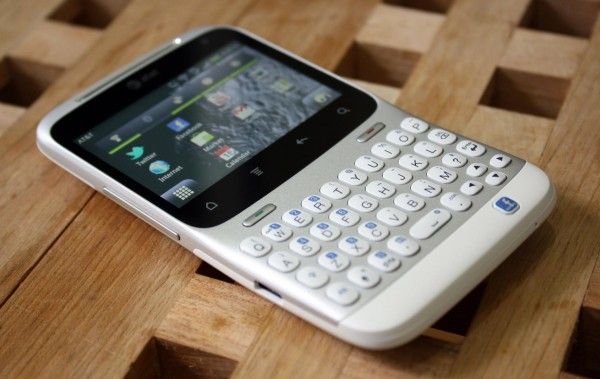
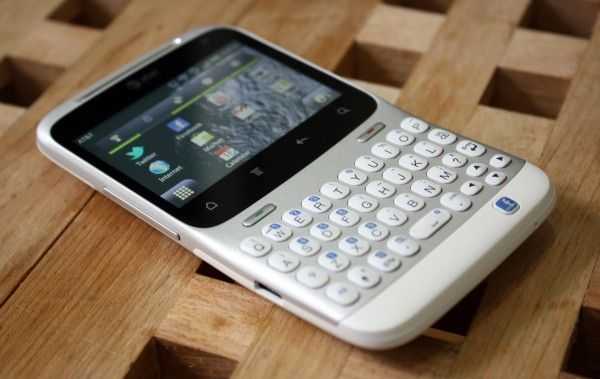 HTC kindly offered to lend us the HTC Status to have a look at and I was happy for the opportunity because it’s giving me some time to step back and look at Android on the lower-end of the phone spectrum. We tend to focus on the bleeding edge devices, and sometimes it’s easy to forget that not every person (in fact, the majority of people) don’t want to drop $299 on the latest phone every year. The HTC Status runs a cool $49 on contract which blows me away because this phone is pretty damn gorgeous.
The HTC Status is running Android 2.3 on a 2.6″ 480×320 (3:2) screen which is curious because this is the exact same resolution that the very first Android phone, the HTC G1 (AKA Dream), used. If you’ve read my analysis of the ergonomics of Android, you shouldn’t be surprised to find that, from an ergonomic standpoint, HTC is way easier to use with one hand. Instead of stretching and shuffling to read between the navigation buttons and the notification bar, it’s all right there, easily within reach.
The unfortunate fact is that almost all of today’s Android applications are designed with the assumption that the phone they will be used on is primarily portrait and with much more screen real estate. Despite how it may seem, I was actually really impressed with Android’s ability to scale everything down to the smaller landscape resolution of the HTC Status. Things are no doubt cramped at times, but the ability to adapt the entire interface, from something like the massive 5.3″ 1280×800 screen of the Samsung Galaxy Note to the relatively tiny 2.6″ 480×320 screen of the Status, is rather amazing.
HTC has never disappointed in the hardware department. Even though the Status will only run you $49 on contract, this hasn’t made any impact on the attention paid to the hardware. The Status feels great and I love the styling — it’s clean and sharp. The keys on the keyboard are firm and have near-perfect feedback when clicked.
There’s certainly more to be tested, but for the time being, have a look at this beautiful phone.
A theory on why Apple is keeping quiet about the iPhone 3GS specs
Posted on 09 June 2009
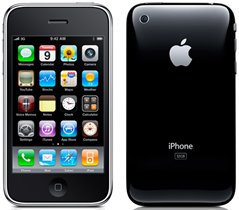
 A quick look around the iPhone 3GS ‘Tech Specs‘ page reveals plenty of info about battery life, screen size, resolution, and a number of other info, but we have yet to see any info on the RAM or CPU speed which claims to make the iPhone 3GS “twice as fast’. Even when asked directly, they refused to say exactly.
It seems a bit strange for them to be doing this, but I have a theory. You may have read my article a short while back questioning the rumors that said that Apple would release a touch oriented slate style device at WWDC. In that article, I mentioned that the App Store has been a huge part of the iPhones success, and Apple wouldn’t be releasing anything that runs the iPhone OS with specs that would ruin app compatibility. So, I feel that Apple has done some work to ensure that apps stay cross compatible with every device of their touch series.
I’ll have to mention that I haven’t yet been able to test the iPhone 3GS, but here is my initial theory. Apple may have doubled the RAM in the iPhone but kept the CPU speed the same; they want to keep the double RAM a secret. Why would they do this? The previous iPhone 3G has 128MB of RAM that gets allocated around the system to where it is needed. If a heavy app uses too much RAM, it crashes because the phone doesn’t have any more RAM to offer it, as it is being used up by the rest of the system. By doubling the RAM, they have plenty of space to allocate to the system, and a much larger space to load and run applications. The RAM speed remains the same (and the CPU) which means that app performance (while it is actually running) will stay the same, but with the increased quantity of RAM, more data can be loaded to the RAM at once, increasing the speed in which applications load. This is important because Apple doesn’t want any of the touch devices to run applications better than any other, ensuring compatibility between all.
Apple understands the success of their App Store. In the WWDC keynote, they mentioned that they have 50,000 applications, over 1,000,000,000 downloads of apps, and an install base of 40,000,000 users, across all generations of the iPod Touch and iPhone. Those numbers are insanely impressive, and as I stressed in the aforementioned article, they are not about to ruin compatibility of their precious app store. If they just doubled the CPU speed and double the RAM, developers would have a new performance bar that they could develop for. This means that an application might be designed specifically for a theoretical, more powerful iPhone, and yet it wouldn’t run well on their older devices, totally breaking the trend that the current app store has had since it was released: complete interoperability between all devices regardless of generation. But here is the really tricky part… why keep it a secret?
(continue reading on page 2…)
Pixel Qi shows off new power saving screens [video]
Posted on 02 June 2009
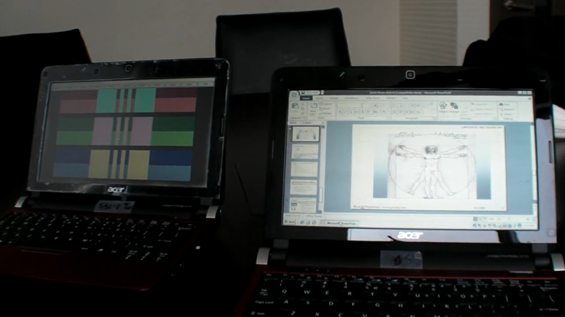
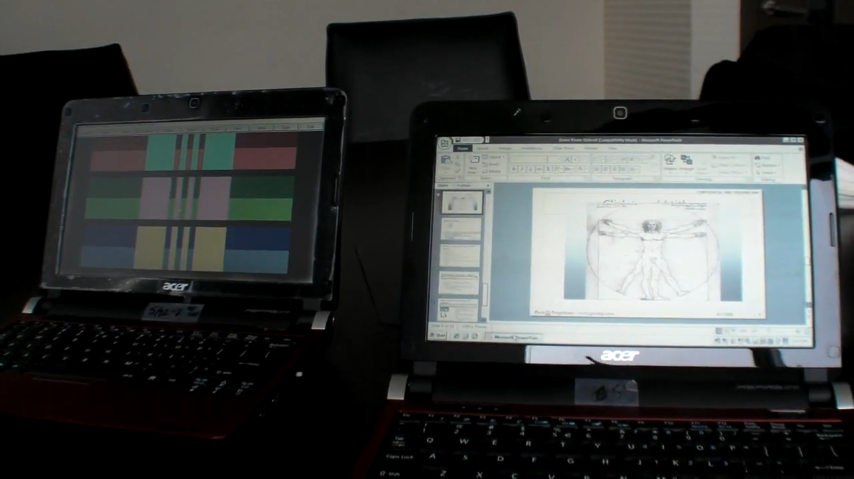 We’ve been hearing rumblings of this for a while now, but it seems that Pixel Qi is now showing its new dual mode power saving screens. Based on the screen featured in the OLPC project’s XO computer. Essentially Pixel Qi has designed an LCD screen which can display just like you would expect a standard screen to do, but it can also toggle to an E-Ink like mode which uses ambient light to display the on screen image rather than a backlight.
What are the implications for the mobile device user? The screen is one of the single largest power consuming components of modern mobile devices. The ability to turn off the backlight and still be able to see the screen from ambient light would mean large power savings. With the XO laptop, the screen was actually able to stay active while the motherboard turned off. However, modern netbooks are running much different operating systems and hardware than the XO, and aren’t yet designed to be able to accomplish that extra power saving step. The dual mode means that you can still have a full color display at the flip of a switch, then go to the power saving backlight off mode which reads great in direct sunlight and also saves battery life. If Pixel Qi can keep these screens to a reasonable price, I think we’ll see them popping up on netbooks once they hit full production, but the power saving isn’t going to be mind-blowing.
A few things garnered from the following video. You’ll notice that they are demoing the first batch of their screens on what appears to be an Acer Aspire One D150 [Portal page]. It is mentioned that they are stock Acer’s bought online, then modified to work with the new screen. It doesn’t sound like this technology will be coming to our favorite touchscreen devices any time soon as the particulars of touchscreen technology don’t play nice with the visual quality of the Pixel Qi dual mode screen.
If you’ve used a Kindle, you probably know that the refresh rate is rather abysmal compared to a computer screen that you might be used to. I was impressed to see that the transreflective (E-Ink like) mode of the Pixel Qi screen actually retains a rather good refresh rate meaning that you can work just like you would normally even with that mode enabled (they even show a video being played). If it were E-Ink, you would need to toggle out of the mode just to see the mouse move at a reasonable rate.
Take a look a the video below to see the Pixel Qi screen in action:
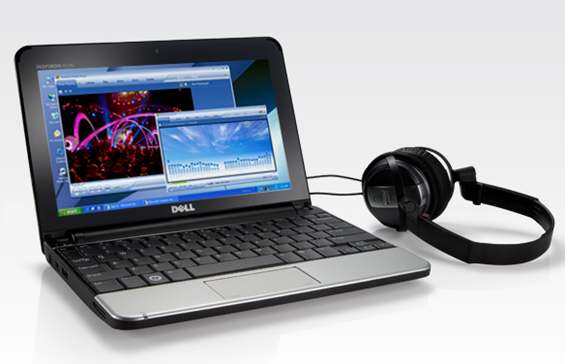
Dell Mini 10 now with higher resolution screen
Posted on 31 March 2009
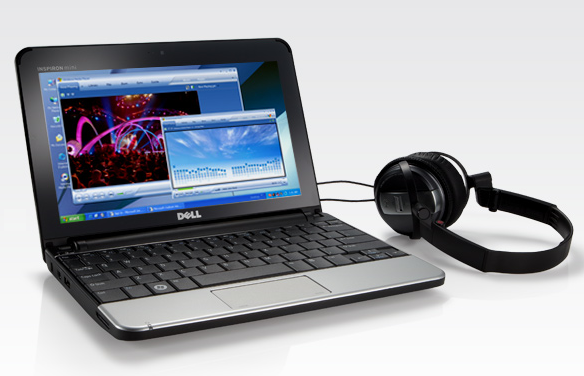 I was pretty excited back in January when we first glimpsed the Dell Mini 10, the successor to Dell’s first netbook, the Mini 9 [Portal page]. There were several things that got me excited, but by far the biggest was the idea that the Dell Mini 10 [Portal page] would come equipped with a proper 16:9 aspect ratio screen and a native 720p HD resolution of 1280×720. Since the Mini 10 launched, it has only been available with a 1024×600 screen, until now. Dell is now offering if the promised “720p” screen, but it isn’t actually standard 720p format. Strangely, they kept the 16:9 aspect ratio, but upped the resolution from the HD standard (1280×720) to 1366×768. I couldn’t say exactly why they decided to go with the non-standard resolution (my guess would be that it is an already existing LCD), but at least they kept the right shape. Anyway, the higher resolution screen can be added for just $35 which isn’t bad for 459,264 additional pixels.
Question for the HD media junkies out there: Would you say that native 720p content looks better when 1:1 pixel mapped on a 1280×720 screen, vs. the same aspect ratio, but not 1:1 pixel mapping on a 1366×768 screen?
[Engadget]
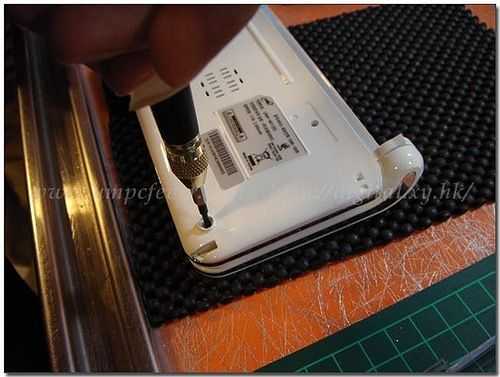
UMID M1 gets taken apart
Posted on 25 March 2009
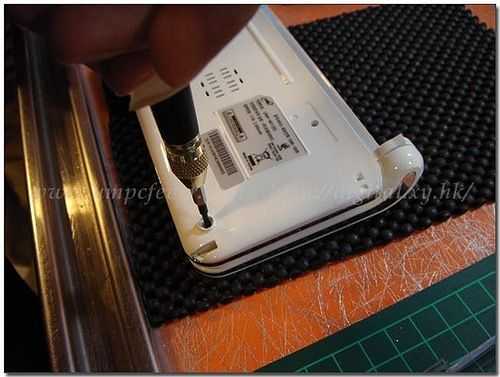 Jkk, the master of mobile modding, is always quick to point out internal shots from the latest hardware. This time, he found some shots of the UMID M1 [Portal page], which Chippy just recently wrote his hands on thoughts over at MIDMoves.
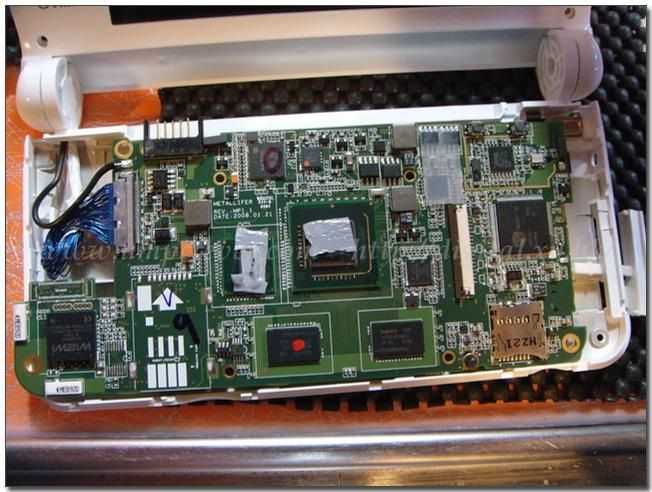
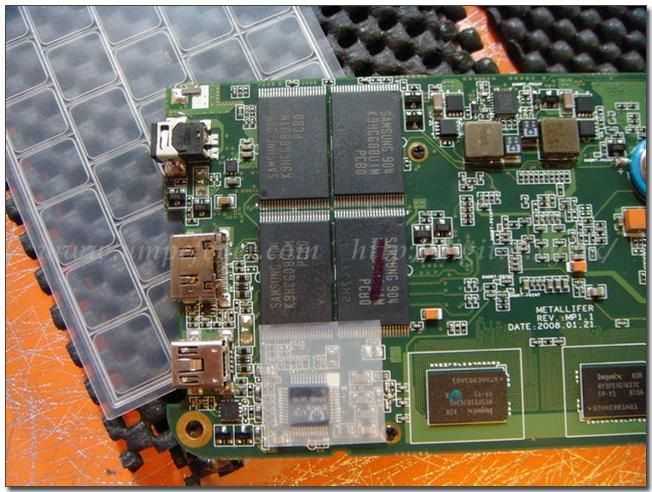
Unfortunately the tiny laptop form-factor device won’t be that easy to mod considering the RAM and even the SSD is soldered to the motherboard. Jkk mentions that a 3G mod won’t be easy either as the UMID M1 isn’t using a PCI-E 3G modem.
[ultra mobile PC Fever] via [jkkmobile]
Thoughts From SXSW – The Impression of Hardware
Posted on 20 March 2009
It used to be the rule that a stand at a trade show would need ‘Booth Babes’ to attract the attention of the thousands of people at a conference. SXSW Interactive is not like that… what attracts the attendees in the Austin Convention Center are shiny boxes that go ping. And the MID based devices the team was toting around the floors of SXSW.
Sitting down at a table, and opening up one of the Qwerty keyboard devices caused a lot of oohs and ahhs at the size. Unlike a European conference, where the 8.9 inch screen sized keyboard machines can be seen by a significant number of delegates, they haven’t as yet made an impact which meant that the visual shock of seeing the MID hardware running caught everyone’s eyes.
The clear winner in the form factor would have to be the M-book. It’s incredibly small, but running a flown blown Windows XP set-up. Seeing pictures of these devices, even in the hands of an actor for scale, is not enough. Personally, the M-book didn’t blow me away, until it was sitting in my hands, with an almost full sized keyboard, touch screen LCD, all in the size of a small pocket diary. Standing in line and cradling the M-Book was a challenge… not because of the small size making it difficult to use, because of everyone asking what the device is, and where can they get one?
The big challenge for any MID device makers is going to be getting the impact of these devices in the physical world into the minds of a consumer looking to purchase a new portable device. Once the hardware hits your hand, the size and usefulness starts to become clear.
Of course another part of that attractiveness is the software, but that kicks in after the f irst look of lust. How to build a solid relationship with software is a discussion for another day. Perhaps tomorrow…


 |
| |||
 |
| |||
 |
| |||
 |
| |||
 |
| |||
 |
| |||
 |
| |||
 |
| |||
 |
| |||
 |
|