I have only had my Amazon Kindle Fire for about four days. I have admittedly spent a lot of that time in my Amazon account on a PC setting up my account to access more services and content channels than I have been using in the past. I have also not had much time to put a lot of these apps through their paces on the Fire, but my initial checkouts indicate that they are as useful as they are on my other Android devices, so we wanted to make sure that other users or potential Kindle Fire buyers know that they are out there.
A bit of preamble as to why I have this thing in the first place. After a brief recovery, my iPad’s critical display fault resurfaced, rendering it useless. There are a few options out there for replacing it for $299 and up; mine is a 1st generation 64GB 3G + WiFi model. In order to replace it at the same level of capability, the options move to the higher end of the price spectrum. Truth is, I felt like right now was a bad time to replace it with either a refurbished 1st gen iPad or an iPad 2, with a potential iPad 3 within six months of announcement. Perhaps more importantly, as I surveyed the other gadgets at my disposal, I questioned whether I needed another 10″ tablet in any flavor of mobile OS. The Kindle Fire was an inexpensive choice, and I had already fallen in gadget-love with my Kindle 3 that I had picked up over the summer. At $199, the Kindle Fire is just outside the impulse buy window. Picking one up meant not giving up much in terms of any future purchase opportunities.
For initial setup, I used a method that I typically employ in using another device already in my mobile kit as a reference configuration. In this case, I used my Spring HTC Evo 3D, and spent a couple of night after work plumbing the Amazon App Market for all of my Android Apps or suitable substitutes. I could have tracked down the .apk’s for each app, but I do not know that doing so would have been any less time-consuming than searching for them on Amazon. And while side loading the apps would have been a good way to exercise my freedom, I wanted to at least make an attempt at using the device as Amazon envisioned. If I can use it with the vendors constraints, than general consumers should be fine with it, and enthusiasts can determine how much they will have to go over in order to tailor it to their needs.
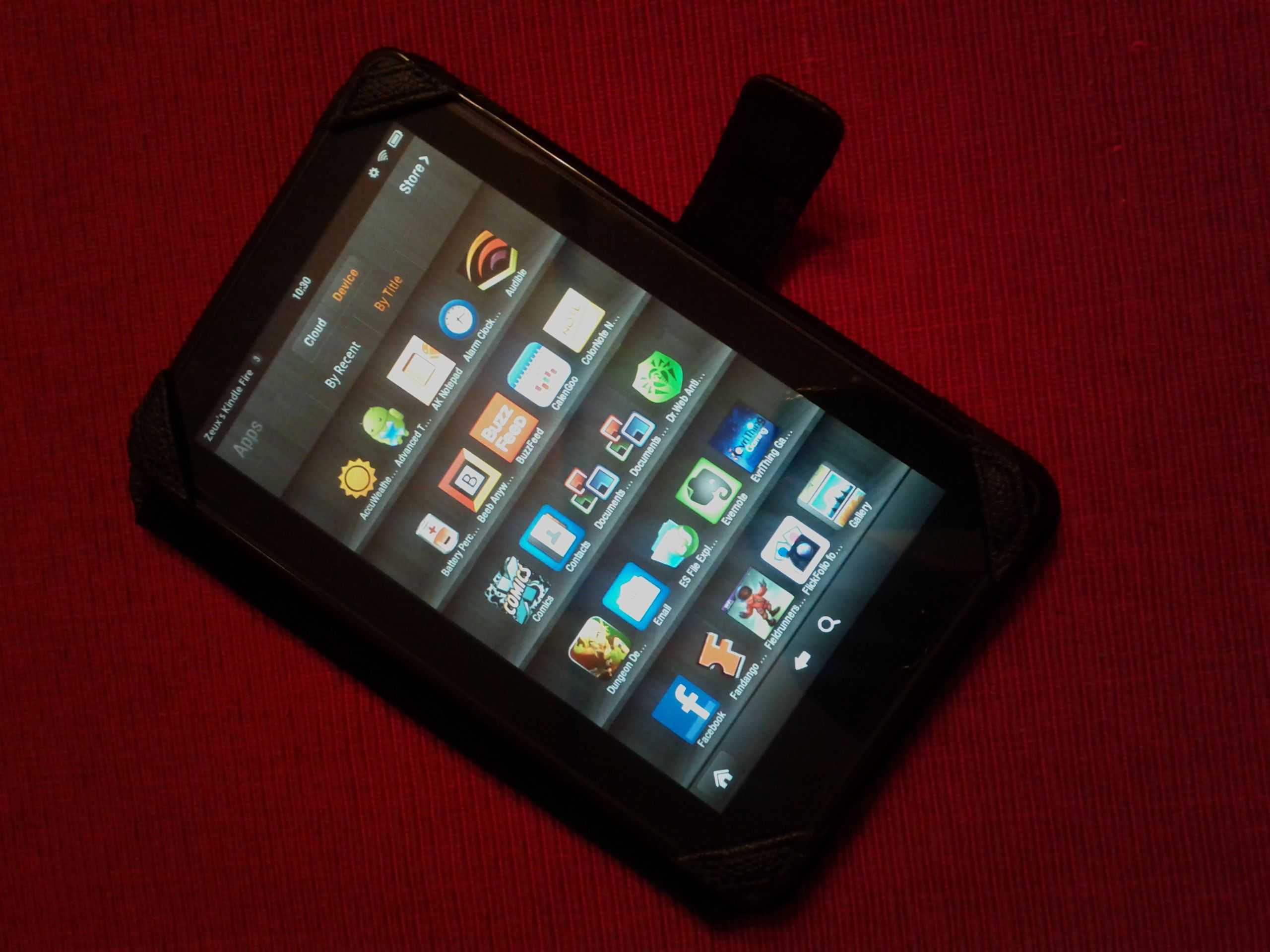
I have 56 apps loaded on the Kindle Fire right now. Here the top productivity and utility apps that I felt were essential to have onboard. Where pricing information is indicated, it is always in reference to pricing on Amazon:
13 Kindle Fire Productivity Apps
AK NotePad [free] – AK NotePad does not do much other than act as a no-muss, no-fuss text editor. I do a lot of writing in this app, anywhere from starting my blog posts to simple notes on home maintenance projects and sysadmin projects. I use this app on every Android device that I own, and was quite happy to find it available on Amazon for the Kindle Fire.
Battery Percentage Status Icon Alert [$0.99] – I always insist on being able to see my battery percentage without having to drill all the way down into the Settings menu on an Android device. This app does not implement the status view as optimally as I would like. In my other Android apps, the percentage is visible in the alert area of the display. On the Kindle Fire, you have to open the Alerts menu in order to see it. Still, that is a single drill-down versus the 3-step process to get to it via the stock Android method.
CalenGoo [$2.99] – In the wake of making my decision to procure the Fire, I have been on a few boards and seen comments on debating the value of the Kindle Fire. One of the big ones is the Blackberry Playbook versus the Kindle Fire argument, and I have seen Fire proponents claim the Fire’s advantage of having native email, calendar, contacts, and notes. Well, for calendar and notes, I do not know what native apps were supposed to be on my Kindle Fire, but I did not find them before I decided to just get CalenGoo. The app syncs with my Google Calendar and even syncs with my Calendar Task list. It also displays both my personal calendar as well as the one my wife and I share. In fact, it has several display options that the stock Android Calendar apps (both the Gingerbread version and the Honeycomb version) do not provide. I will likely be switching all my Android devices over to this app for my Google Calendar needs.
Colornote [free] – I suspect that just about every Android user is familiar with this app, as it comes pre-installed on many Android devices. Of particular note is that the recent updates have added a calendar view for your notes so that you can make them specific to a date. The big advantage of that feature is to then make a date specific widget on your homepage, but, admittedly, the Kindle Fire does not allow widgets on the homescreen. Still, this is a great app for making checklists and taking general notes.
Documents-to-Go Full – There are a couple of reasons why you will need an office suite on your Kindle Fire if you are going to use it for document editing on the go. The main reason is, well, so that you can do document editing on the go, if you feel that is a use-case you need the Fire to fulfill. The other reason is because Google Docs and DropBox do not exist in the Amazon App Store. So I put Documents-to-Go Full on my Fire, as I do on every Android device. I needed it anyway to meet the first need I mentioned. But I also use it if I need to access my Google Docs from the device. (the Main App which only allows you view documents is free; $14.99 for the full version, and I could not find a way to use my registry key that I have for the license that I purchased from the Android Marketplace to use on the Kindle Fire, although I did not spend a lot of time trying and I reckon that there’s some way).
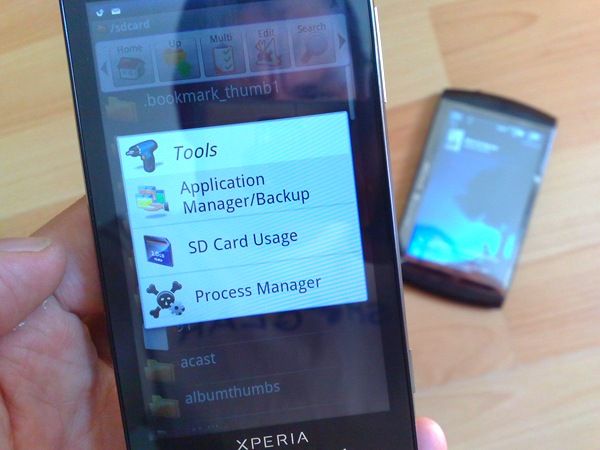
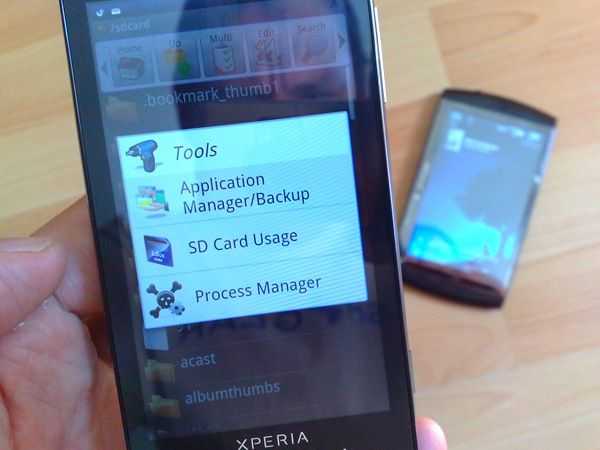
ES File Explorer [free] – Surprisingly, it is compatible with the Kindle Fire and appears to work the same as it would on any other Android device. I half expected that Amazon would not want you to have visibility on the Fire’s folder structures, but that is thankfully not the case. ES File Explorer is an essential utility if you want to store files in areas other than the defaults that other apps select for you.
Evernote [free] – I have not signed into my account on the Fire yet, but this app was available on Amazon, and indicates that it is compatible with the Fire. I tend to keep my online research notes in here, article ideas, thoughts on tech and any forum posts I write that I think might be good content for a later article.
Note Everything [free / $3.99 for Pro] – I do not know that we will ever see anything like the desktop version of Microsoft’s OneNote for Android, but in its absence, Note Everything does a decent job of allowing you to organize notes and encapsulate them in different folders to reduce your in-app clutter. (Free for the baseline app; $3.99 for the Pro version; I normally run the Pro version, but I am not certain what the differences are between it and the base version I am running on the Kindle Fire yet)
Office Calculator [free / $1.69 for Pro] – Another thing that the Fire is missing is a built-in Calculator. This one does the trick. (Free – I am running this version; $1.69 for the Pro version)
QuickOffice PRO [included / $9.99 for Pro] – The non-pro version comes per-installed on the Fire. The Pro version can be used to access your DropBox account. (Free or $9.99 for the Pro version)
Read It Later [$1.49] – A Kindle Fire client for accessing your Read it Later account.
SpringPad [free] – As important to me as Evernote; possibly more so. I primarily use this for some of the same duties that I mentioned I use Evernote for. But sometimes, Springpad is faster, and so there are some notes and files that I retain there.
The Weather Channel and AccuWeather – I counted this as one for purposes of the title, because I am pretty sure that one of them was pre-installed on the Fire when I bought it. There is nothing much to say about either of these apps, other than that they both do what they need to, which is admittedly not much!
So that is the quick and dirty…grab these apps if you plan on doing anything more on your Kindle Fire than just consuming content. I will admit that not being able to attach an external keyboard puts a dent in my gadget M.O. of trying to see how much productivity I can achieve out of any device. I will also admit that my current assessment is that the Kindle Fire, for me, will be an uber-eReader or uber-PDA, falling short of full tablet utility. Without being able to attach keyboards, mice, and external monitors, the Fire will be the center of my reading experience, but only short duration productivity stints. I would not take off on travel like I did for the Thanksgiving break carrying the Kindle Fire as my productivity device; the lowest end I will go to for that would be something like my Acer Iconia Tab A500, which is what I took along with a USB keyboard and wireless mouse. However, I am completely confident walking out of the house for a day trip or with a laptop stuffed in a bag knowing that I can work and read from the Kindle Fire while in transit and leave the laptop to rest until I get to my destination.
Addendum:
Let me close out with a few words on a couple of the controversies surrounding the Kindle Fire. On the debate of Kindle Fire versus the Nook Tablet, I was driven by my poor experiences with the Barnes and Noble website service layer and its linkages to the Nook, a component of that term that everyone keeps using…ecosystem. During the time that I owned my Nook, I was locked out of my account 3 times, and in each instance, I received no indication from the website that the reason I could not log in or make a purchase was because my account had been locked. When this happened for the third time (and when I was on travel to-boot) I lost my patience for it. It will be a long time before I am ready to tether myself back to my Barnes and Noble account and a corresponding device. On the choice between Playbook versus the Kindle Fire; I was very interested in the productivity I could get out of the Playbook. However, I was not confident in the level of app support and being able to find everything I needed. I was also not confident in the degree of support RIM will be able to provide at all. Spending an extra $100 to get a Playbook (my local stores are out of the 16GB for $199 model), that may or may not ever see the 2.0 OS update or BBX, was a sketchy proposition. As a long-term investment, I felt confident that Amazon was not going to cast aside the Kindle Fire and remove support for it any time soon.
For my other thoughts on other debates surrounding the Kindle Fire, I am attaching my comment post to a Boy Genius Report article that ran near the end of last week. The article reports on a study conducted by a market analysis firm, which tracked ad impression counts for the Kindle Fire during the weeks covering its launch through the week ending after the Thanksgiving holiday. Because the number of ad hits dropped off during the days following Thanksgiving, the firm drew the conclusion that most buyers of the tablet had become unenthusiastic about the device after the initial purchase window. The analyst further goes on to say that, because the Kindle Fire does not have all of the same features as the iPad, that it cannot compete in the tablet market, and that consumers want devices that have the same feature-set as Apple’s tablet. My response frames a lot of how I perceive the utility of the Kindle Fire, and what type of user I think the device is good for.
Comment Response to Amazon Kindle Fire already cooling off, study suggests:
“A very questionable study with conclusions drawn based on very limited data points. And what else besides price-point would “fall inline with consumer demand”? If it was features or specs, then it would seem that a lot more Android devices would be getting sold. I believe that tablet vendors have tried to compete with the iPad by going toe-to-toe on features and specs, or by even trying to clearly exceed the iPad on features and specs, and have encountered very little success. As one commenter indicated below, this a classic case of drawing a conclusion from a single metric and then extrapolating its relevance as if it was conclusive evidence of a definitive trend.
In the first few days with a Kindle Fire, I have spent all of my time in apps and pulling down content locally to the device and consuming it there. I have not spent anytime in the browser, yet I have essentially used no other mobile OS devices but the Kindle Fire. So I have expended many hours of usage, none of which would have contributed to this metric.
My belief is that users are employing the Kindle Fire as a device that receives all of its content through Amazon and in-app data streams. I believe users are more likely to buy digital magazines or newspapers than go to those publications’ websites via the Silk browser. This allows them to consume that content on the go, in an entirely encapsulated experience, without continuing dependency on connectivity once the download is complete. I also believe that Kindle Fire users are using the devices to do very specific things in very specific apps, and are not plunking down on a couch and engaging in general web surfing sessions for extended periods of time. A 7″ display would seem to lend itself to relatively brief surfing sessions of somewhat constrained and previously bookmarked websites.
I do not believe that ad impressions is the right metric to estimate Kindle Fire usage. It is designed to meet a different overall CONOP than other tablets. Just because it is in a slate form-factor does not mean that its degree of attraction to consumers can be measured using the same metrics and subjective assessments that can be applied to other slate form-factor devices. I do not believe that trying to compare the Kindle Fire to the iPad is an apples-to-apples comparison (no pun intended); a perspective that a surprisingly large portion of the tech analysis and tech media population seem to not be considering.
A more effective metric I think would be to look at the amount of content being purchased from Amazon either directly from Kindle Fire units, and/or the amount of sales growth in the Amazon App store, regardless of point-of-purchase (I have selected a lot of apps for the Kindle Fire via my PC, and then sync’d and installed those purchases to the Kindle Fire).
And I think the original analysts ending conclusion is just way off. Amazon is not trying to “truly compete in the tablet market”; at least not in the way it has been defined so far this year. And basing the win-lose assessment on what perceived consumer demand is…I do not know how anyone could assume to define this effectively. There was little to no concrete demand for a slate-style, media consumption device before the iPad’s arrival. There were a very small number of us who used TabletPCs and UMPCs, and the rest of the world who looked at us and the slate form-factor in general like we were crazy. Most consumers bought the iPad in droves without being able to effectively articulate how they were even planning on using it, or what use-cases they thought its capabilities would satisfy. What I think the Kindle Fire is trying to do is to provide a low-cost device, that has above crap-tablet level specs, and provides a 1-stop, integrated, homogeneous consumption channel for content. I can do pretty much everything that my Kindle Fire can do on my iPad, Xoom, Iconia A500, or ThinkPad Tablet. But in order to do it I have to have several different accounts, launch multiple apps from different vendors that get updated in different increments…you get the point…those experiences are very non-cohesive. And once I start moving, many of them become dependent on continuous connectivity.
I have an iPad, my wife has one, and our friends have them. But the way I use mine is vastly different than the minimal use-cases they employ theirs for. I believe that 80 – 90% of the use-cases that the average consumer would use an iPad for, can be met with a device like the Kindle Fire that provides that 1-stop shopping experience, that is highly reliable, and provides support and reach-back if you make a purchase and encounter problems, and can act as a single trusted-agent. Metrics that define those experiences are the ones that I think would be more relevant to look at than ad hits. You cannot make sweeping, broad, all encompassing assessments based off of singular data points.
I think if analysts are going to assess the indicators of Kindle Fire purchases and their impact, maybe one angle that needs to be looked at is how many consumers will see the $200 Kindle Fire as meeting their minimum need and preventing the need to step up to a $500 iPad? Certainly an argument can be made that the $500 iPad is more capable, but the more relevant question seems to be whether or not consumers perceive that they need that extra $300 worth of capability, or if the $200 package will be good enough. My regrets for voicing an opposing opinion.
– Vr/Zeuxidamas.”