Tag Archive | "navigation"

Mapfactor PC Navigator 9 Released. UMPCPortal Test.

Tags: , , , , ,


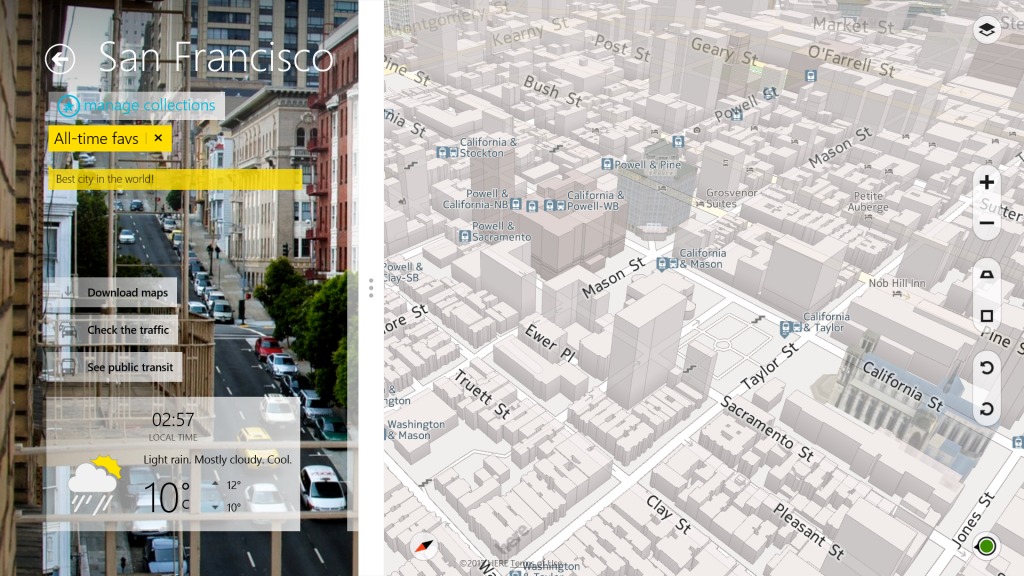
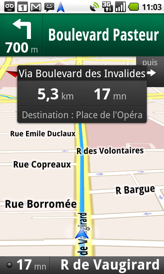
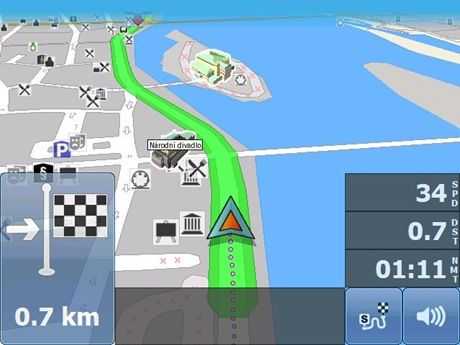
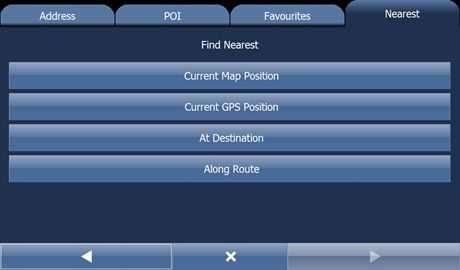
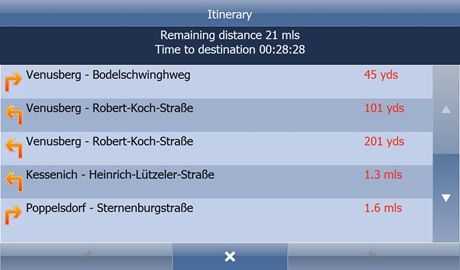
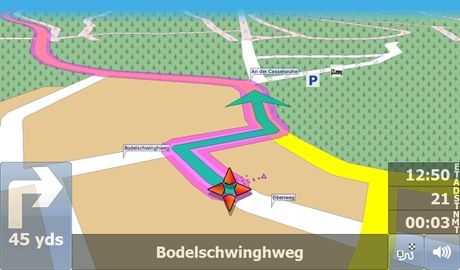
Mapfactor announced version 9 of their PC Navigator software today and I’ve got some testing notes, images and videos for you below. Main improvements include up-to-date maps form TeleAtlas from February 2009, simplified and improved User Interface (searching dialogue, map tools), improved TMC (traffic information in Europe), improved ‘Find nearest.’

I’ve been using PC Navigator 7 [review] for the last few years and it has worked really well on UMPCs from 4.8” up to 10” . Version 9 works just as well, if not faster and smoother than previous versions. Map coverage appears to be extensive (I didn’t test all the country maps!) and the UI and search facilities are definitely improved. Most of all, I find the value for money to be excellent. Full European maps including partial coverage of some new eastern European countries and a touch-friendly application for under 120 Euros. The same price for US and Canada.

pcn8-navigation PCNav9-3 PCNav9-1 PCNav9-2

Read the full story

Coach bus driver using Samsung Q1 Ultra for navigation solution

Tags: , , , , ,


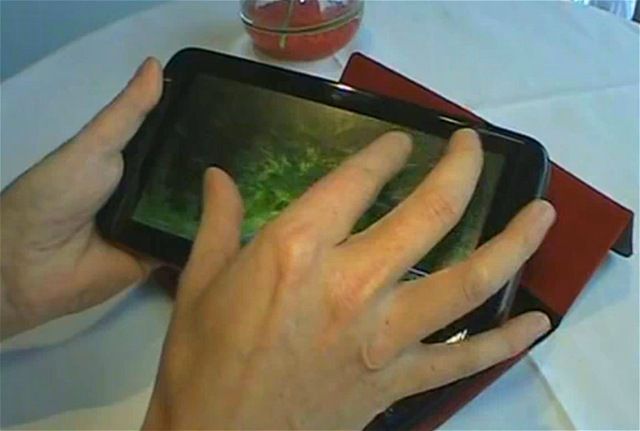
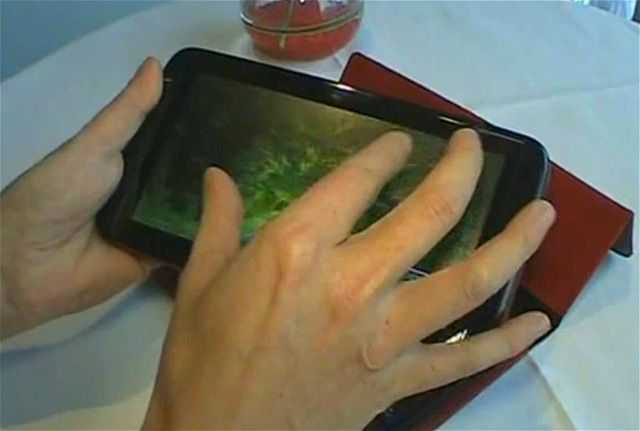
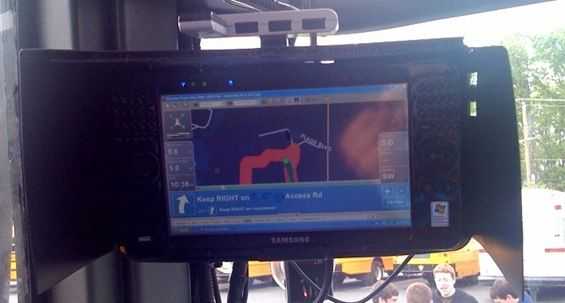
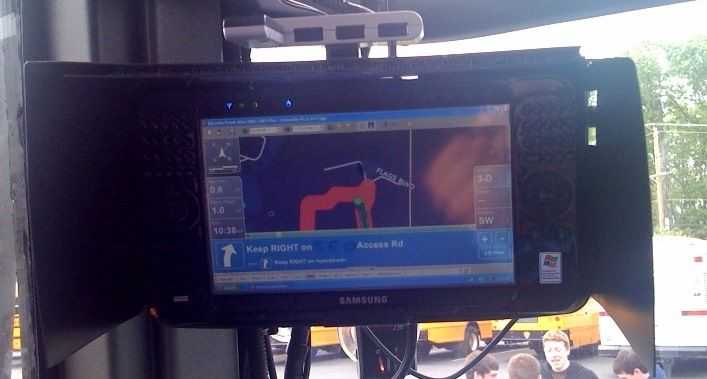
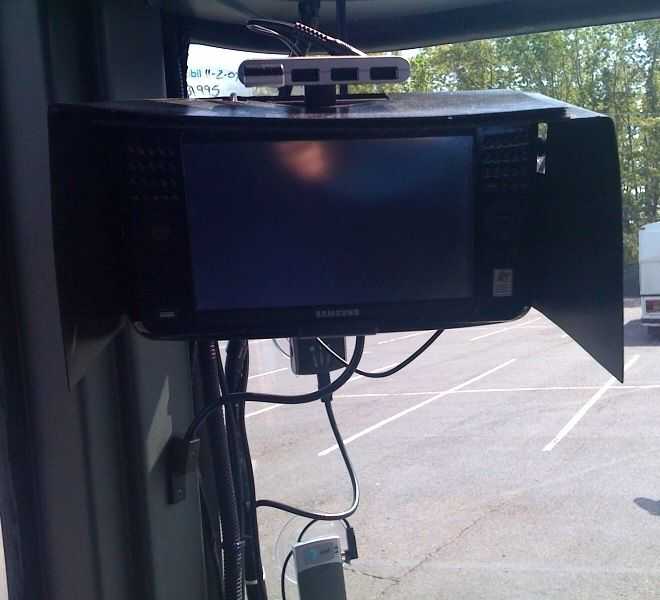
photo I was recently on a trip which took me on one of those big coach buses. A friend inquired to me as to whether the bus driver was using GPS or if he just knew where he was going. I assumed that he’d be using some sort of GPS, but I wasn’t expecting that he’d be using a popular UMPC at the center of his navigation solution. It was interesting to see a Samsung Q1 Ultra [Portal page] in the wild, and apparently being used quite effectively. I was able to snap two quick images with my iPhone; sorry about the quality, the lighting was not in a favorable position.

The bus driver was an older man who looked to me nearing or into his 60’s. I wasn’t sure if the Q1U based navigation system was devised by him or supplied by the bus company. Again to my surprise, the system was set up by the bus driver himself. I suppose the old “book by its cover…” adage is suitable here. I exchanged just a few quick words with the driver about the setup. I wasn’t able to capture all of it, but it sounded like he was using some pretty powerful industry navigation software to map routes effectively. I believe he was using a Bluetooth GPS unit to obtain nav data, and I saw an AT&T branded unit which I’m assuming provided 3G data, but it looked a bit old and could have been EDGE only.

photo (1) Nearly every part of the setup was mounted right on the windshield, it was pretty cool. The Q1U looked to be using a suction mount designed specifically for it. There was a DIY looking sunshade to block direct sunlight and make sure that the screen stayed readable. The sunshade looks to consist of two separate pieces and be resourcefully held together with velcro, which I would imagine makes it easy to break the setup down and pack it away. On top of the sunshade was a USB hub which provided four USB slots, in one of them a USB memory stick was plugged in. The GPS unit and AT&T data unit were both mounted to the windshield as well.

Pretty cool to see this nice navigation setup. I imagine that the driver is able to do much more than similar drivers who are using simple consumer GPS units.

Is anyone else out there using a UMPC for their in-car navigation needs?

How Location-Based Services could help ARM-based MIDs

Tags: , , , , ,


Location-based services are an exciting and interesting area of mobile computing. Carriers, advertisers, developers and consumers all seem to understand the potential and as social networking grows in popularity, these services could be big sales drivers.  If these services become deciding factors for consumers in the mobile device space, mobile platforms that don’t support them will clearly suffer.  Leading mobile platforms like the iPhone, Blackberry, Android, Maemo and Symbian that are all based on ARM cores have a big head start over x86-based operating systems and it’s looking likely that it will stay that way.

Consider these points.

1 -  It’s likely that nearly every high-end mobile phone will have GPS built-in within the next 24 months. ABI predicts 90% of smartphones will have GPS by 2014. Most early adopters in the Internet space are likely to have a phone with a GPS in the next 12 months, if not already. Nokia are planning to have nearly all N and E-Series phones with GPS within the next 2 years.

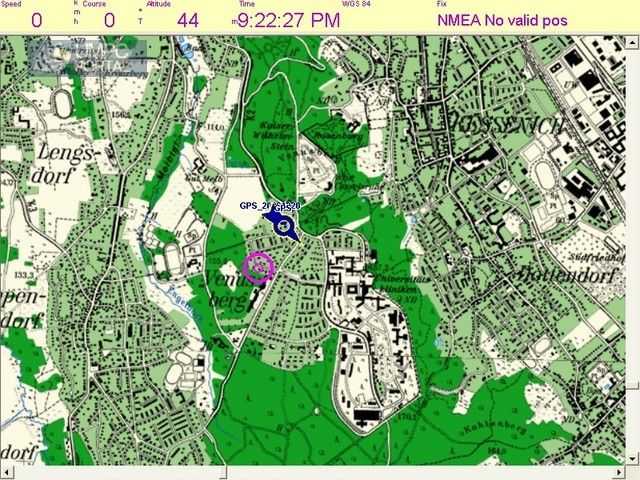
2 – Apart from the small numbers of deployed GPS modules on PCs, UMPCs and MIDs, developing applications on a PC that integrate smoothly with GPS remains difficult. Consumers can not be expected to enter COM port and baud-rate details into their software configurations.

3 – Broker services. Why use a local GPS modules on a PC, even a mobile one, when a broker service (like FireEagle ) can not only provide your location to all your cloud-based services but also back to your PC-based app? Because of the PC-based development problem identified above,  social networking clients on PC’s will probably take this ‘least-effort’ route in order to tag microblogs and media with location.

map1

There are of course reasons why you might want GPS on your PC.

1 – Your PC is used for real-time GPS data. (Turn-by-turn navigation, tracking and data collection.) This applies to UMPC users and CarPC users. Broker services would have too much latency for real-time services. Specific applications and target markets will continue to exist.

2 – Your PC is not connected to the Internet and therefore can’t use a broker service.

3 – Why not? GPS modules are cheap.

The clear likelyhood is that the software developers will continue to focus their LBS efforts on smartphone platforms due to the ease of access to GPS information and the number of GPS-enabled devices out there. There are one or two options for X86-based platforms though. Geoclue and Moblin teams are working on getting this LBS issue resolved for the Intel-based MIDs but they need to work quickly. An Android port could also seed interest in the x86 platform for these applications.

Does this mean that the smartphone wins? Not yet. There are problems that need to be addressed because GPS-enabled applications are dynamic, require a lot of cpu power and a lot of screen space. Mobile phones are low-powered (in terms of CPU and online/gps battery life) and have small screens which make them less than ideal despite their GPS-friendly operating systems. This is why MIDs will come along to satisfy the need for larger screens, larger batteries, keyboards and higher processing power. Significantly, for LBS developers, they will come in both x86 and ARM-based flavours so there will be no need for location-based software developers to change to a new architecture just to get round physical limitations of smartphones. The ARM-based MIDs will be there to fill that gap and provide the perfect platform, in terms of both hardware and software, for rich and dynamic LBS services.

If location-based services become successful it will give smartphone-based MIDs a huge head-start over X86-based MIDs. My personal feeling is that GPS-enabled social networking is going to be very important and is likely to drive sales of devices that support. X86-based MIDs are at a serious disadvantage.

Lists of location-aware software and services:

Are you involved with location aware software development? If so, are you interested in writing software for Moblin or ‘desktop’ operating systems or are you going to focus your efforts on mobile platforms? Which is your favourite mobile platform for location-aware software development?

Note: I haven’t covered triangulation services here as I believe that they only have a secondary role based on their closed architecture, inaccurate results and the proliferation of handset-based GPS modules and open broker services.

Streetdeck navigation on the Viliv S5 video

Tags: , , , , , , ,


vilivs5 navigation

When hardware and software work together in harmony, beautiful things happen. Take, for example, this video of Streetdeck 2 navigation software running on the upcoming Vilic S5 MID [Portal page]. Try to watch this video and then tell me that you don’t wish you had this as GPS solution for your car.


I’m really impressed with both the hardware and the software in this demo. A few things make this possible, first of which is the fact that the S5 is much more powerful than any standalone GPS unit. Streaming satellite radio while viewing real-time 3D navigation is no problem. Second, is that the Viliv has GPS built in. I might be able to do something similar with my UX180 (which I’m looking to experiment with), but I’ll definitely need to use a Bluetooth GPS device.  This video puts the capabilities of my supposedly ‘gps equipped’ iPhone 3G to shame, and even my dedicated GPS unit.

[jkkmobile]

Telmap brings maps to Moblin MIDs

Tags: , , ,


Filling in one of the obvious gaps on the existing GPS-enabled MIDs is Isreal-based Telmap who have partnered with Intel to bring turn-by-turn, local search, traffic info and pedestrian routing to Moblin.

“As a leading authority in mobile location services, Telmap is embracing the MID category to bring rich navigation and location based services to mobile users. This announcement further highlights Telmap’s multi-platform approach to devices and the addition of Linux to its extensive list of supported OS platforms….Combining its advanced search features, Telmap can provide live, location-aware and real time information to any user in-car or on foot.”

11_176X142 Copy-of-NavUKTrf_176X142
Images from Telmap Navigator

That’s another segment of the Ring of FIE covered then!

Source

Via Pocketables

Choosing a location enabled service for the tour. Part 1 – Requirements.

Tags: , , , , , ,


With well over 50 geo-enabled web-based services available, plenty of dedicated PC and phone client software and a mountain of methods that will track and update your location, it has been very difficult for me to define a simple process that will help me to achieve want I want. Yes, i’m testing the limits here but that’s what MIDMoves is about. We want to get our hands dirty and find the limits.

moblogmap

Here’s the list of what i’m trying to achieve.

  • Location. Where am I now? Exactly?
  • Turn-by-turn, step by step. Where do I need to go. How long will it take?
  • Public transport. Where is it? When does it depart and arrive?
  • Phototagging. Ensuring that my images are tagged with their location
  • Live location tracking and networking. Allowing other people to view my location and to enable notifications when friends are near.
  • What’s near me? How do I find the nearest hotel? Wifi? etc.
  • Location tracking. How to I archive my locations and route?
  • Map mashup. How do I create a map that shows my tracks along with all the ‘e-things’ I did along it. Photos, blogs, podcasts, twitter updates etc.

Tying that lot together in one application, on one platform right nw is impossible. Even if there was an application out there that could do all this, there isn’t a device that would last more than 5 hours doing it before the battery was flat and that’s a major problem because the starting point for web-based activities is the device that is always with you.

You might expect me to say ‘MID’ at this point but the fact is that the gps-enabled phone is the epicenter of most developements in the geo-enabled web world and as it’s the only electronic device that stays with people all the time AND it’s internet connected, it makes sense. Unfortunately, there’s a way to go until the smartphone can do everything above which is why it’s not possible just to use a phone. I’ve had to combine three devices together to give me the capabilities I need.

  • A GPS-enabled smartphone
  • A mobile Internet device
  • A GPS Tracker

In part 2 of this article i’ll talk about each of my requirements and how i’ll use these devices and a bunch of web-based services to achieve my targets.

Mapfactor Navigator moves to V8.1

Tags: , ,


Image1Mapfactor’s Navigator is a well-priced, touchscreen friendly EU and U.S. PC-based turn-by-turn navigation system that I tested last year and gave the thumbs up. At 120 Euros its very well priced and it works very well on UMPCs.

Version 8.1 is now out and has these new features over the V7 that I tested.

  • Maps from July 2008 – Including map of Bulgaria and Malta. 100% coverage for Hungary,
    Poland and Slovakia. Very good improvement of maps of Turkey, Latvia and Russia.
  • New remote (TCP/IP) commands for communication between driver and dispatcher.
  • You can send text messages, new routing points, receive the actual position of the car, track
    a car and many others.
  • Improved searching dialogue
  • Change the color of the map and application
  • Traffic lane assistant.
  • Motorway signs – clear signs which show you the directions of travel
  • Real 3D icons of important buildings.

Well worth a closer look if you’re looking for a PC-based solution for your carpc.  Details at Mapfactor.

Chrysler offers 4 mobile devices for $2000. But are they the right ones?

Tags: , , , , , ,


webedition Chrysler are introducing a ‘web-edition’ mobile Internet device package for their cars which comprises a Wifi/3G router with one year of 3G data contract, a Sony PSP, a Dell Mini 9, an Apple iPod Touch and Eye-Fi wifi/sd card. The option price is $1999. Mobile Internet Mobility!

It got me thinking, given $2000 and assuming you had no mobile devices, what devices would you choose? You’d need to cover the following mobile scenarios.

  • PC Computing (screen, keyboard, storage, desktop OS)
  • Handheld web browser and e-book reader
  • Media (video and audio) playback
  • Photography / Video
  • Gaming
  • PIM
  • Navigation (with turn-by-turn)
  • Connectivity (voice, data, wifi, 3G, BT)

[continued...]

Read the full story

UMPC Moblogging with Live Tracking. notes

Tags: , , ,


My most recent live-tracked UMPC photoblog went a lot better than the one I tried to do before and the main reason it worked was because I turned off 3G on my mobile phone thus extending battery life by over 100%. Smartphones still have a battery life issue in these online scenarios though and my own battery sill died before I got home but at least it lasted 3hrs and 10minutes which is a lot more than the hour or so that I had when I last used live tracking with 3G enabled. As a results of the ’success’, I thought I should make some notes to help others thinking about doing the same thing. UMPCs allow real flexibility in the way you handle your media when you’re out by giving you access to a wide range of desktop computing tools. They also enable rich editing capabilities and even live video sessions with embedded chat as we do on UMPCPortal Live. The method I’m talking about here is one with live tracking using a Nokia N-Series phone and the Nokia Sportstracker app but don’t forget there are other methods too. A cheap GPS tracker (Garmin Etrex for example) is a very flexible way to add geo-location info to your existing equipment and to give you the ability to lay a track over a Google Map. The battery lasts a lot longer too! Read on for more information on the setup and method.


Taking a picture of your photography kit means you have to use an old phone camera. Sorry for the poor quality!

Read the full story

Archos advances.

Tags: , , , ,


Archos are moving, very quickly this week it seems, to combine the three major, non-smartphone, consumer mobile activities onto a single device. Thats the high-end PMP function (that requires a 4-6″ screen size,) the mobile Internet (that requires a 4-6″ screen size) and Navigation (that requires a 4-6″ screen size.)

Archos

Now i’m not saying that you can’t do those functions on a smaller, or even bigger, device but these are the three areas I see that are absolutely ripe for dropping into a hand-held device where the quality of presentation and capability could be far greater than a smartphone could provide. It’s MID territory…

Read the full story

Mapfactor PC Navigator 7 review. (On Everun UMPC)

Tags: ,


For nearly a year, I’ve been looking for a good PC-based routing and live navigation solution that will work with UMPCs. I bought Autoroute 2007 but the touch enhancements were not good enough that it could be used on the go. Then, back in Dec 2006 I tested out CoPilot 10 but again the features just weren’t good enough for UMPCs. Meanwhile in the U.S. iGuidance 4.0 was getting good reviews and at the same time it was being discontinued at V9 in Europe. Oh frustration!

Then, out of the blue, Mapfactor contacted me to see if I wanted to test PC Navigator 7. Of course I agreed and they sent over the latest version which sat on my shelf while I focused on the Solar UMPC project. Only recently was I able to get it installed on the Everun UMPC and start testing it out. And what a breath of fresh air. A simple-to-operate, finger friendly live navigation solution at last! [read on...]

Read the full story


News Discussion

Commenting continues long after an article has left the front page. Keep up with the latest updates on our discussions page

Become a Member of UMPCPortal

Join the forum and join us for discussion about all aspects of ultra mobile computing. Ask questions about devices and usage scenarios and learn from owners and experts. Join up here. If you're already a member, login here.