Tag Archive | "tabletpc"

Windows 8 Metro UI, Tablets and Mobility – Let’s talk about the Mis-Match

Tags: , , , , , , , ,


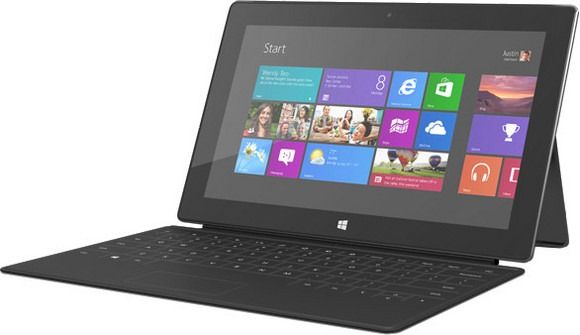
IMG_7659_thumb2Many of us have downloaded the Windows 8 Developer Preview to give it a test run and I think it’s fair to say that the most exciting feature to test is the Windows 8 Metro UI. Focused on touch, app-snacking, consumption and entertainment it has been an interesting product to think about in terms of mobile computing; real mobile computing. Getting the balance of UI right for both on-the-go and bum-on-seat activities hasn’t been achieved by anyone yet. Windows 8 is the big hope for that in the future.

Not only does Windows 8 introduce this interesting Metro UI and apps layer, it also approaches quick-startup and efficiency. In testing it over the last few weeks on four mobile devices, I’m not as positive as a was a month ago about the Metro UI although it’s way better than anything I’ve experienced as an overlay on Windows before and ultimately, I’m enjoying its responsiveness, sharing sub-system, full-screen Explore browser and dynamic nature. There are some serious issues to talk about though.

The first is that while Metro works on low-resolution devices, the apps won’t because they require a minimum of 768 pixels vertically. For the side-by-side snap feature, you need 1366 pixels minimum width. There are also major issues when working in portrait mode – something that isn’t really supported at all. The resolution restriction seems crazy when you consider the cost and size of 1366×768 screens. I don’t see anyone producing that at 7″ and as it’s not compatible with 1024×600, 100 million netbooks users are going to be left out.

[Ref - Screen size recommendations for Windows 8]

You might argue that we just need much higher resolution screens. I’ve tried Windows 8 on a 1280×800 screen at 5.8″ and yes, Metro apps work. Text might need a little enlargement here and there but it works. Some issues remain though. Touchscreens can’t be recessed otherwise it’s not easy to find the magic swipe that expose the hidden menus on the right and bottom left corner. Forget resistive screens. That’s not such a big deal considering the level of capacitive and digitiser deployment and it’s also not much of an issue for the classic Windows UI either as that’s the one you’ll be using who you’re docked at your desk. The other issue comes with cost and battery drain. High resolution screens are expensive to produce, especially if you want one that’s readable outdoors. There’s also the power cost in terms of the display electronics and the graphics power needed to control it. Given that most people are more than happy with 200ppi, a higher density in a 7″ frame is counter-productive, at least for large-font Metro. People with perfect eyesight may disagree with 200ppi but I regard it as a good trade-off point for screen design.


Metro-UI-Portrait-App_thumb1

Windows 8 Metro UI in Portrait Mode

It’s unfortunate that the developer preview is indicating that portrait mode isn’t encouraged. All the apps in the preview fail to work efficiently in portrait mode despite that fact that in portrait mode you get the best split-screen keyboard experience and preservation of screen real estate.

I agree with those that say portrait is useless on a top-heavy device of 2lb or more but what about 2013, 2014 when 10” Windows 8 tablets could be under 1lb and when even the 7” form factor could be possible with a hi-res screen?

To demonstrate what I mean here, I’ve made a video showing the Windows 8 developer preview on an ExoPC in portrait and landcsape modes.

Continued…

Samsung Series 7 Slate Pre-Order Starts. Price Matches Capability.

Tags: , ,


image

Prediction: 9 out of 10 commenters around the web will accuse the Samsung Series 7 Slate as being ridiculously over-priced. Personally I think its the best Tablet PC I’ve ever had my hands on and in my opinion it’s well worth the money that is being asked. Slate-now-available-for-pre-order-for-1349.html
">Liliputing have details.

In 2012 the Series 7 will mature with Windows 8 into one of the most multi-scenario high dynamic range computers there is. Clearly I’m not disguising the fact that I want one!

I probably don’t need to explain to you all why it’s so good but ill try and summarize anyway. First though I have to raise my hands and say that this isn’t a UMPC, by a long shot, although it’s lighter than many device we’ve covered here on Umpcportal.

5-20x the CPU processing power of an ARM based tablet. (depending on Turbo state)
Around 5x the CPU performance of a single-core netbook.
Dual touch/pen input layers
Hardware video co/dec (it’s bloody fast at file conversion too!)
Dock, Keyboard included
Under 900gm

Most people would have no problem using this as a desktop PC. With Windows 8 I suspect that many will enjoy this as a tablet. Can you imagine how devices like this will mature in 2013. I estimate 700gm for even more processing power than this. We’re getting there, and interestingly, Atom is nowhere to be seen.

I’ll be testing the Series 7 later in the month and am really looking forward to the live review session. I hope you will join me.

http://liliputing.com/2011/10/samsung-series-7-slate-now-available-for-pre-order-for-1349.html

Samsung Series 7 Slate PC Hands-On Images

Tags: , , , , , , , ,


You’ve seen the hands-on video and the blinding speeds of the CPU and disk of the Samsung Slate PC but you still might be hungry for more. I am!  The Samsung Series 7 Slate PC is a seriously impressive bit of engineering and proof that Core i5 can be designed into a chassis of under 900gm. The Slate PC will come with dock and keyboard for an estimated 1100 Euro entry-level price. It’s basically an Ultrabook without a keyboard but for many, this modular approach with attention to pen and finger touch details could be exactly what they’ve been looking for. I’m certainly taking a closer look at this one myself and hope to have a review device as soon as it’s available.

Samsung Series 7 Slate PC Tablet Breaks 100K in CrystalMark (Includes Testing Notes)

Tags: , , ,


In 5.5 years of testing, this is the first time I’ve ever seen a sub-1kg device break 100,000 in the CrystalMark test. The Series 7 Tablet is a serious bit of kit and really showcase just what Windows 7 tablet features can do.

It boots in under 20 seconds, plays 720p without pushing the CPU above 5% and due to the very very fast ssd, starts programs in the blink of an eye

Samsung Series 7 Slate PC CrystalMark Results

To put these figures into perspective, just remember that the average netbook turns in a score of about 20k. A high end netbook, just 30k. The CPU alone in this Sandy-Bridge-based device is about 5x as powerful as a netbook CPU and these CrystalMark scores don’t even test advanced graphics features and the Intel Quick Sync video hardware.

As for battery life, I’m estimating a 36-40Wh battery in this. Due to the heat and the software and testing that has been done on the device here I can’t get it to idle properly but I an tell you that Samsungs Series 9 ultralight which uses the same platform, can idle down to under 5w. That would allow this Slate to run for 9 hours. I’m estimating basic WiFi usage scenarios to be around 4hrs with video editing pushing it down to under 3. Its a high-dynamic range device, that’s for sure.

One USB 3, BT3+HS, a Trusted Platform module, 6-axis accelerometer micro SD, micro hdmi and headphones output are included. Screen viewing angles are good on the 1366×768 display. The fan is on in this 25+ degree room but its not too noisy. I have to get within 10cm to hear it above the ambient noise (relatively quiet demo area.)

image

If you’re looking for a serious tablet, don’t buy until you’ve tested the Series 7.

[ Posted via the Galaxy Tab. Ultra-Mobile at IFA 2011. For more IFA coverage, follow me on Twitter. @Chippy ]

Samsung Series 7 Slate PC Hands-On Video

Tags: , , , , , ,


image

image

The Windows Tablet PC reputation never really earned anything through the cheap netbook-based versions that hit the market over the last few years. Low power processors, lack of docking stations and capacitive touch layers that prevent anyone from taking advantage of the natural input features. The Samsung Series 7 Slate should fix that!

It’s the first Sandy Bridge (2nd generation Core i5) tablet PC I’ve ever tried and wow, she flies. The digitiser works well and the Slate will be delivered with a dock and keyboard as part of the package. It weighs less than a kilo and Samsung tell me it will return up to 7hrs battery life. Ok, lets take the 30% ‘marketing markup’ off that and call it 5hrs. That’s usable although I know from my work with Ultrabooks that you can easily get carried away and kill the battery in half that time.

I like it a lot, just like I like Ultrabooks a lot. They fit in nicely above consumer tablet and smartphone usage scenarios that are eating into the reasons you might buy a netbook and they truly negate the need for a desktop. This mobile/desktop usage scenario certainly helps to justify the price which, as can be expected, is going to around the same 1000-1100 € or $ level as Ultrabooks.

There’s another Series 7 Slate article over at Ultrabooknews.

[ Posted via the Galaxy Tab. Ultra-Mobile at IFA 2011. For more IFA coverage, follow me on Twitter. @Chippy ]

Buyers Guide – CCC 2011 #4 The Mobile IT Manager

Tags: , , , , , , , ,


It looks like we’ve hit another 7” requirement with very few solutions. Any more of these requests and i’m going to go out there and make my own UMPC and sell it to you all!

Mike contacted me to see if he could get some suggestions for an extremely mobile computer. It’s one that needs a full MS office suite and also needs to do duty as a support system in a light aircraft.

Here’s the breakdown.

·As an IT manager I use the MS Office suite, MS Project, MS Visio, and Firefox to do my job.

· I also travel by small plane for work and I need a unit that runs Windows so that I can use my flight navigation software (www.anywheremap.com)

·The yoke (steering wheel of the plane) can only accommodate a unit with an 8.9 inch screen without blocking critical flight instruments – 7 inches provides the best fit

·When I land at the local airport I often use a car GPS for street navigation.

·I don’t use my computers for gaming or video editing, but I do need to have reasonably snappy performance in the office environment.


That’s a clear requirement. 7”, Windows and wallop! right into the no-devices zone.

I initially thought about leading with a device that had GPS installed but that can be problematic. In my car there’s a UV filter on the screen and it kills reception. Where reception is critical, a well-positioned GPS puck is going to be the answer. Bluetooth isn’t the most reliable of connectivity mechanisms but once set-up, it does work.

Now that we don’t need the built-in GPS, we’ve widened our scope ….

I’m looking at the Libretto W100/W105 as I did in the last CCC. Mike is in situations where power is likely to be available and in the plane he can use a power brick. Do they have cigarette lighters in small planes though?! As with our previous CCC, there’s also the Q1 Ultra Premium (2nd-hand) and the Viliv S7 convertible. It’s got a faster SSD, good battery life and is available with 3G. It might not have the oomph to run Windows 7 though. The same goes for the Viliv X70 EX

It’s the Windows requirement I want to get right in the suggestion though. A UMPC running Windows 7 really needs a fast SSD, a 1.6Ghz CPU and, preferably, 2GB RAM.  It’s why I keep thinking about the Libretto W100 but then there’s the screen area to think about on that. It could be too big!

I’ve got three more to offer-up though. (Click images for more info)

HP Slate 500. 8.9” screen. 1.8ghz CPU. SSD.  Includes dual-layer screen. The HP 500 does seem to be satisfying most people that buy it. At 1.8Ghz it’s got just enough more than a 1.5Ghz Z-series Atom, along with an SSD, to make Windows 7 work smoothly. Here are some more thoughts on the HP Slate 500.

Panasonic CF-U1. It’s an expensive rugged 7”-er ($2K entry price) but it’s a seriously good bit of kit.  It only has a 7” screen but it’s a fairly bulky 7” device.

Netbook Navigator Nav 7 (or even Nav 9). I heard from Netbook Navigator yesterday that the Nav 7 is about ready to launch and I’ve just put all the details of this one in the database. Obviously you’ll need to wait for some reviews before committing but it certainly looks compact enough. Unfortunately there’s no docking station or VGA / HDMI out but from your email, Mike, I see you’ve been using a USB-based docking station anyway. This might work for you. I’ll be writing more about the Nav 7 in an upcoming article. [Available here when posted]

So, Mike. What do you think? Will an 8.9” device work for you (HP Slate 500) or are you determined to go for a 7” device? Are you OK without VGA? Do you want laptop-style processing power?

Chime-in with comments people. Mike needs help!

ExoPC Investigating Product-X Tablet Design. My Feedback.

Tags: , , ,


I’m sitting in front of an ExoPC which is now referred to internally as the Exo-1 because they’re looking for new hardware for the next generation ExoPC device – Product X

There’s a very open an interesting post up on the ExoPC discussion board about new hardware they’re testing. It’s clearly an Oaktrail-based device but they’re not giving the ID away at this stage because there’s some negative points being aired. It’s a thread that has already prompted me to post something on our own forum about Oaktrail and I’d like to bring it up here. Maybe it’s useful for Exo PC. Maybe it’s useful for readers.

exopc1

Obviously if you’re going to bring similar looking / acting hardware to the market as a new model, it needs to be better than the existing product, right? If there’s one thing that’s worse than the previous model, it confuses customers and causes rumblings in the owner community. While the battery life on the Oaktrail-based devices might be better, the performance isn’t. An Atom N450-based Win 7 product will outperform a 1.5Ghz Oaktrail equivalent in most, if not all, departments. Even if you bump the CPU up to the new Z615 at 1.9Ghz, the GPU isn’t going to be better than the previous generation. It’s a problem for anyone that’s got a 10” Atom N-series in the market. Where do you go?

The problem is, the N450-based tablets aren’t exactly zippy and are not the best at battery life. Fan noise, weight and size are an issue so some progress needs to be made there. Oaktrail is not the solution here and until Cedar Trail or more Ultrabook-like designs (E.g. EP121) come along, there’s no solution.

The way to make for ExoPC to make a second device is to move to a new form factor  and / or a new operating system. Changing the OS is a problem for ExoPC because most of their business is wrapped up in their overlay software development, for Windows. Personally, I don’t use it but if it’s their bread and butter, it’s important.

So why not keep the user interface and apply it to a 7” model? The 7” Windows tablet market is small, yes, but so is the 11.6” Windows tablet market. In fact, there’s less competition in the 7” space, more importance placed on efficiency and at 7”, Windows needs an overlay more than it does at 11.6” Using Oaktrail allows you to make a different hardware product for a new market and it also brings a bridge to other operating systems that could boost hardware sales. Meego is an interesting option for an Oaktrail tablet and if your skill is in user interfaces, you could turn something round quickly and make quite a differentiator in the Meego market. Acer turned a lot of heads when they presented their 10” Morestown-based Iconia M500 tablet that’s due to be available in Q4.  Don’t forget the Windows 8 mobility path either. If you’re working with Oaktrail now, making the move to Clovertrail and Windows 8 should be easier later. It will make an even better 7” tablet platform and gives the company a product to focus on should Windows 8 kill the ExoPC software overlay business.

ExoPC should do two things. 1) Look at the 7” Slate space where user interfaces become even more important. It’s currently a fairly empty space if you consider pro-mobile users and although niche, could allow ExoPC to become the king of it. Better to be king of a small niche than a bit-player in a large one. Asses Oaktrail devices and think about Meego, Windows 8 and even Android which we’ve already seen running on Intel. Look to break out a new product with a new customer base. 2) Take time to find a better product platform for the existing (10-12”) ExoPC market. Mid 2012 perhaps? Sandy Bridge-based tablet designs could be cheaper then as Ultrabook-style manufacturing matures.

Of course there’s a risk. You’ll need to investigate why the 7” space is empty for a start but the Galaxy Tab 7 sales (millions of them) say something about the form factor. There’s also the risk that someone else has seen this opportunity too. The Viliv X70 Slate design still exists (although the company appears to be going under) and we shouldn’t forget the ECS 7” slate design either. WeTab appear to be going through the same process so stay tuned here, ExoPC, for the latest news! (And good luck, of course.)

Here’s the discussion thread at the ExoPC discussion forum.

Our Mobile Computing Forums are Back!

Tags: , , , ,


We had so many problems with the UMPCPortal forum earlier this year that I eventually had to close the forum for new registrations. After some thought we decided to completely re-build the site on a new system and today we’re readyto announce our new mobile computing forum! It’s clean, fast and has all the features you expect.

forum header

We’ve moved the new forum over to MeetMobility.com and expanded it to cover the segments that match our three main websites.

All the accounts and the 37000 posts from UMPCPortal have been migrated (all the way back to Origami in 2006!) and those that were regular members should be able to log right into the new forum and get going. Some users (those with 5 posts or less) will find themselves as ‘banned’ users. Contact us via the link at the bottom of the forum and we’ll get you up and running in no time. Unfortunately we had to lock out thousands of spam accounts and ‘real’ users will have got caught up in that process.

Forum pro’s might notice that some features aren’t enabled or optimised. We’re still tweaking the set-up so don’t hesitate to give us feedback and tips. Vbulletin is a new process for us.

We hope you get stuck in and enjoy the forums. Ben and myself are looking forward to mobile computing chat with you there.

MSI WindPad 110W with Z-01 Available for Pre-Order

Tags: , , , , , , ,


windpad 110 232GJust over a month ago AMD announced their tablet-focused Z-01 APU, a dual-core APU focused at the Windows Tablet market. On-stage at the announcement was MSI showing off the Windpad 110W. We’ve seen a video and had a taster of the specs and hints about the price but today we’re able to bring you something more official.

Remember the MSI Windpad 110W has the 1280×800 screen and integrated mouse pointer, 32GB SSD, HD decoder (via the 6250M graphics,) 2GB of RAM and Windows 7 Home Premium – A well balanced feature set for a mobile PC. With a 2-cell battery we’re probably looking at 30-40Wh of power (unconfirmed) which is a 3-5hr usage time. If the Windpad includes some nice accessories (we’re assuming the docking port is still included) it could make quite a well balanced product. And good value too.

We’re seeing a 32GB non-3G model for €559 (Notebook.de) and a 3G model for €659 (also Notebook.de) The only thing missing is availability, and of course, a full test.

Our MSI Windpad 110W product page is here.

Inking on the HTC Flyer with the ‘Magic Pen’

Tags: , , , , , , ,


IMG_7070HTCs Flyer is one of the first Android Tablets we’ve seen that could find a place in some new niches; Namely, pen input. From the outset I need to make it clear that the HTC Flyer isn’t a professional handwriting recognition product. There is no on-the-fly character recognition. There’s also a disconnect between the digitiser layer, the HTC pen-enabled apps and the rest of the finger-controllable tablet.

What is interesting though is the way HTC have enabled 4 apps that could be perfect for many people.

  • There’s a note-taking application which spans standard test, pen-based text and ‘scribbles’ image and audio that is backed by the excellent Evernote service.
  • There’s a PDF application which allows you to highlight and annotate over PDF files and save in the PDF format. This is one of the easiest ways to sign a PDF that I’ve ever seen!
  • Thirdly, and this one impressed me more than all the other pen-enabled apps, there’s a book-reading application that allows pen-based selection, highlighting, annotation and note-making. It’s powerful and I can see this helping students to study.
  • Finally, you can annotate images in the gallery.

HTC obviously have an API suite for ‘pen’ on Android so I hope to see more pen-enabled apps soon. Enjoy the video.

Tonight, May 18th at 2100 CEST (Berlin) we’re holding a live review at Carrypad.com/live Join us for chat and get your questions answered.

Gigabyte S1080 Tablet offers N570 Processor – Video Hands-On

Tags: , , , , ,


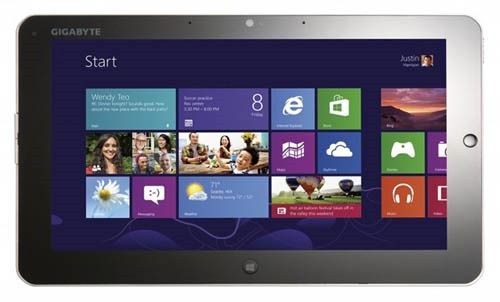
Gigabyte S1080 Gigabyte S1080 (4)

As I mentioned in the brief post earlier, the Gigabyte S1080 appears to offer some great connectivity. We’ll get it into the database as soon as we can. Here’s the video hands-on. There’s a full gallery here.

Fully Loaded! Gigabyte S1080 N570 Tablet

Tags: , , ,


What do you want in a Windows based tablet PC? A faster CPU, optical mouse and buttons, glossy and matt screen, Bluetooth 3.0 + HS, USB 3.0, Gigabit Ethernet and docking station would be nice right?

The Gigabyte S1080 lacks only the digistiser but even without it its the highest spec tablet I’ve seen at 10″ and 900gm.

I’ve got a video coming up later but don’t panic, this won’t be available until May!

image

Posted from WordPress for Android with the Galaxy Tab

ECS S10 Oaktrail Tablet PC Hands-On

Tags: , , , ,


ECS were quite confident that they will be the first ODM to get an Oaktrail Tablet into production when they receive the final version of the production Oaktrail platform at the beginning of April. Of course this doesn’t mean that you’ll be able to go out and buy one then but they already have customers lined up in the US and in Russia. It could be in customers hands by the end of April.

We took a close look at the S10 production sample and saw some reasonable Windows performance scores and, after a 5 minute performance test, in-use battery life of about 5hrs. ECS tell us there’s more to come in the final version and are quoting 8hrs battery life.
As far as UI performance goes It wasn’t too fluid but again, final hardware and drivers are said to fix that. We’ll see!

At 700gm (the device we had was said to be 660gm) its very light so if it can reach 6hrs of usable battery life it’s a big step forward for ultra mobile PCs.

image
image

Posted from WordPress for Android with the Galaxy Tab

MSI Windpad 110w at CEBIT. Specs, Pics.

Tags: , ,


image

image

image

image

Unfortunately we can’t get hands on with this right now as there’s building work going on all around me but at least we can take a look at the specs.

It’s running the AMD C-50 cpu which is up there as one of the most powerful of the ultra mobile-class x86 processing platforms. Hdmi-out, web cam, docking port, one USB port, headphone out and a mobile Sim card slot is included.
It has a very sharp and bright 10.1 capacitive touchscreen (I suspect a higher resolution that 1024×600) and the Windpad runs Windows 7 Home Premium.

Interestingly there is a mouse trackpad on the frame above 4 capacitive buttons. Availability is said to be June and MSI are aiming for 8hrs battery life. I suspect 4-5 hrs in use and only if they can build a high capacity battery into it.

Windows 7 performance scores are shown on the image above.

Posted from WordPress for Android with the Galaxy Tab

Acer Iconia Tab W500 – Specs Look Good. Weight and Battery Life Don’t

Tags: , , , , , , , ,


The product page for the Acer Iconia Tab W500 is now live and populated with links, specs, gallery and videos.

Acer Iconia Tab W500

I’ve been through the details with a fine toothcomb and on one had I’m quite excited about a sub 1KG tablet with an acceptable CPU, good GPU, hi-res wide-view screen, UMTS and docking station for 599 Euro (current average online prices, Germany) but when you look at the weight / battery life ratio, it isn’t that good. Acer have only managed to squeeze in a 36Wh battery which means you’re looking at 3-4hrs usable battery life. Add the dock (which doesn’t look like it’s built for the road!) and you’re up over 1.5KG.

Taken as a tablet only, it actually looks like an interesting proposition. With CPU power up at the top end of the netbook range and GPU that blows away anything based purely on Intel netbook platforms it should perform smoothly. 2GB of RAM and Windows Home Premium give it media serving capability. Throw in the UMTS/HSDPA and it gets even more exciting.

W500_stand_up.jpgW500_tab_lft.jpgW500_Keyboard.jpg

See the W500 gallery for more.

At the end of the day, and specifications list, I’ve a feeling that this is going to work well as a hot-desking solution. It should serve well as a home desktop for anyone not getting involved with hundreds of browser tabs or video editing and the grab-and-go capability means it can be used in a more casual manner now and again. It looks fun too!

For UMPC fans though, it’s just too heavy. An upgraded 1.25KG Asus 1015PN with 6hr battery would be a much better choice for true mobile computing.

Viewpad 10 Appears with N550 Dual-Core CPU

Tags: , , , ,


While the Intel N450 version of the Viewpad 10 isn’t bad (I have a Tegatech Tega V2 based on the same hardware here) it gets a little more interesting when you move to the N550 CPU; Especially when it’s paired with Windows Home Premium and 2GB of RAM.

Viewpad 10

Having tested a few N550 devices over recent months I know that the combo lifts Windows 7 into a much more usable space where the UI smooths out nicely, mutitasking is closer to the desktop experience, 720p playback works and even a touch of H.264 video editing is possible. At 0.85KG it is the lightest Atom N550 PC in the world!

OK, the required keyboard and a stand would take you up over 1KG, possibly 1.5KG if you want a 10hr+ solution with a battery pack, but you’ve got quite a bit of flexibility there. What a shame it doesn’t have a docking station; It could have been one of the best value hot-desktops going.

The price? Under 500 Euros. Availability is looking like EU only within the next 4 weeks but we’re checking with Viewsonic Europe.

Via Geizhals, Netbooknews

Full, Official Specs: Fujitsu Stylistic Q550 Windows / Oaktrail Tablet PC

Tags: , , , , , , , , ,


q550 - 5CeBIT is a very traditional, business-like show. Suits dominate and after-show parties are few and far between. Companies like Microsoft often present purely business-focused products and strategies and if you’re expecting another huge pile of consumer tablets, you’re probably going to be disappointed.

For readers of UMPCPortal, our pro-level site (that has, I admit, been pretty dry on news lately) it’s good news because products like the Fujitsu Stylistic Q550 get a chance to shine.

We’ve got the full, official specs in the database now and wow, this is not your average tablet PC.

 Full specifications, links etc. Fujitsu Stylistic Q550 TabletPC

A 400-nit screen IPS screen, 2GB RAM, remote security, capacitive/digitiser input, fast-charge, removable battery options, 4 USB ports, Gobi 3G option, SSD, docking port and an array mic are just some of the advanced features you’ll find which indicated a pro-level, industry focused solution. It also gives you clues to the price.

The price isn’t available right now but the Q550 has already launched in Japan with a availability stated as March/April. A CeBIT launch is also planned and we hope to get a pricing indicator next week. A guess around the 1000 Euro mark for entry-level configuration is probably not far off.

q550 - 6.jpg q550 - 3.jpg Q550 - 1.jpg fujitsu-q550.jpg

All images in the gallery.

Note that there’s a lot of talk about 8 hours battery life but a Fujitsu sales site in Japan makes it clear that this is with the extended battery (38wh) in a JEITA (largely idle) test. Take 30% off that for real world figures. With the standard battery, a 19wh unit, you’re looking at 3.5hrs max. That isn’t going to impress many but at under 900gm for a 10” PC, it’s good.

We hope to get some good testing time in with the Q550 and bring you information on graphics, SSD speed and more battery life thoughts.

Hat-Tip: Gottabemobile

Search UMPCPortal

Sales Information


Our Network

  • ARMShowcase Tracking ARM-based mobile products
  • Big Beach Our marketing advisors. Located in UK.
  • Carrypad Tablets and consumer mobile products
  • Chromebook News Chromebook news, products and specifications
  • Device Manufacturer List List of all device manufacturers, and products, from our database
  • JKKMobile JKKMobile – Mobile computing and hacking – Partner of UMPCPortal
  • Liliputing Netbooks and small-form-factor laptoping – Partner of UMPCPortal
  • MeeGoNews News, reports and inside info from the MeeGo Ecosystem – Partner of UMPCPortal
  • MeetMobility Mobile computing podcast broadcast every two weeks – Partner of UMPCPortal
  • Netbooknews Netbooks and other mobile devices – Partner of UMPCPortal
  • Ultrabook News Ultrabook products, specs and news

Donators (Last 20)

Buy Laptop (€5.00 EUR) Says:
Sep 18, 2011 at 7:43 am

Awesome website, great read!

Jez@SammyTablet Says:
Oct 15, 2010 at 8:25 am

Keep up the good work! UMPCPortal and Carrypad are always a good read :)

MiKeN (€5.00 EUR) Says:
Oct 15, 2010 at 5:13 am

Microsoft AutoRoute Says:
Sep 3, 2010 at 10:46 pm

Trip planning and satnav software for PC

MMORPG Says:
Oct 6, 2009 at 2:07 am

Keep up the great work on UMPCPortal :)

Laptop Computers Says:
Jun 9, 2009 at 8:00 pm

Laptop reviews, ratings and netbook computer buying guides.

Laptop GPS World Says:
May 10, 2009 at 2:01 pm

PC GPS SatNav reviews and forums.

Ultimate-Netbook Says:
Apr 11, 2009 at 2:48 pm

Ultimate-addons supplier of netbook accessories

Steve Paine Says:
Apr 2, 2009 at 8:44 pm

Test from Steve