
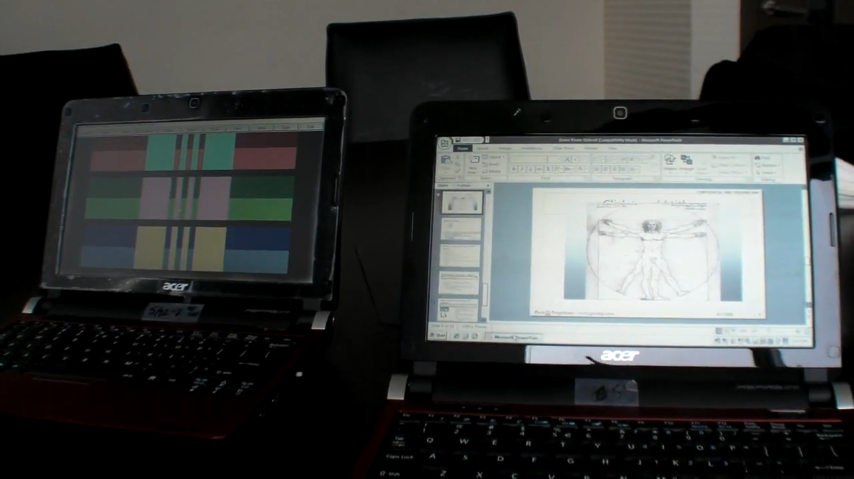
 We’ve been hearing rumblings of this for a while now, but it seems that Pixel Qi is now showing its new dual mode power saving screens. Based on the screen featured in the OLPC project’s XO computer. Essentially Pixel Qi has designed an LCD screen which can display just like you would expect a standard screen to do, but it can also toggle to an E-Ink like mode which uses ambient light to display the on screen image rather than a backlight.
What are the implications for the mobile device user? The screen is one of the single largest power consuming components of modern mobile devices. The ability to turn off the backlight and still be able to see the screen from ambient light would mean large power savings. With the XO laptop, the screen was actually able to stay active while the motherboard turned off. However, modern netbooks are running much different operating systems and hardware than the XO, and aren’t yet designed to be able to accomplish that extra power saving step. The dual mode means that you can still have a full color display at the flip of a switch, then go to the power saving backlight off mode which reads great in direct sunlight and also saves battery life. If Pixel Qi can keep these screens to a reasonable price, I think we’ll see them popping up on netbooks once they hit full production, but the power saving isn’t going to be mind-blowing.
A few things garnered from the following video. You’ll notice that they are demoing the first batch of their screens on what appears to be an Acer Aspire One D150 [Portal page]. It is mentioned that they are stock Acer’s bought online, then modified to work with the new screen. It doesn’t sound like this technology will be coming to our favorite touchscreen devices any time soon as the particulars of touchscreen technology don’t play nice with the visual quality of the Pixel Qi dual mode screen.
If you’ve used a Kindle, you probably know that the refresh rate is rather abysmal compared to a computer screen that you might be used to. I was impressed to see that the transreflective (E-Ink like) mode of the Pixel Qi screen actually retains a rather good refresh rate meaning that you can work just like you would normally even with that mode enabled (they even show a video being played). If it were E-Ink, you would need to toggle out of the mode just to see the mouse move at a reasonable rate.
Take a look a the video below to see the Pixel Qi screen in action:










New article: Pixel Qi shows off new power saving screens [video] http://cli.gs/RRH2rj
Don’t be misled by the inability to place a touchscreen over the Pixel Qi screen.
Make the bezel the touch area. Just like the Gesture Area on the Palm Pre and the touchstrip areas on the hp eBook prototype:
http://ebooktest.blogspot.com/2009/05/hewlett-packard-has-ebook-reader.html
This allows touch navigation without obscuring the clarity of the screen.
Cool. Want one in my Viliv S5…
Don’t confuse E Ink Corporation’s electrophoretic display (EPD) technology – the one used in the Kindle as synonymous to all e-paper. There are other technologies too used for e-paper, like something called ‘electrowetting’, which is supposedly fast enough for video as well.
The Kindle doesn’t do video, but this isn’t a Kindle screen, it’s an LCD. Without the backlight you only lose the colours and nothing else.