
In a word, superb. It was such a pleasure to be using all that modern technology could provide in a 4.5KG package. The Kohji performed perfectly, the S2 IS too and I didn’t charge anything all day. I was able to roam completely cable-less.
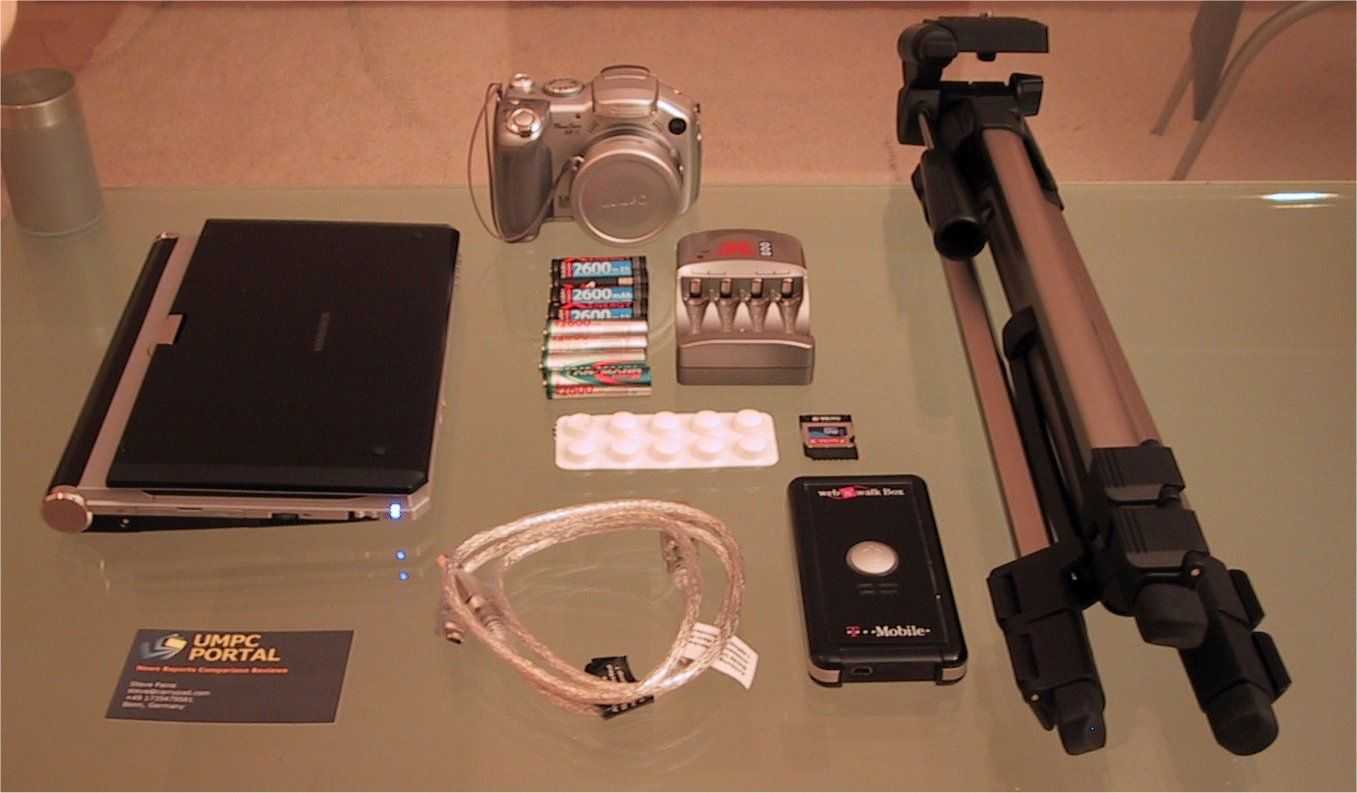
Not only was it a pleasure to have so much capability in such a small package but it was fun and a big buzz to have people watching me, taking pictures of me and even asking for business cards. The high point was reporting the Intel Mobility press conference when Pankaj Kedia was talking about usage scenarios and said ‘…you can even use them for live blogging like Steve here.’ I lost my thoughts for a minute or two after that!!!! I even appeared on the Intel press photos CD!
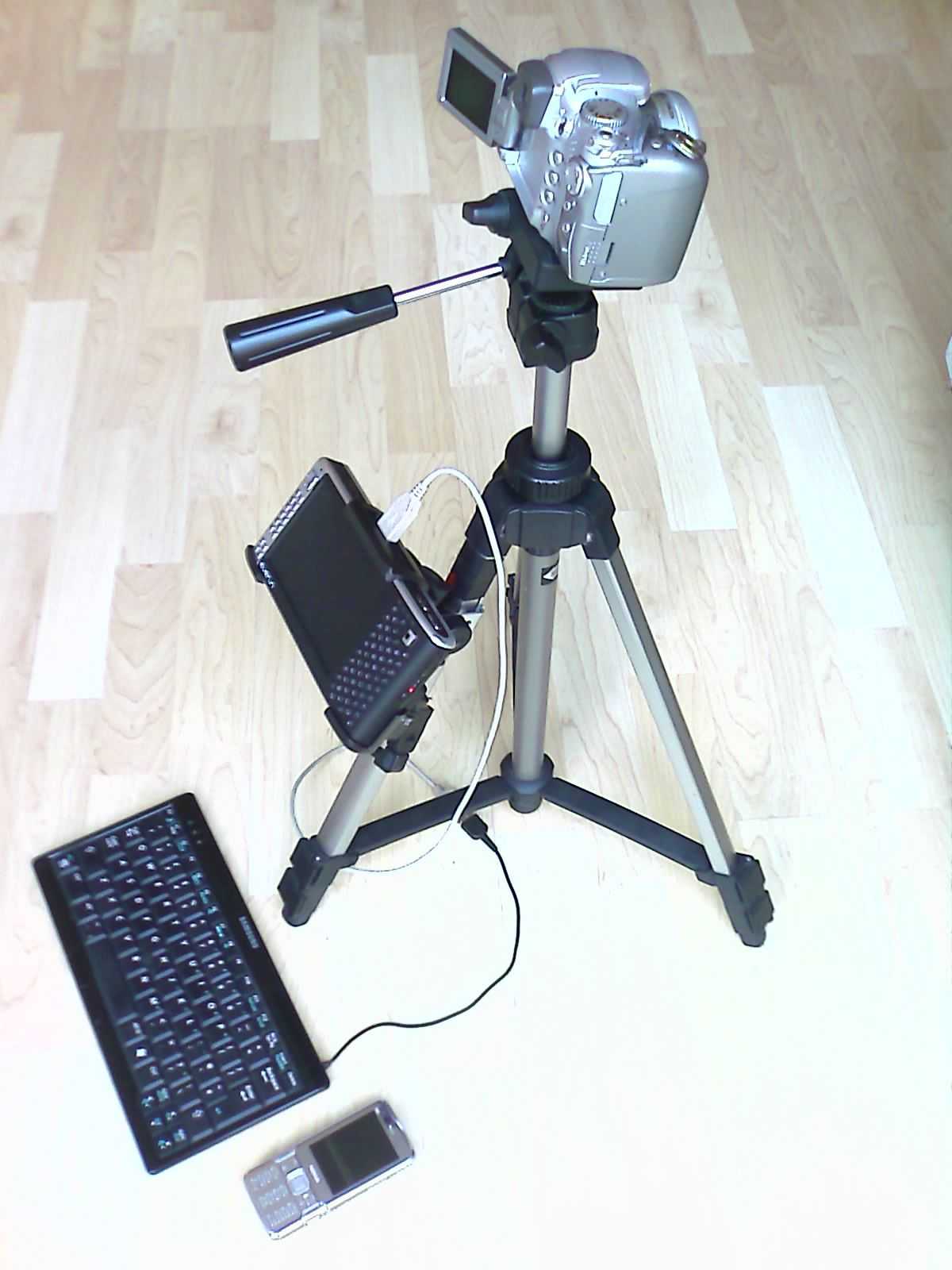
The other things I need to improve on are:
- Audio-only recording. The Kohjinsha has a small problem with audio recording. When you plug a mic in, the internal mic does not mute. There’s also the problem of CPU power. I don’t think I can guarantee skip-free recording while I’m taking images, typing and uploading posts at the same time. Either I need a more powerful computer, an audio-only solution or a different camera that is able to audio-only recording while taking images via PC.
- Video recording. Taking images and video at the same time on the same device isn’t that good. It only works manually and it disrupts the video recording. This is going to be a tough problem to solve with a single camera.
- I need some form of table on which to place the Kohji. My lap is OK but as with all notebooks, its not comfortable for extended periods of time.
- Image uploading slow. This is probably because I was only using a 64kbps uplink at the time. Moving to HSDPA should fix this.
- Video processing on the Kohji is slow making it very difficult to quickly edit and post video clips. I need to move to the GHz class of processors and stay with XP (Vista won’t allow you to use Movie Make unless you have an aero-capable GPU.)
- HSDPA USB modem was a pain. As I said before, the USB modem was annoying. Its too big and I hate the plugging and unplugging. If it was a Bluetooth capable modem it would be better. I will probably solve this by buying an HSDPA capable phone. Nokia E65 is the current favorite.
All-in-all it was a success and shows just how much of an advantage mobility is over processing power. I’m looking forward to enhancing the kit as outlined above and have a shortlist of devices that I’m looking at. I’m also planning my next Ultra Mobile project and its going to be more than just a mobile reporting challenge!
Update: Oct 2007: I have updated the kit. See here for details.









