
If there’s one thing that’s clear, its that peoples ideal devices and ideal scenarios differ wildly. From the CarPC to the mobile office through sofa-surfer and travelers companion. Its encouraging to see people really focusing on their requirements though because this is the first thing you need to get clear before you buy a UMPC. Here’s three more customer challenges after the ‘is that a ultra mobile PC in your pocket’ images…


2", 4", 4.8", 4.8" (in hand,) 7" and…
CCC 13. David.
David sent in a long list of requirements which looked fairly easy until I saw ‘touchscreen’ and ‘5 hours.’ His application suite consists of AutoCad 2009, The Gimp and MS Office 2007 Pro and I’m immediately pushing Atom and C7 solutions out of my list of choices. We’re looking at laptop processing cores and 2GB RAM here.
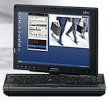 The Fujitsu P1620 comes to mind although as David mentioned a preference for an Nvidia graphics card and some gaming, maybe the graphics on that one isn’t up to scratch. He should take a closer look at the P1630. Intel X4500 graphics and a Core 2 Duo at 1.4Ghz is about as much as you can squeeze into 1KG. Using the extended battery will bring the solution’s battery life up to over 5 hours too. I’ll mention the Raon Digital Everun Note which, under mains power, is a top performer in the ultra mobile PC space but if you need to be working with those heavy app’s while mobile, it’s not going to work well as the processor is throttled under battery power. I’ll also mention the ASUS N10 which has a discreet Nvidia graphics card but it’s running the Atom processor which is limited for the heavy applications David has listed. Finally, the LG C1 [not in our database] which, if you can find it for under $2000, is a well specified convertible device although at that point you’re into laptop and tablet PC territory where I’m afraid, I draw limits on my expertise!
CCC 14. John
John writes that he has an aversion to Windows! He needs Linux or OSX-flavored mobile goodness. Firefox on the train and bus and preferably not something in a notebook form factor. He’s got a $1000 budget but would prefer something around $600.
 OSX is obviously out of the question as I write this as all your options there are notebooks over $1000 so it’s the Linux OS we’re looking at here. The problem is that you don’t want a notebook form factor although I’m going to assume that any form factor will be OK if its small enough and light enough for bus and train use. Take it from me; 800gm or less works best in these scenarios. The most comfortable form factor I’ve used in these situations is the thumb-able slider or the split-keyboard tablet form-factor. You should look at a 7" 1024×600 screen which is small enough to be sub-KG but big enough to work with at arms-length on a table. Q1 Ultra and M704 immediately come to mind but neither of these are shipped with Linux options which mean having to mess around with building your own Linux. How about the Raon Digital Everun Note S16S though? Its going to be one of the only sub-kg 7" devices to ship with Linux (Ubuntu) and as your application requirements don’t seem to be too demanding and you mentioned sub 3hr battery life in your message, it could fit the bill really nicely. You can thumb the keyboard. Its tiny. It has a good enough keyboard for hour-long sessions, a bright screen, battery options, 3G upgrade possibility (Raon might be building in the wiring for an external antenna which would be great for your traveling if you added a 3G module) and a good (target) price. You’ll have to wait until the end of November but if you’re anti-Windows, this could be a great device for you.
CCC 15. Kris
Kris "…can’t decide on what mid/umpc/gizmo to get! I’m working on several website projects and need something to organize myself. My laptop is not practical to carry to various meetings, offices etc. So what I’m looking for is something easy to carry around for note-taking with a stylus. I think minimum 4.8" – max 7" although more important is 800 pixels wide to fit several post-it-like notes and and easy to read screen. I could even go as far as creating my own web-based note-taking application, which would require the gizmo to have a browser like firefox or opera that can run web2.0/ajax-based websites. Price range: max 800 euro."
Note taking with a stylus is definitely a niche activity if the number of real tablet UMPCs is anything to go by. I can count the number of wrist-friendly devices on one hand. ASUS R2H range, Fujitsu P1510/P1610 range and ASUS R50a. The OQO Model 02/E2 has an active digitiser as does the Motion Computing LS800 but you wont find either of these for 800 Euro. Of all those devices, the only one I’d recommend is the P1610 which is end-of-line but currently available in some Euro markets for as low as 730 Euros. Its 8.9" and probably over-specified but at that price, who cares! One other device to consider is the tiny Fujitsu U810 (U1010 in some markets) which is said to have a hard-touch screen suitable for note-taking. As the U820 (U2010) is coming you might find it discounted. Keep an eye out for the Viliv S5 too. Its got a soft-touch screen but its a gem of a pocketable ‘pad’ style device and runs XP. It’s small enough that you could rest your wrist on the frame and make notes with Evernote as i’ve done with the Raon Digital Everun before. (The Everun is slightly under-powered for that though.) You could check out the Benq S6 and Aigo MID but i’ll be honest, I havent had enough hands on with the Midinux-based software to make any decisions as to whether they are reliable enough to be used for critical apps.










What is your 4″ device?
I’m guessing Nokia e90, but I could be wrong.
About the pictures:you can not walk with the everun in your pocket,thats for shure :)
Well spotted Sarig!
http://www.umpcportal.com/gallery/v/sizepocket/IMG_4552.JPG.html
@focus. Correct! Way too big. Even if it was shorter (the size of say an M528, it would still be a problem.) There’s pocketable and pocketable!
Chippy thank you for the advice on devices.
I guess I will have to wait for the future to catch up to people like me.
Pleasure to serve!
I guess the last picture is your lunchbox!
I don’t think users have correct expectation for mid/netbook/UMPC and smart phones. These devices are complementary to a laptop and desktop. They are meant for email/calendar/task/todo and simple text manipulation, not cad or heavy graphic work. We are not there yet. It’s 2008 and many people are still using desktop at home and office because laptops have yet become a “desktop replacement” machines as vendor envision. So, I don’t think we are anywhere near the AIO device we are craving.
I ride bus and subway to work and notice that many people use smart phone, myself included, because laptop is too cumbersome to boot up, the connection, the shutdown, etc and it requires time and effort, where as the smart phone allows you to do many things quickly. it would be great to have a small device like the e90 that is more powerful when docked and can make use large screen. 2020?
I didn’t realize the Everun Note was going to have Ubuntu on it … that’s a huge deal for me. I was hoping for a tablet, but it does have a touch screen … it just doesn’t let you hide the keyboard while you’re using it that way. That and “only” having 1GB of RAM might be the only weaknesses I see in this thing.
Maybe I’ll get work to buy me the Everun Note, and I’ll keep playing with the Q1UP I just bought for Ubuntu Mobile. When that stabilizes, I’d then have my choice between the two platforms.
I’m definitely going to have to think about this… thank you VERY much for the food for thought.
Why not a WiBrain B1L/E for John (CCC 14)? Ships with Ubuntu, not a notebook. Did I miss a requirement, or is is because we are between the B1L, and the L1’s.
GOod point. I had forgotten about the B1 with Linux. It has a lovely bright screen and works well in two hands. Not quite usable as a table-top PC but that might not be a problem for John. The B1L has no Bluetooth which may be a problem is he wants to tether.
Steve.