
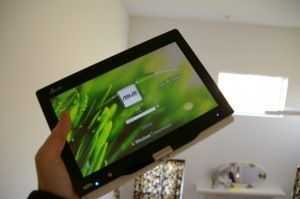
 Kubel of MyT91.info seems to be one of the first guys to get his hands on the recently released T91MT, the first multitouch version of the T91 [Portal page]. In addition to an unboxing that was posted the other day, kubel now also has a full review of the unit.
The unit is pretty much exactly the same build as the T91, but it is rocking Windows 7 and a multitouch resistive touchscreen which kubel says only functions correctly with up to two points of input.
Though there was a T91MT intro video which appeared to show that the T91MT could understand varying levels of sensitivity, kubel says that this is not the case, and performance is what you would expect with a plain old resistive touchscreen. However, gesture support could possibly help with palm rejection when writing on the screen, but isn’t implemented in all applications.
I’m doubting that the T91MT would make for a good tablet if you want to take ink notes (you usually need an active digitizer for that) but the T91MT is most likely designed around the idea of touch rather than stylus input, hence the included finger oriented software.










New article: Asus Eee T91MT barely out the door… already reviewed http://bit.ly/21gHgr
RT @benz145: New article: Asus Eee T91MT barely out the door & already reviewed http://bit.ly/21gHgr
Sharing: Asus Eee T91MT barely out the door… already reviewed: Kubel of MyT91.info seems to be one of t.. http://bit.ly/1cV0bc
I still prefer viliv s7 for size, battery life and battery replacement.
Asus Eee T91MT barely out the door… already reviewed | UMPCPortal – Ultra Mobile Personal Computing http://bit.ly/2efoFl (via feedly)
While I love the form factor, I’d much prefer more power. Is there any similar sized higher powered option still with good battery life?
asus seems to have intentionally used only the lower clock speed CPU instead of higher ones to save on the cost as well as to prevent it from threatening the market of the upcoming t101h
if it had a Z550 i’d buy it without any hesitation
Same here, As much as i like the x70 (it killed me not to buy it when it was first available), im waiting for at MINIMUM z530 ( which I can overclock ) in a similar 7″ slate form factor. for me 4hrs batt would be fine, assuming greater processing power.
RT @benz145: New article: Asus Eee T91MT barely out the door… already reviewed http://bit.ly/21gHgr
Forgive my initial review. I claimed it did not have pressure sensitivity or palm rejection in error. There are both, however, palm rejection is limited to Journal and Sticky Notes. Also, I wasn’t aware pressure sensitivity had to be enabled in Journal and OneNote, so I initially reported it didn’t have it. It most certainly does (just go to options and tweak the pen settings). :)
Like McCain is fighting for the telecoms, Lieberman is fighting for insurance companies. It’s not compulsion, just greed.
Kubel –
So how does this work for taking notes in OneNote? This is one of the main things I would want to do with a tablet. Or can you take notes in Journal and copy them into OneNote? I really want a table NOW, but writing is a problem – no netbook sized machine seems to deal well with it, and I don’t want another large machine. Thanks!