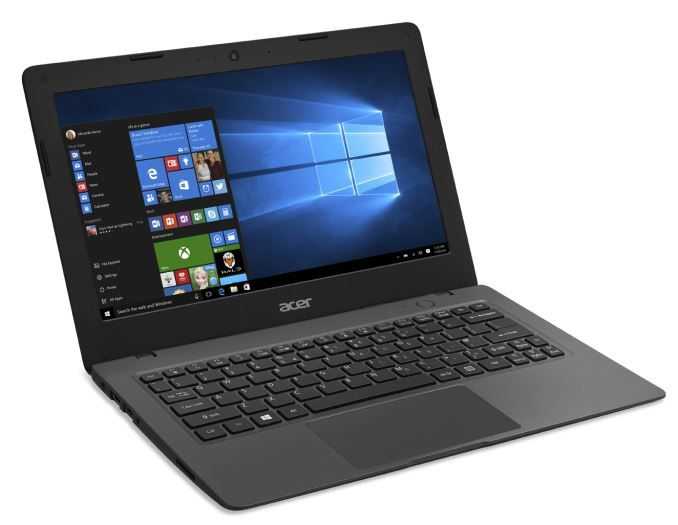
Aspire One utility provides functionality that doesn’t come standard

Thursday, November 20th, 2008

I was baffled during my review of the Acer Aspire One [Portal page] at the apparent lack of power management software that should have been included with the netbook. Aside from some hardware toggles, there were no settings beyond the default Windows power options to help get the most from your battery. I reported a while back on a nice utility that allowed users to control their Aspire One’s fan, but there wasn’t much more in the way of power management.

Luckily there are people out that who are passionate enough about their technology to spend time making good software for them. Take a look at a small freeware utility called a1ctl. For its tiny size, this utility has a lot of features:

(continue reading…)

(more…)

Pick up an Acer Aspire One on woot today only for $289

Saturday, November 1st, 2008

One of the most popular netbooks here in the Portal can be bought from my favorite deal-a-day website, Woot.com for $289. I’ll cut right to the chase so that those of you who want the Aspire One can get the facts and go pick one up before they sell out!

Take a quick look at my Aspire One review to get a general feel for the hardware; software review can be disregarded as the Aspire One on Woot is running Linpus Lite (Linux) instead of XP like the one I reviewed (of course you could always put your own OS on it). So anyway, here is what you are going to get for $289 (+$5 shipping):

  • 1.6 GHz Atom N270 CPU
  • 512MB of RAM
  • 8GB SSD
  • 1024×600 8.9" screen
  • Linpus Lite (Linux) OS
  • All the other goodies that are common across every Aspire Ones

And there you have it, you can pick up a nice netbook for $289 if you are quick on the trigger, I feel certain that it will sell out quickly. Remember, the deal will only be available today and only until it sells out. Make haste!

tnkgrl mods everything you need onto the Acer Aspire One

Friday, October 31st, 2008

aa1modTnkgrl has been on a modding-spree with her new Acer Aspire One [Portal page]. I noted in my review of the Aspire One that some of the important connectivity options were lacking, such as Bluetooth and 3G. Luckily smart people like tnkgrl are here to show us how we can fix some of those important but neglected components.

Moving on to part three of her Aspire One modding-spree, she shows us how to put HSDPA into the Aspire One for 3G connectivity. Amateurs be warned: this is not a simple RAM upgrade, but if you still feel up to the task, tnkgrl has provided a helpful list of steps, images, and a video of making it all happen.

Also don’t miss part one and two where you can find out how to dissemble the Aspire One, add RAM, Bluetooth, and a 1.8" HDD.

Aspire One gets modded into a slate PC

Monday, October 20th, 2008

This story made its rounds about our end of the blogosphere a few weeks ago, but after seeing someone mod a device so well, that I recently enjoyed reviewing, I couldn’t help but share it anyway.

Check out this very clean DIY project that turned an Acer Aspire One into a touch screen slate PC:

aa1 slate aa1 slate 2

(click to see larger)

I only wish there were some videos of it in action, it looks very impressive from the images. Swing by the todoUMPC forums to see all of them.

[jkOnTheRun]

Acer Aspire One full review

Monday, October 6th, 2008

DSC_0273

Allow me to introduce you to the recently released Acer Aspire One. The Aspire One is Acer’s first foray into the netbook space. It is nice to see lesser recognized laptop OEMs such as Acer have the ability to jump quickly into the netbook area with a quality product. I have been testing the Aspire One, provided by Dynamism, for the last few weeks and I have had a positive experience with the computer which is the first Atom based device I have used.

(continue reading…)

(more…)

Acer Aspire One: Unboxing and first thoughts

Tuesday, September 16th, 2008

The good guys at Dynamism have sent me an Aspire One netbook for review; have a look at the unboxing shots (if that is your thing), and read my initial impressions below.

Aspire One Unboxing

DSC_0259 DSC_0260 DSC_0261 DSC_0262 DSC_0263 DSC_0264 DSC_0265 DSC_0266 DSC_0267 DSC_0268 DSC_0269 DSC_0276

Initial Impressions

As I opened the box to take a first look at the Aspire One I was immediately impressed with its design. They went with a very minimalistic approach and they did a really good job. Lots of curved edges make this netbook look really smooth, and it is apparent that they took their time making the device look nice. I don’t think the average person would realize that this is a only a $449 piece of hardware. The red/orange metallic looking highlights near the hinges provide a well balanced contrast between the otherwise minimal tone. For some reason it bothers me that the red/orange rings aren’t actually part of the hinge, even though they appear to be when the lid is closed. Well I suppose it doesn’t actually bother me, but it is perplexing.

The unit is really solid when it is closed and the screen hinge is just tight enough. There is a webcam and microphone in the top of the screen’s bezel. The screen does not wobble easily, and the battery also sits snug in its holder, leaving no wiggle room, which is always an indicator of good build quality. The mouse pad is a bit larger than the Kohjinsha SH8’s and is very usable… if you configure it correctly. The keyboard’s layout is pretty much standard, so there is no need to learn where keys might have been relocated to. Dark blue symbols on the keys are Fn functions; the blue symbols on white keys look good even if it is a very subtle effect.

I’ve been enjoying the device more than I had expected to for the last few days, keep your eyes peeled for the full review coming up in the next week or two. Drop a line in the comments if there is anything in particular you’d like to know about the Aspire One.

Acer Aspire review by Golem. Bullet-point Highlights.

Wednesday, July 9th, 2008

msiaspire Golem.de have done an excellent detailed review of the Aspire One 110. Good pictures too. It’s in German so I’ve picked out a few key points here and summarised them below.

  • Battery is 26.6wh and lasting 3.25 hours in Wifi-on, medium backlight tests. (Minimum 1hr and 46 minutes under a 3DMark test.)
  • Fan noise is more than Medion Akoya Mini / MSI Wind but still less than most standard notebooks.
  • Glossy screen is a problem outside.
  • Smaller than MSI Wind. Larger than Eee PC 900.
  • The first intuitive clicks on the mouse buttons will miss!
  • Bright backlight
  • 134 dpi on the screen is ok. [Up to 180 is usually OK for most people - Chippy]
  • CPU steps down to 800Mhz under certain condition. [Same as other N270 devices - Chippy]
  • 4.8Gb of the 8GB Phison SSD is free on the Linux version.
  • SD card reader is SDHC capable
  • Wifi module does not support Draft-n
  • 19 second boot time
  • Firefox version 2, not 3 installed. [Should be available by upgrade from the repositories I guess. Chippy]
  • Included Media Mater software plays MPEG-2 (DVB-T, DVD) up to 8mbps. [Good enough - Chippy]
  • Return from standby - 10 seconds.
  • SSD Write speed. 7.7MBps [Very poor - Chippy]
  • SSD Read speed - 26MBps [Acceptable, not impressive though - Chippy]
  • Processor speed test results is 10% faster than a Celeron 900. [Exactly as expected - Chippy]

Highlight is that there doesn’t appear to be any show stoppers and that the battery life is over 3 hours. Lowlights are the glossy screen and a slow 7.7mbps write-rate on the SSD.

Source Golem.de. Thanks for the tip Hanno

Eee PC 901. More ultra Mobile than Mobile.

Thursday, June 19th, 2008

Despite my definition of a UMPC reaching up to 10″ devices, I never call the netbooks UMPCs! Maybe it’s because the term ‘netbook’ say something about the low-end features rather than the size. In the podcasts, we’ve been talking a lot about how small the 701, 900 and 901 are compared to the other netbooks but it’s not until you see an image like this that you realise the real difference. To most people it’s nothing. Both require a bag. But if you’re on a plane, in a train or the back of an automobile, those mm’s could make an important difference.

acer901

The other problem with all this sizing talk is that if you really need to be ultra mobile, then wait a while. MIDs are coming and could be an even better solution for you. Granted, with 3G, GPS and miniature keyboard mechanisms on board, they won’t be as cheap but it might pay to be able to use the device in even more locations, without any sort of bag.

Via JKKmobile. Source Crave.

More Aspire One pricing. (UK)

Tuesday, June 17th, 2008

Expansys have just put up their Aspire One prices in the UK (and for delivery EU-wide) with the Linux version plus 512MB and an 80GB HDD going for just 244 pounds. There’s no mention of the SSD version yet but with the 80GB version going for that price, only those looking for ruggedness or the best possible battery life will be waiting. Prices are also available for XP and 1GB versions here. (affiliate link)

As for delivery dates, neither Acer or Expansys can fill me in on that one yet but I’m working hard on it, if only for my own order! (I’m probably going for the 1GB, 8GB Linux version when it turns up.)

Thanks Phil, Expansys.

Acer Aspire One. Review by Laptop Magazine. Dissection by PC Professionale. Video by Shiny Media

Monday, June 16th, 2008

A number of Acer Aspire One articles came to my attention last week that I have only just got round to reviewing. The first article from PC Professionale includes a video showing the internals of the Aspire One. There are a couple of important points to note (that come from a translation by Blogeee.net) which are the SIM card reader and easy-to-access 3G slot module slot. The 3G module slot definitely raises the interest level for me.

aspireone

The second article is a fairly detailed in-depth review from Laptop Magazine who appear to be impressed.

  • Keyboard big enough for comfortable touch typing. Bigger keyboard than Eee PC 900.
  • Good low-light web cam. A web-cam that doesn’t work in low-light situations is quite often, useless for most people so it’s good to see this.
  • Two SD cards slots. One adds memory to system storage in a seamless way. A great idea.
  • ‘One of the thinnest and lightest we’ve tested.’ For Ultra-Mobile folks, this is important.

The Aspire One is not only the favorite on the Portal here but it’s fast becoming my favorite netbook too. The design looks good, size and weight are more ultramobile than most netbooks and the Linpus Lite build is getting very good feedback.

Finally, if you’re thinking about the Aspire One and want a final thumbs-up, check out this fairly simple overview video from ShinyMedia. Its all thumbs up from them!

(more…)

Aspire One Now in German sales channels.

Thursday, June 12th, 2008

Acer have a big advantage in the netbook race. Pre-established sales channels and partners.

The Aspire One is already showing up in price comparison engines in Germany with the base model being advertised for 329 Euro (8GB, Linux, 512MB) which is just 50 Euro more than the Eee PC 701 4G! The high-end Linux model (80GB, 1GB) for 399 Euro which is 40 Euro less than the ‘old’ and less equipped Eee PC 900. Availability looks like 4-7 weeks although one reseller is quoting 10 days.

Because of its size (smaller than HP2133 and MSI Wind,) style, dual SD card slots, availability and low-low price, I won’t be surprised if this ends up as one of the most popular netbook choices of 2008.

Source: Geizhals.

Acer Aspire One netbook gets official online

Tuesday, June 10th, 2008

Acer’s entry into the netbook space was seen a few weeks ago, but hasn’t been seen on their site until recently. An entire mini-site dedicated to the Aspire One can be seen over at Acer’s website. One of the first things you will read on that site is the following:

The Aspire one is more than just another ultra-mobile notebook: it’s an all-new communication device designed to deliver continuous access to the internet and a simplified wireless experience no matter where you are.

I really hope they have some magic to back up that claim. As far as I can tell, it is in fact “just another ultra-mobile notebook”. Granted, it looks very slick but so far I can’t say there are any features that make this one stand out from the crowd. The site gives only information that has already been know; the Aspire One will be available in many different colors, and weigh in under 1kg (2.2lb). Interestingly Acer has chosen to use Linpus Lite for the OS, and the site says that they have kept startup/shutdown times very low. Of course some people need software compatibility so I’m sure we’ll see XP as popular choice for the Aspire One. And then there is the standard 8.9″ LCD screen running at 1024×600, and the whole thing is running on Intel’s Atom. Could this netbook be any more generic?

Take a look at 4 of the most popular netbooks side-by-side.

Acer Aspire One Hands-on Video

Tuesday, June 3rd, 2008

Fresh from Sascha (eeepcpnews.de) at Computex. Here’s one of the first ever hands-on videos of the Acer Aspire One.


Specifications
Launch info and live images are available here.

Is this the Acer Aspire One MiniNote?

Thursday, May 29th, 2008

Latest information and new links are being added to the Aspire ONE product page.

Hot on the heals of the Dell Mininote leak are these images which just dropped into our forum. This posts are titled ‘Aspire One.’

acer1 acer2

It’s got the same touchpad as seen on the HP 2133 and what appears to be an 8.9″ screen. Images show a, probably linux-based, user interface. Anyone recognize that UI?

Thanks ‘Liza’ whoever you are. We’ll be looking out for this at Computex and as soon as we have enough info, we’ll add it to the database.

Update#1: From 3Fire. (Source Mobile 01)

According to his information in that pag, Acer’s Mini-Note is called “Aspire One”, running Windows XP SP3 on the 8.9 screen with resolution of 1024 X 768. The ODM partner is Quanta, the main notebook ODM partner of HP, DELL and Apple. The source thinks “Aspire One” is better looking than Asus’ EEE PC, however, no photo release yet.

Looks like it’s an Atom/Diamondville-based device. Digitimes mentions a 299 Euro price which is 100 Euro cheaper than the Eee PC 900!

Update#2: Now tracking the details in the database.

Update. Launch details, official specs and images here now.

Update2. Hands-on video.