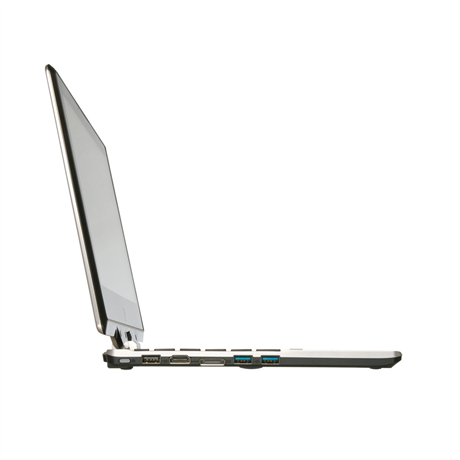
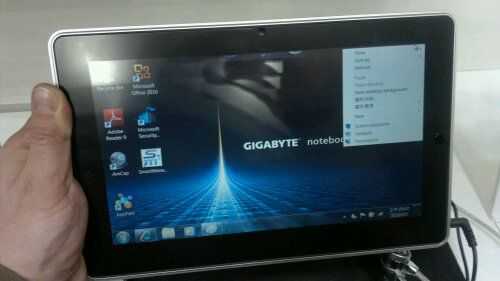
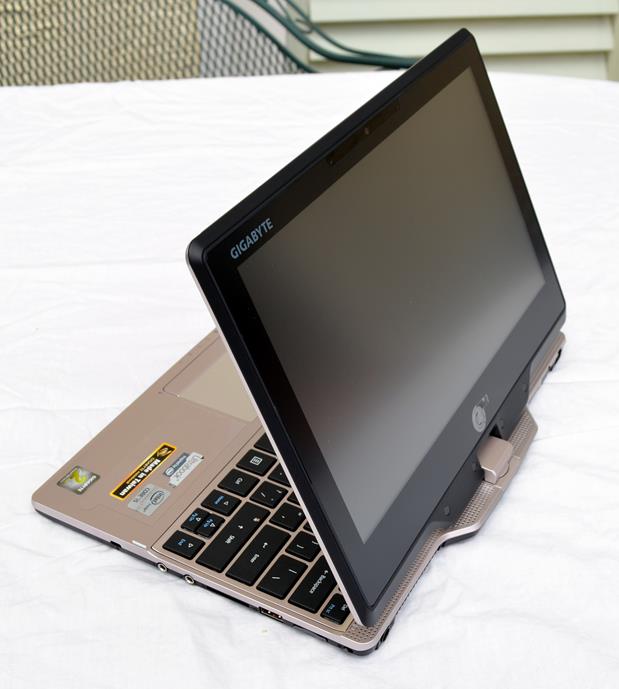
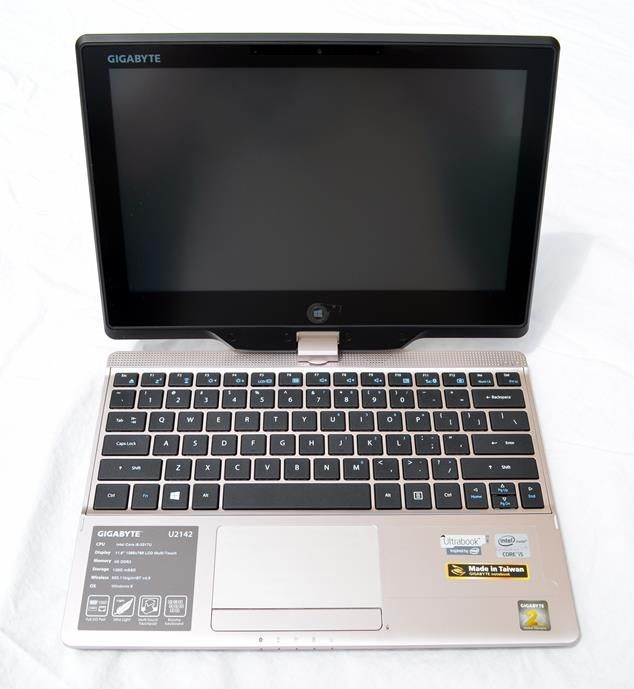
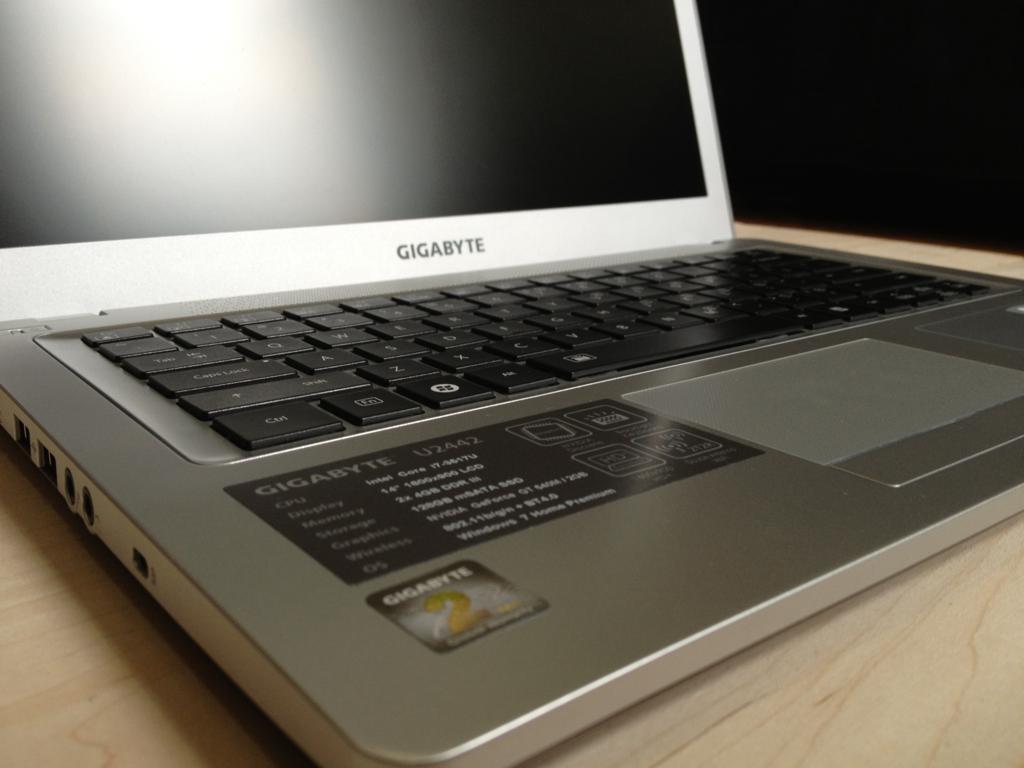
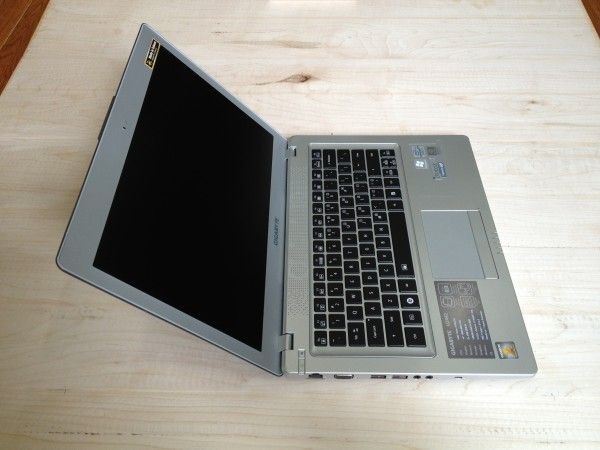
Reminding me of something from an Austin Powers film is this ‘Goldenrod’ version of the Gigabyte M912x that is now available. Also labeled as the ‘Cafe Book’ it’s certainly going to turn heads in the Cafe. The question is, will they be giggling when they turn away?
Underneath the gloss you’ll find a vanilla M912X netbook with the 1280×768 convertible touchscreen.
Pricing appears to be the same as the standard M912X.
More images Via Mobilx.
Chungwa and Gigabyte will be launching the M528 on Dec 6th with availability set for Dec 22nd according to an official statement appearing in PC World via the IDG News service.
This is of course good news for the west because up until now, the product didn’t even have a production line schedule. We had heard that the M528 was to go out initially through Expansys in Europe but that could have changed. I doubt anyone will be getting it as a Christmas present but we’ve put queries out to our contacts and hope to bring you the definitive answer later today.
The local price in Taiwan (including 3G and 3mp auto-focus camera) will be $583 dollars without any subsidy. Expansys are offering pre-tax pre-orders (aff. link) now for the equivalent of $685 but it’s not listed on the Expansys US web site yet.
Our hands-on with the M528 is here. There’s plenty more information in the M528 page.
While the M912V had an impressive high resolution display, the M912M, with its 1024×600 display seems to be more suitable for the average user. It’s a much brighter screen with great contrast and even brings better battery life. For 50 Euro less than the high resolution model, this seems to be a better choice.
We received the retail-boxed M912M from Mobilx.EU yesterday with the sole intention of checking out the differences between it and the M912X. After 3 hours of live testing, we’ve got the answers. I think the simplest way to summarise is to highlight the changes in the ‘lowlights’ and ‘highlights’ from our M912X testing.
One issue that we have found out about since testing the M912X is that the PCI-Express Mini slot, accessible under the removable panel, is locked by default and its not possible to unlock it through BIOS or software for use with a 3G card. I suspect this will be hacked before long but it makes it difficult for people wanting to upgrade with internal 3G. Using the ExpressCard/34 slot is obviously an easy alternative though.
Overall, the Gigabyte M912M is a nice, no, very nice, mini convertible offering a couple of unique features that are really worth thinking about. Media fans looking to carry around their complete library and use a netbook as a high quality media player should take a very close look at this one. Overall, I find it has better features and a better price than the M912X for the average user.
The M912M was sent for review by Mobilx.EU who have the device in stock now. Full details about the M912M are available in the product page.
A quick note to all of you waiting for the low-down on the M912M (LED-backlit version of the M912X.) A retail version has arrived here from Mobilx and I’ll be testing it out this evening.
We need to find out.
1) If the screen is brighter and has better contrast. (Likely)
2) How much more battery life we get compared to the M912X (Estimated 10-20%)
3) If it’s cooler than the M912X (probably will be in tablet mode.)
I’ll be live on UMPCPortal.com/live from about 2000 CEST (GMT+2)
Laptop Magazine, Hardware Canucks and Hardware Zone have all now published full reviews of the Gigabyte M912V, the 1280×768 version of the Gigabyte Netbook.
Nothing surprises me in any of the reviews. Laptop Mag, who published their review last month) highlights the battery life and the screen resolution as problem points along with small keyboard and lack of touch software. Hardware Canucks picks up on the same issues. Hardware Zone who, like LaptopMag, had a Vista version, highlights some exceptionally high battery drain figures.
I agree with most of the issues and documented the lowlights in my article after we did the live session with it in July. At least we all agree on the same things!
It really is a shame that the keyboard is the standard EeePC style keyboard as there’s definitely room for a better one. The styling could also do with some pep but some of those other issues might be cleared with the arrival of the M912M which is scheduled to be available next week.
Many of you that have been following the M912 screen saga will know that the M version, with it’s lower resolution 1024×600 screen, is said by Gigabyte to have the LED backlighting which should help on three counts. 1) Battery life. The 1280×768 CCFL-backlit screen seemed to suck exceptional amounts of power when I tested it so the LED-backlighting should help a huge amount. 10% less drain overall is the minimum I’m expecting but it could be up to 20% in some scenarios. This should take the device over the magic 3-hour battery life. 2) The brightness and contrast should be far better on the LED-backlit model. 3) There should be a reduction in heat both under normal use and in tablet mode. I’m quite sure that Windows XP is going to help too.
The M912M also comes with a smaller disk, lower price and, in some cases (check with your reseller) there won’t be a Bluetooth module. Maybe this fits with your requirements, maybe not, but for me its turning out to be an attractive package that I’m looking forward to testing. The Medion Akoya Mini is good (very good actually) but I need Bluetooth and with the ability to reach 3hrs of online battery life (30 minutes more than the Akoya Mini/Wind) the possibility of an internal 3G upgrade (Note: Some reports are coming in that the PCI Express Mini slot is not working) an easy 2GB memory upgrade, easy access to the hard drive and a fun, convertible touchscreen, has me really interested in the 912M as a better alternative. We’ll see next week when we put the Everun Note, the Akoya Mini and the M912M side-by-side.
It didn’t take long for the people over at Mobile01 to strip down the newly-available M912V! If this is your bag, then take a look. Its an easy device to take apart but for most things, you only need to remove the access panel on the back. At least the keyboard should be easy to change as I believe its the same as an Eee PC keyboard. (Country-specific keyboard mods should be possible.)
Thanks, Itechnews.
I know there are quite a few of you out there waiting for the M912 so rather than post this update in the forum, I thought I’d air the info here . If you’re waiting to push the button on an M912 but can’t decide what information is correct about the screens, here’s the latest word from Gigabyte.
For M912V/X which is 1280×768, the LCD back light is using “Inverter technology”.
For M912M which is 1024×600, the LCD back light is using “LED back light technology”
The info comes direct from Gigabyte and is the same as I heard before. The reports of LED-backlighting on the 1280×768 X/V models look to be incorrect so if you want the best battery life and, potentially, a cooler running system, wait for the M model. I havent confirmed if the T model (DVB included) comes with 1024 or 1280 screen yet.
Latest information on the X/V models is here. And on the M model here.
News flash: M version to get BT upgrade at Mobilx.
Now that I have your attention, take note that the M912V and M912X are now shipping. Mobilx have a quantity on 912V’s awaiting customs clearance and the X versions will leave Taiwan in a few days. Go get em!
The pic comes direct from Nvision where The Tech Report got some hands on. They seem to be impressed but question the battery life. Commenters there also question the price but when you consider the fast disk, hi-res screen, PCI-Express, easy access to card slot, disk and memory and the convertible touch feature, I cant see that there’s really much to moan about. This is a netbook that reaches into the pro-mo (sorry, prosumer-mobile) sector.
In the article you’ll see a reference to a new digital TV-enabled version which is probably why they’re at the Nvision show. We’ve just had news of that too from Mobilx. It will be a M912M with DVB-T module know as the M912T. Availability is planned for Oct but frinal price in unknown. Budget for something like a $70-$100 premium. This will be the first time we’ve seen a UMPC or netbook with integrated DVB module in Europe and with that fast S-ATA drive and the good media capabilities, raw MPEG-2 recording in direct digital from the DVB stream is going to be easy, making a great multimedia recording and playback system. SageTV should work a treat on this so fingers crossed for a built-in IR receiver, TV-out and remote control. Or will they ship with Vista for the media center? I hope not. I was going to get the M912M but if the 912T is running XP, I’m definitely going to wait for it. Stay tuned for more details.
You have no idea how long I’ve been waiting for this moment. A reseller with a real price on the Gigabyte M528. The pricing we had from Aigo in Taiwan was spot on because Expansys have just listed the M528 with 3G, GPS, 3mp cam for just 429 UK pounds (549 Euros in Germany.) Sounds expensive? Its not. This is a….well you’ve heard me talk about it before so I won’t give you the full ‘FIE’ talk now. Take a look at the product page for the full spec list and links to our hands-on reports. It’s available on the U.S. site for $689. (more after the pic…)
In the Gigabyte M912X unboxing last week, the second thing I mentioned was the washed-out screen. The following morning, in my tests, it was clear that the screen was taking too much power. Ding! Of course, it was a CCFL-backlit screen.
I sent an email to Gigabyte who have confirmed that the (production) 1280×768 screen is CCFL backlit. They also told me that the 1024×600 screened version is LED-backlit. The 1024×600 screen will be installed in the M912M version.
For those not familiar with the terms, CCFL (Cold Cathode Fluorescent Lamp) is the old, power-hungry and often low-brightness backlighting method. LED (Light Emitting Diode) is the newer, much more power efficient and higher-brightness (mostly) method. In this case, it means that if you take a lower resolution screen, you get more battery life (it could be a significant amount, taking the standard 4-cell battery up to 3.5hrs browsing time) and, potentially a much brighter screen. All the LED 1024×600 screens I’ve seen so far have had great colour balance too.
I’ll happily drop that 1280×768 screen to 1024×600 to get the extra brightness and longer battery life offered by a LED-backlit model but there’s a catch if you’re thinking the same way. The 1024×600 screen is only in the M912M model. For that you have to sacrifice the Bluetooth (not a big deal) take Windows XP (which is likely to be faster and run better in 1GB) take an 80Gb hard drive instead of 160GB and wait 2 weeks longer until the end of September for delivery. Personally, I think it’s worth it and I don’t think anything else is going to come along that has the same features for the same price.
In summary then, there are now two models. The high-end version and the low-end version. The high-end version is available with XP and Vista. (M912X, M912V) The low-end version only with XP (M912M) There will be no Linux version.
Read the highlights and lowlights and watch the live Q&A session here. See the unboxing here.
Mobilx, the well-connected resellers in Hungary, got hold of a demo M912 netbook from Gigabyte yesterday and this morning at about 10am, it was at my home office. Thanks for sending it over guys. Much appreciated.
So here’s the unboxing video and overview. As usual, i’ll be putting my testing notes in the forum (see this thread) and I guess i’ll have some first impressions to post up tomorrow. Tonight though, its testing time - LIVE! Yes, I’ll be bearing all on camera again so that you can check that I’m not cheating with my CrystalMark tests! Join me on the live channel at UMPCPortal.com/live from about 6pm GMT [Update: Live session is over. Recordings are available here.] and feel free to ask questions. JKK will probably drop in with his touchscreen 901 and I’ll also have the SC3 and MSI Wind along with a stack of UMPCs if you have related questions.
For the HQ WMV version, see my Blip.tv page. For more information on the M912, see both the M912S and M912X details side-by-side on the comaprison page. The model i’m testing here is the M912X.
Mobilx have kindly run off a set of images of the Gigabyte M912 for us and, even more kindly, have sent us a demo device to review. We’re expecting that in our hands tomorrow or on Friday.
Just as a recap, the M912 is a netbook with a few special features. 1280×800 convertible 8.9" touchscreen. ExpressCard slot and disk options up to 160GB. It also ships with Vista OS options. The large-capacity 3-cell, 32wh battery means there’s a possibility of 4-hour working or 8 hours on an extended battery but we’ll wait to see what happens in our tests before promising you anything though! Gigabyte have managed to keep the whole package in the netbook pricing range which makes it an interesting option.
Oh, one more thing. A delay. It looks like the first M912 device are not going to be available until early September. We’re hearing whispers of Atom shortages which doesn’t surprise me at all.
Take a peek at the images. Apologies for the reduced color on the large versions.
Full gallery here. For more info on the M912, see the product page.
While speaking with our friends at Mobilx this morning I managed to get hold of detailed information on the full M912 range of devices that are launching in Europe. Just a few minutes ago, they also finalised their pricing. It’s good! But first the details.
There are 4 versions, two of which will be available in July. One will be a barebones version which will be left to the reseller to configure with their own memory, storage and OS options. The other will be the high-end M912X.
I’ve highlighted the stand-out specifications. More info and prices after the pic… ![]()
[This pre-prepared and auto-posted as I'm on holiday - Back soon. Chippy.]
The Gigabyte M704 has really surprised me. I wasn’t really expecting anything too exciting due to having tested the older version of the hardware last year but the vastly improved screen, the better mouse layout and the 1.2Ghz processor have made an impressive difference. So much so that I consider it to be up there with the great all-rounder, the Q1 Ultra. But cheaper! It should definitely be on your shortlist if you’re looking at the Q1 Ultra.
The video below goes through most of the differences with the device and the only thing I can really add is that both devices perform as well as each other. The Q1 Ultra has the edge on video playback and on battery life but the M704 is a much nice machine to input text into. Where might only write a very brief ‘i’ll get back to you later’ email on the Q1 Ultra you’ll find that you can make a detailed response in comfort on the M704.
Anyway, take a look at the video and let me know if you have any questions. The M704 has gone back to Mobilx now but I’ll still be able to answer questions when I get back from holiday on Monday.
It looks like Engadget had a slow news day on Sunday as they highlighted the full-fat video presentation I’d prepared for the visitors here. “Gigabyte M704 unboxing video excites reviewer, may put you to sleep” was the title. The cheeky monkeys! Fortunately, people that are actually interested in UMPC’s appear to have got something out of it and see that it’s quite an interesting UMPC. The refresh over the U60 has turned this tiny 7″er into a rather useful and good-value device. Where the 1st-gen Gigabyte U60 had an 800×480 screen, this one has a far more useful and much brighter 1024×600 screen and where the mouse pointer on the U60 was difficult to use, this one is far more useable. Add the noticeable performance improvements that the 1.2Ghz CPU brings over the former 1Ghz version and the device has turned from borderline option to serious top-5 ultra mobile computing choice.
I’ve been using the M704 non-stop for the last 3-days and can’t really find any show-stopping problems with it. The fan could be quieter, the keyboard could do with a backlight, a little more styling would help and a weight reduction down to sub-600gm would help with the long-term two-handed use that is often the case due to the nice split-keyboard but that’s about it. The XP-based system (it’s a special Gigabyte build optimised with larger font sizes and pre-installed software which, as I understand it, means it can be sold until Jan 2009) is swift enough for all browser-based work and most media files. I was surprised to see a 6mbps WMV file playing with very few frame drops in the Nero8 demo software. Battery life is a true, working, 3 hours. The slider mechanism seems to be tighter than the one I tested on the Medion UMPC (version) the WiFi is strong and with the docking station, it turns it into quite a nice low-end home PC. I’d even argue that the M704 is more suited to netbook-style operations than netbooks themselves as it’s half the size, 75% of the weight and is far, far more fun although that really depends on how much typing you want to do.
![]()
Old and new. Gigabyte U60 and Gigabyte M704. Note the control key changes.
In Europe, the pricing seems to be very competitive. Certainly in Germany, if you buy an M705, you’re getting a device that’s more useful than a Q1 Ultra for about 75% of the cost but it’s double the cost of most netbooks here Sure, you get the touchscreen, 60GB disk, XP, Bluetooth and ability to add the GPS and DVB-T modules and docking station, but you’re still paying a few hundred Euros for the extra portability and niche nature of this device. As for U.S. pricing, we’ll have to wait and see what the local pricing is.
I’m continuing to add my testing notes and thoughts to this forum thread but the video, while long, probably gives you a better overview. [Click through to full article]