Tag Archive | "MID"

Samsung Galaxy Note Tests (Very) Well

Tags: , , , , , ,


Galaxy Note (4)

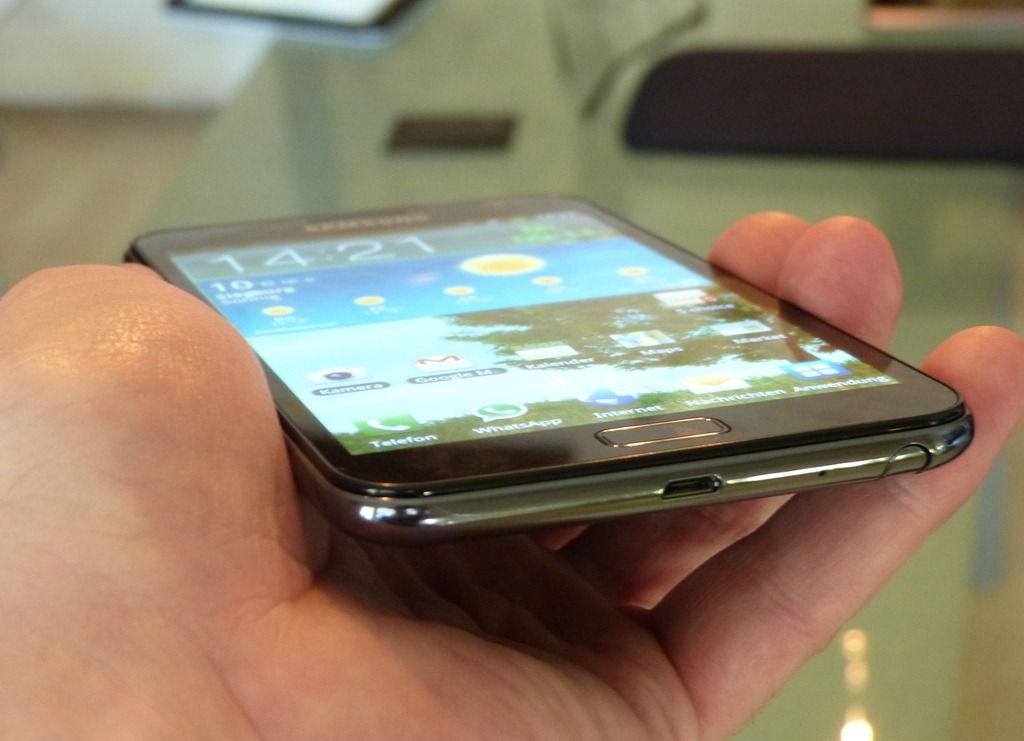
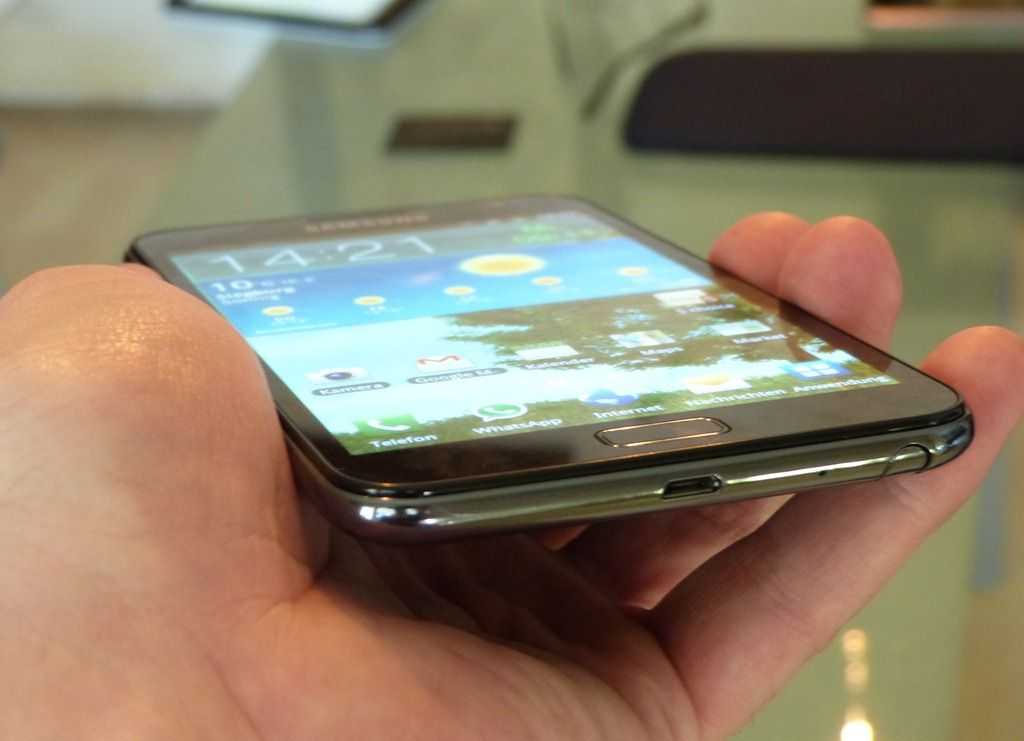
The Samsung Galaxy Note has been available for a while here in Europe so it made sense to get some more hands-on time with it. My first hands-on at IFA was done just minutes after it was announced and I have to admit, there were lots of key features I knew nothing about. The video hands-on was a bit of a mess!!

This time I had 3 hours, an owner and a decent video camera for you!

Note: The street price in Europe is as low as €520 now (inclusive near 20% private sales tax) which is €180 less than the MRRP.

First-impressions were excellent. This is a class-leading Android 2.3 device with convergence, productivity and mobility at its heart, great battery life, a good camera, quality screen and, in my opinion, a good price. The Ice on the cake is of course the news that it will get Ice Cream Sandwich in 2012 (Q1) that will bring out the best of the dual-core CPU and add some key features that, by now, quite a few people will be missing in Android 2.3

Unfortunately, for the Honeycomb-experienced, version 2.3 of Android makes it appear a little dated and the speed isn’t what I would have expected with my 1yr old Galaxy Tab not far behind in the browsing tests we did but I suppose we shouldn’t really be comparing against a 7” device because if you want convergence at 5” this is probably the best choice on the market.

I have a personal problem with convergent devices in that, especially when they are this fast, you tend to use them too much and find yourself struggling with 15% or less battery life in the final part of the day. Forget to charge it overnight and you’ve lost your phone and tablet for the morning hours. But that’s just me.

I had a very long chat with the owner, Nils (@thunderstrom99 on Twitter) and took a lot of notes. Firstly I want to tell you about the screen. It uses a PenTile Matrix screen which screen afficionados will know as a sub-optimal technology. OK, when you take a macro picture and zoom-in, you can see the effect…

PenTile on Note


The sub-pixel smoothing (and anti-aliasing I guess) results in some harsh jaggies. Here’s the Galaxy Tab

Galaxy Tab screen

Less jaggies.

But it’s a non-issue for most people because those two images are blown-up to the same size. In reality, the Note has a higher pixel density and you simply can’t see this effect unless you’re tuned-in with near-perfect vision. As someone that can detect out-of-phase stereo speakers by ear, yes, I know there are some people out there that will have a major issue with this but the reality for most people, including myself, is more like this:

Galaxy Tab 7 and Galaxy Note Screens


Click the image to see the original. On the right is, to my eye, a better reading experience. That’s the Note. [The PenTile screen tends to have some strange hues when viewed off-center. See more images in the gallery]

Outdoors the brightness is nothing to write home about but the viewing angles and glass clarity are better than my Galaxy Tab. It’s good enough.

One thing I instantly noticed was the ability to use the device one-handed. It’s not perfect – a little unstable reaching over for the menu button or top left (for right-handers) but it’s possible to, carefully, do most things. I didn’t try swype but I suspect it would work OK with the thumb – an important mobility advantage over tablets.

I took a fairly detailed look at the battery graph and asked Nils what he was getting in terms of real-world usage. It looks like a full 8hrs heavy use is possible which would equate to a standard days use of 10-15 hours in my opinion. As a phone, it’s not ideal. As a tablet, not bad at all. You have to decide how that fits your usage scenario.

On to performance. Android 2.3 isn’t going to return the best dual-core performance figures and a Sunspider test result of 3238 (Galaxy Tab with 2.3.5 = 7450) isn’t as good as I’d expect. A real-world browsing test showed a slight speed improvement over the Galaxy Tab but nothing really significant. You’ll see it in the video below.

One point of note here though is that the Note is quite capable of some heavy multitasking and loading without it impacting the fluidity of the experience. 1GB of RAM and faster CPU cores mean there’s more overhead.

It’s interesting to know how Nils is using the Note. I’ve been in contact with him for about a year after he made enquiries about a UMPC. It turns out that the Note is satisfying all his requirements and he’s got no desire for a UMPC now. In some situations, he’s doing more on his Galaxy Note than he would be on a UMPC. He’s using it at University for note-taking in an interesting way. He says he cant ‘write’ notes about his physics lectures because it makes more sense to take a picture and annotate it. He showed me a few graphs and diagrams on a whiteboard. Yup, that makes sense!

A chat with a a Galaxy Note owner

I took the chance to record 10 minutes of Q&A with Nils. Here’s the result….

Keyboard

Is the on-screen keyboard good? Yes. We did a little speed test between the Galaxy Tab and the Galaxy Note. We swapped devices and did the same test. We were better on our own keyboards but the difference was minimal indicating that the Note could be used for some portrait-mode typing. For a bigger typing experience, obviously the Note can be held in landscape mose and still used successfully. That’s something you can’t do on a 7”er although you’ll lose masses of screen real-estate in the mode. As the Note is only 180gm, it’s almost unnoticeable in portrait mode too.

The Pen, Annotations and Handwriting Recognition

You’ll see the pen being used for annotation and handwriting input in the video below. Although I don’t think it has the level of pen integration that the HTC Flyer has, because the pen is stowed, it’s probably more useful. Annotating an image or screenshot is easy and fun. I’m sure you can add ‘send to PDF’ via a third party app or share. See the video below though for more on the pen, touch, multitouch and gestures. I think you’ll like it.

A few other notes

  • Sound quality: OK
  • Gestures for mute and screenshot: Useful
  • Minute amounts of color banding noticed in a video: Potentially annoying for video purists
  • Plastic back – Feels cheap but it’s grippy
  • Photography – Fast, good touch-focus and quality is acceptable. [Sample photo + Exif here.]
  • MHL port for MicroUSB cable provides charging and HDMI out. Excellent choice. HDMI cable is about €12 apparently.
  • Swipe across top to brighten/dim the backlight

Video

Summary

What an excellent bit of kit the Samsung Galaxy Note is and it’s the best converged phone/mid/tablet that I’ve ever tested. When Ice Cream Sandwich comes along, it gets even better! I wasn’t a big fan of converged phone/tablet products before this hands-on with the Samsung Galaxy Note and although I still think it’s risky (and battery-draining) to put all your eggs in one basket, I’d certainly be happy to take a Galaxy Note and to hand over my Nokia N8 and Galaxy Tab. I’d miss the N8’s camera for sure and wouldn’t find the Note as comfortable to type on, but I think I’d get over it, especially as I’d be getting a phone and a tablet for around €520

The model tested here is the Samsung GT-N7000

Full specifications in the database along with links to other reviews, articles and our full Gallery.
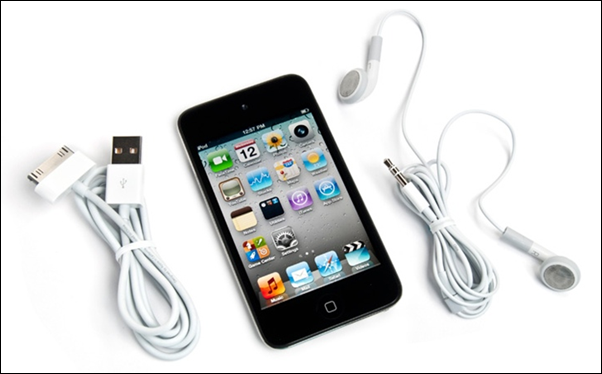
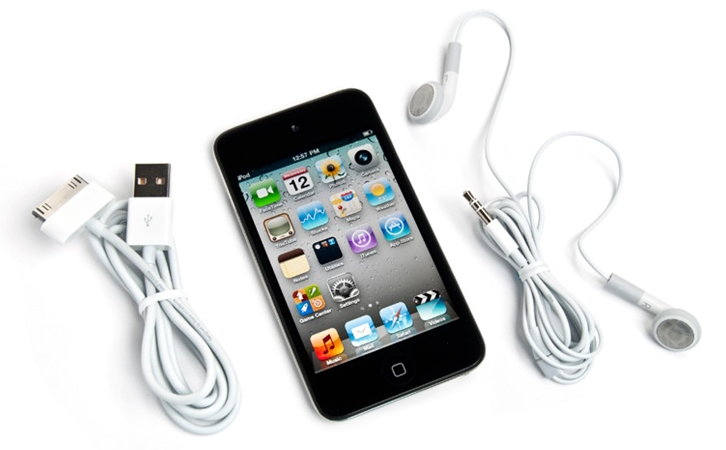
Today Only: 8GB or 32GB iPod Touch for $179 or $229 (latest generation)

Tags: , , , ,


ipod touch wootOur favorite deal-a-day site, Woot.com (and sister site sellout.woot.com) has a solid deal on the most recently released iPod Touch. If you’re looking to grab one of the most user friendly MIDs on the market, you’ve got your choice between 8GB and 32GB.

If you go for the 8GB option from Woot.com, you’ll be getting the device for $179 which is 22% off of retail from Apple.com, and 13% off of the device new from Amazon. It’s also 11% off of Apple’s own refurbished offering. Keep in mind that with this option you are paying $22.37 per GB of capacity.

If you’re looking for a little more bang-for-your-buck, you can go with the 32GB option for $229 from Sellout.woot.com and you’ll be paying only $7.15 per GB of capacity. That’s 24% off of retail from Apple.com, and 17% off of a new one from Amazon. It’s also 12% off of Apple’s own refurbished offering.

If you are interested in this deal, don’t wait! As per Woot’s model, these deals are good for just one day (until 12PM central time), and they could go out of stock even before then!

Samsung Galaxy S Wifi 5.0 impresses.

Tags: , , , , ,


image

image

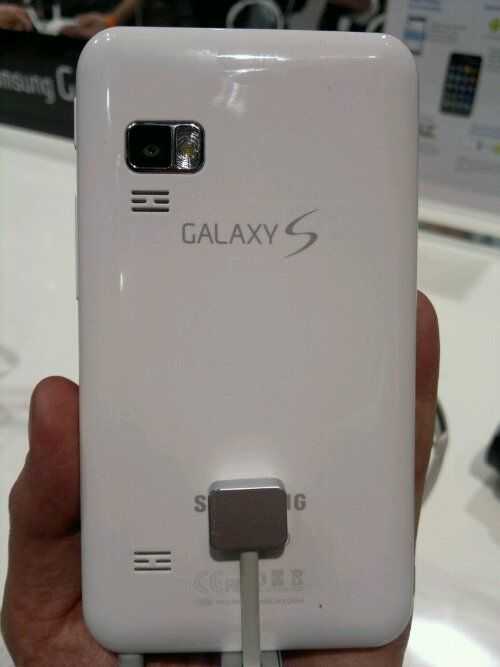
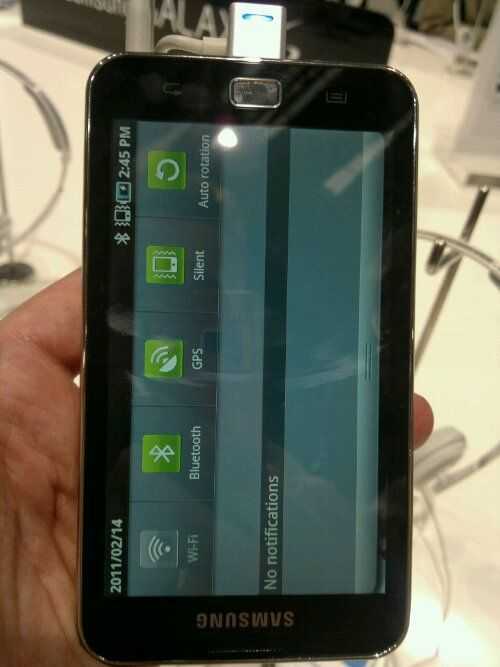
This is the Samsung Galaxy S Wifi 5.0 with, obviously, a 5″ screen (Wvga). It has the 1Ghz SP5C110 cpu inside and, confirmed, full Google market and apps suite making it quite unique. It records 720p (fixed focus) and has a nice 5MP camera. It’s built well and slots nicely into a few categories I can think of. People wanting a full Android experience without a contract for a start.
Launching this month in Korea and soon for global markets. A 2500mah battery should see it lasting a long time between charges. DLNA, Samsung app market, GPU, accelerates top off the specs.
Video coming soon but here are a few pics. More coming later.

Ocosmos OCS1K Morphs into OCS1U and Loses Keyboard

Tags: , , , ,


IMG_6445

I’ve got bad news for many of you that were very interested in the Ocosmos OCS1K slider UMPC today. The slider version has now been dropped (Official. It won’t be produced.) in favour of the mini tablet version you see in the middle above. For a company that tries to promote its own multiway pad input solution, I guess this isn’t surprising.

Specs are shown above and the only thing I can add is that the battery should be bigger in the new version leading to longer battery life. If you look at the Oaktrail figures so far and the size of the device you’re probably looking at 4-5hrs of usable battery life.I can’t see how they could really squeeze much more out of it in real-world scenarios.

Here’s a video from the very noisy Showstoppers event last night.

IMG_6420 IMG_6416

Carrypad Facebook Page is Live

Tags: , , , , ,


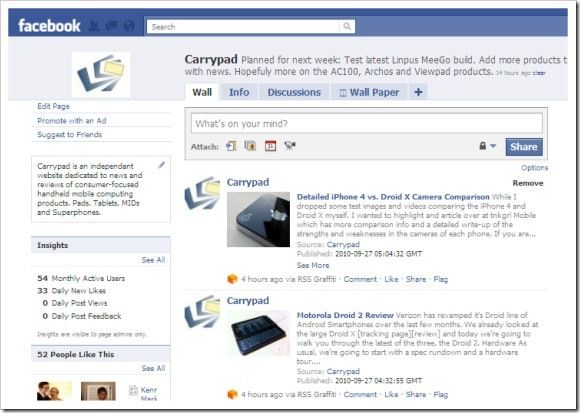
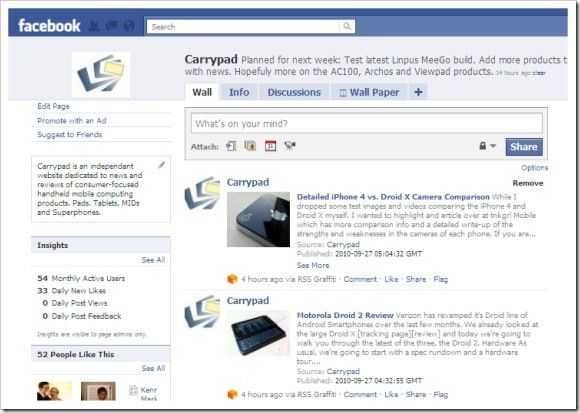
There are people that visit the site directly, there are people that discover us through search and there are people that keep tabs on us through RSS, Email and Twitter. It seems silly to leave the 5 gazillion Facebook users out in the cold so if your go-to site for a personalised feed is Facebook, you can now add us in and keep track of the latest consumer tablet, pad, MID and superphone news there.

facebookpgClick to go to the Carrypad Facebook Page. Don’t forget to ‘Like’ us!

All news items will flow through and we’ll also make sure to announce extra events and link in relevant content from our sister and partner sites, UMPCPortal and MeetMobility. We’ve enabled the ‘Discussions’ feature so if you have ideas and thoughts about the site, please don’t hesitate to raise the point.

Making a HIT. (Your Checklist for a Quality Handheld Internet Tablet)

Tags: , , , , , , ,


This might seem obvious but we think that many of our readers are looking for a similar product –  a consumer handheld internet device, which kinda makes sense because that’s all we cover here at Carrypad!

We wanted to simplify the decision process and short-cut some of the fuss and hype that goes on around the tablet space so we’ve come up with a checklist for you. It’s focused at the consumer tablet but much of this applies to slider and clamshell designs too.

Bookmark this article and when you see a product you like, take a quick look at this list to see if it fits the mould for an enjoyable, usable, flexible, quality handheld internet product.

Read the full story

Mobile Changeover. What’s Your Plan?

Tags: , , ,


Mobile Devices

After Computex in Taiwan, a speaking gig in Barcelona, a casual weekend away in Holland and four days with my mother I’ve forgotten what my desk looks like. I’m even sitting on a train to Hannover as I write this! During the last weeks I’ve also built up reliance on an unnecessarily large stable of mobile devices and it’s frustrating me more than ever because we are deep in a changeover phase where nothing is ready. Obviously I haven’t bought all of the devices above (*1) so if I was a ‘real’ person I probably wouldn’t be in this mess but it’s an interesting exercise to see how certain devices have unique features, how the changeover is progressing and how I’m struggling to converge down to fewer devices right now.

In a way, it was easier two years ago. I had an underpowered smartphone with a poor OS and slow web experience and I complimented that with a  UMPC that was built for the job but today we’ve got an overlap where smartphones offer performance and an enjoyable, always-on quick-hit access to information, location and information from the internet and ones social circle. They provide an Internet experience with features that the desktop can’t provide [See article: The Full Internet Experience of 2010.]  Despite that, these expensive ‘do it all’ superphones still cant offer a full Internet experience, a productivity application suite and rarely last a full day on one battery.

On the other end of the scale we have netbooks that last all day but seem to be getting bigger, heavier and just don’t seem to perform as fast as the XP-based netbooks of 2008 and 2009.

In the middle of all this we have a rush on consumer focused tablets that don’t offer anything unique or productive for someone that just wants to get things done. It’s a three-pronged tease!

Why can’t I converge on just two or three devices?

There are some good netbooks out there but I haven’t found one as fast and with the excellent 3G reception of my modified Gigabyte Touchnote. The Viliv S10 provides 8 hour of battery life in a smaller, lighter form factor but if it’s slower to access applications, files and process images, I’m not interested. And yet, here I am, typing on the S10 because of the battery life.

There are some good smartphones out there but I haven’t found one that provides a full internet experience and still provides all-day battery life with good voice, contacts, SMS and MMS capabilities. Carrying a spare battery, all-day, every day is a no-no. And yet, here I am with the X10 in my breast pocket checking the world cup scores every few minutes.

At least I haven’t got an iPad too!

MeeGo offers me some hope. A full internet experience and an app store but it’s something needs to mature until at least late 2011 and in fact for it to function fast enough to be productive it will need a high-end dual-core ARM or Intel Moorestown platform that will not be able to provide all-day battery life in a smartphone form-factor.

I had thought that the Dell Streak might fit in well as my mobile internet device but that’s not working out. The Android browser works well for the sites commonly used by people testing and reviewing but in the long-term you’ find that it hits brick walls time and time again. In the last week I’ve had problems with my WordPress back-end, MobileMe galleries and even a captive login page for an open Wifi network that I couldn’t use. Having 95% of the Internet working is just not good enough. Android is developing well too but I’m not expecting a full browser in 2010 so splitting the voice and the internet functions on to two devices is still going to be the only option in order to preserve battery life for always-important voice, pim, alarm and sms functions and to guarantee the full internet experience I need for my work.

And then I have my personal cameraphone conundrum which leaves me with one smartphone to choose from.

My cameraphone conundrum

What a joke this is becoming. After 2.5 years with my Nokia N82 I still carry it everywhere and the only reason is the camera and flash (and to a certain extent, downloadable Nokia Maps which provide me cheap offline navigation and turn-by-turn.) There are devices with better camera sensors and optics that don’t have the flash or have a poor build or user interface and there are phones out there with better camera software and sharing features but are a complete let down when the sun goes down. (The Xperia X10 for example.) I did get a little excited at the Motorola XT720 which seems to be the first Android phone to offer 8MP with a Xenon flash but having analyzed some images on Flickr from early owners in Singapore, I don’t see that it will beat the N82. The iPhone 4 is also exciting but even though the sensor is reported to be high-quality, it will still need a flash and a LED lamp just doesn’t cut it. It leaves the Nokia N8 but I’ll be honest, it wont replace the N82 for ease of one-handed use and won’t offer the application suite and Google integration of Android that gives me proven advantages and efficiencies. The XT720 does look like the best option right now and I’ll be happy to swap out my X10 for one when it’s available. I need stability in my phone and I’ll be thankful for an Android device that can perform as well as the N82 in the camera department.

Summary.

The mobile device market for road-warriors and pro’s is a messy minefield that’s going through a big change and it looks to be staying that way until 2011. Android’s version of the Internet has roadblocks and Windows 7 netbooks are slower than Windows XP netbooks. New mobile operating systems are starting to develop.

My Plan:

Personally, I need to make some choices, slim down and wait until 2011 for the next move. at least in terms of phone/MID and this is how I plan to sit out the wait…

  • Dell Streak – Tested – Out due to lack of FIE.
  • Viliv S10 – Tested – Out due to slower performance compared to my Gigabyte Netbook. I will suffer with the extended battery on the Gigabyte until something much better comes along. Am prepared to wait until 2011 and the next generation netbook platform (Cedar Trail)
  • UMID BZIn (possibly to be replaced with a long-term loan of the Viliv N5) as my handheld FIE device.
  • Mifi – In (for conferences, expos, meetings)
  • X10 + N82 – In but consider replacing with XT720 as my only mobile camera/smartphone.

What’s your mobile pro plan?

Have smartphones met your expectations?

Are they causing you battery life problems?

Are you satisfied with Windows 7 on a netbook?

Are you still looking for ultra-convergence?

Mobile Mix-Up

(*1) UMID BZ on long-term loan by UMID. Viliv S10 on long-term loan from Viliv. Dell Streak a shared-purchase with JKKMobile.

Dell Streak First Impressions

Tags: , , , ,


Thanks to JKKMobile, I’ve had a Dell Streak for a few days and ahead of the live review session tonight, it’s time to give you some first impressions.

IMG_3708

I don’t have a full retail version here so it’s only fair to point out that the firmware isn’t final on the device but having said that, it’s close, it’s useable and actually, it’s quite good!

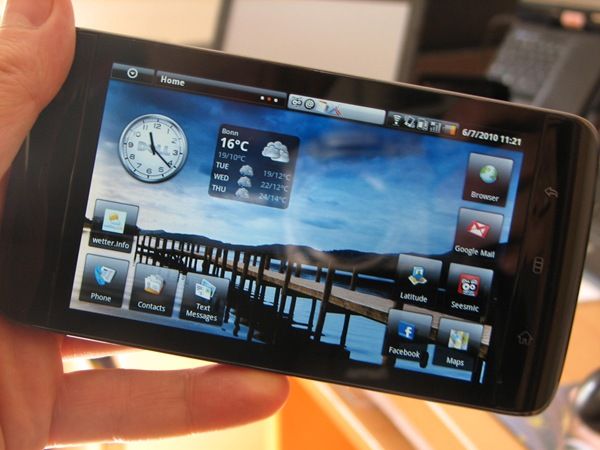
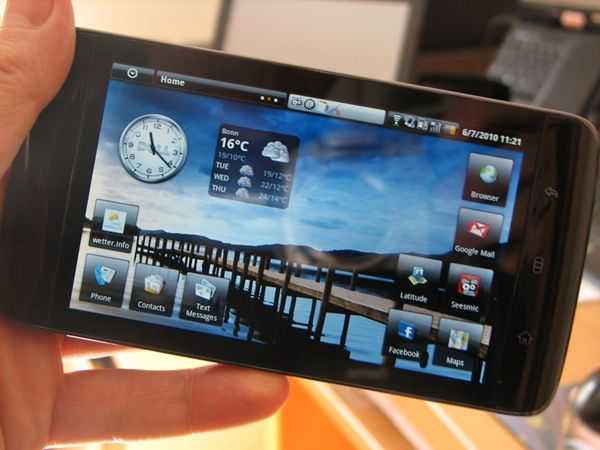
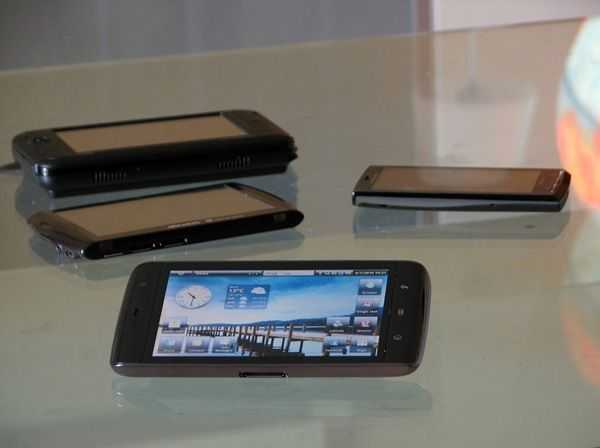
Starting with the look and feel, it’s a great first five minutes. The glass screen blends nicely into the glossy, stylish casing. The shiny metal rear only helps to make you feel you’ve got a quality device in your hands. Compared to the Archos 5, it’s a step ahead. The 5” (true 5” – bigger than the Archos 5) screen looks stunning with blacks and clarity that you’ll never see on a resistive touchscreen device and rarely see on a smartphone. In portrait mode you get get a comfortable one-handed experience that serves very well for reading Tweets, Google Reader, Emails, maps and ebooks. This is a very very nice 30-50cm one-handed experience. Flip the device round into landscape mode and you move into a more productive stance with the on-screen thumboard providing good input capability. The keyboard is offset due to having a numeric pad on the right side but I’m getting used to it and finding the numeric pad to be as good as a 5th row. It’s a shame there’s no stand though. 5” is good for seat-back videos.

Sizing is going to be a major issue for most on the Streak. My wife loves it and wants to upgrade to it as her phone straight away but she, like many other women, keeps her phone in her bag. For those that keep their phone in their pocket, you’ll have to think about it carefully because it’s not that comfortable. Holding the device to the ear might be a problem for some too as it’s relatively huge but for me, someone that doesn’t use voice that much and would be proud to show off the device, that’s not an issue.

In terms of specifications, the Streak impresses with a 1Ghz Snapdragon processing platform, 5MP cam with dual-LED flash, 2GB storage, micro-SD slot (no hot-swap), GSM, UMTS, Wifi and BT connectivity, compass, GPS, ambient light sensor, accelerometer and capacative Android buttons on the frame. There isn’t a dedicated search button but you will find a two-stage shutter focus/release button and a volume rocker switch. All seem to be high quality.

As for software and usability, I’m loving it. Browsing is (relative to other smartphones) in the top league and the user interface is fast and fluid. Having the full Google Android experience makes so much difference and it highlights the major issue with what i’m calling ‘unfinished Android products’ like the Archos 5. The included photo and video application is welcome although it lacks codec support. I was impressed that it could play back a 6.5Mbps WMV 720p file that most netbooks would choke on. I was less impressed that it couldn’t handle some H.264 files, Divx and a few other files I have in my test suite. The Archos wins that round!

As for battery life, it’s looking better than expected. Despite the large screen, it runs for about the same amount of time as the Xperia X10 which, in turn is an hour or so behind the HTC Desire. You’ll need to take the (proprietary) USB charging cable though, a back-up battery or a back-up phone!

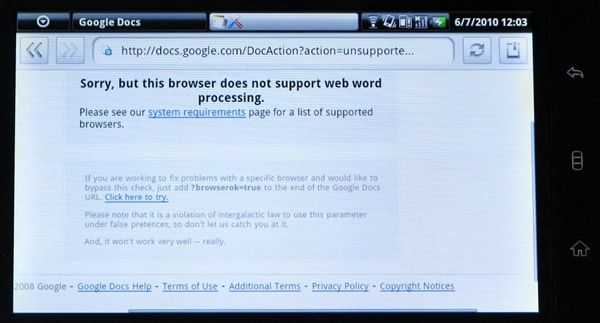
It isn’t all good though because the Streak highlights the big problem with Android. The browser is not up to scratch. Go to Google Docs to try and do some work and you’re met with a brick wall.

IMG_3709

This isn’t the Streak’s fault, it’s just that Android doesn’t offer a full internet experience yet and with the Dell Streak being so big and Internet-centric, you’l hit these brick walls more often than on other devices. It’s not good enough and getting the full browser experience (including Flash) needs to be a top priority.

Other notes:

  • GPS doesnt appear to have A-GPS support in this firmware but Android uses Google Location to assist applications. Full GPS capabilites take a little longer to sync-up than with other phones i’ve used.
  • Mono speaker is clear
  • Screen brightness is very good. You can use this for short-term sessions in the sun.
  • Camera is typical Android – OK in daylight – Poor in low-light.
  • Video, in daylight, is reasonable quality. Here’s a sample although it appears to have lost some quality in conversion to YouTube. The original H.264 file is better.

Overall, the Streak is performing as expected. It’s an interesting take on convergence although one gets the feeling that voice is only there to satisfy Googles applications-suite requirements. If you compare it to Nokia’s take on convergence which centers around a smaller screen, you get the feeling that this form-factor is better. Of course I’d like a slider keyboard on the Streak but I’m prepared to take a hit in this case because I might go and buy a retail version of this to replace my Xperia X10. There’s still room for improvement in the camera department but despite that, I’d still call the Dell Streak the best mobile internet device yet. As for it’s use as a phone, that’s up to you. I’ll just be dropping a data card into this and continuing to carry my N82 for voice, SMS and the Xenon-powered night-time camera.

IMG_3707

More information, links (including a few early reviews of full retail versions) available in the information page.

Jkk Goes Hands-on with the Dell Streak (aka Mini 5)

Tags: , , , ,


dell mini 5 jkk Jkk seems to have gotten his hands on the official European version of the Dell Streak [Portal page] (aka the Dell Mini 5) which launches soon in Europe. He has a thorough 24 minute video walkthrough with the device which you can find over at his site.

A few notes about the device from Jkk:

- I would like it to have a kick stand on it

- Dell UI is ok but I think I still would go with standard Android

- It should have a micro usb port for charging.. I hate carrying custom cables

- Waiting for Android 2.2 will feel looooong.

- Battery life seems better than I thought.. more testing needed..

And a few thoughts of my own after watching his walkthrough:

  • Headphone jack position couldn’t be worse. The device is already very big, if people are expected to walk around with the Dell Streak in their pocket, having a headphone jack stick out the side of the device while in the pocket will be very annoying.
  • The fact that the Dell Streak is only running Android 1.6 is really disappointing. This is what happens when you take months and months and months to get a product to market. Presumably it’ll get Android 2.2 eventually, but that won’t happen until Dell gets around to integrating their custom Android interface into 2.2, then deploying it to customers. The sad part is that the Dell Streak is as a disadvantage out of the gate, simply because it isn’t running the latest firmware.

02 Positions Dell Streak as ‘Tablet’ in UK Launch

Tags: , , , , ,


Highlighting the care that carriers will have to take over positioning MIDs, tablets, ereaders and other internet-connected devices is the Dell Streak (AKA Dell Mini 5) launch at 02 UK today.

Early this June the Dell Streak will be available across the UK at O2 stores, O2.co.uk, The Carphone Warehouse, and later in the month at Dell.co.uk. Pricing and data plans for the UK will be announced by O2 ahead of availability. Later this summer, Dell plans to make Streak available in the U.S.

Dell have previously said that a Wifi-only version will also be available via their stores.

Carphone Warehouse says: “Dell Streak: our very first tablet” and teases “A brand new range of Tablets is coming soon to The Carphone Warehouse, starting with the brilliant Dell Streak. ”

Dell says: “DELL STREAK TABLET ENTICES PEOPLE TO WATCH, SURF, CONNECT, LISTEN, AND PLAY ON 5″ OF POWER AND PORTABILITY”

A lot of people are questioning the use of Android 1.6 but we have to remember that the Dell Streak project was started over a year ago and that an over-the-air update will be available later in the year. It will include Android 2.2 and Flash 10.1

dellstreak

The big question is, will people buy this as a primary phone? Naturally there will be some that are happy with that and I have to say that given my data-centric usage profile (I use voice capabilities less than once per day) it would probably work for me too but unless the Streak is priced at a bargain-bucket level, which I doubt, it will stay with that niche of primary users and a secondary, iPad-like, community of users that want a casual, secondary internet tablet device.

Personally, I’m loving the look and specifications of the Streak. I’d kill for a Streak Pro with slider keyboard and double battery life (my ideal ‘Carrypad’) but this is about as good as it’s going to get in the ‘one-handed mobile internet device’ category for now. How do you feel about it?

Via Engadget.

Key Features:

  • Integrated Google Maps™ with turn-by-turn navigation, street and satellite views. [Note: Don’t expect navigation in the rest of Europe – Chippy]
  • A full screen browsing experience with a 5-inch capacitive multi-touch WVGA display
  • Easily integrated social media apps: Twitter™, Facebook, YouTube
  • High resolution 5 MP camera, VGA front facing camera, removable battery, built-in Wi-Fi, 3G and Bluetooth connectivity options
  • 2GB* of internal dedicated storage provides plenty of space to access and download Google Android Market’s many options
  • Packaged with cushions made from 100 percent sustainable, compostable bamboo

Specifications:

  • Android platform complete with Android Market and Dell user interface enhancements
  • ARM-based Processor: Qualcomm’s powerful and efficient Snapdragon chipset and software platform with integrated 1GHz processor
  • 3G + WiFi + Bluetooth
  • UMTS / GPRS / EDGE class 12 GSM radio with link speeds of up to HSDPA 7.2 Mbps* / HSDPA
  • 5 MP autofocus camera with dual LED flash. Easy point, shoot, and uploads to YouTube, Flickr, Facebook and more
  • User accessible Micro SD expandable memory available up to 32 GB*. Store up to 42 movies* or 32,000 photos*, or 16,000 songs* with 32GB* Micro SD

More specifications and links to Dell Streak news, reviews here on our Dell Streak tracking page.

EviGroup Wallet now available.

Tags: , , , , ,


As the ZenPad and EviGroup Wallet are both coming from the same OED (SMiTs) it’s no surprise to hear that both the ZenPad and EviGroup Wallet are available at the same time.

wallet-chrome

Apparently in-stock now, the 199 Euro (215 Euro for the chrome edged version as seen above) mini-tablet doesn’t come with 3G but does include a good set of accessories.

Charger. Cable USB (+ PC connection charge), Suction mount (car and office), Pair of audio headphones, Car charger.

We’re not expecting this to blow away the competition (Archos 5) but it could make a nice small alternative to the Archos 7.  A brief demo video on the specification page (French) shows some of the features but it’s not clear whether it’s coming with Google applications or any navigation software. Previous demo videos clearly showed Gmail and Google Maps.

Our specification page is here (English) and we’re trying to get some of the questions answered along with a review sample.

ZenPad MID Unboxed on Video, Now Shipping –- GPS and 3G/Voice Optional, Android 2.x Supposedly Available in 1 Month, Android Market Along for the Ride

Tags: , , , , ,


zenpad The Enso ZenPad (AKA Evigroup Wallet) [Portal page] is now shipping from enso-now.com.

Lot’s of new info about this device now that it’s shipping: Though the device is essentially a WiFi-only Android MID, it appears as though you can equip it with internal GPS for $25 on top of the starting $155 price. Additionally, it looks like 3G and voice [UMTS/HSDPA/EVDO (850, 1900, 2100 MHz) or GSM/EDGE (850, 900, 1800, 1900 MHz)] is available on the device through an external micro-USB dongle which is available for purchase at checkout for another $35, putting a GPS and 3G/voice equipped zenPad at a total of $215. Be weary though as the specs page notes that data and voice access is provided by a third-party app which means that zenPad probably has little to no control over that particular experience. One can also choose a matte or chrome finish, which has no impact on the price of the unit. Looks like they are also offering $25 worldwide shipping.

This expandability is interesting because it allows the zenPad to function in a range of usage scenarios. The customer can choose what is right for them at the time of purchase, and if they want they can always come back and add the micro-USB 3G dongle if they shift into a mobile — rather than a home — usage scenario. This also means that the zenPad can compete with a larger range of devices.

Sadly, Enso is pulling the classic MID maneuver — the zenPad ships with Android 1.6, but they promise the following:

Upgrades to Android 2.x will be available within 1 month to our customer on their private section for simple downloading and upgrading. Easy instructions will be provided.

We’ve seen similar promises fail to be honored with many of those no-name MIDs out of Asia which I am not a big fan of.

The official spec sheet is also listing the following:

Download and install any compatible application from the Official Google Android Market.

Generally, access to the Android Market on non-phone devices has been rare, so this will be a big plus for the device.

Though the unboxing video shows a car mount, the zenPad’s official page only lists the following as being included:

  • zenPad
  • USB Cable
  • Earphones
  • Power Adapter
  • User manual
  • Touchscreen stylus

Dell, Archos, BT, Sharp, Smart Devices and Huawei in Internet Device News-Rush!

Tags: , , , , , , , , , ,


Not one, not two and not even three items of internet device news to update you on today. I’ve got no less than five news items here!

Lets start with Dell who’s leader, Mr. Dell, has provided an update on the Mini 5. According to reports, he’s let it be know that the Dell Mini 5 is coming to Telefonica O2 in June and to AT&T in the summer. The source article from EWeek is littered with incorrect information but the important info is that it is very close. Telefonica O2 operate in Spain (where they are launching the Android-powered Compaq Airlife 100 and have a big presence in Germany and UK amongst other countries where they have proven to be quite the progressive carrier in terms of advanced internet devices. Low data prices and multi-SIM options should really help the Dell Mini 5 to get off the ground. I’m expecting a 500 Euro SIM-free price but as yet, we have no real pricing indication.

While the Dell looks to provide the complete Google and voice experience, that’s not the case with the Archos 7 Home Tablet that has just been reviewed by Engadget’s Joanna Stern. At under 200 Euro it’s not quite targeted at the same usage model too. I’m encouraged to hear Joanna talk about a useful form factor but it seems to have been wasted somewhat because there’s no auto, or even manual rotation into portrait mode. Battery life looks good but as we’d expect with an ARM9-powered device, performance is not stunning. Here’s an educated guess – you’ll be waiting three times as long for a web page to load compared to the iPad. Casual mobile web browsing, Google Reader and eBooks, video payback, photo viewing, podcast-catching and maybe even a little bit of casual gaming will be possible though and if you can add a portable keyboard, it would make a perfect emergency or travel device. Engadget Review

Lets turn to a device that might be a little more difficult to get hold of now. It’s the very interesting Sharp IS01 clamshell-style, 5” Android device. Like the Archos 7 above, it doesn’t have the Google Marketplace so Sharp are trying to seed some applications through their own SDK and a preview version of the device. The final version of the IS01 was due later in the year.

Pocketables have news today that not only is the SDK version ready but the final product will ship much sooner than expected. As soon as next month. While the device is targeted at the Japanese KDDI network, it is possible that some unlocked versions get through as imports and if that happens it will be great to be able to try a high-powered clamshell design using Android.

huawei-smakit-s7-live-13 A device that has completely slipped us by here at Carrypad is something I’m imagining the Archos Gen 8 devices (due summer 2010) will look like. Clearly focused on home media and having a very interesting docking station, 3G and what looks like a capacitive screen, the Huawei Smakit s7 could be competition for the Dell Looking Glass. I’m assuming that Huawei are looking for customers for this though so it’s unlikely that we’ll see it soon but we’ll keep it high on the list as we cruise Computex in June.

BT have announced that they are getting into the home tablet game. The UK-based company broke the news at their strategy day. Apparently the device will be able to take calls, sms’ and will show weather and perform other functions. It will be smaller than the iPad and bigger than an iPhone. To us, it sounds like BT might have lined up to take the Intel Moorestown-powered Open Peek OpenTablet. Watch and wait.

OpenTablet7_593x428

Finally today, I want to highlight that the SmartQ V7, a slightly more powerful version of the Smart Q7 I reviewed,  is about to be launched in Android 2.1 form. Android has been running on the device via firmware updates for a while now but a new Android 2.1 release is due soon. The device, an ARM11-based tablet with a 7” resistive touchscreen, should be available in the next few weeks from Eletroworld priced at $230. Expect a similar experience to the Archos 7 Home Tablet although there’s potential for some nice hacks from the busy Smart Q7 community. We should be getting one for review soon after they become available.

That’s it for now. Hope it gives you something to think about at the weekend. Let us know if you have any thoughts on the above.

ARM Products and Platforms Primer and Resource List for Mobile Internet Devices in 2010. (Updated)

Tags: , , , , , , , , ,


This article is updated from Jan 2010. See below for history.

The ecosystem around ARM, its designs and licensee products can be difficult to understand so I’ve been researching the current status and have summarized the important products, brands and technologies in the article below. You’ll find details on all the important keywords and technologies, links to all the important CPUs and platforms, a reading list and some ‘tip’s’ for CES2010 which starts this week. All the information is based on my own knowledge and research so if you spot any errors, please be sure to let us all know in the comments. I know there are some CPU designers and ARM partners reading this site so again, if there’s anything that needs changing or adding, please help us all by adding a comment below.

armarch

Overview of processor architectures in current ARM products

For the purposes of this article I’m ignoring anything other than ARM v7 architecture CPUs. In my opinion and experience the previous (ARMv6, ARMv5) designs don’t provide the processing power needed for the quality web experience expected in  MIDs. Note: Tegra (current version 2009) is an ARM11 multi-core CPU  implementation based on ARMv6 architecture. I expect Nvidia to move to ARMv7 in their next Tegra product.

ARM v7 is a CPU architecture, not a CPU.

ARM V7 is a processor architecture. It’s a design that belongs to ARM and it can be used to build CPUs that can process around 2 Dhrystone MIPS/Mhz. (Wikipedia – Dhrystone) That’s about 2000 DMIPs/Ghz which is not far from the processing power achieved by simple, non-hyperthreading Intel Atom cores also used in MIDs. DMIPs processor performance is not the only measurement of device speed but it’s a good starting point and is relevant to web rendering and web applications.

Processing power

In general, the architecture is being used to make CPUs and platforms running at between 600-1000Mhz (about 1200-2000 DMIPs) although there is one known implementation that has been tested at over 2Ghz. Power consumption per core is said to be around 300mw per 2000DMIPs using the latest manufacturing processes although this figure can vary greatly depending on implementation.

Remember that the CPU core takes only a small percentage of the power drain in a working device where the total in-use power budget including screen lighting, radios, audio, gpu, storage and DC components can span from 2W to 10W. (Texas instruments thinks that a 1W MID is possible though)

In comparison with the Intel Atom CPU the ARM v7 architecture can be used to make CPUs that consume about 1/3 – 1/5th of the power of an Intel Atom CPU for the same DMIPs computing power.

ARMv7 can also be used to make multi-core CPUs where up to 4 cores can be used to provide over 8000 DMIPS of computing power. (Assuming the software is built to handle multi-processing hardware)

(Further note: All these figures based on research, marketing figures, experience, testing and technical documents that I have read during this research.)

ARM does not manufacture CPUs.

The architecture created by ARM is used to do two things:

  • The architecture is used by ARM themselves to make a complete processor implementation which may include other ARM property. The CPU implementation is then licensed out to third parties who can either mass produce the CPU or build and manufacture complete computing platforms including graphics, sound, power, memory, etc. One example is the Ti OMAP 3 and 4-series platforms.
  • The architecture gets licensed out to third parties who make their own processors and platforms based on it. One example is the Qualcomm Snapdragon platform.

ARM have a number of processors that they’ve built using ARMv7 architecture and all fall under the ‘Cortex’ brand. There are real-time and highly embedded versions but the ‘A’ versions are the ones that interesting for general mobile computing tasks. ARM have three versions of the CPU. The A8 (currently in products), A9 (high end, multi-core capable due in products in 2010) and A5 (small, low-cost, due in products in late 2010) versions

Licensees.

When final products are completed by licensees you will often see them marketed under different brands. This is where it gets very confusing so I’ve listed most of the main players below along with notes and links to their various products and brands. Note that some ARM licensees are not made public and therefore no information is available.

ARM Cortex A8

ARM has 9 licencees. 8 are public.

Cortex A8 Product brief (PDF)

Licensee notes.

  • Ti OMAP 3 platforms 34xx 35xx 36xx  using Cortex A8 CPU core up to 800Mhz. Used in Nokia N900, Archos 5 devices for example.
  • Freescale iMX5 family of CPUs based on Cortex A8. Use in the Sharp Netwalker for example. iMX515 is focused at mobile internet and includes graphics co-processing.
  • Samsung. S5PC100 application processor includes the Cortex A8 CPU core (E.g. Odroid)
  • Samsung / Intrinsity – Hummingbird A very specific implementation of the Cortex Core using a tightly defined manufacturing process.
  • Zii Labs ZMS08 Core of the ‘stem cell’ computing platform. (Q1 2010 volume shipment) 1Ghz implementation.
  • Matsushita (Panasonic) Details unknown.
  • PMC-Sierra (storage, switching, routing solutions) Details unknown.

Cortex A9 (Multi-core capable)

Cortex A9 Product information (PDF)

ARM has 9 licencees. 6 are public.

Licensee notes.

  • Ti OMAP Dual-core 44xx platform. Full production expected 2H 2010.
  • ST Electronics Cortex A8 licensee (set top boxes)
  • St Ericsson – U8500 Dual Cortex A9/HSPA Modem platform. (Note Nokia and Symbian will be using this and it includes a Mali GPU and 1080p recording capability)
  • Broadcom (ARM news. No products announced yet.)
  • Nvidia Tegra 2 Dual-core
  • NEC Electronics. No information available.
  • Update: 28 Jan 2010. It appears that Apple may have licensed Cortex A9 for the iPad A4 CPU. (Source) Update: It’s ARMv7. Apples own implementation.

Cortex A9 MPCore Hard Macro – 2Ghz implementation of Cortex A9 using specific TSMC silicon manufacturing process.

Cortex A5

Cortex A5 is a multi-core, low cost ARM V7 implementation previously known as Sparrow.

Link to ARM information

No known implementations at present.

Other ARM v7 implementations:

  • Qualcomm Snapdragon platform (QSD8x50) uses single core CPU (Scorpion) based on ARMv7 architecture.
  • Qualcomm QSD8672 dual core platform at up to 1.5Ghz.
  • Marvell Armada 500 / 510 platform (PDF product brief) Up to 1.2Ghz

Notes for CES 2010 (UPDATED)

Key platform announcements to watch out for at CES 2010. Expect demonstrator products planned for 2H 2010. (All Cortex A9)

  • Nvidia Tegra 2 – Announced.
  • Ti OMAP 44xx – No news.
  • St Ericsson U8500 – Demonstrated by Movial on a set top box.

Expected in MIDs and smartbooks shipping in 1H 2010 on the following platforms. (Single core ARmv7 and Cortex A8 implementations.)

  • Freescale iMX5
  • Ti OMAP 3
  • Qualcomm Snapdragon
  • Nvidia Tegra
  • Zii Labs ZMS08

Product rumors / expectations: CES 2010.

Further reading:

Update: ARM presentation at CES.

I had a chat with ARM at CES and they followed up by sending me a PDF. Here’s one slide from that PDF that is directly relevant here. It lists ‘candidate’ platforms for Mobile Computing. We listed all of these platforms above but it’s good to know what ARM sees at potential platforms.

Click to Enlarge.

Note to PR agencies for ARM ecosystem partners. Put one twitter/web address in the comments and we’ll add it to the further reading list.

If you find the information useful for your work, please consider a small donation to help us continue the work. UMPCPortal is independent and funded purely through donations and advertising revenue.  Many thanks

Updated: 14th Jan 2010

Updated: 18th Jan 2010 (added ARM slide)

Updated: 28 Jan 2010 (added possible Apple licensee (for A4 processor) information.

Updated: 12 May 2010 with more product information

ZenPad (aka SMiTS, Evigroup Wallet) gets Video Preview.

Tags: , , , , , ,


We highlighted last week that the EviGroup Wallet [specifications] would be going into production very soon. It seems that SMiTs is also getting ready to put their design through production for Enso as the ZenPad.

enso-zenpad

In a post at Chinable, they offer up a preview video (note the Google Maps, Google marketplace, Gtalk apps) and some notes that indicate this is an Android 1.5 build. A non-3G version is to be launched first. The price of the ZenPad is $155 (120 Euro) so perhaps, just perhaps, the 199 Euro EviGroup Wallet really does include 3G although it’s more likely that taxes and GPS make up the difference. The comments on the post indicate that the ZenPad is heading to production.

So many questions remain open about this device that it’s hard to even try to place it. IF it gets the Android market and runs well in 256MB RAM, it could make an interesting alternative to the Archos 5 which doesn’t have the physical buttons (it uses screen space for virtual buttons) and doesn’t run the Google apps well due to limited memory after hacking. Without a capacitive screen or a high-end CPU, this will never be in the same league as something like the Dell Mini 5 but if if does appear, either in ZenPad or Wallet branding with 3G for 199-Euro, it becomes an interesting low-cost mobility option.

Thanks Mike Cane

Enso website.

Aigo N700 7-inch Tablet

Tags: , , ,


aigo_n700

It’s been a while since we heard any news from one of the forefathers of the Mobile Internet Device and given their MID-free CES stand in January this news comes as a surprise from Aigo.

The N700 is a 7-inch multitouch tablet running on Android 2.1, it’s powered by a dual core 1Ghz ARM Cortex A9 processor and Nvidia Tegra 2 chipset meaning HD video playback and output via a HDMI port. Other specifications include 512MB of RAM, up to 32GB of flash based storage, 800×480 capacitive multitouch screen, WiFi, USB, microSD and a 3120mAh battery. It even has a 3G option.

Given its specification it would certainly make an excellent sofa surfer and media playback device, although the on screen resolution maybe low for an 7 inch device.

It has been noted that this device looks very much like the Compal NAZ-10, which given the rebranding of the Aigo P8860 by Compal isn’t surprising. The NAZ-10 claims 16 hours of HD playback and costs $300.

[via Chinitech]

iPad 3G – Not the Ideal Mobile Internet Device

Tags: , ,


3G and GPS are technologies that can turn an Internet device into a mobile internet device. While tethering and MiFi are great ways to mobilise your PCs, having a built-in 3G module makes a huge difference and of course, GPS enables navigation, local search, location-based social networking and other mobile-focused applications.

But you can’t just throw these two components into a device and expect to have the same on-the-go usage as a device specifically designed for mobility. You need to have the right form factor, the right input mechanisms and the right OS and software.

Take my Touchnote Netbook for example. It has 3G and a convertible touchscreen but I don’t use it when on-the-go. It’s portable, yes, and works extremely well in conferences and expos but it’s not something that you can USE WHEN MOBILE. It’s not designed for it.

With its size, weight and lack of mobility-focused applications I’m wondering just how the iPad will take off in mobile scenarios. Gizmodo has me worried too. They appear to be experiencing this for the first time…

…nothing quite beats the feeling of ubiquitous internet on a device like this. [Ref]

Nothing, that is, except a device that’s designed for mobility. Like a smartphone perhaps? Or, if you want to GTD while on-the-go, a clamshell/slider UMPC. I’d argue that the Wibrain i1 was way better suited to mobility than the iPad. It looked ugly and the OS wasn’t touch or GPS-friendly but it was designed with two-handed mobility in mind and nothing I’ve tried since has beaten it for use in that scenario.

The point is, adding 3G and GPS doesn’t magically turn a device into a mobile device.

Once again, form has won over function. From our perspective here at UMPCPortal, it’s a real shame. It’s sad to think that hundreds of thousands of customers will learn about ‘mobile computing’ for the first time through the iPad 3G.

If you can afford it, 3G and GPS are nice to have and I’m glad Apple give the customers the option. We’ll have to wait to see if any mobility-focused applications rise to the surface but based on the design and user feedback in the last 24hrs, I don’t think it’s going to be a focus for developers.

Update: Warner Crocker has a similar view that the iPad isn’t a mobile device.

Related: 30 iPad productivity problems.


Recommended Sites

  • Big Beach Our marketing advisors. Located in UK.
  • Carrypad Tablets and consumer mobile products
  • JKKMobile JKKMobile – Mobile computing and hacking – Partner of UMPCPortal
  • Liliputing Netbooks and small-form-factor laptoping – Partner of UMPCPortal
  • Ultrabook News Ultrabook products, specs and news