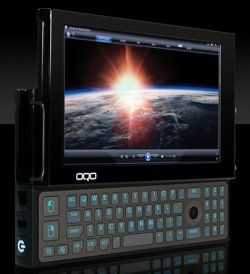
 When Six Flags Magic Mountain opens at 10:30 am (PST) today, my husband and I will be waiting at the gates with my OQO Model 2+ setup. Battery life, which I’ll discuss in detail later, will definitely be an issue that’ll affect how I use the device during the day, but I chose to start my tour with the Model 2+ because of how easy it was to “get ready.”
One of the best things about running full-blown Windows on a handheld device like the new Atom-based OQO is the learning curve. If you already use a Windows desktop or notebook, there is none!
So when the Model 2+ arrived at my doorstep less than two days before I needed to pack it up for the tour, I wasn’t worried. I didn’t have to read the manual, do research online, or spend any time familiarizing myself with the interface through trial-and-error. I just turned it on, connected to my home router, and launched Internet Explorer so I could download Firefox and get the unit set up to my liking.
In less than 30 minutes, I had the Model 2+ up and running with all the applications and tools I needed for the tour with no compromise. I didn’t have to find stripped down versions of my favorite apps, install “equivalents” that would run smoothly, or even connect an external CD/DVD drive. Here are my must-have apps for the tour:
- Firefox 3 (with add-ons and tour-relevant bookmarks) for just about everything
- Avira Antivir for keeping Firefox virus-free
- Skype for keeping in touch with my tour mates
- Visual Watermark for batch resizing and watermarking photos
- Irfan View for cropping photos
- Paint.net for light photo editing
- AT&T Communication Manager for my USBConnect Mercury modem
It may not look like much, but it’s everything I need. In fact, it’s everything I use on my 11.1-inch Sony Vaio TZ notebook to do my work at home.
After installing the apps and restarting the system for good measure, all I did was pair a couple of Bluetooth devices to make sure they worked properly and I was done. The OQO Model 2+ was ready for the MID Moves tour.
See how it performs today!
:: Thumb-typed on the OQO Model 2+ while on the plane ::