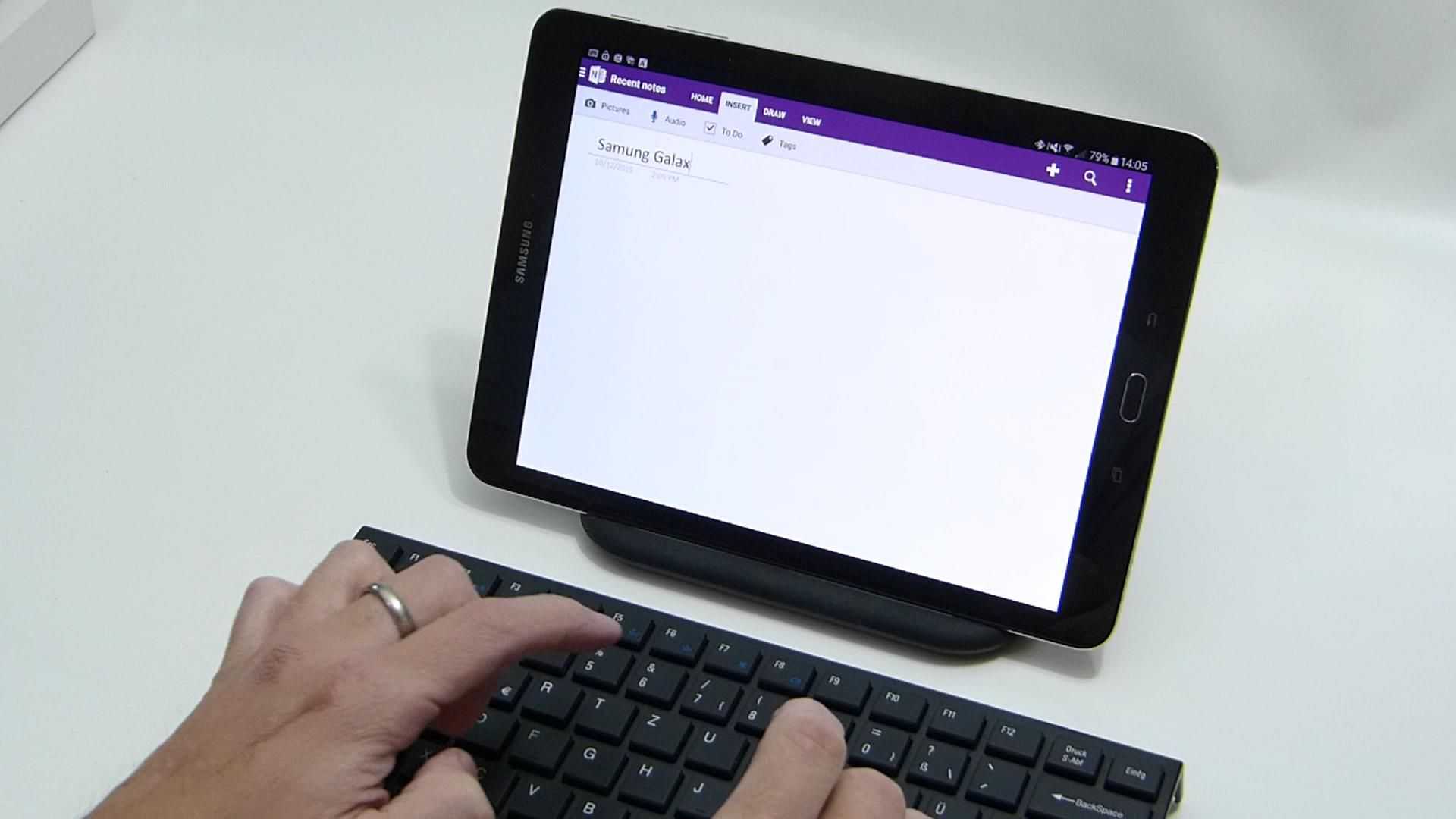
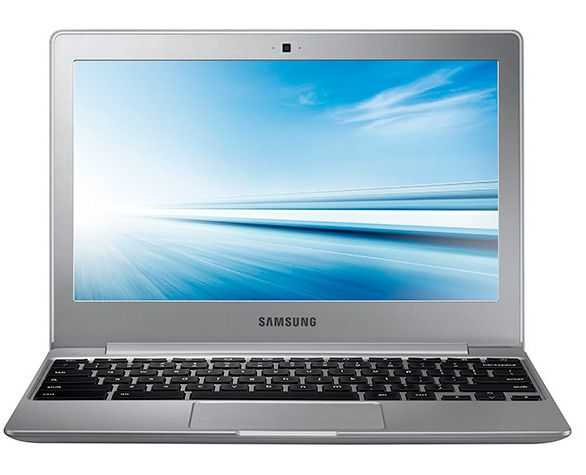
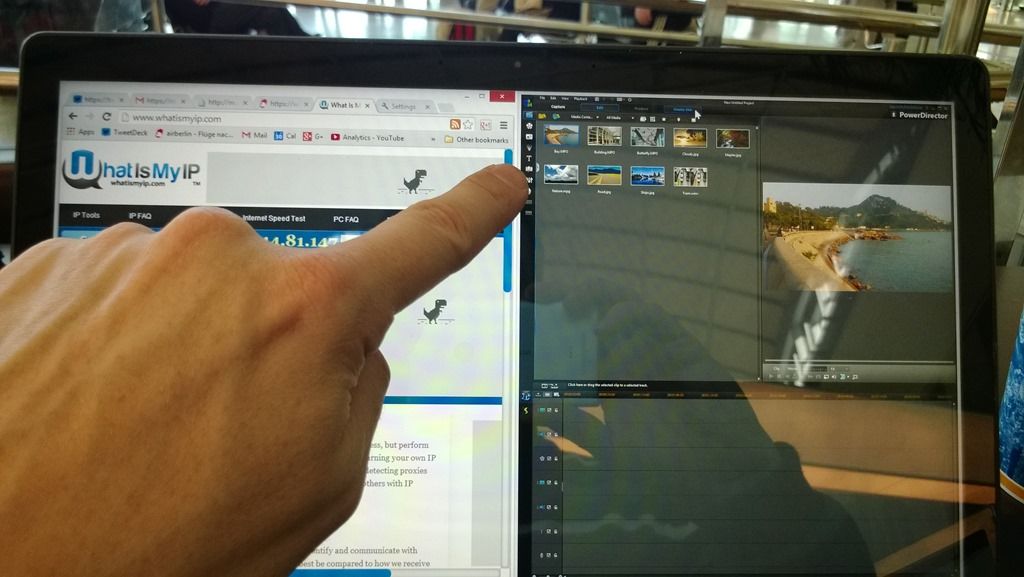
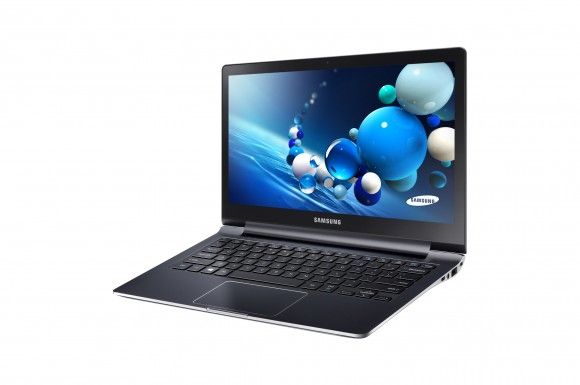
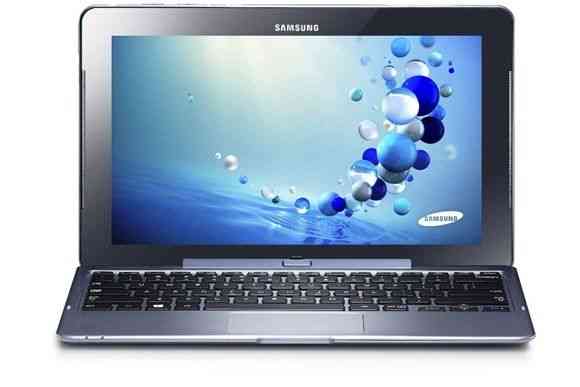
Update. We’ve just heard that Intel gave out 5000 Samsung Series 7 Tablets at BUILD. We were right!
Many are predicting that an ARM-based Windows 8 tablet will be shown to developers at the Microsoft BUILD event next week. I’m sure it will. CNET is telling us, however, that there will be an Intel tablet running Windows 8. This could be huge opportunity for Intel but it comes with a huge risk. If either Windows 8 fails to impress or the device is built on hardware that doesn’t seriously outperform an ARM based equivalent, Intel could be left with egg on its face.
In thinking about the existing hardware platforms I’m left a little worried about performance.
Current netbook platforms are too hot and heavy as are the ultra low voltage Core platforms. Oaktrail, Medfield and Moorestown are in the same league as Cortex A9 in terms of processing power so it leaves just one option if Intel really want to make a splash – a tablet-optimized version of Cedar Trail. With low tdp, small die size and the possibility of a dual-core 1.8Ghz version it could be just right for driving an uber-tablet, semi-productive consumer experience.
There are two problems with this theory though. Firstly, Intel don’t believe Core processors are best positioned for tablets. Secondly, it’s an expensive device and too expensive to give away to developers as CNET suggest will happen.
If it really does have the Samsung badge on it then perhaps the Samsung TX100 slider is an option. Oaktrail-based with a 1.8Ghz version of the CPU and with all Samsungs best engineering and components along with a dose of Windows 8 optimization for Oaktrail and yes, it might just cut it. The form factor is perfect as a differentiator too. We may even see the first always-on Intel tablet!
In 5.5 years of testing, this is the first time I’ve ever seen a sub-1kg device break 100,000 in the CrystalMark test. The Series 7 Tablet is a serious bit of kit and really showcase just what Windows 7 tablet features can do.
It boots in under 20 seconds, plays 720p without pushing the CPU above 5% and due to the very very fast ssd, starts programs in the blink of an eye
To put these figures into perspective, just remember that the average netbook turns in a score of about 20k. A high end netbook, just 30k. The CPU alone in this Sandy-Bridge-based device is about 5x as powerful as a netbook CPU and these CrystalMark scores don’t even test advanced graphics features and the Intel Quick Sync video hardware.
As for battery life, I’m estimating a 36-40Wh battery in this. Due to the heat and the software and testing that has been done on the device here I can’t get it to idle properly but I an tell you that Samsungs Series 9 ultralight which uses the same platform, can idle down to under 5w. That would allow this Slate to run for 9 hours. I’m estimating basic WiFi usage scenarios to be around 4hrs with video editing pushing it down to under 3. Its a high-dynamic range device, that’s for sure.
One USB 3, BT3+HS, a Trusted Platform module, 6-axis accelerometer micro SD, micro hdmi and headphones output are included. Screen viewing angles are good on the 1366×768 display. The fan is on in this 25+ degree room but its not too noisy. I have to get within 10cm to hear it above the ambient noise (relatively quiet demo area.)
If you’re looking for a serious tablet, don’t buy until you’ve tested the Series 7.
[ Posted via the Galaxy Tab. Ultra-Mobile at IFA 2011. For more IFA coverage, follow me on Twitter. @Chippy ]
The Windows Tablet PC reputation never really earned anything through the cheap netbook-based versions that hit the market over the last few years. Low power processors, lack of docking stations and capacitive touch layers that prevent anyone from taking advantage of the natural input features. The Samsung Series 7 Slate should fix that!
It’s the first Sandy Bridge (2nd generation Core i5) tablet PC I’ve ever tried and wow, she flies. The digitiser works well and the Slate will be delivered with a dock and keyboard as part of the package. It weighs less than a kilo and Samsung tell me it will return up to 7hrs battery life. Ok, lets take the 30% ‘marketing markup’ off that and call it 5hrs. That’s usable although I know from my work with Ultrabooks that you can easily get carried away and kill the battery in half that time.
I like it a lot, just like I like Ultrabooks a lot. They fit in nicely above consumer tablet and smartphone usage scenarios that are eating into the reasons you might buy a netbook and they truly negate the need for a desktop. This mobile/desktop usage scenario certainly helps to justify the price which, as can be expected, is going to around the same 1000-1100 € or $ level as Ultrabooks.
There’s another Series 7 slate article over at Ultrabooknews.
[ Posted via the Galaxy Tab. Ultra-Mobile at IFA 2011. For more IFA coverage, follow me on Twitter. @Chippy ]
In Part 4 we looked at a €399 AMD Fusion-based Lenovo S205. Through a number of video editing software tests I managed to get an acceptable 720p rendering speed out of the device which would be OK for short projects. For 480p output, it was good though. In this article I’m taking it up a notch in processing power to an Intel ‘Sandy Bridge’ based 13” laptop. It’s the lightweight Samsung 900X3A and given the right software, it’s proving to be a fantastic machine for 720p editing, rendering and uploading for YouTube.
Before we start though, a reminder of the aim and parameters set for the project. The parameters I’ve set for the project are shown below and you can read about why these parameters have been set here.
PC and video editing software to cost less than 600 Euros
PC to be less than 1.5KG with 12” screen or less.
Total camera + PC solution to weigh less than 2KG and cost less than 1000 Euro
Source video should be 720p
Video sent to YouTube should be 480p minimum
Video editing sotware must include watermarking, overlays, crossfades, and multiple audio tracks.
At 1.33KG the Samsung Series 9 (900X3A) is light but with the 13” screen, is bigger than I’d like to see. The screen size (1366×768) does have some advantages at this size though. It’s matt and bright too which means it is good for working outdoors. A 128GB fast SSD helps too. There is an 11” version of the 900X3A available to order if the 13” screen is not to your tastes. If it looks and sounds like an expensive laptop, it is. It’s well outside the target price of 600 Euro. You won’t be able to find the 900X3A for much less than 1400 Euro at the moment but don’t let that put you off because this is a premium device that’s one of the first in the market. Intel are promising sub $1000 devices based on the same platform as the 1.4Ghz Core i5 in the Samsung 900X3A and as time goes on, those prices will drop further and during 2012 I expect devices of this calibre to be coming down fast to 600 Euro.
First thing to note is the lack of full-size SD card slot. It’s a big minus in my opinion. A micro-SD card slot is available but I really don’t recommend swapping micro-SD cards about. The full-size adaptor with eventually fail and there’s a high risk of dropping or losing a micro-SD card. The solution is to use a USB adaptor for the SD card or a standard USB connection. High-speed cards are a must for high bitrate videos so make sure your adaptor is a quality one. The Series 9 supports USB3.0 but you shouldn’t need that. One of the ports can be used as a charging port when the device is off too which could be handy.
The excellent SSD in the Series 9 works at up to 220MB/s so for large programs like Power Director 9, there’s no hanging around waiting for it to load up. YOu might find it load faster than on most desktops in fact. Moving files around, duplicating and general file work is quick too which really helps to smooth things along.
The CPU/GPU combination in the Series 9 is known as ‘Sandy Bridge.’ It’s the second-generation Core processor from Intel and makes significant processing power gains over the previous generation. It’s an expensive platform but as well as raw CPU power and acceptable low-end gaming GPU power it also includes a hardware video decoder and hardware video encoder for some formats. Support for the video encoder is not widespread though. HDMI-enables full extended screen working but remember that the audio is routed digitally and you’ll need an audio decoder in your monitor.
As with the Lenovo S205, I’m using 12Mbps 25fps 720p from a Nokia N8 and converting it to 720p at 30fps with a bitrate of 6mbps. The laptop is set to high-power mode (no mains power.) Remember, this isn’t a comparison of video editing suites, it’s a test to see how much editing and rendering power and time can be had from the Samsung 900X3A (and by definition, from other notebooks based on the same CPU/GPU/Chipset combination.
Video Editing Software
Cyberlink Media Espresso.
Cyberlink Media Espresso does a fantastic job of converting video. A 7 min H.264 video was converted in just over 60 seconds which is exceptional. It matches the frame rate automatically though and despite setting a 6mbps bitrate, the conversion completed with a 4mbps bitrate. It bodes well for video rendering using Power Director, the video editing tool from the same company. Note that this is a pure video conversion tool and no clip editing or sequencing is possible.
One feature in Media Espresso which could be a real advantage for mobile video creators is the YouTube upload feature. I was able to throw in a 6mbps 720p file for upload which was converted down to 1.8mbps to match YouTube minimum requirements. It results in fast upload speeds and fast conversion speeds at YouTube. A 180MB 1080p file was converted down to low-bitrate 720p and just 33MB in size. Upload speed was obviously 5x faster than the original and the conversion time at YouTube was about 2 mins for 360p and another minute for 720p. Ignoring the video editing tools for a bit, this is one tool that could seriously help beat the clock on uploading YouTube videos. When you’ve got time you can always upload the high-bitrate version at a later time.
Cyberlink Power Director
Over the last 5 years I’ve seen consistent support from Cyberlink for low-level hardware. Early VIA UMPCs had video decoding hardware that was supported by Cyberlink. The recent AMD Fusion platform is well supported and the same is true here with the Intel Quick Sync Video technology.
Despite trying a wide range of settings though, I couldn’t get Power Director to work as fast during standard video clip conversion as Media Espresso. Using a single clip without any affects I was able to achieve a 6:48 conversion time for the original 7:38 clip which is good, about 3 times faster than the Lenovo S205 with the same challenge, but there seems to be a more complex operation going on in Power Director that results slower conversion speeds than with Media Espresso. Using the default hardware acceleration settings (hardware decode only) I only saw a 30% average CPU load. Turning off the hardware decoding though does result in higher CPU load and slower processing (about 2x.) It wasn’t until I spotted the ‘Trial Software’ watermark on the rendered video clip that I realised what might be happening. The Intel Quick Sync encoder can’t work efficiently if there’s an overlay being applied. I’m checking this theory with Cyberlink right now and will update the post when I get new information or am able to test without the text overlay being forced.
Update: Thanks to Cyberlink I was able to test a fully licensed version of Power DIrector. I couldn’t get any more speed or CPU load out of the system so clearly there’s something else that may need optimising. 720p conversion rates remained at just under the 1X real-time mark – about 3x faster than the AMD E-350 based Lenovo S205 and easily 5x faster than a standard Intel Atom netbook.
At this stage we can say that Intel Quick Sync does work in Power Director and this test case, a 720p 12mbps source, gives a 2x increase in rendering speed (with watermarking) but there could be more. Using other clips, 1920×800 at 8mbps for example, I began to see some limits where the hardware encoder wasn’t helping to increase the speed (but was helping to keep CPU usage low and therefore battery drain minimised)
In the best cases (using Intel Quick Sync video) I saw an average of about 18W being used with a peak of 25W, possibly while the Sandy Bridge Turbo feature was being used (until the thermal controls turned it off.) In terms of speed per watt energy consumed, that’s easily the best I’ve seen so far. On a fully loaded battery, the Samsung Series 9 900X3A could encode about 2.5 hours of 720p timeline cuts, fades, titles and sequencing. On the Lenovo S205, you’ll get about 1hr of encoding completed. On a netbook, well, you don’t want to go there with 720p editing and encoding!
Heat and Turbo
Intel’s Turbo Boost technology is interesting and useful in some situations. In video rendering situations though it’s not so useful due to the way it works. Thermal monitoring means that if the CPU core reaches a fixed temperature, the Turbo boost feature will be restricted. In CPU-bound, multicore tasks like video rendering, both cores will reach operating temperature very quickly and Turbo will be turned off. In some cases I saw just 9 seconds of Turbo boost but it depends on ambient temperature and the process being used. For video editing (not final rendering) Turbo boost works well because it’s only need occasionally. It has major advantages but not in video rendering.
SVRT
SVRT is a feature in Power Director that detects if the source and destination file formats, frame rates and bitrates are the same. In they are the same (or similar in some cases) the source file is not re-rendered completely. Only fades, titles and effects will be re-rendered.. In other cases, the file is ‘passed through’ to the output thus vastly increasing rendering speeds. With the N8 source files I was unable to achieve this. Interestingly, by passing the source files through Media Espresso it converted them to a format that was compatible with the SVRT process.
This pre-conversion process may not be the highest-quality way to treat video clips but for our YouTube target, it’s an interesting process and could, for videos over say 5 minutes, could shorten the rendering time. There’s a second advantage to having Media Espresso in the toolchain too because it does a very good job of converting and uploading files for YouTube. There’s also the option of using some simple clean-up tools although that will extend the rendering time by a lot.
Other tools
Again, this article is not meant as a review of video editing software but during the series I’ve mainly been focusing on two software packages. The Cyberlink solutions covered above and the Corel Video Studio Pro X4 solution that I’ll talk about now. The reason? They both offer sub €100 solutions, include support for hardware and specialist libraries like OpenCL and they include enough capability for the average mobile video process. These aren’t pro tools but where speed is important and YouTube is the audience, pro tools are often too much.
Using Corel Video Studio Pro X4 I wasn’t able to get quite the speed of rendering that I saw on Power Director and there was no indication that Intel Quick Sync Video was supported although the ‘hardware encode’ option did appear. I wonder if the Intel Quick Sync technology is actually used. After 20 or 30 different tests I was not satisfied with the speed and efficiency of Video Studio Pro X4 and abandoned this a a choice for the Sandy Bridge platform.
Adobe Premier Elements is another popular mid-range editing suite and it does support Intel Quick Sync technology via an Intel plugin (available here.) In my tests I felt confident that more was being pulled out of the Series 9 that with the other two programs although power usage was higher by about 10% than on Cyberlink Power Director 9. Because of the plugin there are specific settings for using the Intel Quick Sync technology and it’s possible to force the use of the hardware. In an initial test though, the video failed to finish its conversion. In all cases video direct from the N8 was misinterpreted as 500fps video and could not be used until I passed the source video through Media Espresso, process that takes time and obviously will degrade the source material.
By using these ‘cleaned’ files and creating a 1 minute timeline of fades, titles and including a ‘demo software’ the process was completed in nearly 2X real time – 37 seconds for a 60 second video. I had no problem in editing or rendering these pre-converted files.
In a test of a standard bridge camera 720p file I downloaded a sample from a Canon SX30is in 720p at 21mbps. The file was easy to work with in Adobe Premier Elements and rendering speed down to 6mbps with fades and edits was almost as fast as with the ‘converted 6mbps file from the N8. Conversion down to sub-2mbps for YouTube and subsequent upload and availability was
The software is very flexible in creating output formats although the user interface didn’t seem as intuitive to me as Power Director. Given that Intel Quick Sync support will be important for the professional version of Adobe Premier, it’s very likely that the Intel Quick Sync technology will get continued support and end up as a core part of the software. At this stage though, it might not be prudent to rely on this two-part solution for professional use.
For the purposes of this article though, it proves the potential power of the 2nd-generation Core i5 platform.
Summary
Both Adobe Premier Elements and Cyberlink Power Director confirm that a 1.3KG laptop can be used for comfortable and efficient 720p video editing and rendering. The hardware encoding and decoding in the 1.4Ghz Core i5 platform is clearly helping and in comparison with the Lenovo S205 that I previously tested, you can get a lot more done within the duration of a single battery charge. That’s very important for mobile users. Given our requirements, the Samsung 900X3A is a little expensive and with only 100GB of disk free, there are some storage limits that will have to be offset with a USB3 hard drive but as a platform, Sandy Bridge (at a measly 1.4Ghz) proves it can offer 720p editing and rendering in 1.3KG. Of the video editing suites tested, Power Director and Adobe Premier Elements come out on top for performance with Adobe Premier Elements leading the way assuming source files work correctly with the system. Cyberlink Media Espresso works amazingly fast to convert files down to usable sizes for even faster editing and rendering and also, fast upload times.
In the video below I give you a demo of edit, render, convert, upload and view on YouTube. It’s a 720p 22mbps file from a Canon SX30IS (This sample was used) and the whole process takes 8 minutes.
Note on stability
In tests with Adobe Premier Elements, I saw a number of program crashes. This is of major concern as project work was lost as a result. I didn’t experience crashes on the other editing packages.
Note on Quality
The quality parameters for this project are fairly loose. I’m not looking for the best quality codec but I’m looking for an acceptable 720p full-screen experience on YouTube. At 2mbps, 720p videos are going to be lacking in a lot of finer detail but for YouTube, that’s the way it is. Editing in higher bitrates and converting using Media Espresso for a final YouTube upload leaves the original available for use later if required.
Next Step
For me, this ends my work to analyse low-end solutions because I know that in Sandy Bridge-based Ultrabooks I’ve found my solution. The next stage is to buy a device, make a final decision on the software and get to work creating content. Right now the Asus UX21 and Cyberlink Media Espresso and Power Director 9 are at the top of the list due to ease and smoothness of use and acceptable rendering speeds.
Thanks to Samsung Germany and Cyberlink for their help with this article. (Loan hardware and software provided.)
I know that 1.3KG can feel different in different form factors but the thin and light laptops shouldn’t be ignored if you’re thinking about ultra mobility. For example, if you need a device to operate for 7-8 hours while typing offline but want to turn up the power dial to 11 now and then for a bit of 720p editing and rendering or gaming, the Samsung 900X3A is one to take a look at. It’s a smart device in its own right but it also gives us a good idea how Ultrabooks will perform when they arrive in the next few months.
In the full Samsung 900X3A review I’ve just published over at Ultrabooknews you’ll see some impressive, netbook-like battery life possibilities, gaming and video editing and some thoughts about moving up from the netbook category. For example:
Video editing and processing
Fine-grain thermal management that allows ‘turbo’ scenarios
A wide-dynamic range of operating modes. From netbook to desktop
Faster busses, faster disk, faster startup
Video streaming and video calling in high quality
Fast batch processing of images
A wide range of reliable video playback capability
Fast web rendering
Desktop-style multitasking
Ultrabooks are a category I’m personally very interested in as one that fits well with my three device (smartphone, pad, laptop) strategy. I’ll be writing up a new article about ultra-mobile video editing using the Samsung Series 9 and you’ll see it in the next few days here at UMPCPortal. Hint: 5x high-end netbook rendering speeds. 3X Fusion E.350 rendering speeds for 720p content and output.
Let’s say you need a UMPC. It’s not as uncommon as some people think. It might not be the consumers cup of tea but in industry, mobility counts for a lot. Logistics, amateur pilots, health industry, blue-light industry, traveling geeks and other situations where full capability, compatibility and flexibility in the smallest package is key. The problem is, if you need a UMPC today, what the hell are you going to buy?
Lets put down a little wish-list for the sake of the argument.
Sub-1KG, Windows 7 support, 5hrs battery life 5-8.9” screen, easy conversion to keyboard/screen device. Price under $1000.
The shortlist I would recommend right now would be the following but they are all ‘last-gen’ UMPCs, at least a year old and going out of stock, and probably entering the end-of-life phase.
UMID mbook SE – Thx to Gearsguy for the information on the availability and videos. I’ve included one of the videos below.
If you need a keyboard, the mbook SE, UH900 and N5 are worth a look. The Archos 9 is good value at under 450 Euro right now and the X70 is a great performer. Isn’t it underwhelming that these devices are all over a year old though.
One device I took a second look at was the Toshiba Libretto W100. Originally this device was available for 1100 Euro. Today, it’s under 600 Euro in Europe making it an interesting option because of its CPU – Pentium Dual-Core U5400 with 2x 1.20GHz that comes in at about 130% the processing power of a high-end dual-core Atom part. It also includes 2048MB Ram and a 62GB SSD. This is certainly an ultra mobile workhorse but the design and battery life are going to be issues for some. 3hrs isn’t that exciting. Interestingly this could make a super ultra-mobile video editing platform.
This dearth of options in this space is because of two things. Firstly, Menlow is out and Oaktrail isn’t yet in. There isn’t really another platform to think about right now although I’ve got my eye on AMDs Z-01 We’re going to have to wait for a set devices on Oaktrail for another few months. The other issues is the 10” tablet craze. It puts designs at around the 1KG mark and limits usability. The Viliv X70 is one to keep an eye out for but based on the silence from Viliv, I’m guessing it’s not close to being available yet.
Widening your choices
Netbooks, starting at about 1.2KG (2.6lb) and large-format Windows tablets (again 1.2KG when a keyboard is added) along with 5~ and 7~ Android tablets and the iPad2 all need consideration. Even the >4” Android phones with the latest CPUs. As Meego filters in, keep an eye on that too as it spans mobile and desktop environments. Finally, Honeycomb and WebOS are operating systems to watch. Personally I have high hopes for Honeycomb as one of the more flexible operating systems to cross-over into a productive and flexible environment and that could happen on either ARM or Intel.
Choosing a platform for 2012
Oaktrail – Intel’s Z6xx series. We’ve seen it running Windows, Android and Meego already, it will run Chrome OS and there should be forward compatibility with Windows 8 making it, in my opinion, one of the most interesting ultra-mobile platforms out there right now. Intel builds of Honeycomb and Meego should be able to squeeze more battery life out of it too. There’s a 2X graphics improvement over Menlow (GMA600 vs. GMA500) and even hardware 720p video encoding which could speed up video rendering. At 1.5Ghz, it’s not the most CPU-powerful platform but Intel have already talked about 1.8Ghz versions and I’m sure, if the platform becomes popular, we could see dual-core versions too. Why Oaktrail and not Cedar Trail? Because it’s got power management capabilities that Cedar Trail hasn’t got.
Waiting for Sandy Bridge.
Sandy Bridge in ultra-low-voltage guise is very interesting. I recently tested an AMD-E350 based Lenovo S205. It was good. It’s TDP (CPU+GPU) is 18W and the CPU performance is high-end Atom level. Sandy bridge, on the other had also comes in 17W TDP variants but the CPU performance on these simply blows Atom, E-Series Fusion and even first-gen Core parts out of the water. with around 5x the CPU performance of an Atom CPU along with some good GPU performance. Price is high as we’ve seen with the Samsung Series 9 but that devices comes in at 1.3KG with 6hrs of battery life and serious compute power. It’s a sign that Ultrabooks could push down in to even smaller and lighter designs.
My plan. What’s yours?
Today I sold my last netbook / laptop. Over the last few months I’ve been having a clear-out and now I’m left completely without any sort of mobile productivity device. It’s a nice position to be in but it’s going to be a tough decision. Right now I’m favouring the Samsung TX100 / Gloria / PC7 Slider on Oaktrail because I’m interested in Oaktrail performance and multi-OS scenarios. I’m worried about the CPU performance though. I’m also looking carefully at that Toshiba W100/W105 show above. I think I can run PowerDirector video editing suite on that and get some usable 720p rendering speeds that should be 2x what the Oaktrail platform can produce. Finally, Samsung have another very interesting product in the Series 9 laptop on Core i5 Sandy Bridge. It’s an expensive item but a real mobile workhorse. And why am I looking at all these laptop-style devices? Because after spending 7 months with the Galaxy Tab I’ve found that there are fewer things I need to do on a laptop now and those things generally involve high-productivity working with Video, Images and multiple windows. The 7” tablet has filled a great position but along with my new requirement to product 720p videos, has pushed up my requirements for a laptop.
We’ve just put the Samsung TX100 specs in the database along with an expected launch price of $699. It’s been confirmed today though that the Pc7 series / TX100 is going to come in, with a 1.5Ghz Oaktrail / GMA 600 processing engine, 32Gb ssd, 2Gb of RAM and Windows 7 Home Premium for $649.
Those of you thinking about $299 netbooks might be a little shocked at the price but remember the TX100 is aimed at flexibility and portability with a good battery life. Windows 7 may not excite you either but its productive, plus, there are two more operating systems on the horizon that should sit well with the Oaktrail platform. Meego is still in progress and should be well optimized in terms of power efficiency but more exciting to the masses is the possibility of an official Intel Honeycomb build. It is being worked on for Oaktrail, Moorestown and Medfield although neither Intel or Samsung have mentioned anything about it. They should because I’m sure there are people put there interested in the advantages of a 2-way virtualised OS build.
The CPU could be a little weak compared to dual-core Atom Netbooks but if it has a fast SSD, it should help along with the 2x boost in GPU power over previous Menlow devices.
The TX100 is an important device for Intel. Samsung have done great work with mobile Intel devices in the past, lets hope they also do a good job with this one.
Posted from WordPress for Android with the Galaxy Tab
The rumour had been going around but it’s now confirmed that Samsung have a 10” convertible tablet/netbook on Oaktrail ready to go in March.
We missed the press event at CES this morning to write up some other articles so we’re picking this up from other sources but according to Engadget, it’s an Oaktrail-based device (1.66GHz Z670) with 32 or 64GB SSD, 2GB of RAM and a high-brightness 1366×768 capacitive screen. There’s no mention of a digitiser in the press release. As for battery life…
The six-cell lithium-polymer battery and innovative Eco Light Sensor, which conserves energy and adjusts screen brightness based on available ambient light, allows the 7 Series to last for up to 9 hours.
Use the usual 2/3rd rule on the marketing figures there and you still get a reasonable 6hrs battery life. At 1KG this looks like an interesting take on the netbook. Price? $699 with options for WiMax too.
I like the design but I’m also seeing a 1KG Windows tablet which is just a little too heavy and not running the right OS for some of the consumer tablet scenarios that are taking off. Without the digitiser it’s not going to attract hard-core TabletPC users either. An expensive netbook? Style exercise or perfect for the living room? What do you think?
It’s time to say good bye to the Samsung N350 that I’ve been using for the last 2 weeks and to round-up my thoughts. Rarely does a device slot straight into my workflow as easily as the N350 did. I was able to switch from my XP-based Gigabyte Touchnote (with SSD and 2GB upgrade) to the N350 with no issues whatsoever. Even Windows 7 Starter Edition was flexible enough that it didn’t limit me in my normal work. Picking up the Touchnote today reminded me how heavy it is and as the N350 is my first ‘transparent’ Windows 7-on-a-netbook experience, I don’t want to go back to XP either.
For me, it’s the dual-core that finally makes Windows 7 transparent. Finally I can use Windows 7 on a netbook without having to optimise and without noticing hangs and delays as disks and CPUs race to keep up with the behind-scenes activities. As a bonus, the dual-core also boosts Web-based work nicely too. No, unfortunately, dual-core doesn’t mean its twice as fast but it’s noticeably faster and bringing no noticeable penalties in battery life. In fact, I would argue that you can get a lot more done on the dual-core in the same battery life. Why would you choose a single core Atom netbook now?
Build , keyboard, mouse, screen and disk seem to be high-quality and the weight really helps. The only problem here is that the weight is kept to 1KG by going back to the original 3-cell setup of early netbooks. Add the 6-cell option (a shocking 139 Euro) and you’re up to 1.2KG just like every other netbook out there. Battery life becomes the main concern and if you want more than 4hrs of worry-free working without plugging in, the N350 is probably not for you.
Having said that, the N350 is an efficient build with a good quality 3-cell battery (33Wh) and in my usage last week, a mix of web, writing and email at a 3-day conference, 5 days in a hotel, I was regulalry reaching 5 hours. I kept the screen fairly low, worked a lot in power saving mode and got myself into the habit of closing the lid when waling away from the device. This kicks-in the ‘fast start’ mode.
Fast-start is some form of hybrid standby and hibernate mode. You get minimal battery drain (I measured 16% drain in 48 hours) but a 5-second boot. You’re connected to the internet in well under 10 seconds from lifting the lid and imporantly, it works reliably. I haven’t seen any hiccups and although this isn’t the ‘always on’ I’d like to see on Intel platforms soon, it’s something else i’ll miss when I go back to my personal netbook.
Video playback from disk gets a good boost with the dual-core CPU. Probably one of the biggest measurable improvements in all. A 4Mbps Divx played out of the box on Windows Media Player without the CPU at about 20%. H.264 should play up to about 5Mbps and WMV at 720p resolution and 7.5Mbps is no problem at all. While not quite 1080p capable, it’s a smooth and acceptable video experience. Expect about 3.5 hours from the battery in this mode. Unfortunately, YouTube at 720p is still not reliable enough to be said to be working. You’ll see a couple of examples in the video below. One works, the other, a dynamic video, doesn’t.
More detailed ‘first impression’ notes are in the article:Samsung N350 First Impressions (Post Live Review. ) These notes were based ona 3hr live testing session. Unfortunately, the videos from that session failed due to technical problems.
In the video below you’ll hear me talk about two other interesting netbooks that fall into the same price bracket as the N350. The first is the single-core Samsung N230. It uses the same design and includes the fast-start feature but here’s the reason you might actually opt for a single-core over the dual-core – the N230 includes a 6-cell battery (check capacity – there are different qualities of 6-cell pack out there) which is likely to take it all the way up to 10 hours. The choice is a simple one between performance and battery life. Alternatively, there’s the new Asus EeePC 1015PN which is 1.2KG, has a 6-cell battery and the dual-core CPU. It also has the Nvidia ION2 graphics inside which means you get full HD performance, better gaming capability, some video editing capability and an HDMI out. If you don’t need the ION2, you can turn it off! For the same price as the N350 it’s a tough choice.
While the N350 is a premium netbook and a great starting point for a good performing, lightweight device, if you don’t want this ‘fast-start’ option and you need more battery life, you might want to be taking a closer look at the 1015PN. If that fast-start and 1KG starting point interests you though, the N350 is an excelent choice. Look out for offers and 6-cell variants. If you can find the high quality 6-cell variant (64Wh capacity) on offer for under 400 Euros, buy it!
Also expected – 3G version. There’s a SIM slot and 3G model space on the motherboard.
One of them costs €299, one of them costs €360 and the other, €999. All of them weigh between 867gm and 1060gm. One runs on ARM/Android, one runs on Windows/Intel Atom and the other runs OSX/Intel Core 2 Duo. All are ‘instant’ on.
At the MeeGo conference last week I had the chance to check out the Apple Mac Book Air. I had the lightest Intel Netbook (Samsung N350) and lightest ‘smart’ book (Toshiba AC100) with me at the time. I knew the Apple Mac Book Air (11.6”) was small but I was quite shocked to feel exactly how light it was. Ultra Mobile for me starts at about 1KG and the MBA fits in nicely. Battery life for me starts at 4hrs and the MBA fits in nicely again. Computing power for me must include a full web browser, a desktop OS and some video editing capability. The MBA fits in nicely, again, again!
We need to talk more about the MBA on UMPCPortal and I’ll be looking for a test sample soon so that we can get down to the detail but in the meantime, have a think about portability and capability with these images I took and feel free to comment below. This isn’t your ‘mobile’ UMPC but it’s a fine competitor to the traditional netbook. Price is a huge factor but in return you get some amazing electronic and design engineering…
Heads up! If you’re interested in a mobile netbook with a touch more oomph! than your average Atom N450 based device you’ll want to tune in here over the next few days because the Samsung N350 dual-core Atom netbook is on its way.
The N350 is one I’ve had my eye on as a possible upgrade to my trusty Gigabyte Touchnote so it will be coming with me to Dublin and the Meego conference next week where it will get a good workout. Before that though, we need to do a live review with it and JKK and I are planning to get busy with it at 2100 CET (Berlin) on Friday. As always with the Friday sessions, bring a bottle of your favorite tipple!
I’ll update here or on twitter @chippy with any changes to the plan.
Update: Session is over. I’ll be writing up the results of the testing for Sunday14th – Summary: It’s a high quality netbook but we only got 3.5hrs (estimated based on 2hrs of tests) of battery life. A six-cell battery is available for a rather shocking 130 Euros. The total weight with the 6-cell would be about 1200gm.
It’s so good to be able to finally bring you some mobile computing news over here at UMPCPortal. The lions share went to our consumer-focused site, Carrypad [see all our consumer tablet news from IFA here] and to be honest, I didn’t see a single UMPC-style product at IFA. It’s telling.
There are a lot of positive points to pull out of IFA though. 1 – Android products are getting better and all the major manufacturers are committed to getting some tablet and smart book products out there. Some will reach the market in the next month. 2 - As we get nearer towards Android 3.0 the developers must be thinking about the opportunities and i’m 100% sure we’re going to see the productive end of the Android applicaton spectrum blossom during 2011. 3- We also saw some progress from Moblin. The first Moblin-based product is about to launch [WeTab - Details] and the feedback from the product developers was very positive. Again, we’re going to see some good developments in the AppUp market here so that’s good news for 2011. [Sidenote: We’re participating in AppUp Elements next week so we’ll have the latest info for you then.] Finally, I was extremely happy to see the 1KG Samsung N350 at IFA. Having recently written a report on mobile netbooks, I’m confident in saying that the N350 is the best solution out there. Dual-core Atom is going to bring Windows 7 application fluidity and enable basic use of video and audio editing apps. It might also allow me to finally step up from VGA to 720p in my video process. I’ll be testing it as soon as I can.
The N350 offers 1024×768 (So say Samsung. More real estate at the expense of vertically-squashed pixels?) with a non-glossy finish. No digital a/v out is offered but VGA is there. You’ve also got an easy RAM upgrade slot and the promise of 3G / 4G (which means there’s a swappable module in there somewhere.) Battery life is said to in the region of 13 hours for the 6-cell battery. The 1KG version will have the 3-cell battery and offer, in real-terms, about 4-5hrs. The screen / price / power / battery life ratio there is unbeatable. Expect about 100-150gm extra weight for the 6-cell battery – still an unbeatable combo in my opinion.
The N350 on the show-floor was only running an N450 so its not possible to tell you about the performance but even the N455 model I tested was smooth. There’s obviously a fast SATA drive in there which could easily be swapped out for an even faster / more rugged SSD if needed.
Base pricing (lets hope it’s not for the N450 model) is 400-450. If the pricing is for an entry-level single core version then you’re looking at 499 Euro for the dual-core version. Add about 80 Euro for the 3G version which might not be available immediately.
How about this: Samsung N350 with Dual-Core N55 and added 3G, SSD and Pixel-Qi screen for about 5-6 hours of 1KG of 10” productivity. It sounds like a real possibility to me after IFA this week.
It’s under 24hrs to the launch of the Samsung Galaxy Tab, a 7” Android Tablet that’s getting a huge piece of the pre-IFA coverage and one that went straight to number 1 on our popularity charts. It’s not Samsungs first 7” tablet though. It’s actually their 7th. Yes, they’ve been in the 7” tablet business for over 4 years now and know a thing or two about tablet design. Their engineering skills are proven and they have access to some amazing electronic components. Screens, CPUs and storage that no other ODM has.
After Intel re-designed their Pentium to make a ‘Stealey’ CPU aimed at ultra mobile PCs, Samsung redesigned the UMPC to include a split keyboard, 1024×600 high-brightness screen, 4hr battery life, SSD and 3G options. There was even an Intel Core model, the ‘premium’ which even today can still blow the socks off most UMPCs.
After that, Samsung took a break. They teased about new designs but in the end, the only thing they came up with was a VIA Nano-based device, the Q1EX that was good but not that different from the Ultra.
Tomorrow, we’ll see the next generation of Samsung’s 7” tablets. It will be running an ARM-licensed core architecture (Samsung’s own Hummingbird) and Android version 2.2. It’s a complete departure in terms of platform and will angle towards a consumer crowd. We expect great battery life, a very high quality screen and light-weight but we don’t expect a full internet experience. Flash may be included but it won’t be that smooth. The web browser will also have limitations. For the target market those problems won’t be an issue though and like most others, we’re excited to be getting a look at it tomorrow at IFA.
So which one is for you? I been through the main models and rated against various categories. All you have to do is choose your requirements and see what the winner is! Let us know if you get a surprise!
Don’t panic! As I return from my summer holiday (where I went with my car and returned without it – another story) I feel the need to catch up quickly on what’s really been happening during the second-half of July. Again, don’t panic because if you’re on holiday yourself, it’s a quiet period and the marketing and sales teams won’t ramp-up activities until mid August. After sifting through a ton of iPhone 4 antenna stories (which resulted in some of the most boring podcast segments I have ever listened to in my life!) I’ve managed to pull a few interesting tidbits out for you. Lets go over those stories briefly and then start thinking about Q4 and the events and trade-shows that will lead up to it. This Autumn could be the busiest ever for UMPCPortal and Carrypad.
Overall it seems that everything is on hold right now. On the last MeetMobility podcast we talked about a frozen netbook market as the new dual-core and DDR3 netbook platforms filter in. One wonders whether that really means the end of the basic netbook as cpu-core and graphics specifications turn that simple market into a race for cheap, blinged-up notebooks. The same freeze is in progress with the MID, tablet and UMPC market too. The Dell Streak is going to look rather out-dated in the next round as dual-core ARM CPUs start to filter-in and if Android 3.0 launches and opens the door to new markets, different form factors and productivity applications we’ll finally see some smart and productive products. In the UMPC space the Oaktrail and Moorestown platforms have made ‘Menlow’ look rather dated. In the X86 operating system world, Android and MeeGo are still months, if not years from being mature and as we look from every angle; from the netbook market, the UMPC market, the MID market and tablet market we see the product that scares the living daylights out of every OED, the iPad. The momentum there has been simply stunning and there’s no logical way to analyze it. It’s hype, marketing, magic and fan-base that have punched through any amount of negativity to create something that people simply want. Stunning.
One of the products that I’m quite interested in is the Huawei S7. It’s a modern and possibly winning take on the 7” Slate space with battery life, applications, social and fun right at its heart. OK it hasn’t got the super-slick look of the iPad but it’s one of the most complete 7” Android tablets i’ve seen so far. How disappointing it was to see the availability date slip right out into September. That’s a big slip and one wonders what Huawei are doing there. Did they give exclusivity to a carrier? Are they re-building the OS (Android 2.2 would be nice) or did they decide to swap out the resistive screen for capacitive? That would make sense. Unfortunately I think it’s none of the above and we’re just seeing the realities of launching a complete device into the market.
A product the might look similar to the S7 but could bring a productivity slant is the RIM Blackpad. This is RIMs rumored 9.7” Blackberry companion tablet. The rumor sources say it will be launched in November but I’d ignore an iPad-like or iPad-killer references. This is likely to build on RIMs core competence of secure delivery of email and messaging and I’d expect to see it with some form of keyboard to tie in with the productivity theme.
The third piece of tablet hardware news I want to mention is something we haven’t really covered much on the sites. It’s Samsungs tablet which now looks like it will be consumer focused, running Android and will be built around a 7” screen. Samsung are the source of the news and they’re also talking about Q3, which is now! Samsung have made some great mobile computing products in the past and I highly rate their electronic engineering skills. They have the ability to build around their own ARM-based CPU too so everything is likely to be very efficient and small. Maybe I’ll drop my Huawei order in favor of this one. It will be fun to compare it to their 2006, 7” UMPC, the Q1. I’m expecting it to launch at IFA in September in Berlin. I’ll be there!
Android is turning out to be the easy option when it comes to tablet operating systems now. In fact, you could almost call it the de-facto solution for anyone that doesn’t own their own mobile OS. Despite Windows 7 being a superb, stable, feature-rich and productivity-focused OS, it just doesn’t work for the consumer handheld market. The UI is plain boring and I’m sure there are plenty of people like myself that now do as much as they can on their mobile phone to avoid having to go to the desk and wake the Windows beast. Of course, a desktop-style OS is still needed for productivity but there has to be a way to combine the two for a more enjoyable working experience. As a minimum, a user interface tidy-up is badly needed to enable Windows 7 to appeal to a more consumer, social and entertainment focused customer base but unless it’s done properly, it could make things worse. Witness early Windows Mobile overlay software that leaked the original user interface once you’d got past the home screen. The same was true of Origami Experience; the software that tried to tidy-up Windows XP for tablet users. I wonder if UI Centric can do any better with their Macallan product? There’s little that can be gleened from the short video and press release they sent out describing a purpose-built tablet UI. The problem is, the look and feel might be nice but if the included applications fall short on capability, you’ll end up starting your favorite applications just as you did before and you’ll have the same old problem of tiny windows control elements and scroll-bar, double-tap and press-and-hold controls. My feeling is that no-one will be able to hide Windows 7 until the apps are re-written. (Which means never!)
In part 2 (available here) I talk about why I can legally call a device a Smartbook product when I live just 20km from the Smartbook HQ that has exclusive rights to the name in Germany, a few Mifi competitors and even more tablets. I’ll also highlight the very exciting month of September. IFA, IDF and other events will prepare us for everything that’s going to happen in Q4.
All the stories highlighted in this article appear in the center column on UMPCPortal and in our weekly update article.
New FULL RSS FEED! I’ve found a way to give you a full RSS feed. Donate to UMPCPortal and you receive a private URL which gives you access to a full, no advertising RSS feed from UMPCPortal. You’ll also get an (optional) link on the front page and a free copy of the soon-to-be-released Mobile Computing ebook written by Chippy. To donate and receive your full RSS feed, visit this page.
Forums are getting busy. Join-up and meet a great bunch of people who are also interested in mobile computing products. UMPCPortal Forums.
MeetMobility Podcast will resume in about 2 weeks time when we’re all back from summer vacation. Expect a live round-table event with JKK, Sascha and a few special guests. Stay tuned to @meetmobility on Twitter for latest announcements.
Over the last 4 years, Samsung have consistently produced good quality UMPCs and Netbooks. The NC10 is still a good netbook choice and the Q1 Ultra (image right) was a cracking UMPC. When Samsung announced that they would build an MID or UMPC back in 2008, we were interested to see what would happen. Unfortunately, not much happened. Samsung were a no-show at IDF08 and all we saw in the end was the Mondi WiMax device on ARM and the rather unexciting Q1 EX on the VIA platform.
You’ll excuse us then if we take the report of a new Samsung Slate with a pinch of salt then!
A senior Samsung executive in Australia has revealed that they will be producing a ‘Slate’ in the second half of the year. The word ‘Atom’ is mentioned alongside keywords like ‘pc-grade’ , ‘consumer’ and ‘connectivity.’
If you ask me, the timing and positioning sounds right for a MeeGo tablet-style device running the Intel Moorestown platform. Samsung have worked closely with Intel on mobile devices in the past and it would be the perfect partner to go alongside LG for a big Moorestown launch at Computex 2010 or even a separate Nokia/Intel/Meego launch event alongside a new Nokia smartphone. (Sidenote: I doubt we’ll see MeeGo+Nokia at Intel’s IDF or MeeGo+Intel at Nokia World. What do you think? Joint marketing could be quite the challenge with MeeGo.)
We know already that the Moorestown platform runs at 600Mhz with ‘turbo’ features enabling it to run for short periods at 1.2Ghz (video) which would make it far more powerful than the iPad (mentioned in the article.) With ‘power-gating’ bringing it smartphone-like always-on features, HD (720p) video encoding and HD video decoding along with the unique feature of being very USB-host-capable (think docking stations) you can see that Moorestown fits in very well with the keywords mentioned above and offers quite the flexible solution.
Personally I hope that Samsung doesn’t go the Windows 7 route. We’ve learned over the last year that Windows 7 + Atom is not the best solution if you want to enable consumer features like Windows Media Center and multitouch. With the mobile-focused hardware/software partnership of Moorestown and MeeGo, we could see some far more usable and consumer-friendly systems.
There’s some news out this morning that Samsung will get into tablet PCs next year. They seem to forget that Samsung is already selling Tablet PC’s! I was going to write a short article moaning about the hype and the fact that this subject seems to come up every year but when I checked up on some Q1 Ultra prices I decided to do a promo piece instead. The Samsung Q1 Ultra, 7” Tablet PC with 5hr battery life, 1024×600 screen and weighing just 840gm is available for just £359 in the UK.
[Yes, this article is an infomercial now, I will get some money if you use this offer, but it’s a very good offer and comes completely unplanned.]
The Q1 Ultra is a 7” touchscreen tablet with integrated mini keypad, an excellent, bright, 1024×600 resistive touch screen, the 800Mhz Intel Stealey processor (comparable with a 1.3Ghz Atom) with the GMA950 GPU. There’s a web-cam, [note: no BT too] excellent stereo speakers, a stand, 40GB HDD and in this case, the XP Tablet Edition (Pro+Touch) operating system. Two years ago we were looking (and paying) about 1000 Euro for such a device. I bought one (why?) and even managed to upgrade to SSD and 3G making it a fantastic package. Even the battery life was good. At 5hrs with the extended battery, (7hrs quiet-state) it proved that Samsung had done an excellent engineering job. I would still be using mine today if I hadn’t blown it up in a solar charging experiment.
Really, honestly, I think the Q1 Ultra was the best tablet UMPC ever. Only the Viliv X70 beats it now.
I’m starting to sound like a QVC salesman now but you have to believe me when I say that I nearly spit my coffee all over the monitor when I saw it on sale at Expansys for 313 pounds (360 pounds inclusive tax – 400 Euros today) with the 6-cell battery pack as standard. There don’t seem to be any ‘gotchas’ here at all. This is the full version of the Q1 Ultra.
[Click on the image to use my affiliate link]
This is a great deal for Europeans and I encourage anyone who’s on the fence about a TabletPC to check this one out. The Q1 Ultra will work well on the sofa, in the office (second screen using Synergy is great) in the car (car mount is available) and should (I haven’t tested) work with Windows 7 tablet features. Jolicloud should install too. RAM can be upgraded to 2GB. It includes rotation for book reading (although the unit is a little heavy for that.)
The Q1 Ultra has been on the market for over 2 years now but it’s still a great device. I can’t say I’m not looking forward to a new Samsung Tablet PC but the Q1 Ultra is still a valid choice.
I want to update you all on the devices I’ve been testing recently. It’s a super range of advanced devices that represent the best in the smartphone, MID and UMPC market. All four are advanced, fun and productive mobile devices.
Possibly the most advanced device of the four is the N900. It runs one of the newest and most powerful ARM-based platforms out there with one of the newest mobile operating systems. From what I’ve seen, the Maemo teams have done a great job in preparing an operating system for today’s web-focused user. Nokia have also done a a great job in tying it together with some amazing hardware. Camera, keyboard, screen, GPS, accelerometer, FM TX/RX, consumer IR, keyboard, speakers, Wifi, BT, 3G, voice along with strong quality materials and an attractive, if slightly understand, design.
Users considering the N900 need to consider the following important points.
Battery life. With all that power, it’s easy to end up with a device that can’t do anything after 2pm!
Applications. While the developer community is active and passionate, there’s relatively few people out there. Android, iPhone and Windows Mobile will provide you with a better application suite at the moment.
Despite the lack of applications, much of what you need is already built in to the N900. From exchange support to Skype and of-course a full desktop-standard web browser with full Flash 9 support.
Price. The N900 is up there with the Droid, iPhone 3GS and HTC HD2. (See my post about WVGA phones for more information)
One-handed use. The N900 is a two-handed device because most of the user interface only supports landscape mode. This can affect use in ultra-mobile situations.
Unfortunately the backlight has stopped working on my test device now but I’ve managed to get together enough material and make enough notes that I can answer most of your questions on it now. Don’t forget to check out my previous articles and videos on it before you fire-away with queries though.
The global roll-out of the Omnia Pro B7610, a WVGA slider smartphone running on Windows Mobile 6.1 with an 800Mhz ARM11 CPU has been a very staggered, uncoordinated affair, typical of the way Samsung works independently in its different regions. The only reason I’ve got it is because it was one of the best sliders available when I decided it was time to start watching the high-end smartphone sector very closely. The HTC Touch Pro2 was available but as the Omnia Pro was new in the market (I’m still one of the only people to have written detailed English-language posts on it) so I went for it. Despite talk of the Droid, the HD2 and the N900, It’s still one of the best WVGA sliders available right now and with a recent price drop, represents excellent value but it’s disappointing that the Windows Phone upgrade has delayed the launch in most areas. I’m actually waiting for the Windows Phone upgrade before I do my full review on it but I can tell you that the screen is stunning, the keyboards (hard and soft) are great, the camera and camera software is amazing (i’ve tested it in detail against my current camera favorite, the Nokia N82) and Samsung have done a great job with the Touch-Wiz software. It extends wide and deep into Windows Mobile and is not just a user interface, it’s a subsystem and front-end application suite too. As a day-to-day phone (rather than MID) the Omnia Pro is actually better than the N900. It has longer battery life, is cheaper, has nearly all the end-user features of the N900, has more software and the correct focus on voice calling for most people. It is much slower all round and the browser quality is a big step down from the class-leading one you’ll find on the N900 but for 390 Euros (lowest current price in Europe) it is better value than the N900 for most people.
I’ve been focusing heavily on the Omnia Pro in a side project called ‘MyOmniaPro‘ If the B7610 slider interests you, there’s no better resource than the one I’ve created over there!
The Viliv S7 has been an extremely hard device to review. My wife is simply in love with it and has even nicknamed it ‘Willy’ (That’s Villy in her German accent!) The result is that I can’t prise it out of her hands for long enough to be able to write about it. Fortunately, Ben, the co-editor here at UMPCPortal, did an excellent full review for our friends at Pocketables.net and has covered everything I could have ever said about it. I will be writing up an article which focuses on the unique features of the S7 (power/weight/battery life ratio, 3G, convertible touchscreen) but for the time being, take it from me that the Viliv is a solid device, has amazing battery life, great return-from-standby speeds, reaches the usual build-quality standard that we’ve come to expect from Viliv and is a lot of fun to use. Out of the box it’s a much faster device than the U820 and I’d argue that it’s more productive than the Sony Vaio P-Series. Viliv needs to know that the white finish isn’t getting many fans from the male-sector of our readership and as that makes up the most of our readership, maybe they should think about toughening up the looks a bit. The white-leather case just makes the matter worse!
One last note on the S7: Speaker quality and volume…WOW!
If there’s one device that’s proven to me recently that there IS a market out there for dedicated MIDs and that my 3.5 year-old Carrypad idea still has legs, it’s the Archos 5 IT. It also highlights something else that I believe and that’s that ARM-based devices will have the upper-hand in the MID market during 2009. That will carry through until Moorestown finds its feet in late 2010.
Combining a great browsing experience, high-quality YouTube experience, one of my favorite mobile Twitter applications (Twidroid,) good media playback, 32GB storage, WiFi and Bluetooth on an interesting mobile operating system with some interesting applications it shows how the ARM platform has really come of age in the ‘full web experience’ market.
I wouldn’t recommend this as a pro or business-level product to anyone but for those looking for social and entertainment activities at home, in the car, on holiday and in the coffee-shop, I don’t think there’s a better device out there. Only gaming is missing from the line-up of web, music, video, navigation (could do better) and social internet capabilities. At 230 Euros for the 8GB version with Wifi and Bluetooth it sets a new pricing level for MIDs and I’m excited to see what follows. The Dell Streak certainly looks like it could be a better device (keyboard, camera) but the price is still unknown.
When you read about the Motorola Droid/Milestone and the great web experience on that, remember that the Archos is faster and more comfortable due to its bigger screen. It also plays YouTube videos like no other device in the smartphone, MID, netbook or even low-end laptop category. I haven’t bought the TV docking station for this but I’m very close. The DVB-T adaptor is on my list too.
Not a converged, voice-capable or 100% stable device but if you’re into mobile gadgets, this is probably the best Christmas present you could give yourself this year. Go for a low-end SSD version and drop a 16GB Micro-SDHC card in for the best value.
Coming up soon.
We’re looking at the Eking S515 (review unit secured. arrival in the next week), the Viliv S10 (review unit probable. Timescale unknown), Wits A81 (we’re 50:50 on this one as we need to buy it to review it), UMID M2 (need to chase a few people about that one) and Evi Group Pad (contact made. Review unit likely at end of November) and praying for the Dell Streak to just turn up at the door here! We’re also working on the HTC HD2, Motorola Milestone and KAX-15 and as always, waiting for a iPod Plus.