The requests for help keep coming in faster than I can deal with them so whatever I do now, some people are going to be sensing emails that go unanswered. I’m sorry! The only thing I can say is that you should try the forum where there are a bunch of knowledgeable people happy to answer questions. In the meantime, I’ll try and plod through as many as I can.
I’m looking at a $300-450 USD price range. Mini-notebook form factor. It will spend most of its time on my lap (60%), some time on desks/tables (30%) and occasionally in my hand (10%). Mostly looking to use it for editing documents, web browsing, watching an occasional video, taking notes in class, instant messaging, and email. Battery life needs to be pretty good. I’m guessing maybe 4+ hours. Needs to have solid wifi connectivity. Touchscreen would be cool, but I doubt it would fit in my price range. I’m not sure whether or not I should get SSD or just get a HDD and leave options for 2.5 SSD upgrade down the road.
This should be fairly easy. Editing documents + 4hrs + solid wifi = Eee PC 1000 [MSI Wind does but the wifi module is slightly better on the 1000H. Both can be bought with SSD, HDD, Linux and XP variations but if video if in your mix, you’ll want to be storing a clutch of videos on an HDD. For some commentary on the finer differences between the MSI Wind and the 1000H, see these two great post by Brad Linder and Kevin Tofel.
CCC 21 below…
Its late on Thursday and I’ve got about 24 hours to go to get through another 20 Chippy’s Customer Challenge requests! There’s no way I’m going to achieve that so I’ll either carry on next week or start to incorporate them into the Ultra Mobile Podcast. I don’t want any of you to go without at least a few lines of input from me and some thoughts from the readers.
Vikenty has a two-part request for a MID and a small mobile phone. Usage: Browser, easy document editing, IP-video-phone, video playback in 350g or less with WiMax…….SCREEEEECH!
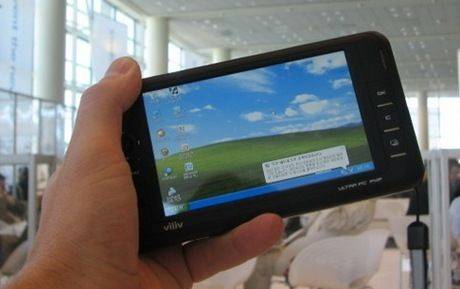
I need to stop right there because currently there is only one pocketable device with WiMax and that’s the Nokia N810 Wimax. Vikenty asked for GPS (check), WebCam (check), IP-phone (check)and Windows XP (Bzzzt!) All is not lost though because a lot of the MIDs will be modular. For example, the Viliv S5 might come with GPS and WiMax in certain markets (I’m told.) The problem is that it doesn’t have a keyboard. In fact, trying to put ‘easy document editing’ and ‘350g or less’ in a single device is going to be very difficult. Vikenty, I don’t think there’s anything I can recommend to you at this stage. To get the keyboard in a device that weight is going to be an engineering challenge for at least another 12 months and even then, XP might not be available anymore. The best I can recommend is that you keep an eye on the Viliv S5 and look for a small foldable keyboard to go with it. As for the mobile phone, it really depends on what you want to do with it. I’m a big fan of the Nokia N-series because of their outstanding ability to create images and video but if that’s not your thing then maybe a small, basic feature phone? I’m afraid I’ll have to pass on the phone choice. Sorry!
Looking to replace a Powerbook with a mini notebook…My old Powerbook G4 12in is still good to use, but a smaller and lighter machine would be nice. Convertible but rugged touchscreen device with ‘cool and quiet’ features and a 9in screen that provides 1024×768 or greater resolution to run Firefox, Office and development apps. 4 hours battery life, Linux friendly chipset. Weight: 1KG. Price: Under 600 pounds.
It doesn’t get any easier does it
There’s only three devices that I can think of here. The Gigabyte M912X, the Kohjinsha SX3 and the end-of-line Fujitsu P1610. Unfortunately the M912V isn’t the coolest kid on the block and at 1.35KG with a 3hr, 3-cell battery, it’s not going to get close to the 1KG mark. Fortunately the P1610 could fit the bill. I’m seeing it in Europe for about 750 Euros (just under the 600 pounds mark) but I haven’t seen it in the UK for that price yet which means having to buy from somewhere like Germany and replace the OS and keyboard. Not so easy! Keep an eye out for offers in the UK as this gets cleared to make way for the P1620 and P1630. Don’t worry about it being ‘old’ because its still got great specs compared to today’s netbooks. 1280×800 screen. Intel (Linux friendly!) Core Solo with 945 chipset and 60GB drive. Watch out for memory upgrade costs and don’t forget to look for the extended battery that you’ll need to reach 4 hours. As for the SX3, you might get lucky and find an import for around 600 pounds but you’ll definitely need the extended battery. It runs Vista in a rather unimpressive fashion but there’s a possibility in the next few months that an XP downgrade is achievable with new drivers but its not Linux friendly right now (although Ubuntu might be building Poulsbo support into their April ‘09 Ubuntu-Mobile release.)
You’ve highlighted a bit of a dark spot in the Ultra Mobile product spectrum here Andrew because I’ve been trying to think of a non touchscreen device that fits your bill. Does anyone know of a non touchscreen 8.9" device that’s ‘cool and quiet’ with a hi-res screen? The HP2133 has the screen but it isn’t cool and quiet from what I’ve read. Maybe Andrew should look to Ultra Portable devices with bigger screens?
I’ve been trying to work out what the most popular device would be to serve all the CCC requests I’ve had but it’s really hard. If I was an OEM designing a UMPC, MID or Notebook I’d be pushed to come up with a design that would suit even 30% of the people wanting a solution. Take these two for example…
If there’s one thing that’s clear, its that peoples ideal devices and ideal scenarios differ wildly. From the CarPC to the mobile office through sofa-surfer and travelers companion. Its encouraging to see people really focusing on their requirements though because this is the first thing you need to get clear before you buy a UMPC. Here’s three more customer challenges after the ‘is that a UMPC in your pocket’ images…
We continue with the Q&A session with a challenge from A Nonymous (!)
Mr N is looking for a mini notebook or convertible tablet as an ‘all-round replacement’ capable of serious document reviewing, playing CDs/DVDs. Mr Nonymous sums-up by saying it should be a ‘home office which can be carried on the road.’ Price range, 600 - 1200 (US dollars assumed)
Wow! You don’t ask for much do you Mr N. I assume you want it all-in one so we’re basically looking at a small laptop here with a 10" minimum screen. 10" is not only a comfortable screen size at 1024×600 (good enough for most work) but it allows the design to include a comfortable sized keyboard. I’m sorry to say that there’s really nothing in the UMPC or netbook range (10", sub $1000, sub 1.5KG) that’s going to satisfy you but if we reach outside the pricing bracket bracket, we’ll find devices from Panasonic and Sony that include DVD writers. If the LG C1 was cheaper and readily available, I’d recommend it as it’s a peach of a 10" pro-mobile device. The ASUS U2E is similar though and prices have dropped right down in the last 3 months. I should also mention the Kohjinsha SX3 which has an 8.9" screen but it lacks processing power. If you can bring yourself to separate the DVD player out to a USB device then you open the door to some possibilities but I’m not going to recommend the Atom platform for Vista-office-on-the-road work. Its possible but not ideal and in most cases you’ll have to upgrade memory. Keep an eye out for Flybook V5 price reductions though. Keyboard and screen are slightly smaller but you’ll get a hi-res convertible touchscreen, 1.8mbps HSDPA modem, 2G RAM, fingerprint reader and lovely styling. I’m hearing rumors that prices will get cut on these soon.
I’m looking for a UMPC to install in my new Jaguar XKR Convertible! Requirements are: Screen size between 5 and 9 inches, finger touch screen, Vista compatibility (for running Vista Media Center,) Convertible (i.e. hide keyboard when in slate mode). The device will run Vista Media Center, Browser and GPS based navigation. Needs to have a powered USB port to connect large hard drive with all my music.
OK, apart from giving me too much info about the car (!) this looks like a fun project although I’ll say up-front that running an desktop OS in a car is not the safest thing to be doing. I’ve done it myself but it’s dangerous so make sure you look at software like Centrafuse and read the MP3car.com forums before you really decide to go the desktop-software route. If you’re looking at Media Center under Vista, you’re going to need graphics power. I’ve never really used a UMPC that’s worked smoothly with Vista Media Center although something like the Flybook V5 (there it is again) with its discreet graphics solution will probably work well. I’d recommend you look at the Samsung Q1 Ultra Premium too though. Although it doesn’t have the graphics power of the Flybook, its got great laptop-class CPU power that will certainly help to provide a smooth UI experience. You can get mounting kits for it too and the bright soft-touch screen and tablet form factor will work very well in a car.
Will’s going travelling; For a year! I don’t want to lug around a laptop, however, I intend to do some writing, blogging online, a bit of photo work etc. while I’m seeing the world. I enjoy playing games and things, but realistically aren’t fussed on that. So if you could help me out on a recommended UMPC that would be great.
This question came up with my Sister just last week. She’s planning a 6-month tour and I told her she needed a PC to blog and communicate with. In the end though, we decided it would never make it back as the risk of theft was too high. So, when travelling, make sure you take regular backups Will! If this was me, I’d be looking at something at under 800gm. Preferably under 600gm. I’d make sure it didn’t have many moving parts too so that means SSD and fixed-hinge (tablet is good but you risk breaking the screen.) It would need a lot of battery life, XP (for stability) and a minimum 7" screen. The new Raon Digital Everun S16S (available Nov) could be right up your street although its an unknown quantity in terms of build quality. You’ll have to upgrade it to XP too but that should be easy. The 7" screen and surprisingly good keyboard is enough for hour-long tabletop sessions and it’s tiny enough to pack away almost anywhere. Get a good case for it though. It’s got an SDHC card slot (for a handful of SDHC cards from your camera or for backup) and Raon do a nice external charger solution. Buy the charger and a spare battery and you’re able to charge one battery while you use the other. Spare battery is a must though as the battery life is only around 2.5hrs. Also note that the Everun takes a long time to charge, presumably because it’s got a huge single-cell battery. I’ve heard that Raon will be building in an external antenna connector too so if it’s true, you’ll be able to get a strong external antenna for fringe areas. Note that the power adaptor is big so you’ll have to look for an alternative solution there.
If the size and unknown build quality of the Everun puts you off, I’d have to say, Eee PC 901 XP (With 12GB SSD.) Its well-built, has superb battery life, has a good track record so far, is cheap and is easy to work with. Its about 40% heavier than the Raon Digital Everun but at 1.2kg’s its not exactly huge. The bigger screen will be easier to work with over longer periods.
Thanks to you all for the 30+ requests for buying advice I had over the weekend. It’s more requests than I expected so I may not get through them all but I’m planning on calling up JKK at the end of the week and asking him to do a customer challenge podcast to cover requests that I wasn’t able to write about this week. Lets get straight into it now though with the first 3 requests.
The customer challenges have always been fun to do. A challenge for me, good to talk about in the comments and usually, good feedback from the potential customer but it’s been a while since I’ve been able to do it due to other commitments. I’m also having to turn email requests away too which I feel really bad about so in order to redress the balance, I’m going to dedicate a lot of time to it next week and see how many customer challenges I can get through. Its going to be Chippy’s Customer Challenge Week.
If you’re wondering what ultra mobile, netbook or MID device fits your needs then simply contact me and include the following information:
Think also about the following features. 3G, touchscreen, battery life, specialist port requirements, performance.
Starting from next Monday, I’ll pick interesting challenges from the list and work my way through as many as I can and try and provide a Top-3 shortlist for each request. All you need to do is send your requirements, keep an eye out for the article and the interesting discussion that always results from the proposals.
The Q1 Ultra has been my main mobile device since I switched from the Raon Digital Everun some months ago. It has been a near-perfect solution for me and having the SSD, HSDPA mods and optimised Windows XP solution has elevated it above all the other UMPCs I’ve owned or tested. It’s even convinced me that a 7" Windows-based UMPC is more suited to my business needs than the 4.8" Carrypad device I wanted before. That’s a very significant change in my requirement that I’ve already started to write an article about because it means that i’m no longer looking for a MID as my single Ultra Mobile computing device. I’ll try and finish that article this weekend.
But…the Q1 Ultra is dead now (RIP, friend) due to an accident with my charging solution last Friday. The overheated MP3400 charger appears to have shorted and killed the battery charging circuitry in my Q1 so now the Q1 only works on mains power. The Q1 Ultra charging circuit appears to be beyond repair (see image.) so now I’m in the position of having to choose a new UMPC. Here’s what I’m looking for…
Earlier in February Cindy contacted me with a set of requirements I haven’t seen before. Cindy is partially blind and was looking for a PC that could be used with speech recognition, touch and spoken word.
I can see 10% and for outdoor transportation I need a scooter. Outdoors I use a seeing-eye dog. I would like to buy a UMPC for the following reasons: - I would like to have spoken navigation with me - I would like to be able to call with a umpc if that’s even possible - I would like to go on the internet with my umpc - My three year old son is a diabetic. Because of that, I would like to use a umpc so that I can look up the carbohydrates of products in for example an excel-sheet. But of course, this will only work if there is some way of installing a speech or magnifying program. Can you give me some advise? Is it possible to do the things above with a umpc in combination with speech software or is it better to buy a small laptop? The big disadvantage of a laptop I think is that it isn’t easy to bring if I’m on my scooter.
There’s tough one. At first I thought that spoken navigation meant GPS Navigation so I went off on a track that covered devices that included the ability to run GPS navigation software and ‘call’. The Flybook and HTC Advantage were the first two devices I recommended. Unfortunately I misinterpreted the requirements and it turned out that Cindy’s main requirement was to run speech recognition software. She did some good research and ended up with a shortlist that included the Fujitsu U810 and the Belinea S.Book. The final query was whether Dragon Naturally Speaking 9 would work on these devices. It turns out that it doesn’t install on devices where the CPU speed is under 1Ghz so I took a copy of DNS9 and ran it on the WiBrain B1H, a device that runs the same processor as the Belinea S.Book. It worked!
A few weeks ago I had an email from Derrick asking for help on choosing a device. His problem is that he doesn’t have much time to research the sector but know’s what he wants. He list his requirements and summarised by saying ‘James Bond style.’ I couldn’t resist!
Great site and very informative, i wish i had time to dive into devices, especially now in this tech advancing age. I am currently looking to purchase any device that provides or at least comes close to providing the following criteria:
Note: Compact discreetly portable with the most gadgets and accessories - james bond style if you will![]()
1. Camcorder
2. PDF Reader (mostly Adobe created)
3. videos, mp3’s, video games etc
4. Lots of memory and CPU
5. Browse internet
6. develop simple software scriptsI would like it for the following reasons (remember, it will mostly be used during travelling):
1. To read pdf documents
2. watch movies (for my kids ;-D)
3. play video games (for my kids ;-D)
4. write code (winbatch, vista cert appz etc)
5. Record video and audio eg: family videos on the fly but in good quality for at least 1+ hours, use in court etc
6. i need alot of storage space and the fastest CPU and processing i can get
7. it needs to be conveniently, discretely portable and light weight
Thus far, I have looked at the Archos 705 wifi and i am not certain it can camcord - but the accessories list for the 404 camcorder states that the helmet cam is compatible with the 705 - does this mean it takes video to???
I hope you can aid me in this search and I thank you for your time and patience.Derrick
[article continues...]
The latest customer challenge is from Brazil where ‘reverendo’, a pastor with a good choice of username, is searching for a UMPC. The query came through in the forum and Reverendo tells us how he has bought a wireless Panasonic projector for presentation and interactivity with his audiences but wants a UMPC to drive it. He tried a Palm solution but ended up in UMPC-land:
After accepting defeat with the Palm I started looking out for small notebooks and stumbled upon the Tablet PCs, sth absolutely new to me. To make a long story short I ended up finding out about UMPCs.
Read more after the jump…
Here’s a challenging query. Michael sent me this a few days ago and obviously knows what he needs. Here’s the chalenge:
I follow your reviews and commentary with great pleasure and interest.
Thanks for the great work!
Here�s a question. I have very basic needs in the UMPC world. As an academic researcher in the humanities, I spend many days in archives and libraries, where I enter text (sometimes longish text), which I then transfer to my PC. That�s my life � much of the time. I�ve been using Psion products for the last 6 or 7 years, but my Revo is
coming to the end of its performance. A basic word-processor, a good keyboard, a decent screen, and the ability to transfer text to the PC � that�s all I need or want. Anything else � phone, internet, camera, etc. � would be a bonus, but isn�t necessary. Can you point in some direction? Toward a product, a company, or a person, who might recommend a post-Psion machine?
Michael. Thanks for the email (and compliment!) This challenge is something I previously spent some time thinking about when I was doing my Solar-UMPC tour. All I wanted was a writing device with a good keyboard, bright screen, a simple suite of apps and long battery life. I kept coming up with the same answer - a mini Palm Foleo. Lets take a look at the requirements in more detail because its an interesting challenge.
Apparently there was a gadget show last week. Avanade and Expansys put on something sort of gadget show. I’m not sure where it was but Ian Crowther went there in the hope that he cold find a solution for his 2hr 15minute commute to work. He blogged his thoughts and mentions a few of his requirements which include battery life, price, weight, size, screen quality and, judging by some of the devices on his short list, a keyboard. He’s a web developer but his requirements for the device go something like this…
I really just want a portable device that I can read my feeds with, do some emails, research and write some blog�s, create some slides with and maybe work on the odd Google doc or spreadsheet.