Tag Archive | "ipad"

What Mobile Operating Systems Can’t Do

Tags: , , , , , ,


I’ve been trying to use mobile operating systems for productive and full-computing scenarios for years and although things are getting better by the day, there are still major issues to be solved. Even the latest tailored hardware and software solutions are littered with unexpected restrictions, bugs, showstoppers and even costs. As I continue to test devices like the Acer Iconia Tab A500 and iPad I am making a list of functions that I can perform on a desktop operating system but not on a consumer or mobile operating system that you might find in a tablet. You’ll find an early ‘issues’ list here.  I’m largely talking about Android or IOS here.

The issues fall into 3 categories.

  • Issues that are a result of hardware. This varies between platforms and is also sometimes dependant on drivers and software. E.g. Bluetooth support. Many of these issues are dropping away as ARM platforms evolve, some of these issues are because of the design requirements (battery, size, heat)
  • Issues that are a result of operating restrictions. Operating systems will evolve but each evolution is taking 6 months to 1 year.
  • Issues that are there simply because the third party software may not have been written yet.

The latter category is one we can ignore. If tablets or other devices based on mobile operating systems are successful, the software will come. Lets look at the other two categories though.

Hardware Issues

  • Video editing software and hardware. While software may exist, the CPU, hardware encoders and possible GPU acceleration may not be in place. The only exception is the ipad2, iphone4 and Ios which use the capabilities of the A4 chip very well. It may be quite a while before generic cross-platform solutions appear.
  • USB host support. In some cases the platform only supports USB client. This affect many devices people commonly use like webcams, printers, video capture cards and many other device you’ll find in the high-street PC store.
  • Keyboards on tablets. Arguable that this isn’t neccesary if you’ve already chosen a tablet but we’ll leave it in the list for discussions sake.
  • High-capacity storage. 100+GB support is often required by those dealing with media.
  • Other interfaces such as serial (often used for control and data collection) pci-express. USB based solutions can solve this if the drivers are built into the operating system.
  • Extendable GPUs through docking stations or modules
  • General processing power (CPU)

Operating system issues

  • Extended languages and keyboard support
  • External screen capability. This includes extended desktop and multiple interface support. Also needed in the OS
  • Drag and drop (of selected text, audio, image, file, video.)
  • Bluetooth stack. Software is generally the issue here and it’s usually an operating system issue.
  • Full web experience including mouse-over support. Some third party software may fix this is mouse or other pointer support is provided by the OS.
  • Multi-user support with associated security mechanisms. Generally a core operating system issue.
  • Extending device support through installable, pluggable drivers.
  • Extended IP stack to support routing, multiple.interfaces and other IP features like file sharing protocols. This can be implemented in third party software.
  • Multiple sound module support for live audio performances with pre-fade. This is also a hardware issue.

3rd party software

For discussions sake, i’ve included a few software issues here.

  • Offline blogging tools. A third party software issue that will get solved in time. (I’m impressed with the progress of Blogsy on the iPad)
  • Office suites. Third party issue although core format support, encryption, media handling, drag and drop / copy paste, synchronization support can be due to operating system. Again, IOS is probably leading the way here.
  • Full feature browsers. (Mouse-over support in the OS could be needed here too)
  • Software development tools. 3rd party issue that also requires keyboard, mouse and often, external / extended screen support too.


Having listed a bunch of items above, we have to now ask ourselves whether they are important and if they are, are they likely to be fixed. Certainly the web browser issues are serious, the CPU power issues are too where the operating system runs on an ARM design and you have to think carefully about multi-user and expansion through third party devices on USB. That’s a big market! Issues like IP stack, multiple audio modules and extended screen are less important. Third party software issues will solve themselves as devices move into different markets and the customer-based there becomes big enough to support the creation and support of the software. As for the hardware issues, don’t expect 500GB storage soon but do look for alternative storage solutions via local or remote wireless connections.

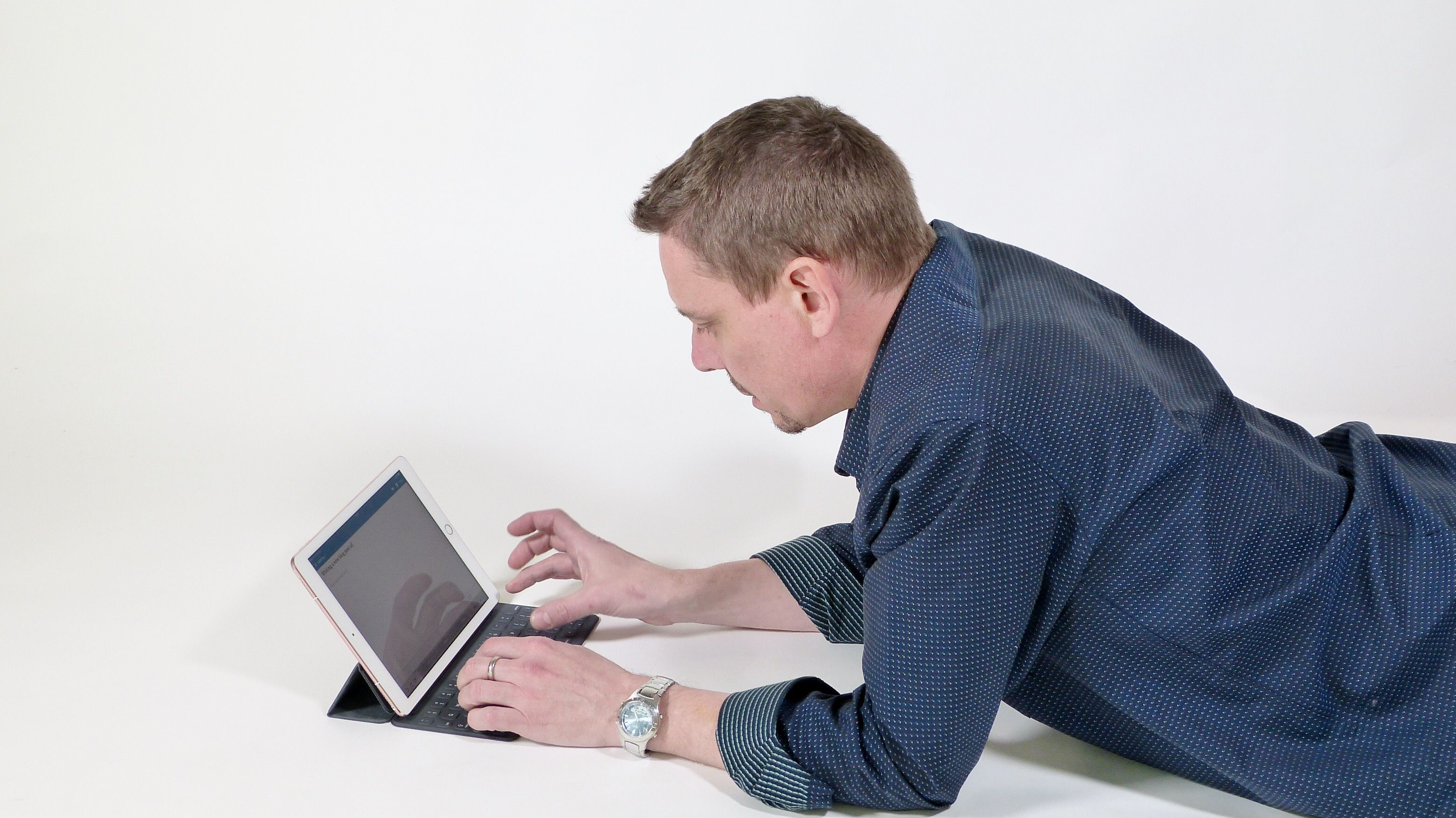
What about that keyboard though? Is it still an issue? For many operations, it’s a barrier. Tablets are popular now but is there still a desire for a keyboard. I’m sitting in front of a tablet writing this post now only because it’s got a full keyboard attached.

My gaps

I want a mobile video editing system with blogging client and full browser capabilities. The video encoding hardware on the iPad has shown breakthrough capabilities in iMovie for the price and size . Keyboard input is important though so I would want a robust keyboard solution. Offline blogging tools are required. Full browser too. The ipad2 + keyboard is getting very close to a usable solution for me but it still has showstoppers. Cabled internet for high-speed video upload, full browser with flash, mouse-over, side-by-side windows for drag and drop, external screen, ability to edit non-iPhone videos in iMovie. I’m still a huge proponent of the smartbook and hope that we see more work going into these because that’s where I see most of the gaps being filled for me. Windows 8 could be the stepping stone to an interesting smartbook / convertible / slider design. Like the TX100 perhaps!

Your Gaps

What are the ‘gaps’ that you see between a full computing solution and a consumer mobile OS solution.

Lightweight and Mobile-Focused 3G Netbooks (And Alternatives.)

Tags: , , , , , , , , , , , ,


Long-gone are the days where netbooks were available at the 1KG mark. The Asus 901, Acer A150. Classic 1KG, 8.9” netbooks that worked well as mobile-focused PCs for getting things done almost anywhere. The EeePC 901GO was arguably one of the best mobile bargains around at the time, at least in Europe. No hard drive, sub 1KG, 3G and a great price. Oh how things have changed. All we seem to see now are 10-12” devices at 1.2KG or more with moving hard drives. The 800gm-1KG mark is now a specialist segment.

If you take a long hard look though and are prepared to relax your requirements a little there are a few gems hidden in there that would work well for ultra-mobile fans so I’ve taken a long look at the netbook segment, spoken to a few people (thanks Avram and Sascha) and come up with a shortlist for you. I’ve also taken a look above and below the netbook segment to give you a few alternative options.

Requirements.

Ultra Mobile devices need to be feature-rich, rugged and connected. They are the Swiss army knives of PCs that need to be ready for anything. Getting the best productivity out of any situation is important. 12” devices give great comfortable real-estate. 10” devices can be good value. 7” devices get right under the 1KG mark. Here are some other important features.

  • No Hard Drive. Ideally you don’t want any moving parts at all in a mobile PC. Hard drives and fans can fail or get damaged and even rotating screen hinges need to be thought about very carefully. If an SSD doesn’t come as standard, I’ve looked at the upgrade possibilities.
  • Bright screen. Matt finish. 10 – 12” for comfortable productivity. 7-10” for lighter weight.
  • 3G, Wi-Fi-N and BT 2.x (but not self-upgrade unless the antenna is pre-installed)
  • Long battery life (6+hrs)
  • Lightweight PSU, Car Kit
  • Other useful options – GPS, memory upgrades. Case
  • Latest CPU technology.
  • Weight – 1KG or less. (I’ve looked at devices up to about 1.2KG here.)

The Netbook Shortlist

Based around the 10” form factor, these are the gems that I’ve managed to dig out. Of the 400+ devices that I’ve searched through, these match the requirements the best. Quite amazing that there are really only this many that I would class as truly mobile devices. Note, these devices may not appear in your local market (and there may be others in your local market that I haven’t seen – please lets us know if you find one.)

Summer Breaks, Products Wait. Round-Up and Outlook Q3/Q4 2010. (Pt. 1 of 2)

Tags: , , , , , , ,


Don’t panic! As I return from my summer holiday (where I went with my car and returned without it – another story) I feel the need to catch up quickly on what’s really been happening during the second-half of July. Again, don’t panic because if you’re on holiday yourself, it’s a quiet period and the marketing and sales teams won’t ramp-up activities until mid August. After sifting through a ton of iPhone 4 antenna stories (which resulted in some of the most boring podcast segments I have ever listened to in my life!) I’ve managed to pull a few interesting tidbits out for you. Lets go over those stories briefly and then start thinking about Q4 and the events and trade-shows that will lead up to it. This Autumn could be the busiest ever for UMPCPortal and Carrypad.

Overall it seems that everything is on hold right now. On the last MeetMobility podcast we talked about a frozen netbook market as the new dual-core and DDR3 netbook platforms filter in. One wonders whether that really means the end of the basic netbook as cpu-core and graphics specifications turn that simple market into a race for cheap, blinged-up notebooks. The same freeze is in progress with the MID, tablet and UMPC market too. The Dell Streak is going to look rather out-dated in the next round as dual-core ARM CPUs start to filter-in and if Android 3.0 launches and opens the door to new markets, different form factors and productivity applications we’ll finally see some smart and productive products. In the UMPC space the Oaktrail and Moorestown platforms have made ‘Menlow’ look rather dated. In the X86 operating system world, Android and MeeGo are still months, if not years from being mature and as we look from every angle; from the netbook market, the UMPC market, the MID market and tablet market we see the product that scares the living daylights out of every OED, the iPad. The momentum there has been simply stunning and there’s no logical way to analyze it. It’s hype, marketing, magic and fan-base that have punched through any amount of negativity to create something that people simply want. Stunning.

Huawei S7 (3) One of the products that I’m quite interested in is the Huawei S7. It’s a modern and possibly winning take on the 7” Slate space with battery life, applications, social and fun right at its heart. OK it hasn’t got the super-slick look of the iPad but it’s one of the most complete 7” Android tablets i’ve seen so far. How disappointing it was to see the availability date slip right out into September. That’s a big slip and one wonders what Huawei are doing there. Did they give exclusivity to a carrier? Are they re-building the OS (Android 2.2 would be nice) or did they decide to swap out the resistive screen for capacitive? That would make sense. Unfortunately I think it’s none of the above and we’re just seeing the realities of launching a complete device into the market.

A product the might look similar to the S7 but could bring a productivity slant  is the RIM Blackpad. This is RIMs rumored 9.7” Blackberry companion tablet. The rumor sources say it will be launched in November but I’d ignore an iPad-like or iPad-killer references. This is likely to build on RIMs core competence of secure delivery of email and messaging and I’d expect to see it with some form of keyboard to tie in with the productivity theme.

The third piece of tablet hardware news I want to mention is something we haven’t really covered much on the sites. It’s Samsungs tablet which now looks like it will be consumer focused, running Android and will be built around a 7” screen. Samsung are the source of the news and they’re also talking about Q3, which is now! Samsung have made some great mobile computing products in the past and I highly rate their electronic engineering skills. They have the ability to build around their own ARM-based CPU too so everything is likely to be very efficient and small. Maybe I’ll drop my Huawei order in favor of this one. It will be fun to compare it to their 2006, 7” UMPC, the Q1. I’m expecting it to launch at IFA in September in Berlin. I’ll be there!

Android is turning out to be the easy option when it comes to tablet operating systems now. In fact, you could almost call it the de-facto solution for anyone that doesn’t own their own mobile OS. Despite Windows 7 being a superb, stable, feature-rich and productivity-focused OS, it just doesn’t work for the consumer handheld market. The UI is plain boring and I’m sure there are plenty of people like myself that now do as much as they can on their mobile phone to avoid having to go to the desk and wake the Windows beast. Of course, a desktop-style OS is still needed for productivity but there has to be a way to combine the two for a more enjoyable working experience. As a minimum, a user interface tidy-up is badly needed to enable Windows 7 to appeal to a more consumer, social and entertainment focused customer base but unless it’s done properly, it could make things worse. Witness early Windows Mobile overlay software that leaked the original user interface once you’d got past the home screen. The same was true of Origami Experience;  the software that tried to tidy-up Windows XP for tablet users.  I wonder if UI Centric can do any better with their Macallan product? There’s little that can be gleened from the short video and press release they sent out describing a purpose-built tablet UI. The problem is, the look and feel might be nice but if the included applications fall short on capability, you’ll end up starting your favorite applications just as you did before and you’ll have the same old problem of tiny windows control elements and scroll-bar, double-tap and press-and-hold controls. My feeling is that no-one will be able to hide Windows 7 until the apps are re-written. (Which means never!)

In part 2 (available here) I talk about why I can legally call a device a Smartbook product when I live just 20km from the Smartbook HQ that has exclusive rights to the name in Germany, a few Mifi competitors and even more tablets. I’ll also highlight the very exciting month of September. IFA, IDF and other events will prepare us for everything that’s going to happen in Q4.

All the stories highlighted in this article appear in the center column on UMPCPortal and in our weekly update article.

New FULL RSS FEED! I’ve found a way to give you a full RSS feed. Donate to UMPCPortal and you receive a private URL which gives you access to a full, no advertising RSS feed from UMPCPortal. You’ll also get an (optional) link on the front page and a free copy of the soon-to-be-released Mobile Computing ebook written by Chippy. To donate and receive your full RSS feed, visit this page.

Forums are getting busy. Join-up and meet a great bunch of people who are also interested in mobile computing products. UMPCPortal Forums.

MeetMobility Podcast will resume in about 2 weeks time when we’re all back from summer vacation. Expect a live round-table event with JKK, Sascha and a few special guests. Stay tuned to @meetmobility on Twitter for latest announcements.

Reader Post: The Disturbing Course of Mobile Technology

Tags: , ,


One of the best things about the iPad is that it is seeding great discussions, thought and experimentation. Dr. Juan Luis Chulilla Cano, Director www.onlineandoffline.net [personal blog] , Spain, sent us this article which I’m sure is going to start another good discussion. Thanks Juan.

—————————

I am not surprised at all by of the extraordinary reception given to the iPad. The exaggerated and raptured descriptions are explainable keeping in mind the huge expectations that media groups have about the iPad: if the iPad is the wonder-device which can make pay-per-content solutions acceptable for the first time in the Internet Age, then Media is forced to bomb the population with out of control hype. What I cannot totally understand is how and why the disappointment of late January, when we met the real characteristics of the device and all its shortcomings, has been magically transformed into renewed infatuation and fascination for a lot of tech bloggers, as if this disappointment has gone through a process of double-thinking.

Of course, a good number of bloggers have maintained their critical approach about iPad and what it means for the public. Indeed, the first wave of hype and uber-criticism has calmed down, and it has no sense to repeat the main criticism. Instead of it, I would rather prefer to focus on two linked topics: format variety and PC software model.

I am still amazed about how many people are, well, raptured by the SAME device. Technologically speaking, it is as if one day I get up, get out of my house and I find that most of the people I meet on the street are wearing the Mao suit. Actually, distinction is one of the most important engines of consumption, whether we talk about clothes or cars and people need to buy and use different formats of computers and Internet browsing devices, MID and the like, because they have different requirements and usage environments.

iPad nowadays is very efficient in helping their users to feel themselves different, comparing with the sheer majority of have-nots. BUT all of them are happy with ALL its characteristics and size? I just cannot accept that on the long term.

The second topic (which disturbs me a lot) is the PC software model. The astronomical PC revolution wouldn’t have been possible if all the main vendors would not accept an OS which has no limitations on what can be installed on it besides the development of the application. For sure, Windows is far from perfect (mainly because of its vulnerabilities against malware), but its unlimited software paradigm has been essential for the PC revolution. Linux shares this model, but Apple not totally: although MacOS X has no limits on what you can install on it, you cannot legally install that OS on a non-produced Apple PC. That was not bad as apple sales have been anecdotal in the last fifteen years

I do believe that all this freedom of operation has been essential for the PC revolution. A PC is much more that a browsing and text processing device, and the lack of software limitations have made possible the adaptation of the PC to a huge variety of environments and user requirements.

There, my main concern about the iPad is its tyrannical and obsessive control about what the customer may or may not do with the product they purchased, its theoretical property. As it is well known, the only legal software source for the iPad is the AppleStore, and Apple has full powers to decide what is permissible or not. Besides, recently Apple has reduced drastically the programming languages and environments that can be used for iPad development.

Some people say that this is a clear benefit for the users, because users need just “devices that work” carefree. This is connected with the prior topic (different formats for different requirements): maybe “mums” can be satisfied with such a lack of options (Cory Doctorow has a smart insight about it in his post Why I won’t buy an iPad), but a lot of users cannot be satisfied with such a proposal. The comparison with Meego is very illustrative: you can install an application in a Meego-powered device (ANY compatible device) from their future “market” (repository is an old-fashioned term these days), or from any other source. It is not going to be any restriction of language or programming environment within the capabilities of a Meego-powered device.

The amazing success of iPhone has affected Apple in a wrong and harmful way. I also find insulting that it is acceptable to treat people as minors with their rights stripped away. PCs have had a fundamental role in the process of Internet adoption for the population, with all its revolutionary consequences. But don’t forget that PC were successful before Internet adoption, and its success is totally linked with their software model.

Nowadays PCs are not the only way of accessing Internet anymore, and they aren’t going to be the main way to do that for much longer. Mobile devices are the protagonist of the next evolutionary wave of Internet, since they link Online and Offline reality in a double way; allowing Internet access anywhere, anytime, and being the basis for generating augmented reality experiences. However, if PC software model is abandoned, if we happily give up the control of our devices to the vendors, it will have negative consequences to the evolution of Internet

———————————-

Thanks again Juan. Over to you, readers.

How Fast is Moorestown for Browsing? Faster than an iPad? Does it Matter? Analysis and Simulated Test Video

Tags: , , , , , , , ,


ipad_viliv In press events on Tuesday, Intel launched Moorestown and gave journalists their full marketing package on the smartphone and tablet-focused platform.  The key highlight was ‘performance’ and one element I want to focus on is Web browsing.

In tests I’ve been doing with many devices over the last 6 months using the SunSpider javascript benchmark, the Atom CPU, running at 1.3Ghz, whips the A4 CPU into the ground with a >3X speed advantage. Moorestown, with its 1.5Ghz clock looks to improve that to a 4x speed advantage according to the slide below. That’s a huge win for web-based applications implemented in AJAX.

Of course, javascript is only a component of the total time needed to fetch and render the average web page so I decided to do a real world test.

moorestown-web

To simulate how Moorestown would perform under web-browsing conditions I took the Intel Atom-based Viliv X70, a 7” tablet with a 1024×600 7” touchscreen running Windows XP Home, installed the latest Google Chrome, locked the CPU to 800Mhz and did some random web browsing tests. Remember that the Menlow platform used in the X70 is very close to the architecture used on Moorestown. The CPU are GPU are architecturally almost exactly the same. I side-by-sided it with an iPad which is, according to my tests with the Archos 5, X10 and HTC Desire (all running high-end ARM V7 architecture cores) the fastest ARM-based browser solution out there.

The video below shows that the browsing speed with the Viliv at 800Mhz is almost neck and neck. An 800Mhz Atom on a multi-tasking OS matches a 1Ghz A4 on a single-tasting OS. Ignore the UI and product, this is just a test of web page loading speed.

In the second part of the video I boosted the Atom CPU up to 1.3Ghz, the maximum on this platform, to simulate what would happen when a Moorestown smartphone ran at the highest clock-rate of 1.5Ghz. Remember the CPU and GPU architectures in Menlow and Moorestown are the same although Moorestown has a 200Mhz advantage here, can support faster memory and has a faster GPU clock.

The difference is very noticeable with the X70 rendering pages much more quickly, even with Flash enabled. Move to Firefox and disable flash and the difference is even bigger.

I see real-world advantages here. Faster, full Internet experience and a huge advantage for web-based applications and compressed or encoded content although it has to be said that in this high CPU-load scenario, battery drain on the Moorestown platform is likely to be slightly (although not considerably) more.

Remember, we’re ONLY comparing CPU platforms here and in this simulation, the Moorestown platform is showing great potential. It can deliver web pages, process script, decrypt HTTPS, GZIP and images much faster than the best ARM-based solution out there. It also adds multitasking and large memory support too. As a platform, if it delivers on the battery life claims, Moorestown is going to be a great, high-performance smartphone, tablet and even netbook option.

Recommended reading – Why social netbooks have a ‘lock-in’ opportunity. In this article I talk about key features of a smartbook. Many of these apply to a Moorestown/MeeGo-based product.

Recommended reading – Anandtech on Moorestown. Detailed with good background research and knowledge.

iPad 3G – Not the Ideal Mobile Internet Device

Tags: , ,


3G and GPS are technologies that can turn an Internet device into a mobile internet device. While tethering and MiFi are great ways to mobilise your PCs, having a built-in 3G module makes a huge difference and of course, GPS enables navigation, local search, location-based social networking and other mobile-focused applications.

But you can’t just throw these two components into a device and expect to have the same on-the-go usage as a device specifically designed for mobility. You need to have the right form factor, the right input mechanisms and the right OS and software.

Take my Touchnote Netbook for example. It has 3G and a convertible touchscreen but I don’t use it when on-the-go. It’s portable, yes, and works extremely well in conferences and expos but it’s not something that you can USE WHEN MOBILE. It’s not designed for it.

With its size, weight and lack of mobility-focused applications I’m wondering just how the iPad will take off in mobile scenarios. Gizmodo has me worried too. They appear to be experiencing this for the first time…

…nothing quite beats the feeling of ubiquitous internet on a device like this. [Ref]

Nothing, that is, except a device that’s designed for mobility. Like a smartphone perhaps? Or, if you want to GTD while on-the-go, a clamshell/slider UMPC. I’d argue that the Wibrain i1 was way better suited to mobility than the iPad. It looked ugly and the OS wasn’t touch or GPS-friendly but it was designed with two-handed mobility in mind and nothing I’ve tried since has beaten it for use in that scenario.

The point is, adding 3G and GPS doesn’t magically turn a device into a mobile device.

Once again, form has won over function. From our perspective here at UMPCPortal, it’s a real shame. It’s sad to think that hundreds of thousands of customers will learn about ‘mobile computing’ for the first time through the iPad 3G.

If you can afford it, 3G and GPS are nice to have and I’m glad Apple give the customers the option. We’ll have to wait to see if any mobility-focused applications rise to the surface but based on the design and user feedback in the last 24hrs, I don’t think it’s going to be a focus for developers.

Update: Warner Crocker has a similar view that the iPad isn’t a mobile device.

Related: 30 iPad productivity problems.

Owner Post: Archos 5 Vs iPad in Productivity Scenarios.

Tags: , ,


Despite the Archos 5 and the iPad being very different in terms of size, software and even elements of the hardware, there’s still a connecting factor. These two devices are both devices that focus on home use but are very tempting to use as part of an-ultra mobile productivity solution. It’s great to see people testing out devices in this way and Hector, the author of the guest post below has gone much further than most will with their iPad. Thanks Hector for taking the time to explain how you use both devices and where each device fits into your routine.

The iPad and Archos 5 IT

1

I was one of the ones that pre-ordered my iPad to pick up at my local Apple store on April 3. I had originally thought that I might just change my mind and not get it. As time got closer I decided to go ahead and get my iPad. I also had put another iPad on pre-order for my wife, (she didn’t know it until we were at the store and one of the Apple employee’s was coming up the line and asking for name and then he said, oh you have 2 iPad’s on pre-order. That’s when she found out, priceless.)

I will start off, by saying that neither of these two devices are laptop replacements, but you really can do what you need to do on the road without bringing along your laptop. At least for me it is possible with all third party software to make this happen. Since I am doing this comparison between both I will be writing this on my iPad using Notes App and Think Outside Bluetooth keyboard.

2

The screen on the iPad is great to work for longer periods and I have used it all day. With the A5 having a smaller screen does a good job for using on short sessions. Battery life is great on both devices but the iPad really has the best so far. I haven’t had to worry about running out of battery on the iPad, and even though I can get a whole day of use on the A5 as well the iPad still gives me more. I set up my iPad and all my devices to sync with Google calendar, contacts, etc… so when I enter appointments on my iPad calendar they sync right over to my BlackBerry Storm wireless and don’t have to worry about having to sync to my Macbook, or my Netbook that I also use. I recently purchased the Verizon MiFi and going to cancel my tethering option from my BlackBerry.

The iPad is screen is visible outside in the day and really doesn’t affect the way I do my work when I am outdoors. If the sun is bright and I can still keep the brightness at about 75% and I can still view the screen. On the Archos 5, I have to set the brightness all the way to 100% and it’s not as viewable as the iPad. Not that you can see the screen on the A5, it’s just that once you get use to the iPad screen it is a little harder to get back to the A5 screen. Here you can see the screen of the iPad outdoors and you can view the screen without any problems. You can see reflection on the screen, but when you are viewing the screen you don’t really see it as much as in the picture.

3 Most people are trying to compare the iPad to a Netbook, Notebook, or a computer, and it is not. You have to remember that it can’t be compared to a PC, even though you can do most of your work with applications that are available from the App Store. Yes you do have to purchase these to make more use of the iPad, but to me it is worth the portability of the iPad when I just want to be able to do some work without bringing my Laptop. With the Archos 5 it is possible to do work, but only if I will be doing very limited work on it.

Lately I have been taking the iPad more with me than my Archos 5, because I am able to Log back into my computer at home and also to the office using LogMeIn and Desktop connect and work really good. These are great apps for the iPad and run any application from the remote computers. On the A5, I haven’t found an RDP app to use to connect to my office so again the iPad will see more use. I still haven’t installed any Word app for the iPad, but GoodReader for the iPad is a excellent app that lets me actually drop files straight into the iPad or download any files that I have in my DropBox or Google account to my iPad, and upload any file back to either accounts. This works great because when I want to travel light I can grab my Archos 5 and hit the road and still be able to access the same files as I would on my computer or iPad. With both the iPad and A5 I can compose or answer email on the road but it is more comfortable to do this on the iPad, again because of the capacitive screen. For those long emails, or documents the BT keyboard comes into use for either device. The screen on the A5 is not as easy to use as the iPad. You have to use a stylus on the A5 for better experience. Now that I have been using the iPad the screen on the A5 is not as easy as I thought it was to click on things and get around. I find myself clicking a few times to open up apps on the A5. I do have the market place on the A5, but the iPad has more apps from the App Store. This gives you more options and usually be able to find something that will work for you and make more use out of the iPad. Since the A5 doesnt have the official Android ‘Google apps’ , you don’t get full access to the Marketplace but I have been able to get what I need on my A5 installed to make use of it on the road and be productive. It is great to have the A5 in your back pocket and get a email from the office and get the info for a certain job without having to carry anything bigger. Yes my BlackBerry Storm can do the same but some of the files I get are PDF and contain several pages so it is easier to read on the A5, when I don’t need anything bigger than the A5t. Also if I just need a file I can get it by using DropBox and download the document or whatever file I need to my A5. Another plus for the A5, is that I use it as a GPS when I carry it with me; iPad has AGPS [I believe Hector means Wifi-based location services – Ed.] which works great too, but it’s not as accurate as the A5. I have NDrive and CoPilot Live on my A5.

4

I like the CoPilot features and I can check traffic and weather at the location that I will be arriving. The scrolling is great on the iPad when you want to scroll pages or when in a browser. Reading books is much better on the iPad than the A5, but if I was standing in a line the A5 would be much better to use then the iPad. Zino magazine app is another great one on the iPad to view your magazines. No more worrying about bringing all your subscriptions with you when your out in the road, because with the Zino app you have all in your iPad along with your books if you have the iBooks, Kindle, and B & N app installed. The music player is much better on the iPad and having the iTunes on it is a plus compare to the A5. By using iTunes you don’t necessary have to buy the music from iTunes, just to sync it to your iPad, which is what I do. I will be pairing up the iPad with the Bluetooth to my car to be able to play music, music videos to play right over to the car stereo. I already do this with my iPod Touch and works great. Besides been able to do all my work stuff on the iPad and most on the A5, I get more done with the iPad because of the other apps that are available on it.

5 Another great app is NetFlix. You can watch movies if you have a NetFlix subscription and can add new movies to your Que or watch what you have and if you pause the movie, you can resume from where you left off next time you play the movie. The iPad pretty much doesn’t get hot at all. The only spot I can feel some heat; I should say warmness is at the top corner where the power off switch is on the front part of the glass. The Archos 5 actually feels warmer in the back, but again nothing like you would feel on a computer.

The browser is much better on the iPad then the A5 in my opinion not that the A5 browser is bad just much faster and fluid on the iPad. I do have the Dolphin Browser on the A5 which works fairly good on it and lets you browse with taps very easily. Here is the Dolphin Browser in action. Even though you can’t play or view flash websites on either devices, I haven’t run into problems where I would need it for anything using both of the devices.

Even if I put the A5 on standby, the iPad seems to be faster [to start-up? – Ed.]  than the A5. This isn’t much but when you’re on the run, this makes a difference. Since I have the Incase case, I just push the power button off and close the flap and grab the iPad and out I go from the office with the ability to be able to either control computer or be productive on the road and get my work done.

6 Both devices are geared towards a portable media device and the iPad does a better job at this. You can sync your favorite movies, TV shows, or video PodCast along with your favorite music. You can always download ABC app to watch some shows on the road as well. The Archos 5 does have more options to watch video formats which is much better but, the way you can open up iTunes and look for your favorite Podcast makes it so easy on the iPad. I know you can download Air Video from App Store to play other video formats on the iPad but from what I see is it won’t work for video files in the iPad. The sound is much better on the iPad vs Archos 5, even if the room is pretty noisy you can still pretty much hear the iPad. On the Archos 5 sounds loud but kind of sounds a little distorted.

Using PadNotes for filling out PDF files that I might need to fill out on the road and this is a great app. On the A5 I am only able to review the PDF file and not fill it out as with the iPad.

Meet:Mobility Podcast 48 – Boring Netbooks?

Tags: , , ,


Meet:Mobility Podcast 48 is now available. Recorded on 23rd April 2010.

JKK, Chippy and guest, Chris Davies from Slashgear talk about netbooks, the iPad, new news from Dell and why Chippy paid 520 Euro for an Xperia X10. We also cover the question ‘Are netbooks getting boring?’

Full show notes and playback options over at Meet:Mobility.

SUBSCRIBE

You can also find the podcast on iTunes (Please rate the show on iTunes.) You can also subscribe via RSS.

Sascha Pallenberg – Netbooknews.comJKK – JKKMobile.com

Chippy – Carrypad.com

Guest: Charbax – ARMDevices.net

Netbooks:

* Intel lanuched the N470. 1.83Ghz
* http://twitpic.com/160qhb The new ASUS Eee PC 1018P will feature new Intel Atom CPUs: Intel Atom N455 and N475 (DDR3 – capable) Sascha quote: “1018p Best eeepc ever”
* Gigabyte T1000 S103T Viliv S10. Asus T101. Acer 1820 PTZ (12″ for simialar price)
* Nvidia ION 2 / 2010 launched. Two versions (actually three in total)
* New Classmate PC announced. More rugged.

MIDs, consumer stuff.

* Archos 7
* Archos 8
* Dell mini ( Streak ) amazon etc
* joojoo

Ultra Mobile PCs

Hanvon Touchpad BC10C and BA10E tablets at CeBIT 201

On the podcast:

JKK – JKKMobile.com

Chippy – Carrypad.com

Chris Davies – Slashgear

30 iPad Productivity Problems.

Tags: , ,


Let me start like every other blogger that can’t be bothered to deal with Apple fanatics in comments. I like the iPad and it has a place in the world. It’s making people think about different usage scenarios in ways that Origami/UMPCs never had the chance too. With over 500,000 devices out there, some great discussion and experimentation is taking place.

This article is aimed squarely at people that want to be connected and productive while mobile. Through years of testing mobile computing (and consumer internet) devices we’ve picked up plenty of knowledge on the subject and in this article, I list the significant items that are important when considering the iPad. The list doesn’t just apply to the iPad of course and it’s not exhaustive but seeing as many are looking to use the iPad as a productive device (and I’m honestly very happy that people are trying) it makes sense to put this information out there.

Your comments are, as always, encouraged and anything relevant will be folded back into the list for the benefit of everyone.

So lets start by me explaining how I’m writing this article. I’m using the tiny but powerful Fujitsu U820 (variant) which is running Windows XP. Connected to the device are a wireless mouse and keyboard, a 160GB USB drive, my Nokia phone (it’s charging via USB) my HiFi and  a 1440×900 21” monitor. I’ve been using this ‘grab and go’ solution as my desktop for over a month.

U820dock2

The iPad can do some of that, for sure, but let’s take a deeper look into the limitations because what you see there is just the start of it. Not all issues will apply to you and some issues may become obsolete after iPad OS upgrades but as it stands today, here they are.

Multitasking. With Livewriter, 5 Firefox tabs, Gtalk and Last.FM running I’m obviously taking advantage of Multitasking. I could Close everything but livewriter but I’ve been side-by-siding a similar article I’ve written to make sure I’ve covered everything. That simple operation just wouldn’t be possible on the iPad. Single-tasking DOES preserve user experience but most users also know how to preserve it themselves.

Eleksen Fabric Keyboard

Keyboard. If you want to be truly mobile and productive, you need to be looking at a thumb keyboard either in two-handed mode or single handed mode. There’s no substitution and if someone tells you ‘I can reach 55 WPM’ just consider some of the stress levels involved in using a keyboard with no tactile feedback. Also think about multi-key shortcuts, preserving screen space and programmable keys. The iPad can give you all the characters you want but it will be slow, heavy and a stressful.

Tablet Form factor. During the UMPC years many of us shouted loud about the need for keyboards in slider and clamshell designs. Tablets work in some scenarios but they never really satisfied anyone. Even if you marry the right software with the right touch hardware, you’re still left with a form factor that has limitations. Nothing can really fix that and the popularity of netbooks should be testament to that. Input of any kind on a tablet PC can be stressful and unproductive in many scenarios.

Processing power. Apple have done an awesome job with the ARM Cortex-based CPU but it’s still slow in comparison to CPU’s on PC’s. Looking at some of the thin and light CULV devices (the Acer Aspire Timeline 1820PTZ often comes up in discussions) you’re paying a similar price for many many times the processing power. Even looking at basic things like web page processing, you’ll see a big difference that could save many minutes a day.

Memory. If you get into any sort of professional work from creating documents, coding and editing photo’s, memory is a must. You need memory and you need lots of it if you want to get productive.

Adobe Flash. Regardless of whether you like it or not, it’s there. Not only for advertising and video but for many other uses from graphs to product comparisons. The same is true of Java, AIR, Silverlight and others come into the mix too.

Weight. 680gm is nothing for a computer but when you’re mobile, it can turn out to be too much. One-handed use is a particular problem with a tablet when you don’t have a surface to rest it on. Try holding the edge in landscape mode and pressing a few keys. The leverage on the wrist is huge. For document reading, this isn’t the best solution.

No 3G. Tethering and 3G routers are a great solution but take it from someone that has used all the solutions; there’s nothing like built in 3G. Ease-of use. Antenna strength. Battery life. Reduced points of failure. Accounting. If you want to go mobile, get the best built-in antenna possible and a quality 3G chipset. I still haven’t found anything that beats the reception on my Gigabyte Touchnote and when I’m sitting in a conference watching people trying to hook-up to the Internet, I’m happy I invested in it.

Capacitive touchscreen – Capacitive touchscreens are good for some things (Glass solution. Light finger touch) but bad for others. The accuracy of a capacitive touchscreen becomes a major issue for annotations (marking up docs, signing) handwriting recognition and any type of graphical operation. Accurately cropping a photo can be a problem on a capacitive touchscreen.

Consumer Device Update from Carrypad

Tags: , , , , ,


allsmartdevices

If you’re the type of person that’s more interested in kicking back in a comfy chair with a coffee and your favorite internet sites and apps rather than looking to get productive with UMPCs, you’ll want to take a look at our sister publication, Carrypad. We’re focusing on consumer media and internet devices and building a database of all that’s interesting.

Here are some of the recent news highlights:

ICD Gemini Official Specs Confirmed. Comes in White Too! – Android-based 11.6” consumer tablet has awesome specs but it’s a Q4 device and there isn’t even a hint of a price.

JooJoo Review Reveals 2.5hr Battery Life. Move along please! – The JooJoo didn’t get a good review. We weren’t surprised.

Typing on the iPad [video] – Ben has an iPad. Here’s one of his videos. Stay tuned to Carrypad for more iPad news.

iPad: What’s Bubbling To The Top? – Looking at the reviews for common threads. How’s the iPad doing? We’re not seeing too much rising up as ‘killer’ features.

Why The CIDs Will Suffer. – A thought about how the iPad could stall the market for consumer internet devices.

More Smart Delays – Dell Mini 5 and Lenovo Skylight get delayed.

Meet:Mobility Podcast 47 – ‘Pad’ies Day

Tags: , , , , , ,


Meet:Mobility Podcast 47 is now available. Recorded on 9th April 2010.

Chippy, JKK and Sascha cover news about the iPad, the JooJoo, ICD Gemini, Hanvon Tablet, HP Slate and other consumer and mobile internet devices.

Full show notes, playback and download info at Meet:Mobility.

SUBSCRIBE

You can also find the podcast on iTunes (Please rate the show on iTunes.) You can also subscribe via RSS.

Our iPad Is Here. Coverage at Carrypad.

Tags: ,


ipad-ben-1It wasn’t an easy decision to make but it made sense. Our iPad (that’s the one that Ben and I have bought for Carrypad) will be spending it’s life over in the capable hands of Ben over in Honolulu. It turned up today and Ben’s already posted some unboxing pics. He’s planning to get rolling with a series of usage articles and we hope that we can offer you a useful perspective on the device. Ben has a lot of experience with UMPCs and netbooks and he’s also an iPhone owner so he should have no trouble getting used to the iPad. We’re also planning to learn from the iPad and to see what elements of the device are missing from other devices and if the iPad has potential as a full, productive mobile device.

Although the iPad carries the soul that the Origami team were searching for back in 2006 we’ve decided to do the coverage at our consumer-focused sister site Carrypad. We might bring some tech thoughts over here in a few special articles (the iPad runs in 2.5w – 10hrs in 700gm! That’s something I want to talk about soon at UMPCPortal) but at the moment, everything is going on over there.

Coverage so far:
(Keep checking the iPad product page for updates and new articles.)

Our iPad Decided to Show up Today – Brief Unboxing

iPad: What’s Bubbling To The Top?

Why The CIDs Will Suffer.

What’s Going On Over At Carrypad?

Tags: , , , ,


UMPCPortal is where we take mobile devices and hold them up against a template of productivity, technology, battery life and engineering. We try and look deep into the technology to not only see what’s possible today, but what’s possible tomorrow and how it can fit into pro-sumer and productivity scenarios.

If you’re looking for a more consumer-focused ride though, that’s what we do over at Carrypad. There we take mobile devices and focus on the things that are important to the casual user. Price, features, ease of use, style and user interfaces play a huge part her because not everyone needs the Full Internet Experience when lazing around on the couch catching a little YouTube in the advertising breaks on TV.

We’ve Got an iPad on the Way, and You Can Too

In the last week we’ve invested in an iPad. Ben is going to take the reigns on it and see if he can work out where the device fits now and to track it as applications start feeding through. It seems strange to be following Apple into this new segment at such a low price but it looks like they really will have the first 3G-enabled consumer-focused tablet on the market beating the Dell Mini 5, the JooJoo and the IDC ultra by a long margin.

The Top Consumer Internet Devices.

The database has been running for a while now and we’re seeing an interesting Top 5 battle. Consistently at the top is the Dell Mini 5. This 5” Android-based handheld tablet promises to trump the already-popular Archos 5 in two ways. It will not only contain a full 3G and voice radio but it will also be one of the first MIDs (i.e. a device targeted at Internet use as it’s primary function) with a full suite of Google applications. That means marketplace which means a whole new opportunity for developers to work with a huge 800×480 screen.

Also knocking around at the top are the ICD Ultra which should be available later this year. The Notion Ink Adam is a similar device and if they get the promised Pixel-Q1 screen in there it will be a great device for outdoor use.

More significant, I think, it the Archos 7 Home Tablet. This isn’t a powerful device but at $179, it should offer excellent value for the round-the-house experience. It’s claimed to offer a smooth video playback experience at near 720p quality along with a reasonable browsing experience and a good set of Android applications. Archos will be following-up with a whole range of Android-based devices later this year too so they are clearly putting their bets on the Android OS. If Google allows them to use their marketplace, the whole range of Archos devices will get a huge boost.

Of course, the iPad is going to be important but it’s not rising as high in the ‘charts’ as I expected. Maybe that’s still to come!

There’s a lot more news out there in the world of consumer devices but we’re going to be honest; you won’t find everything at Carrypad. There’s a lot of hype out there and a lot of products that just won’t get past stage one – a showing at an exhibition. We’ll be focusing on the cream of the crop and only bringing you the news that you need to hear.

Check out more at Carrypad where you’ll also find the RSS feed and the ability to sign up for the daily email.

Meet:Mobility Podcast 41 – Nuggets of News (and an iPad)

Tags: , , , , ,


Meet:Mobility Podcast 41 is now available. Recorded on 1st Feb 2010, JKK, Sascha and Chippy talk around the iPad and other mobile computing news including the Aspire ONE 532H, Archos 7, Dell Mini5, iPad, ExoPC, NetbookNavigator, Firefox for N900 and Adobe Flash.
Detailed show notes below.

Listen to the podcasts downloading, playing vie Mevio or using the subsription links.
PLAY

SUBSCRIBE:
You can also find the podcast on iTunes (Please rate the show on iTunes.) You can also subscribe via RSS.

Full show notes available at Meet:Mobility.

iPad Summary Podcast – JKK and Chippy

Tags: , ,


We’ve followed the event, had time to digest all the specifications and had a great chat with some readers in the live chat channel so now it’s time to summarize what the iPad is and where it fits. JKK and I spend 25 minutes going over the main points.

I’ve posted details about  (and will be following) the iPad at Carrypad. It’s also in the database.

performance_20100127

You can download the podcast here or listen on the live player at Mevio.

Apple Tablet, ‘iPad’ is 10.2” and coming in Jan (According to German Kids Magazine.)

Tags: , , ,


My daughter picked up a(nother) teenie mag yesterday. Apparently this particular one is a must-read for the latest Miley Cyrus info although it appears that they’re getting some good tech scoops too. Check this out. It’s the new Apple tablet with a 10.2” screen and it ‘should’ be called the ‘iPad’.’ It’s coming in January.

ipad

Photoshoptastic?

Search UMPCPortal

Sales Information


Our Network

  • ARMShowcase Tracking ARM-based mobile products
  • Big Beach Our marketing advisors. Located in UK.
  • Carrypad Tablets and consumer mobile products
  • Chromebook News Chromebook news, products and specifications
  • Device Manufacturer List List of all device manufacturers, and products, from our database
  • JKKMobile JKKMobile – Mobile computing and hacking – Partner of UMPCPortal
  • Liliputing Netbooks and small-form-factor laptoping – Partner of UMPCPortal
  • MeeGoNews News, reports and inside info from the MeeGo Ecosystem – Partner of UMPCPortal
  • MeetMobility Mobile computing podcast broadcast every two weeks – Partner of UMPCPortal
  • Netbooknews Netbooks and other mobile devices – Partner of UMPCPortal
  • Ultrabook News Ultrabook products, specs and news

Donators (Last 20)

Buy Laptop (€5.00 EUR) Says:
Sep 18, 2011 at 7:43 am

Awesome website, great read!

Jez@SammyTablet Says:
Oct 15, 2010 at 8:25 am

Keep up the good work! UMPCPortal and Carrypad are always a good read :)

MiKeN (€5.00 EUR) Says:
Oct 15, 2010 at 5:13 am

Microsoft AutoRoute Says:
Sep 3, 2010 at 10:46 pm

Trip planning and satnav software for PC

MMORPG Says:
Oct 6, 2009 at 2:07 am

Keep up the great work on UMPCPortal :)

Laptop Computers Says:
Jun 9, 2009 at 8:00 pm

Laptop reviews, ratings and netbook computer buying guides.

Laptop GPS World Says:
May 10, 2009 at 2:01 pm

PC GPS SatNav reviews and forums.

Ultimate-Netbook Says:
Apr 11, 2009 at 2:48 pm

Ultimate-addons supplier of netbook accessories

Steve Paine Says:
Apr 2, 2009 at 8:44 pm

Test from Steve