


For cheap, off-the-grid entertainment, OTA digital TV is the only way to get live information onto a tablet. I took a DVB-T receiver from Terratec, installed the driver and the TV software along with a codec pack on a Dell Venue 8 Pro and it’s working very well. According to tests, one charge should run for the full length of a footballl game, including extra time and penalties. It’s perfect for the up-coming World Cup!
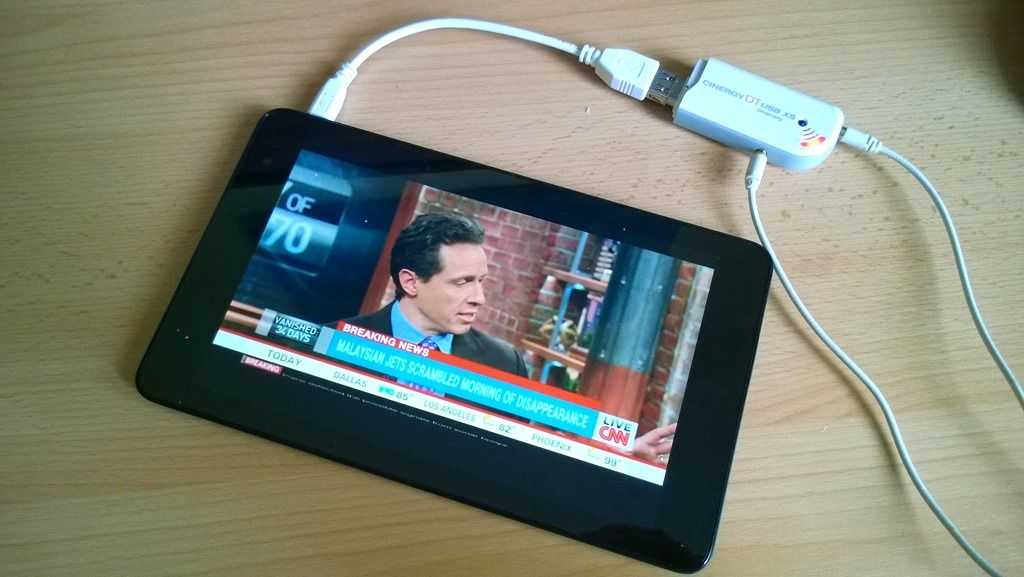
I’m using the DVB-T standard Terratec Cinergy DT USB XS which is a USB-connected receiver and from the image above you can see it has two antennas. It’s connected via a USB adaptor so you’ll need to make sure you‘ve got one of those. (MicroUSB to USB female connector.) As I’m testing approximately 500 meters from the local DVB-T transmitter I can operate it with no antennas attached, indoors but most people are going to need some sort of antenna. The cheaper USB sticks only have one antenna and may not be good for the edges of reception areas so you’ll need to be aware of that but there are a few with integrated antennas which would be practical if you’re in a good reception area.
The receiver doesn’t auto-install on Windows 8 so I downloaded the latest drivers and the Terratec DVB Viewer software. Unfortunately there’s a third step due to lack of MPEG-2 support in Windows 8.
The problem and solution for MPEG-2 on Windows 8
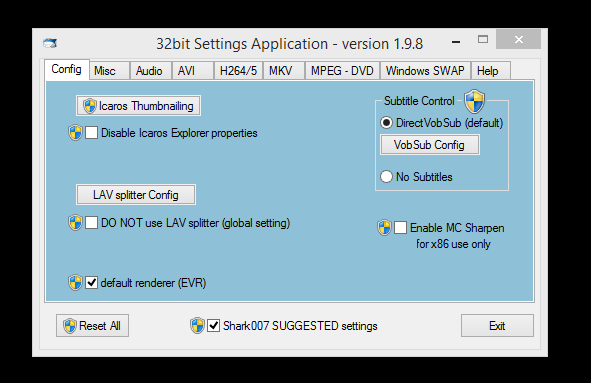
Windows 8 doesn’t include the required MPEG-2 codecs like Windows 7 did so you’ll need to install a codec pack which is always a bit risky but I’ve found what appears to be an ‘honest’ and simple codec pack with easy installation and setup in the Shark007 basic codec pack. Install the standard 32-bit codec pack and remember to ‘skip’ the freeware offers. For configuration choose the Shark007 SUGGESTED settings. If you’re running a 64-bit system you’ll probably need the 64-bit extensions but I haven’t tested that.
The Terratec viewer software is for desktop only and isn’t very finger friendly but scanning of the local frequencies here was straightforward and resulted in 34 channels being found. Unfortunately this receiver won’t pick up DAB (radio) or the new DVB-T2 standard but the quality is fine for this 8-inch tablet and casual usage.
Quality of the streams on DVB-T is ‘standard definition’ 528×576 25fps MPEG-2 at about 2.5Mbps with an MPEG2 audio channel. (DVB-T2 offers high-definition streams.)
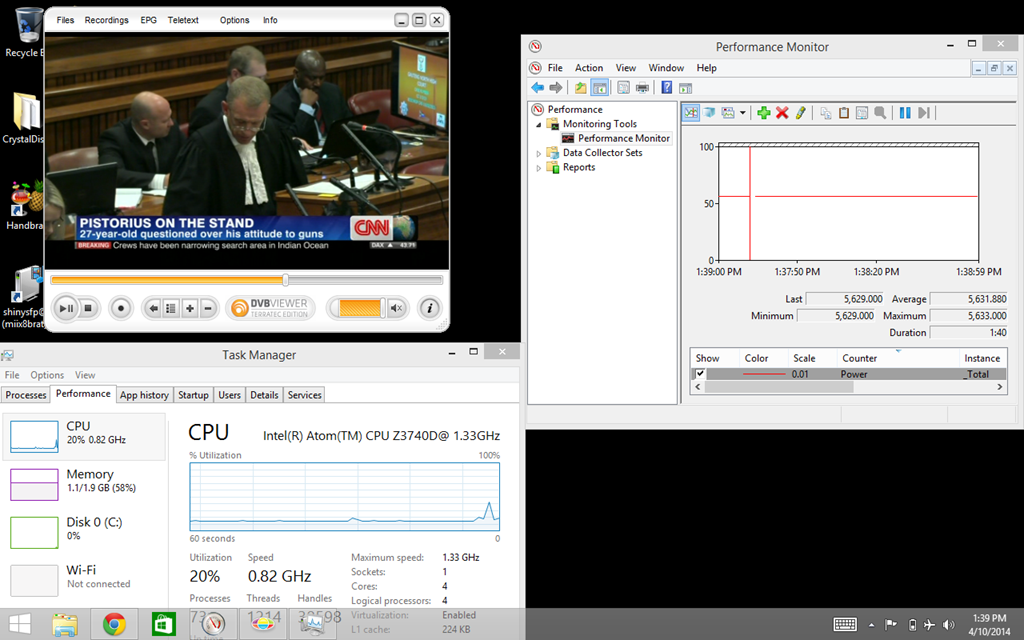
Under normal viewing conditions on this Z3740D-based tablet the CPU is using 17%. In aircraft mode (no WiFi needed for this) and with full screen brightness I was seeing 5.6W of power usage which, on this 19Wh device is going to give you 3hrs 20 minutes of viewing time. Let’s say 3hrs to be safe.
The Terratec software I’m using here allows TV to be recorded to disk at a rate of about 20MB / min which means you’ll have no problem recording a few hours of something for later playback.
The Dell Venue 8 Pro is a great tablet PC for this TV activity due to its bright, high-contrast IPS screen and loud speaker. It’s mono, but it’s still the best speaker you can get on a low-cost 8-inch Windows tablets.
DVB-T and DVB-T2 won’t work for everyone but if you’re in a good reception area it’s a good, simple, off-the-grid solution for entertainment.
i have one of these
http://www.pctvsystems.com/Products/ProductsEuropeAsia/DVBTT2products/AndroiDTV/tabid/296/language/en-GB/Default.aspx
works on android and my dvp8, no adapter required.
keep up the good work chippy!
I’m having problems with accessing this site. http://www.umpcportal.com works but umpcportal.com redirects to umpcportal.com/cgi-sys/defaultwebpage.cgi .
Thanks. I’m going to try and fix that now.