


After spending so much time with the first line of 8-inch tablets it was good to spend a bit more time with a retail version of the Lenovo Thinkpad 8, a tablet that offers a number of additional features but costs a little more. A quick disk, CPU and OpenGL test gave us confirmation that this product has more than just a higher resolution screen.
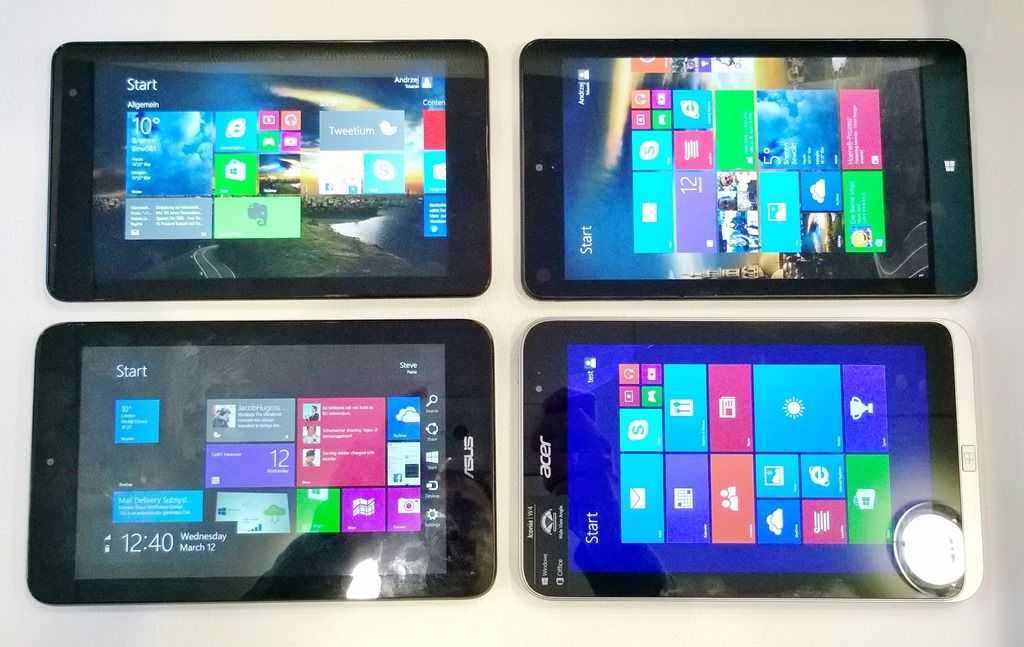
The Z3770 CPU, 8MP camera, USB3.0 port, large battery and 1920×1200 resolution are easy to see on the specification list but what’s not easy to see is the quality of the screen and the speed of the disk which, at 160MB/s is the best read speed we’ve seen on a Baytrail-T tablet.
In the video below you’ll see the following test results:
Cinebench 11.5 CPU: 1.32
Cinebench 11.5 OpenGL: 6.17
Crystaldiskmark Seq Read: 165.6 MB/s
Crystaldiskmark Seq Write: 69.84 MB/s
Crystaldiskmark 4K Read: 12.24
Crystaldiskmark 4K Write: 20.31
The CPU scores there are a little higher than the Z3740-based tablets but not by that much. The OpenGL scores are on-par with the other tablets. In this quick test it appears that despite the better processor there’s not much advantage over Z3740-based tablets. The disk performance is solid though.
In comparison with other devices it’s difficult to really call out a winner because the Thinkpad 8 has a few features that make it unique. The USB3.0 port, for example, enables a better USB docking experience. The 128GB SSD option is unique an the 1920×1200 screen also on the list of unique features.
If you don’t need these features then the compact dimensions of the Dell Venue 8 Pro make it the consumer-focused winner but if you want to have the best all-round set of possibilities, the Thinkpad 8 is worth the extra money, unless you believe that there might be a 4GB/64-Bit version on the horizon.
Thanks to TabletBlog.de for the loaner at CeBIT. (Their unboxing here in German.)
“DIsk performance is solid”. I think you should elaborate on that. I assume you are referring to them as compared to other 8″ machines.
Looking back at the DV8P review, I see that the TPT8 crystal mark are double those of the DV8P (10x in case of 4K sequential write).
Comparison (Seq Read, Seq write, 4K read, 4K write)
Lenovo TPT8: 165, 70, 12, 20
Dell DV8P:68, 33, 8, 2
The DV8P crystal mark scores bug me. Reminds me of the Dell Mini 10 netbook. SSD write speeds were horrible, and it killed the performance of the machine. I took a look around the net and found a review here that had crystal mark scores more closely approximating that of the other 8″ windows tablets:
Dell DV8P:54, 40, 29, 11
http://www.notebookcheck.net/Review-Dell-Venue-8-Pro-Tablet.107892.0.html
I would be interested to hear from other DV8P owners what their crystal marks cores are. Chippy: you might have a machine with a bad “SSD” in it.
That’s because the DV8P disables the higher speed protocols for the eMMC by default. Same for the SD card reader.
The guy here: http://forum.tabletpcreview.com/dell/59202-venue-8-pro-owner-s-lounge-121.html#post349936 got
Before BIOS settings change:
Sequential Read: 63.58 MB/s
Sequential Write: 35.60 MB/S
512k block Read: 64.53 MB/S
512k block Write: 25.80 MB/S
4k block Read: 7.964 MB/S
4k block Write: 8.431 MB/S
4k qd32 read: 29.22 MB/S
4k qd32 write: 9.140 MB/S
After BIOS settings change:
Sequential Read: 132.7 MB/s
Sequential Write: 59.14 MB/S
512k block Read: 103.4 MB/S
512k block Write: 29.43 MB/S
4k block Read: 10.35 MB/S
4k block Write: 8,479 MB/S
4k qd32 read: 30.58 MB/S
4k qd32 write: 11.49 MB/S
Of course, there could be a reason why these are disabled by default. Maybe they can cause data corruption or something.
Whoops, above should have been Dell DV8P:54, 40, 8, 9.
The only thing that makes this stand out a little bit is the USB 3.0. The 1920×1200 screen doesn’t seem like it’ll do well on the desktop side. Windows 8 still has crappy DPI scaling. It works best when doing pixel doubling but that would give you an effective 960×600 resolution which would also be bad.
Of course, it doesn’t have a stowable active pen for a mouse pointer. I’ve used a virtual trackpad app and it’s not a great experience.
The ThinkPad 8 is just meh compared to it’s competition.