Tag Archive | "atom"

Cisco Cius. Video Review and Hardware Analysis

Tags: , , , , , , , ,


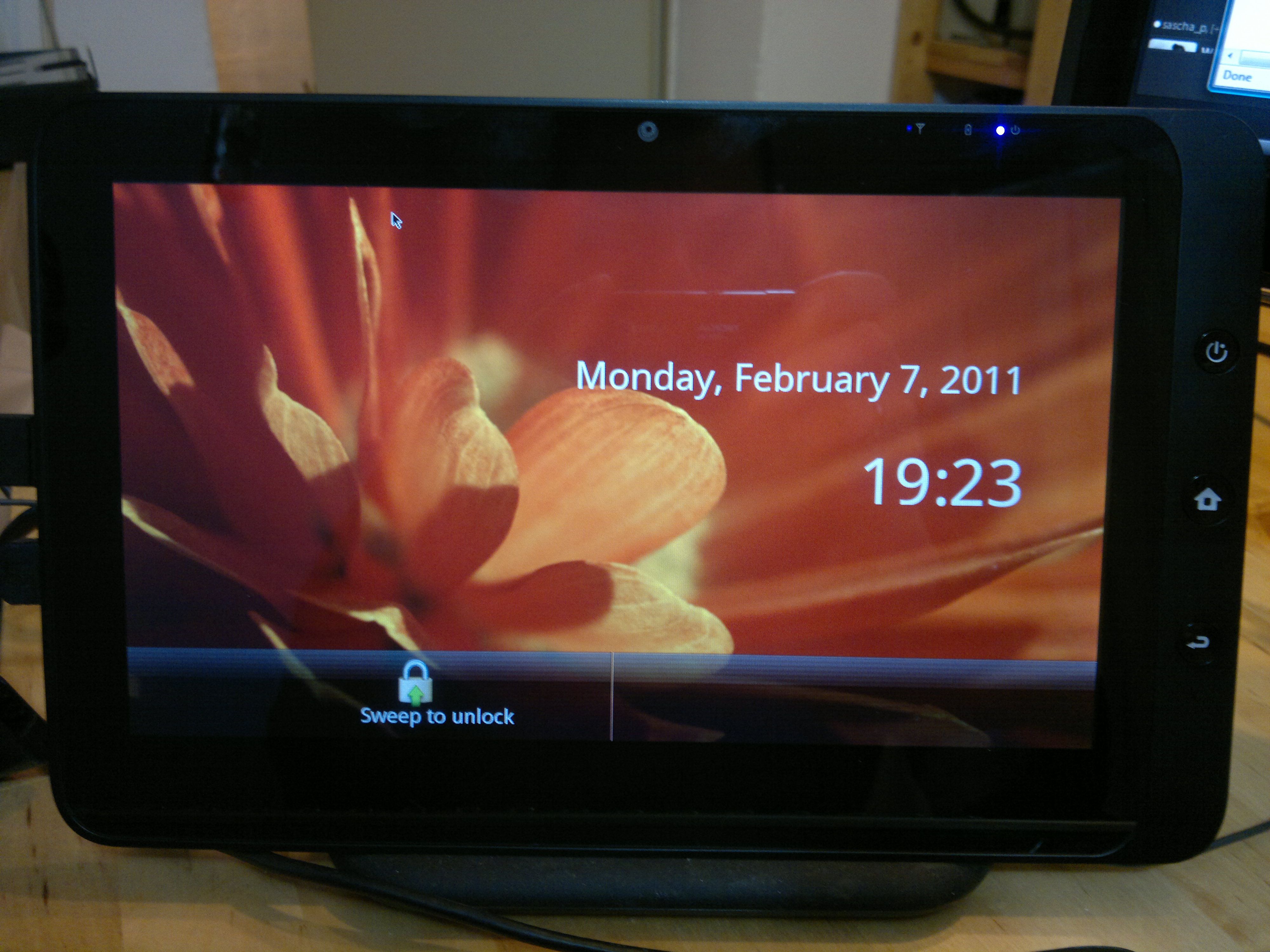
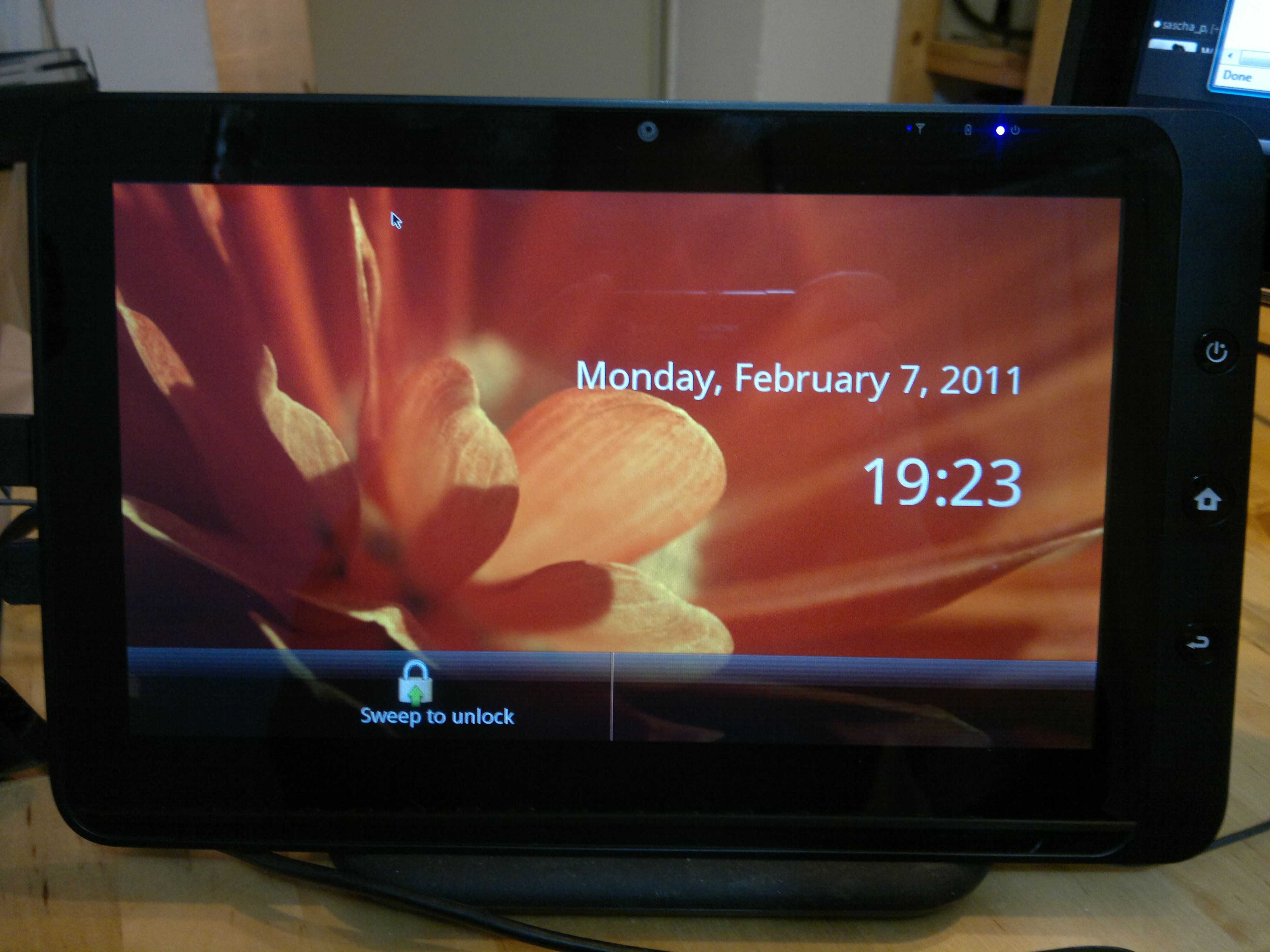
It’s clear that tablets are moving to the enterprise. The iPad has already infiltrated many markets (pilots are getting iPads to carry  manuals for example) and you’ll find them in many media companies. Android is moving that way too with Honeycomb leaning towards touch and mouse input methods. The operating systems are moving forward quickly (although there are still many limits) and the apps are following. What about the hardware though? Can you plug a keyboard and mouse into an Android tablet and get to work in a corporate fashion? Cisco seems to think so and on analyzing some more information and hands-on with the Cisco Cius, I’m liking what I see. This is a very flexible thin-client and mobile computing device that could show the way for true pro-mobile computing solutions of the future.


Cisco Cius (2)


Android, Intel, Tablet are three words that many wouldn’t really expect to go together but it’s no secret that Intel have been working on Android for well over a year. They’ve been working on core items like power control and trying to dovetail the software with their new ultra-mobile platforms. The version of Atom inside the Cisco Cius is unique in that it can’t run Windows – another surprise from Intel. I also note that we’re seeing an non-Windows Intel tablet from a major brand here. Isn’t that what Intel wanted to do with MeeGo and Nokia?

Cisco Cius specifications, links, gallery available through our Cisco Cius information page.

Moving on, the tablet is only half of the product because the media dock is the really interesting bit. Docks are worth their weight in gold, especially when it’s one that’s a feature-rich as this.

• 3 USB ports

• 3.5-mm headset jack

• 10/100/1000-Gbps switch ports for wired connections and Power over Ethernet (PoE)

• Additional speaker for wideband hands-free communications

• DisplayPort to connect to a larger display for an immersive video experience and for a virtualized desktop experience

• Two handset options: standard and slimline

So lets summarise that as  a quality docking station.

A bit more about the tablet software. It includes support for Cisco’s secure remote applications architecture. It’s thin-client for the big-boys basically and it integrates with cisco’s security, VPN and prioritisation support on their routers. A ‘VXI Endpoint’ is the Cisco term for this.

You’ve also got a Cisco marketplace with approved apps and a separate API and developer community. One assumes the IT people can remove access to the Google Market because that’s there too highlighting the fact that this is a fully approved X86 build of Android. Intel have done well to get past this point because it means a lot of value-add for their customers. One wonders if it could affect the value of Intels AppUp solution.  The Cisco store includes apps from Citrix, VMWare and Wyse for remote access solutions although these are available in the market. [I'm using Wyse Pocket Cloud Pro to test Android to Vista server remote desktop right now. It's nice to see Chrome on the Android screen.]

The Android build is only 2.2 unfortunately. Intel are working on Honeycomb but it’s not clear if Cisco will roll-out that upgrade for the Cius. I assume it would be a big software job.

Cisco Cius specifications, links, gallery available through our Cisco Cius information page.

Don’t forget that you’ve also got:

  • HD video encoder hardware on the front facing cam. 720p 30fps should make for some great conferencing sessions. (Cisco WebEx is built-in)
  • SIP support
  • Removable battery

I’ve been looking around for reviews of the Cius and there isn’t much out there at the moment but the video below is worth a watch. It’s an honest overview from an owner who seems happy with the device overall but has a problem with battery life. Yes, you were wondering about that weren’t you. Intel, Tablets and battery life often don’t go together.

Take a look at the video below and you’ll hear a comment about the battery “draining like crazy.” It’s difficult to get a perspective on this comment so I asked the author. This is what he said:

 I have the most current firmware and I would say the standby time is around 5 hours. It would around 3 hours if I used it regularly.

If we were talking about a small battery here I’d say ‘OK’ but we’re not. The Cius packs a 19Wh battery in 520gm. Here’s what Cisco say about battery life.

• Removable 5200 mAh battery
• Battery estimated use times will be provided at a later date (battery is expected to last up to 8 hours for typical business use)

There’s quite a difference between 3hrs and 8hrs there. Given that this is a 2.2W TDP Morestown platform that should idle way down to sub 1w territory with Android, a screen-off, Wifi-on scenario should be returning at least 15 hours. With the screen on, add 1W. In-use, add another Watt and you should be at a minimum of 4hrs usage. I don’t understand what’s going wrong here. Maybe Intel have some work to do on the Android build still?

The video is worth watching because you’ll see smooth transitions across the board and you’ll see some apps demonstrated. I only wish we could have seen some benchmarks. Sunspider would be important as would Quadrant and a simple Benchmark Pi test.  Is the browser based on Chrome rather than the Android browser? [Update: It uses the standard Android browser.] Are there any other special features hidden in the system settings too?

Apart from the battery life issue which needs to be confirmed, there are two other issues. This is a Wifi-only device right now which is not good for mobility. 3G is expected later this year via Verizon in the U.S.A. Secondly, you’re looking at $750 for the tablet and (my) estimated street price of $400 for the dock. It sounds a bit heavy for a thin client based on Android (considering I can do the same on my Iconia Tab wifi for about $500) but don’t underestimate the value of a rich dock. Charging, USB, headset, display port, gigabit Ethernet and handset is a lot of flexibility there. As for the tablet itself, yes, $750 is a lot for the hardware but this isn’t just any old Android hardware, it’s a software bundle too.  The price is right in my opinion. This is a corporate solution so don’t forget, if you’re looking at 200 of these units, you’ll be getting a huge reduction on those prices. 30% at least.

What we need now is for someone to make a consumer version of the Cisco Cius. Drop the handset and the Cisco-specific software, fix that battery life issue, style it up a little and you could be looking at an interesting crossover Android device. Fingers crossed for a real browser on the Intel Honeycomb build. It’s on the Google TV build so why not on a tablet build?

Cisco Cius, Owner Report

Cisco Cius specifications, links, gallery available through our Cisco Cius information page.

Oaktrail Windows Tablet Reviews Start Slowly at GottaBeMobile

Tags: , , , , , , ,


A few days ago I found a CPU-Mark score for the ‘Oaktrail’ Z670 CPU. It confirms to us in no uncertain terms that the 1.5Ghz single core Atom CPU is, relative to other X86 CPUs, extremely weak and really no different from the first generation Atom CPUs that came before it. The difference with Oaktrail is that the memory and graphics speeds should be vastly superior to that which we saw on the ‘UMPC’ platform, Menlow, over the last few years. Coupled with quality components and good engineering it should be able to provide an acceptable Windows tablet experience and offer some interesting battery life scenarios too. In theory.

cl900 windows tablet

In practice we’re going to have to wait for more Oaktrail Windows tablet hands-on and it looks like the wait for the first Oaktrail based devices has finally come to an end. In Germany the Fujitsu Stylistic Q550 is now shipping and, even better, the guys at Gottabemobile have got both the Fujitsu Q550 and Motion Computing CL900 in their hands. Sumocat (@sumocats) has the Q550 and Chris Lucksted (@DangerousWit) has the CL900.

Lets start with the Q550 and it’s not a good start at all. A ‘bitter core’ is how Sumocat refers to the processor and in the video he’s included in his Fujitsu Stylistic Q550 review, you can see the tablet struggling to handle the Gottabemobile home page with flash turned on. This is an area where GPU, memory and disk speed have little affect because it’s mostly about the CPU working to render the page and execute javascript and flash – a tough challenge and one that got worse since Atom was introduced. The performance we’re seeing here is nothing better than Tegra 2 tablets running Honeycomb. Again, back when Atom was introduced, there was no ARM competitor so this lack of CPU performance increase is now very apparent. Application startup time is fast though and, of course, you’ve got a full desktop operating system at your fingertips which is still the only answer for some customers but it seems obvious that this CPU performance issue is going to be a shock to many customers. Is it the same on the CL900?

Part 1 of the CL900 review series is already up. Unfortunately this article doesn’t include any comments about performance or battery life so we’ll have to wait although reading this line was quite the tease…

a 43 WHr battery providing up to 8 hours of runtime with a 4:1 work/charge ratio allowing the CL900 to charge from zero to full in two hours.

I’m not sure if that’s the marketing talking there or the real world testing. An average 5W drain would be something to talk about. Flipping back to the Q550 review you’ll see some discussion of that in the comments. Sure enough, with the screen brightness turned low, but still usable, there was an indicated 8hrs battery life on the Q550. This is with the 4-cell, 38Wh battery which means Oaktrail is indeed running in a very low power envelope.

It’s the power-envelope that’s the key here. It’s allowed the 10” Windows tablet design to drop the fans and shrink to under 2lb (about 800gm.) The question is, is it fast enough? The trade-off could be too much for some, especially as we’re talking about pro-mobile users here. The Q550 customers aren’t exactly casual internet users.

I’ll be interested to see some SSD speed tests and GPU tests done on the Oaktrail platform and to do some more tests on the SSD (which could, in theory, be struggling and blocking if it’s not good enough.) We’ll also have to wait for more tests. The CL900 part 2 review is expected today.

Ultrabooks To Bring Mainstream Closer To Mobility

Tags: , , ,


As you might have read in the press release from earlier, Intel announced a range of activities and products at Computex today but whichever way you look at it, their pivot-point just moved closer to mobility. Not only did Intel showcase a Medfield tablet running an official X86 build of Android (which will have marketplace support) but they launched a new initiative called ‘Ultrabooks.’ Backed by a trademark, they will aim to move 40% of consumer / mainstream laptop sales under this ‘brand’ before the end of 2012. That’s a huge number of devices. In the region of 20-80 million by my estimate.

ASUS-UX21-Series-back-angle-02

An article over at Anandtech does a great job of defining what an Ultrabook but basically it’s about bringing power consumption down, battery life up to ‘all day’ standards along with lightweight design, mainstream processing power, security and responsiveness. For mobility fans, that means devices around the netbook weight with notebook processing power, just what I need for my ultra mobile video editing project!

I’ve kicked off a new database of products and news over at Ultrabooknews.com. Lets track this thing!

Two other features of the Ultrabook need to be taken into consideration and I’m really pleased to see this. Intel are realising that always-on, or at least, always-updated, is something that people are starting to expect. It’s a feature that ARM-based devices have always had and Intel need to step up to the challenge. While Windows will always present some challenges (until Windows 8 I suspect) they have a couple of workarounds in the mix here. Rapid Start will speed up the return-from-standby process just as some devices have done in the past. The more interesting technology though is SmartConnect. I suspect this is a timed start-up and shutdown phase with a ‘boot and poll sequencer’ as I’ve mentioned before for Cedar Trail but there could be more to it than that as platforms develop. An always-on component is possible.

As Ultrabook platforms move towards the 10W TDP mark (It is expected that they will centre around 15W TDP) there are some interesting possibilities for ultra mobile devices with a good level of processing power for grab-and-go or modular PCs. Don’t expect ultra-low-cost though! What it means is that Atom is going to move down a notch. Lower power envelopes are where Atom was meant to be but it also means that Atom is likely to widen its range to serve low-cost laptops and desktops.

The Intel press releases for todays keynote are here.

Tomorrow we will hear from AMD and we expect them to push Fusion down into lower TDP ranges. Stay with us as we track that one tomorrow. In the meantime, what are your thoughts on Ultrabooks and the platforms associated with it?

Press Release Reveals Intel Plans Ahead of Keynote. Ultrabooks and Android Feature.

Tags: , , , ,


While not too surprising in terms of content, this leaked press release, a few hours ahead of Intel’s Computex Keynote, highlights a big shift towards ultra mobile and Atom-based solutions.

Key points of the press release are the accelerating Atom program, a Medfield tablet running Honeycomb, Ultrabooks, Cedar Trail and 10 tablets based on Oaktrail. We suspect these tablets will be included in the demo but we’re interested in the missing items!

Update: The tablets shown on the Intel booth are from: Fujitsu, Lenovo, Motion, MSI, Open Peak, Toshiba, Viliv, and WeTab and ODM customers – BYD, Clevo, Compal, CZC, ECS, Foxconn, Inventec, Lengda, Malata, Pegatron, Quanta, Topstar and Wistron. Not all of these are running the Oaktrail platform.

We’re in contact with a few teams on the ground at Computex and will bring you their news, images and videos later.


Intel’s Maloney Talks Mobile Growth, Industry Opportunities at Computex
New Roadmaps Across Intel® Core™ and Atom™ Processor Families to Usher in Next Wave of Laptops and Connected Mobile Devices
NEWS HIGHLIGHTS
Intel defines new category of mainstream thin and light mobile computers, called Ultrabook™.
Intel aims to shift 40 percent of consumer laptops to the Ultrabook™ by end of 2012.
Separately, Intel is accelerating the Atom™ processor roadmap to a one-process-generation per year cadence to enable a wider range of optimized solutions for multiple market segments.
Intel highlighted its next-generation, fanless netbook platform, codenamed “Cedar Trail,” a range of new Atom processor-based tablets available today, and a “Medfield” tablet reference design for sub-9mm designs, weighing less than 1.5 pounds and supporting a choice of operating systems.
COMPUTEX, Taipei, May 31, 2011 – Intel Corporation Executive Vice President Sean Maloney today said that by the end of 2012, 40 percent of the consumer laptop market segment will encompass an emerging new breed of no-compromise computers, called “Ultrabook™,” which will increasingly combine best-in-class performance, improved responsiveness and security in thin, elegant form factors.
During the opening keynote speech at Computex, one of the world’s largest technology trade shows, Maloney provided further details on the significant changes Intel is making to the Intel® CoreTM processor roadmap to enable this new category. He also reiterated Intel’s push to accelerate the pace of innovation for Intel® AtomTM processor-based system-on-chips (SoCs) for netbooks, smartphones, tablets, and other companion devices.
“Computing is taking many forms,” said Maloney. “Technology innovation is a catalyst, and we believe the changes Intel is making to its roadmaps, together with strong industry collaboration, will bring about an exciting change in personal computing over the next few years.”
The “Ultrabook™”
Intel’s vision is to enable a new user experience by accelerating a new class of mobile computers. These computers will marry the performance and capabilities of today’s laptops with tablet-like features and deliver a highly responsive and secure experience, in a thin, light and elegant design. The Ultrabook™ will be shaped by Moore’s Law and silicon technology in the same way they have shaped the traditional PC for the past 40 years.
Maloney described three key phases in the company’s strategy to accelerate this vision, which begins to unfold today with the company’s latest 2nd Generation Intel® CoreTM processors. This family of products will enable thin, light and beautiful designs that are less than 20mm (0.8 inch) thick, and mainstream price points under US$1,000. Systems based on these chips will be available for the 2011 winter holiday shopping season and include the UX21, ASUS* Ultrabook™. ASUS Chairman Jonney Shih joined Maloney on stage to showcase the company’s new ultra-thin laptop based on the latest 2nd Generation Intel Core processor.
“At ASUS, we are very much aligned with Intel’s vision of Ultrabook™,” said Shih. “Our customers are demanding an uncompromised computing experience in a lightweight, highly portable design that responds to their needs quickly. Transforming the PC into an ultra thin, ultra responsive device will change the way people interact with their PC.”
Building on the latest 2nd Generation Intel Core technology, Maloney outlined the next generation Intel processor family codenamed “Ivy Bridge,” which is scheduled for availability in systems in the first half of 2012. Laptops based on “Ivy Bridge” will bring improved power efficiency, smart visual performance, increased responsiveness and enhanced security. “Ivy Bridge” is the first high-volume chip based on Intel’s 22 nanometer (nm) manufacturing technology that uses a revolutionary 3-D transistor design called Tri-Gate announced in May. Maloney also highlighted complementary USB 3.0 and Thunderbolt™ technologies which are part of Intel’s ongoing work to drive the PC platform forward.
Following “Ivy Bridge,” planned 2013 products codenamed “Haswell” are the third step toward achieving the Ultrabook™ and reinventing the capabilities of the laptop in ultra thin and light, responsive and more secure designs. With “Haswell,” Intel will change the mainstream laptop thermal design point by reducing the microprocessor power to half of today’s design point.
Accelerating the Intel® Atom™ Processor Roadmap
Maloney highlighted key milestones and additional details on upcoming generations of Intel Atom processor-based platforms for tablets, netbooks and smartphones. The Atom processor will outpace Moore’s Law, accelerating from 32nm through 22nm to 14nm within 3 successive years. Having a cadence of a new-process-generation every year will result in significant reduction in transistor leakage, lower active power and an increase of transistor density to enable more powerful smartphones, tablets, and netbooks with more features and longer battery life.
Reaching its 100 million-unit milestone this month, Intel is preparing its next-generation netbook platform, codenamed “Cedar Trail.” “Cedar Trail” is the first netbook platform based on Intel’s 32nm technology, and will enable ultra-thin, fanless designs with new capabilities such as Intel® Rapid Start technology which provides fast resume, Intel® Smart Connect Technology which enables an always updated experience even during standby, Intel® Wireless Display and PC Synch, which let users wirelessly update and synchronize documents, content and media across multiple devices. In addition, the new platform is expected to enable more than 10 hours of battery life and weeks of standby. “Cedar Trail” will support leading operating systems, such as Microsoft Windows*, Google Chrome* and MeeGo*.
In addition, Maloney showcased more than 10 tablets, running on three different operating systems, that are available today based on the Intel Atom processor Z670. The platform already has more than 35 design wins since its launch in April, with several convertibles, sliders and other innovative designs on shelves now and more coming through the rest of the year.
Maloney also discussed “Medfield,” Intel’s first purpose-built 32nm platform for smartphones and tablets. “Medfield” has been optimized for both low power and high performance and will deliver long use-time, rich media and gaming, and advanced imaging capabilities. To illustrate this point in tablets, Intel showcased a “Medfield” design running Google Android* 3.0 (“Honeycomb”) for the first time. In production later this year, the platform will enable sub-9mm designs that weigh less than 1.5 pounds for tablet designs in market the first half of 2012. It will support a range of operating systems including Android and MeeGo.
According to Maloney, “The work Intel is doing with the Intel® Atom™ processor roadmap, coupled with the significant changes we are making to our Intel® Core™ processor roadmaps, will continue to enhance Intel’s ability to deliver complete hardware solutions with a choice of software platforms across a full spectrum of computing — from back-end servers that power the cloud to the billions of devices that access the cloud.”
The Cloud’s Rapid Expansion
More people and devices connecting to the Internet will lead to unprecedented growth in cloud-based services for storage, synchronization and entertainment, according to Maloney, and Intel is poised to grow with it. He said that one new Intel-based server is needed for roughly every additional 600 new smartphones or 122 new tablets connecting to the Internet. He also reiterated the company’s “Cloud 2015″ vision of a world of interoperable “federated” clouds that allow enterprises to share data securely across public and private clouds; “automated” networks that allow the movement of workloads between servers in the data center for better utilization and energy efficiency, and “device-aware” clouds that know what types of applications, commands and processing.
In closing, Maloney stressed the critical role of the Taiwan IT industry in the next transformation of computing. He called for collective innovations that will lead the industry into the next era as computing takes many new forms and becomes ever more pervasive and affordable. “The Taiwan IT industry will be instrumental in realizing this vision,” said Maloney.
More information about today’s announcements is available at www.intel.com/newsroom/computex/index.htm
About Intel
Intel (NASDAQ: INTC) is a world leader in computing innovation. The company designs and builds the essential technologies that serve as the foundation for the world’s computing devices. Additional information about Intel is available at newsroom.intel.com and blogs.intel.com.
Intel, Intel Core, Atom, the Intel logo and Ultrabook are trademarks of Intel Corporation in the United States and other countries. * Other names and brands may be claimed as the property of others.

Another use for the Oaktrail Tablet – Intel Honeycomb in 2H 2011.

Tags: , , , , ,


tx100 honeycombI’ve been talking about this since, well, over a year ago.  Intel’s new-generation mobile platforms, including Oaktrail, Moorestown and Medfield, could couple well with Android. I don’t mean a community X86 project, I mean official, Google approved, power-optimised versions of Android. Honeycomb included.

Image right: Mock-up

Digitimes just reported that “Asustek Computer and Lenovo are to launch Oak Trail/Android 3.1 tablet PCs soon and also Cedar Trail/ Chrome models in the second half of the year.”

Dual mode tablets will be possible and there’s even a chance that virtualization could let multiple OS’ run concurrently. Oh how I hope Intel get on stage at Computex and show Windows, Meego and Android running on the same device. Why? Because it’s a great choice for the pro-customer and when it comes to productivity, we need more CPU power than ARM-based solutions can deliver today. Intel should also be able to achieve ‘always-on’ with these new platforms too. When I asked Intel about Android a year ago they said that power optimisation work was lagging MeeGo. Lets see next week how far MeeGo has come. I’ll try and find someone in Intel to give us a Honeycomb update too.

Anyone fancy a triple-OS Samsung TX100?

VIa netbooknews.

Intel Switch to PowerVR Graphics for CedarTrail (Unconfirmed)

Tags: , , , , , ,


There’s good and bad news to be drawn out of the news that Intel will go with a PowerVR core on Cedar Trail, the next generation of Netbook platform. VR-Zone report that Cedarview (the processing engine in the Cedar Trail platform) will include an SGX545 graphics core and not Intel graphics as had previously been suggested here.

VR-Zone – Cedarview to sport PowerVR graphics.

The good news is that it brings the netbook platform in-line with other Atom platforms used for TV, ultra-mobile, embedded and tablet products and simplifies the builds for MeeGo and Android. The bad news is that the drivers for past versions of the SGX core used in Menlow (Z5xx-series CPUs) were never that good. Linux support, in particular, was a big problem.

Intel will, of course, be aware of that and will have to take steps to improve it because if 30 million sales of netbooks have unstable or poorly implemented drivers, it could have a serious impact.

As for the theoretical performance of the SGX545, I can only offer these figures that I dig out of web searches this morning. They aren’t confirmed.

GMA500 (PowerVR SGX535 – 200Mhz) 13 million triangles per second

GMA600 (PowerVR SGX535 – 400Mhz) 26 million triangles per second (assumed)

GMAxxx – (PowerVR SGX545 – 400Mhz) 80 million triangles per second (low power version)

GMAxxx – (PowerVR SGX545 – 640Mhz) 128 million triangles per second.

There’s a potential 10x improvement over GMA500 there but these figures are fairly meaningless as memory bus, cpu processing power and other implementation issues (including driver software) will affect the true performance.  The diagram shown on VR_Zone though shows a target of 2x Pinetrail. While that’s probably not going to beat the 3D performance of AMDs Zacate platforms, it’s a welcome boost that will drive non-gaming devices well and, we assume, keep the power requirements down. For non-gamers, the balance of CPU, GPU, media and power drain is likely to be good.

My outstanding question:Will Intel enable ‘shutdown’ idle (sub 200mw system drain) for screen-off scenarios on Cedar Trail like it is trying to do on Oaktrail, Moorestown and Medfield? This is something they may work with Microsoft on for Windows 8

The news has not been officially confirmed by Intel but that might happen at Computex later this month. If not, wait for hands-on at IDF 2011 in September where we expect final launch and product availability to be announced.

IDF Beijing: Oaktrail to run 3.75W TDP. Next Gen Netbook Platform to get HD Video Acceleration

Tags: , , , , , , , ,


p_atom-z6xx_with_sm35_express_chipset_front_2

Z670 and Z650 Launched with 3W TDP

Details of two Oaktrail parts have been revealed by Intel today confirming pretty much everything we knew already! Availability of the Oaktrail parts are ‘now’ but as I mentioned in a tweet a few days ago, the first products shipping with Oaktrail won’t appear until at least May.

Two part numbers have been confirmed. The Z670 and Z650 (1.5Ghz and 1.2Ghz)  are both 3W CPUs and will be paired with the SM35 chipset at 0.75W. Remember that on the previous Z-series generation, codenamed Menlow, the two-chip solution came in at around 5W for the same capability. Both parts are manufactured on the 45nm process.

We’ve been fairly sure that the graphics core would be another PowerVR design for a long time but Intel finally confirmed that it’s the GMA600 clocked up to 400Mhz. That’s twice the speed of the GPU on Menlow and it should provide a noticeable boost. We’re not sure of the core design yet.

Importantly, the memory controller is now on-die with the GPU and CPU and this should also provide a noticeable boost as it did on Pinetrail in 2010. Other features include Intels ‘Deeper Sleep’ , ‘Enhanced Speed Step’ and, as on the previous generation, 1080p hardware decoding.

The SM35 chipset provides a new SATA interface USB is limited to V2.0 only. HDMI ports are supported.

Z6xx details
This slide refers to the Z6xx series in embedded, long-term-support versions. Apparently the consumer version of the Z670 is shipping ‘now.’

We’re working with a couple of OEDs to get a sample of an Oaktrail Tablet in the studio soon for more testing. We’re confident of good battery life on Oaktrail but need to test more on the performance side of things. Here’s our ECS Oaktrail Tablet hands-on at CeBIT.

Intel are talking about 35 Oaktrail design wins. Some of them are shown below.

p_asus-eeepad_slider_frontp_evolve

p_fujitsu-stylistic_tablet p_lenovo-ideapad_slate_frontbackp_motion-cl900tablet_pc_stylus

Asus Eee Pad Slider, Evolve III, Fujitsu Stylistic Q500, Lenovo Ideapad Slate, Motion Computing L900

Next Gen Netbook Platform – 2H 2011 – to Include hardware video decoding.

Intel will be leaking various details of the new Netbook platform over the next 24hrs but have already confirmed some of the Cedar Trail predictions I made last week. Wireless Display and Wireless Audio will be included on the platform along with a 1080p hardware decoding. Either this indicates a shift to a Z-series style GPU core or a totally new GPU design. I suspect the latter in order to include much needed 3D enhancements.

Fanless designs are mentioned in the early press teaser although Joanna Stern managed to get an interesting quote out of Intel. Apparently the Cedar Trail platform will get a ‘big boost’ in performance. Are they going dual-core across the range or is this just a reference the a new GPU that could compete with AMD’s Fusion APUs?

Expect more on Cedar Trail over the next 24hrs.

Source: Intel Press

Intel to give First Looks at ‘New Generation’ Netbook platform at IDF Beijing

Tags: , , , ,


IDF Beijing is the first Intel Developer Forum of 2011 and it starts on 12th April. While it’s not as big as IDF San Francisco in Sept it serves an important event for Intel in Asia because it is about now that ODMs will be looking at platforms for the Q4 market. IDF Beijing could provide us with important clues as to what advances will be made and how Intel want to market their platforms and software solutions in 2011.

In previous Beijing events we’ve seen…

IDF Beijing 2010 – Tunnel Creek. Next-gen embedded Atom platform

IDF Beijing 2009 – New Mids

IDF Beijing 2008 – Intel Atom products – first availability info.

IDF Beijing 2007 – MIDs are the new UMPCs

IDF Beijing 2011 includes a raft of Atom and mobility-focused sessions. Digitimes also say that Intel are encouraging notebook manufacturers to develop Android/Intel solutions for demonstration at IDF.  Doug Davis, General Manager, Netbook and Tablet Group will be giving a keynote so that’s the one to watch. I suspect that the Android Tablets won’t be the big news from his keynote though.

Taking a detailed look at the session catalogue there’s one session that stands out and having just put my thoughts down about the next generation netbook platform [extract below] this is one session I will be watching carefully.  Cedar Trail needs to make more than just an evolutionary step – critical architecture changes are needed to put value-add and GPU performance into the platform.

Here’s the detail from the session catalogue:

Designing a New Generation of Netbooks with the Intel® Atom™ Processor Based Platform

This session will introduce a new set of platform features and innovations that will allow HW manufacturers and developers the opportunity to build the next generation of exciting netbook designs that will delight the consumer. In addition, attendees will get first looks at the next generation Intel® Atom™ processor based platform.
Topics covered in this session:
• Platform capabilities enabled by Intel® WiFi solutions that deliver new netbook usage models
• Features and benefits overview of the next generation Intel Atom processor based platform
• Thermal solutions for cool and quiet fanless netbook designs
Exciting demonstrations

I’ve highlighted the important lines but also take note of the Intel Wifi note. In my opinion that relates to Wireless Display and Wireless Audio. That’s exactly what needs to happen to create a unique value-add. The new netbook platform is currently known as Cedar Trail.

Here are my thoughts on Cedar Trail:

I confess that I didn’t have a lot of faith in AMD’s Brazos solution but they did it. They’ve made a classic disruptive move which will change the face of the netbook forever and, unless Intel repond quickly, take share away from Intel in the low-cost computing market. Well-known features/keywords like ‘HDMI’ and ‘1080p’ that are recognizable to the man on the street will differentiate AMD from Intel and where the price is the same, there’s little to think about. Games are also possible on AMD netbooks and it leaves little room for Intel to play in when it comes to Cedar-Trail.  They’ll have to increase the CPU power (1.66ghz dual-core is a nice figure that looks better, and performs better than the AMD 1.0Ghz solution) and add their thermal monitoring to allow overclocking on a core-by-core basis. 2.0Ghz ‘Turbo’ will be worth seeing. They’ll also have to add the 1080p capability from their Menlow and Moorestown platforms. To beat AMD they will need Wireless Display and hardware-accelerated H.264 and WMV encoding features to help with video format conversion. Longer battery life is a must and this is something Intel is highly likely to deliver with amazingly low quiescent states and very tightly-coupled wireless solutions. Given the likelihood that they will have a lower platform TDP and enable a smaller motherboard size, Intel solutions are likely to be thinner and lighter.

A convergence of the Oaktrail and  Pinetrail platforms into Cedar Trail (in terms of GPU architecture) is also needed in order to unify the platform for other software stacks but what would also be interesting would be Intels ‘power island’ or ‘power gating’ technology brought to netbooks. That could bring ‘always-on’ with compatible operating systems such as MeeGo, Android or even Chrome OS.

Intel need to deliver something special with Atom at IDF Beijing. Smartphones based on their technology are still missing from the market; Intel-based tablets are largely Windows-based and still not being delivered with Oaktrail; MeeGo is still unproven and the Intel netbook platform is being challenged by AMD.

Other Sessions planned for 2011

  • Developing Intel® Atom™ Processor Based Tablets
  • Optimizing Touch Experience on Intel® Atom™ Processor Based Platforms
  • Intel® Atom™ Processor Power Optimization Guide

The complete session guide is here.

IDF 2011 website is here.

If you’re at IDF Beijing and are interested in reporting for us, please get in touch via the contact form.

Ultra Mobile Video Editing Part 1

Tags: , , , , , , , , , , ,


I wrote a few days ago on my personal blog about my mobile video editingI project aims. Soon after I posted that, I had a long talk with @jkkmobile who, like me, is always looking for ways to improve speed and quality while keeping the weight down. We both deeply understand the tech involved, the requirements and challenges and have come up with a set of initial thoughts that we hopebare worth sharing.

To recap, the three areas of interest are cloud-based processing, arm-based smartphone and tablet processing and traditional x86 laptops. The target for this project is a sub €600 solution that is able to post 16:9 HQ quality (480p) edited content with watermarks, titles, crossfade and other cpu-bound processes. The computer solution should weigh less than 1.5 kg. Trust me, this is quite a challenge as you’ll see below.

We quickly discussed the idea of cloud-based editing but while that might be possible over good cable networks, over 3g networks it is too unreliable and too slow. We’re both interested in this as a future possibility and Clesh is a service we’re watching closely.

As for ARM based editing on smartphones and tablets, again, there are issues. While the technology is maturing quickly and there are some interesting software solutions out there (Reel Director on IOS, Movie Studio on Honeycomb Android) these solutions need tight integration of hardware and software. We’re thinking of future cameras that include camera hardware you just don’t get in ‘general purpose’ smartphones and Tablets. For a smooth and fast editing experience we also need to wait for at least the next generation of ARM platforms. There’s definitely an opportunity for someone to make a niche ARM/ANDROID camera for mobile reporters although we’re not sure that the carriers would be too pleased about the upload usage! Software needs to mature too. Of course, it doesn’t mean you can’t post the occasional 30 second clip from a phone without editing. I plan to do some of that using the Galaxy Tab which, although not a 16:9 solution, records in 720×480 and has some very simple and easy sharing tools.

Todays video editing solutions are very much about traditional computing. X86 processors, desktop operating system, rich software, common file formats and separate devices for the camera and editing parts of the process. Many will actually tell you that you shouldn’t even think about a low cost laptop. As for netbook, people that do video editing for a living often laugh.

Having used a netbook for editing and posting videos at expos’s I know its possible. Don’t let anyone tell you you can’t do it because JKK and I have over 20 million combined YouTube views and most of these were done on-the-go with a netbook but as I mentioned in the last post, the requirements have changed over the last 2 years and 4:3 VGA videos aren’t acceptable to many. Its a trend, it works against the mobile user but I (JKK already produces videos in 16:9) have to play along now if I’m to be taken seriously.

JKK and I agree that there are a number of approaches that can be made in the x86 world.

Firstly we’ve discounted the idea of using Apple Mac products with iMovie for mobile video editing due to the import process which converts video into the AIC format usable by the video editing software. The process simply takes too long. There are other software solutions though which could be interesting on the MacBook Air product, as long as there is no import processing. This needs further research but even if the import problem could be solved, the price of the Apple MBA products is outside our range. I’m focusing this project on low-cost and lightweight solutions.

In our discussion we repeatedly came back to Nvidias CUDA technology which allows a certain amount of general purpose computing to be done on the graphics module. It is truly a game-changing technology but it does require software to be re-written to take advantage of it.

You see, graphics modules (gpu) are very specific processing engines for 2d, 3D and video decoding. In some cases the GPU can also handle encoding but these basic processes are often not what you need for video editing. Consider a fade, an overlay, a watermark or a transition. These processes require general purpose processing on a frame by frame basis. This is why CUDA is so interesting for mobile and low power video editing; it breaks the requirement for pure CPU processing.

CUDA doesn’t just appear in high end graphics solutions because it also appears in the Nvidia ion2 platform that is offered with the netbook-class Pinetrail CPU. Beware though, this ion2 variant doesn’t include the CUDA you need for video processing. The lowest power processing platform that we have found that includes full CUDA capability is the Ion2 12″ Netbook platform. it couples the D525 dual-core, 1.8Ghz Atom with the full 16-core CUDA engine. They are not the best mobile cpus (speedstep is missing) but they are in a processing class that easily outpaced traditional netbook platforms. The ion2 solution also allows the platform to fall back to the embedded graphics thus saving power when the GPU is not needed. The platform also idles down to a very low power drain state. For our purposes, its a very interesting platform.

Examples of devices that use this platform are the Acer EeePC 1215n and the Acer Lamborghini VX6 which even offers a useful 3GB of memory. Both are around 1.5kg in weight.

But what about dropping CUDA and going for a general purpose CPU with a bit more power than Atom? It’s possible. The Lenovo U160 offers CPU options up to core i5. Could a boost in cpu equal the CUDA solution? It would certainly be more useful for general purpose activities and opens up the choice of software to that which isn’t optimized for CUDA. Using a higher-end architecture with faster bus speeds and one well matched to a GPU for more efficiency might bring benefits.

Two choices in the low-cost area that I’m looking at are the Lenovo U160 and the Acer Aspire 1830T. Both are available with a low power Core i5 and weigh about 1.4kg. The Acer has the better performance and battery life of the two according to reports I’ve read. Cost is relatively high though and it is going to be tough to find a solution under 600 Euro.

The other interesting thoughts we discussed was that of the keyboard requirement. Could we used Tablet PCs and save weight and space?

Editing movies is largely a mouse operation which means it could be suited to tablet operation. In general though, battery sizes are smaller (and spares more expensive.) I haven’t seen any Tablets with the CUDA 12″ netbook platform and there are only a few low cost options with laptop cpus. The Hanvon B10 is one of them. We see the advantage of the ‘modular’ tablet solution but we’re both wanting to keep or lapping scenario, the keyboard and the protection it brings when folded together.

JKK and I discussed a bunch of other important items too. Fast SSD helps a lot. Using fast SD cards means you can edit from the SD card without having to copy it to the hard drive first.

We also discussed file formats, bitrate and sizes. We’re currently in agreement that h.264 is the format that provides most flexibility but there’s a huge CPU load associated with h.264 that is used to compress files down much further than standard mpeg4 part 2 codecs. The important thing to note is that our initial and most important file transfer is from an SD card in a PC. The bitrate and file size can be large without affecting the transfer time significantly. Final compression into h.264 at 2 or even 3 mbps doesn’t save that much in final file size and its not important to us how YouTube sends the file out so why even bother with h.264?.

It seems to me that a recording format of Mpeg-2 at a bitrate of 10mbps would be acceptable for our sub 10 minute clips. They would be relatively easy to work with. One thing to note on this is that CUDA  might not work with mpeg2 which brings us back to using a general purpose CPU. Testing is needed here. If we can find video editing software that uses CUDA for mpeg-2 editing (note that we also need to choose our output file format carefully too) then mpeg2 could be exactly the right choice of source codec.

There is other slight problem here in that there are very very few cameras that record in mpeg2 now.

Resolution, bitrate and aspect ratio.
16:9 is the ratio we need to aim for with YouTube. The lowest acceptable resolution is 854×480 with a bitrate of around 2mbps. This triggers HQ encoding in YouTube although I’ve had no problems with my 640×480 resolutions showing as HQ. Another option would be 720×480 which isn’t quite 16:9 but doesn’t look as bad 640×480.

Note: Recording in the resolution you want to output in will save processing.

Recording in 720p (1280×720) is another option but could require re-encoding to 480p before using in an editor because it’s a huge jump in pixels per frame. Ideally the camera will allow 480p and 780p at various bitrates. If you consider the requirement for viewfinder and Mic input you will only really find solutions in the video camera world. Combining a digital camera with these video requirements results in very little choice.

As for bitrates for the final upload file, it will depend on final codec and resolution. To ensure a reasonable chance of using 3g services to upload the file, a bitrate of around 2mbps needs to be used. For a 480p resolution it means you really need an advanced codec like h.264 to preserve the quality.

So in summary, mpeg2 at 854×480  at a relatively high bitrate seems like a good source and editing choice. Output files should be the same resolution but at around 2mbps bitrate in the h.264 codec.

What does jkkmobile use? He currently records in mpeg2 at a 16:9 ratio. Resolution is 960×540, bitrate either 6 or 9mbps. He converts that down to 854×480 which is 480p resolution. I’m not sure what format and bitrate he outputs to send to YouTube. If he has enough cpu power he will be using h.264 but he may be using wmv or something else that it is a little easier on the CPU. He certainly has the optimal settings for source files.  His camera is a Canon FS100 which you can’t buy any more. There are other SD cameras from Canon that also offer 16:9 capture though.

A quick step back to the world of camera products shows that 1080p rules and it’s difficult to know exactly what alternative resolutions a device will offer. In addition, h.264 is the popular codec which at anything bigger than 480p resolution, will be a problem.

Can CUDA do all that we require or are we going to have to rely 100% on a general purpose CPU? From what I have read and been told, most video editing software that is CUDA-enabled is doing so on output to h.264 only. I’ve seen test result with mpeg2 source formats too so mpeg2 again looks like the best source format.

There is only one way to find out. I’m arranging an Asus 1215n loan device for CeBIT next week and I plan to do as much testing as I can. I will use JKKs cam to create some 16:9 mpeg2 source and test it with some CUDA-enabled software. Power Director from Cyberlink looks like a good starting point.

Many thanks to Think4IT Solutions for offering to help us with this project.

Stay tuned for part 2 which should come after CEBIT.

Posted from WordPress for Android with the Galaxy Tab

AMD C-50 (Ontario) – CPU Performance Round-Up

Tags: , , , , , ,


By now we’re fully aware that the Fusion platform comprising AMD Ontario/Zacate CPU and Radeon 6250 can turn in some impressive 3D performance. With HD video decoding on board too it’s a double-punch to Intel platforms with the Atom CPU but with the high-end E-series requiring power that most mobile computers can’t deliver it’s only the C-series (C-30 single-core and C-50 dual core) that we’re concerned with here and in day-to-day usage mobile computing usage, where the CPU is all-important, we need to find out how it’s going to compare with dual-core Atom CPUs

I have a personal interest in getting as much CPU power as possible in my netbook but all I want to do here is highlight some reports that are coming in via the C-50-based Toshiba NB550D. Overall, it looks like the high-end Atom N550 is still the best performing mobile CPU. Here are the test results we’ve seen so far.

Passmark, a company that collects 3rd-party reports via its own software now has a few reports in from the C-50. The first benchmark was received just a few days ago so be aware that there are only 2 data points so far. The C-50 is clocking in with an average CPU mark of 480. It’s a better score than the older N470 (score:355) but the Atom N550 is averaging a score of 559 – 16% more.

Eprice have had reports of the NB550d before but on the 25th Jan a new report was posted that included PCMark05 scores. Unfortunately the device used is an engineering test sample with a single-core C-30 APU inside so bear that in mind. The report does links to a Cinebench mark of 1271 for the C-50 CPU, however. For the Atom N550 CPU i’ve found cinebench scores of 1504 and 1461 and 1444 – An average 15% more.

Netbooknews are currently testing an NB550D and has delivered a full suite of test results and a video.

NB550DCM

It’s an interesting Crystal Mark score. The total is about the same as I’ve seen on two Atom N550 based devices but the CPU score is down, especial for the ALU tests. Below is a result I took from an Acer D255. (Atom N550.) I saw similar results on a Samsung N350.

D255 ALU result

Overall then, were seeing the C-50 CPU score lower than the Atom N550 .

It’s not the complete picture of course (Graphics and video decoding on the C-50 APU is in another performance bracket altogether!) but for those wanting to number-crunch on a netbook, these results should help you decide.

With my requirements firmly in the ‘office’ space with a view to some low-end video editing, I’d choose the dual-core Atom-based devices. What about you?

Sunbook offers Advantages for Outdoor Computing

Tags: , , , , , ,


Ultra-mobile computing includes daylight usage and despite attempts at high-brightness screens in the mobile computing market, there has never been a truly low-cost mainstream solution on a device larger than about 4”. Transflective screens have been around for years and I vividly remember the Nokia E90 and how it worked so well in the sun so it’s good to finally be seeing transflective screens on a netbook. OK, so the OLPC had a transflective screen too but that wasn’t exactly mainstream!

Thanks to Clover we now have the Sunbook to consider. It’s a 10” netbook running the Pinetrail platform (single core N450) with a high capacity battery. The key feature is the Pixel Qi transflective screen.

You’ve got two advantages to consider. Sunlight readability and battery life.

“Turning off the display backlight cuts the power consumption in half, providing battery life up to 12 hrs. or more.”

Outside

In theory, there’s quite a gain to be had from turning off a backlight. At full backlight power on a netbook, a screen can take 2-3 watts of energy. On a netbook that can idle at 4W (screen off) it’s close to a doubling of energy consumption. In practice though you’re using the device when the screen is on and the netbook is draining an average 8W. The screen, in this scenario, is about 25% of the drain. In addition to that, one rarely operates the screen at 100% and rarely stays in the sun for 8 hours! I am sticking to my original estimate that a transflective screen will add about 10% battery life for the average netbook user although I’d be happy to do some detailed testing – Clover! I don’t want to belittle the advantages here because there are definitely users that would get a bigger battery life advantage and given bright ambient lighting, there are indoor advantages too but I don’t want people running out an paying a $300 premium expecting a doubling of battery life. This is a specialist device for a niche customer.

Sunlight readability is the second advantage of the screen and is the real reason you would be looking at buying the Sunbook. Just being able to use a netbook in the sun for 30 minutes is worth a lot to many people. I can think of many vertical markets where this is important. My Solar-UMPC tour would have been much easier for example!

Testing needs to done on the netbook itself to see if it comes up to scratch but if it does, we’ve got a unique and price-breaking product here.

A PDF brochure is available here which mentions some splash resistance. The Clover Sunbook website is here and the current price is $795. We’re trying to get hold of a sample for testing.

Via Liliputing

Intel AppLab Tour: London and Berlin Signal a MeeGo Catalyst

Tags: , , , , , ,


meego-to-appup During a snowy week in Europe I travelled to London and Berlin to moderate the the AppLab events being run by Intel. I learnt more about the strategy and details but also got some interesting feedback and feelings from the atendees. For those of you not up-to-date with the Intel AppUp Developer Program (IADP) let me try to explain I’ve got time; A 5hr journey back from Berlin to Bonn! Skip the first section if you know the history.

The story so far…

Intel have a strategy (a ‘Continuum’ in their words) of mobile and embedded platforms based on the Atom CPU core that stretches way into the future. The new generation of Atom-based platforms start to move away from the traditional PC architecture in order to gain a foothold in the ‘always-on’ category of devices. Unfortunately, there isn’t a Microsoft OS product that works well with these platforms (a first for Intel?) so Intel have teamed with Nokia to build an open-source Linux core that if focused on mobility and fits with both Intel and ARM platforms. That OS is called MeeGo and it is under the care of the Linux Foundation. Meego implements a user interface layer using the Qt product that Nokia own. The Symbian Foundation also use this in Symbian. A basic application suite is being built along with reference UI models.In order to compete with similar mobile products, Intel is also building an application store framework with monetisation possibilities. Finally, there’s a marketing program aimed at seeding the applications. That’s the Intel AppUp developer program. Phew!

Intel Atom platform + MeeGo core + Qt layer + Apps + Appup monetisation for new apps + pot of gold to stimulate the whole stack.

MeeGo is clearly critical for Intel. It’s also critical for Nokia. They are public in saying that next generation smartphones, high-end products, will be based on Nokia. It scares me to think of the amount of money that is on the table here. It’s also interesting to note that AppUp is already available for Windows and targeted at netbooks, a category that is merging with laptops and getting less and less attention as time goes on. Marketing efforts for AppUp and MeeGo have just kicked off with the MeeGo Portal on the AppUp website.

What is AppLab?

We’ve seen The Intel Elements AppUp event in San Francisco (Sept. Report here) and the first joint effort for MeeGo in the MeeGo conference in November.  Both were very big events. On a smaller scale, Intel’s regional offices are running their own programs in order to grow local developer interest and to make connections with ISV’s and finally, we get to AppLab, the events run by the Europe, Middle-East and Africa team (EMEA) who seem to be leading the local effort.

If you’re a developer interested in MeeGo and Intel’s new mobile platforms and opportunities, you definitely need to keep an eye out for events in your country. They are small, well-focused and bring some of the senior members of the teams to you. If you’re not interested in Atom, MeeGo and AppUp, then all I can say is that you need to keep an eye on it!

As you’d expect the events expand on what I’ve just summarised and go deep into explaining the MeeGo architecture, how AppUp works, what tools to use and what the platforms will be able to offer in terms of products.  See below for links to the slides and a video stream.

London.

A slightly busy exhibition of mobile applications in London (Apps World, Olympia) meant that the crowd was largely transient although it was good to see a core of a bout 30 people stay and listen to the whole 4 hours of talks. The crowd were from various parts of the UK with about 30% developers and 30% marketing people. Presentation detail was good but speakers should definitely aim to pep-up and tidy-up their presentations. To be honest, as the moderator, there’s room for me to do the same! This is a critical product for Intel and that impression didn’t come across despite the obvious excitement from the speakers when in a one-to-one chat. Intel should also aim to bind the community together under some sort of interest group created for each event. With many people coming from London it makes sense to sponsor user-group meetings.

Berlin

AppLab Berlin Setup

The mood and setup was convivial, the church-hall location surprisingly well set-up. The sessions and speakers went from top to bottom and as deep as was needed and the small number of local people (about 25 at the Berlin event due to some terrible Europe-wide weather in the days running up to the event) helped to create a real atmosphere of community that should aim to keep connected in Berlin. The specialists brought across their subjects well although again, a measure of excitement needs to be injected. For those in Berlin that are interested in connecting to other users, check out Mobile Freidae, an independent website and community that has already held MeeGo get-togethers.

Use Local MeeGo Networks as connectors?

MeeGo, AppUp, IADP and the related products are new, interesting opportunities and Intel/Nokia really need the word to be spread. If you’re interested in setting up a local MeeGo interest group and covering AppUp, see the MeeGo Wiki.

New News

These events aren’t meant for major announcements but if you listen carefully, you can pick up a few hints.

  • The IADP team is going to LeWeb in Paris, France this week. There was also a mention of new languages for AppUp. Add the two together for the answer!
  • The MeeGo SDK is coming for Mac-based development to add to Linux and Windows-based environments.
  • There’s a desire to make some of the (expensive) software tools low-cost or free for MeeGo devs. The Intel tools (compiler, libraries etc.) are very Atom and power-focussed. If this happens it’s a major advantage for Intel/MeeGo developers.
  • I’m getting the feeling that AppUp for MeeGo is coming in Q1 2010. Certainly the marketing is ramping up already.
  • There’s lots of prizes, support and free marketing available for early developers. More coming in 2011 (Bigger, apparently.)
  • Dixons/Currys/PC World in the UK are ready to push a AppUp on their products; Right up into Laptops.

Uli Dumschat - Presenting 1 Is MeeGo the catalyst?

One thing that was easy to spot at the events was the interest in MeeGo. It’s not difficult to see why because the ecosystem for Windows is already mature and splintered. MeeGo is connected with a new, clear and mobile strategy. It’s new too which means there’s an excitement about being first. As we go into 2011, I expect the MeeGo/AppUp story to converge although it will be interesting to see how Nokia markets MeeGo/OVI. In theory, Qt provides a way to write an app and put it across both platforms but that message hasn’t really gone out yet and will be quite the marketing challenge as both sides look to promote their own developer opportunities. Will Windows+MeeGo be bigger than Symbian+MeeGo?

More events planned? MeeGo Roadshow!

I asked Stefan Englet, segment manager for EMEA at Intel about future Intel AppLab events…

We will continue doing “AppLabs” to give developers a full overview of the Intel AppUp Developer Program, the support they [can receive] and the opportunities for monetizing their applications. Additionally we will set up a MeeGo road show through central Europe, providing the latest about the cool new mobile OS – stay tuned, planned for 2nd quarter 2011.

The AppUp team is at LeWeb this week. Keep an eye out for Scot Appland and Peter Biddle, both senior members of the core AppUp team.

As for global activities, we’ll have a chance to catch up with the AppUp teams at CES in January so stay tuned here for more.

You can also check out this forum on the Intel Software Network for more event information.

All presentations from the event (PDF)

More information.

The AppLab events were fun and educational and really underline the importance of these products for Intel. Next update is expected in just four weeks at CES, Las Vegas.

Samsung N350 Dual-Core Netbook Mini-Review+Video. 10/10 for Fast Start. 3/6 for Battery Life!

Tags: , , , , , ,


It’s time to say good bye to the Samsung N350 that I’ve been using for the last 2 weeks and to round-up my thoughts. Rarely does a device slot straight into my workflow as easily as the N350 did. I was able to switch from my XP-based Gigabyte Touchnote (with SSD and 2GB upgrade) to the N350 with no issues whatsoever. Even Windows 7 Starter Edition was flexible enough that it didn’t limit me in my normal work. Picking up the Touchnote today reminded me how heavy it is and as the N350 is my first ‘transparent’ Windows 7-on-a-netbook experience, I don’t want to go back to XP either.

For me, it’s the dual-core that finally makes Windows 7 transparent. Finally I can use Windows 7 on a netbook without having to optimise and without noticing hangs and delays as disks and CPUs race to keep up with the behind-scenes activities. As a bonus, the dual-core also boosts Web-based work nicely too. No, unfortunately, dual-core doesn’t mean its twice as fast but it’s noticeably faster and bringing no noticeable penalties in battery life. In fact, I would argue that you can get a lot more done on the dual-core in the same battery life. Why would you choose a single core Atom netbook now?

Build , keyboard, mouse, screen and disk seem to be high-quality and the weight really helps. The only problem here is that the weight is kept to 1KG by going back to the original 3-cell setup of early netbooks. Add the 6-cell option (a shocking 139 Euro) and you’re up to 1.2KG just like every other netbook out there. Battery life becomes the main concern and if you want more than 4hrs of worry-free working without plugging in, the N350 is probably not for you.

Samsung N350 Netbook (3) Samsung N350 Netbook (14)Samsung N350 Netbook (10)

More images in the Gallery

Having said that, the N350 is an efficient build with a good quality 3-cell battery (33Wh) and in my usage last week, a mix of web, writing and email at a 3-day conference, 5 days in a hotel, I was regulalry reaching 5 hours. I kept the screen fairly low, worked a lot in power saving mode and got myself into the habit of closing the lid when waling away from the device. This kicks-in the ‘fast start’ mode.

Fast-start is some form of hybrid standby and hibernate mode. You get minimal battery drain (I measured 16% drain in 48 hours) but a 5-second boot. You’re connected to the internet in well under 10 seconds from lifting the lid and imporantly, it works reliably. I haven’t seen any hiccups and although this isn’t the ‘always on’ I’d like to see on Intel platforms soon, it’s something else i’ll miss when I go back to my personal netbook.

Video playback from disk gets a good boost with the dual-core CPU. Probably one of the biggest measurable improvements in all. A 4Mbps Divx played out of the box on Windows Media Player without  the CPU at about  20%. H.264 should play up to about 5Mbps and WMV at 720p resolution and 7.5Mbps is no problem at all. While not quite 1080p capable, it’s a smooth and acceptable video experience. Expect about 3.5 hours from the battery in this mode. Unfortunately, YouTube at 720p is still not reliable enough to be said to be working. You’ll see a couple of examples in the video below. One works, the other, a dynamic video, doesn’t.

Samsung N350 Netbook (12) Samsung N350 Netbook (13)

More detailed ‘first impression’ notes are in the article: Samsung N350 First Impressions (Post Live Review. ) These notes were based ona 3hr live testing session. Unfortunately, the videos from that session failed due to technical problems.

In the video below you’ll hear me talk about two other interesting netbooks that fall into the same price bracket as the N350. The first is the single-core Samsung N230. It uses the same design and includes the fast-start feature but here’s the reason you might actually opt for a single-core over the dual-core – the N230 includes a 6-cell battery (check capacity – there are different qualities of 6-cell pack out there) which is likely to take it all the way up to 10 hours. The choice is a simple one between performance and battery life. Alternatively, there’s the new Asus EeePC 1015PN which is 1.2KG, has a 6-cell battery and the dual-core CPU. It also has the Nvidia ION2 graphics inside which means you get full HD performance, better gaming capability, some video editing capability and an HDMI out. If you don’t need the ION2, you can turn it off! For the same price as the N350 it’s a tough choice.

While the N350 is a premium netbook and a great starting point for a good performing, lightweight device, if you don’t want this ‘fast-start’ option and you need more battery life, you might want to be taking a closer look at the 1015PN. If that fast-start and 1KG starting point interests you though, the N350 is an excelent choice. Look out for offers and 6-cell variants. If you can find the high quality 6-cell variant (64Wh capacity) on offer for under 400 Euros, buy it!

Also expected – 3G version. There’s a SIM slot and 3G model space on the motherboard.

More information, specifications, links and videos in our Samsung N350 information page.

Samsung N350 First Impressions (Post Live Review)

Tags: , , , , ,


Although the technology behind our live review on Friday evening wasn’t too stable, I’m happy to report that the N350 is. Apologies to all those that experienced the dropouts. With a free video streaming service I guess there’s not much we can complain about but we’ll do our best to improve it next time.

We’re testing the Samsung N350 because it’s one of, if not the lightest netbook on the market. Not only that but it’s a dual-core Atom netbook using the N550 processor at 1.5Ghz. For those who already have a netbook and are looking to upgrade without having to increase the weight, the N350 has to be at the top of the list. Not only is is running the N550 CPU but there’s easy access to the DDR3 RAM for an upgrade and a standard 2.5” SATA drive that can be replaced with an SSD if you want to improve ruggedness. (Disk upgrade will void the warranty though.) Unfortunately there’s no 3G in this version but there’s a covered SIM card slot and space on the motherboard so clearly there are plans to release a 3G-capable model. The only thing you have to think carefully about is the battery life. More about that below.

The matt  screen and good build quality – I’m typing stress-free and almost silently on my train journey to Duesseldorf this morning – add to the quality package and it looks like Samsung have once again done a great job. You’ll pay 20-50 Euro more for the N350 than for other, similar netbooks but for mobile use, it’s worth it.

Samsung N350 on Train 141120103247 141120103248

When Intel introduced the Dual-Core Atom this year they demonstrated high quality video playback. Sure, the performance is better but don’t get too excited about very high-end video. For one, you’ve only got a 1024×600 screen with VGA out. Secondly, that all-important benchmark of 720p YouTube is hit-and-miss. In our tests we didn’t see smooth playback at all. Offline videos do work well though with 720p at high bitrates possible. We saw a 4mbps DivX playing with just 25% CPU load, an H.264 at 2mbps playing at 40% load and a 7.5Mbps WMV at 40% load. All this is happening through the CPU and not through dedicated video hardware.

In our CrystalMark test we saw an impressive 36000 which the highest we’ve ever tested on a stock netbook. The CPU score and memory speed was impressive. An SSD could push that score up a lot higher though as we’re only seeing average disk performance. In practice the disk seems quite  good though with a boot taking just 40 seconds. We got from cold boot to Wifi-On in just 55 seconds. Return from standby is quick too with Wii available in 10s. There’s a ‘quick boot’ option which we worked our way through but despite the 10 minute set-up, it did’t bring any huge improvements in cold boot. Maybe we need to look further into that because it sounds like a good idea, at least.

141120103250
Easy access to RAM upgrade.

Battery life could be an issue on the N350. With 80% of the battery left we’re seeing an impressive 5hrs left but that’s the good side of the story. The range of battery drain on the N350 ranges from an impressive 3W, (again, the best we’ve ever seen on a netbook) up to well over 10W. 12W is probably the limit but with Wifi connected, screen level to 50% (brighter than most people will require) and a few Flash-enabled browser tabs open while you do some web work, you’ll see an average 10W drain. It’s no worse than any other netbook but it will drain the battery in about 3.5hrs. Fortunately the device idles down well. We’re typing away happily at 25% screen brightness, Wifi and BT off in power saving mode and 5hrs seems possible. For those just wanting to do some word processing, it’s a good result from a 33Wh battery.

So what is the Dual-core CPU bringing? We mentioned the better video performance above but one of the main things we’ve noticed is the smothness of the Win 7 experience. We’ve experienced a certain amount of lag in previous Windows 7 netbooks that we’ve tested but this build seems to match the requirements of Windows 7 very well. OK, were only running Windows 7 Starter edition here but that doesn’t deter from the fact that the N350 is a product that works smoothly. The other advantage we’ve noticed is the speed and smoothness of browsing. We’re using Firefox 3.6 with Flash enabled and there’s a definite improvement over previous generation and single core Pinetrail netbooks. Although we haven’t tested it, we suspect a 2GB RAM upgrade and an SSD would turn this into quite the performer for both speed and multitasking although don’t expect to render those videos in much less time than on a normal netbook.  As a reference point, we’re seeing about 20% improvement in the SunSpider result under Chrome. 1300ms isn’t too bad and that 20% figure is what you should expect as a general improvement over-all. Dual-core doesn’t directly translate to 2x performance!

141120103251

The N350 is delivering a smooth, quality and highly mobile netbook experience and one we’re very happy with. The battery life is definitely something to think about and most mobile workers are going to want to invest in at least a second three-cell battery.  Those wanting a high-end Flash video experience will want to evaluate requirements tightly too. At 1060gm and with RAM and SSD upgrade possibilities, the N350 is one to take a closer look at if you’re wanting a highly mobile full computing experience.

We’re using the N350 at the MeeGo Conference in Dublin this week so check back for more long-term thoughts soon. This review written on-the-go using the N350, the  Nokia N82 for photography and a Samsung Galaxy Tab as a 3G access point.

Samsung N350. The 1000gm Netbook arrives soon for Live Session.

Tags: , , , ,


image

Heads up! If you’re interested in a mobile netbook with a touch more oomph! than your average Atom N450 based device you’ll want to tune in here over the next few days because the Samsung N350 dual-core Atom netbook is on its way.
The N350 is one I’ve had my eye on as a possible upgrade to my trusty Gigabyte Touchnote so it will be coming with me to Dublin and the Meego conference next week where it will get a good workout. Before that though, we need to do a live review with it and JKK and I are planning to get busy with it at 2100 CET (Berlin) on Friday. As always with the Friday sessions, bring a bottle of your favorite tipple!
I’ll  update here or on twitter @chippy with any changes to the plan.

Update: Session is over. I’ll be writing up the results of the testing for Sunday14th – Summary: It’s a high quality netbook but we only got 3.5hrs (estimated based on 2hrs of tests) of battery life. A six-cell battery is available for a rather shocking 130 Euros. The total weight with the 6-cell would be about 1200gm.

E-Series (Tunnel Creek) Atom Modules

Tags: , , ,


While we’ve heard about Oaktrail and Moorestown, we haven’t exactly seen a lot of complete products that allow us to test the next-gen Atom CPU architecture. Word from Intel is that we’re looking at 50x less idle power, 20x lower thermal envelope (a statement that is difficult to quantify) and in certain scenarios, 50% or more power reduction. MP3 playback and video playback, for example, should take a lot less power.

One way to asses the platforms before they hit the market as products is to look at the Tunnel Creek platform. The E-series Atom CPU is very similar in architecture to Oaktrail and there are boards on the market already.Not only are manufacturers publishing specifications but Intel are too. Their product database is already listing the CPU with budgetary pricing from $19 in 1000-piece quantities. Taking a look at the 1.6Ghz product i’m quite surprised to see the TDP down at 3.7W. Remember, that’s a CPU that contains the graphics, video controller, video acceleration block and the memory controller. The communications controller will add to this but I doubt we’ll be seeing the 5W+ total TDP of the Menlow platform.

I doubt I’ll be buying an E-Series board myself but i’ll be tracking these products to see if anyone reports on them. Here are a few products that I saw as samples at IDF so if you’re interested, take a look. If you buy one for testing, please, let us know how you get on.

Pictures are shown below. Click for larger versions.

Congatec AG - Conga QA6 2 Innotech TX-50

Congatech Conga QA6 and Innotech TX-50

Kontron nanoETXExpress-TT Portwell PQ7-M105

Kontron NanoETXExpress and Portwell PQ7-M105
E-Series Images also in our Gallery.

First Pics: Dell – Dual-Core Win7 Tablet – Inspiron DUO

Tags: , , , , ,


Just shown at IDF. This is going to be available later this year.

The frame spins round to reveal a keyboard. We’ll tray and get more pics soon.

Capture_00090 Capture_00089 Capture_00088 Capture_00087 Capture_00086 Capture_00085 Capture_00084 Capture_00083 Capture_00082 Capture_00081 Capture_00080

The device is codenamed Sparta but will be called the Inspiron Duo.

Search UMPCPortal

Sales Information


Our Network

  • ARMShowcase Tracking ARM-based mobile products
  • Big Beach Our marketing advisors. Located in UK.
  • Carrypad Tablets and consumer mobile products
  • Chromebook News Chromebook news, products and specifications
  • Device Manufacturer List List of all device manufacturers, and products, from our database
  • JKKMobile JKKMobile – Mobile computing and hacking – Partner of UMPCPortal
  • Liliputing Netbooks and small-form-factor laptoping – Partner of UMPCPortal
  • MeeGoNews News, reports and inside info from the MeeGo Ecosystem – Partner of UMPCPortal
  • MeetMobility Mobile computing podcast broadcast every two weeks – Partner of UMPCPortal
  • Netbooknews Netbooks and other mobile devices – Partner of UMPCPortal
  • Ultrabook News Ultrabook products, specs and news

Donators (Last 20)

Buy Laptop (€5.00 EUR) Says:
Sep 18, 2011 at 7:43 am

Awesome website, great read!

Jez@SammyTablet Says:
Oct 15, 2010 at 8:25 am

Keep up the good work! UMPCPortal and Carrypad are always a good read :)

MiKeN (€5.00 EUR) Says:
Oct 15, 2010 at 5:13 am

Microsoft AutoRoute Says:
Sep 3, 2010 at 10:46 pm

Trip planning and satnav software for PC

MMORPG Says:
Oct 6, 2009 at 2:07 am

Keep up the great work on UMPCPortal :)

Laptop Computers Says:
Jun 9, 2009 at 8:00 pm

Laptop reviews, ratings and netbook computer buying guides.

Laptop GPS World Says:
May 10, 2009 at 2:01 pm

PC GPS SatNav reviews and forums.

Ultimate-Netbook Says:
Apr 11, 2009 at 2:48 pm

Ultimate-addons supplier of netbook accessories

Steve Paine Says:
Apr 2, 2009 at 8:44 pm

Test from Steve