Tag Archive | "browser"

Opera Next. The next generation of mobile browsing?

Tags: , , , , ,


Update 18.: It’s Opera Mobile 5 Beta. I’m testing on an Omnia Pro right now. Fast, good features. No complaints yet! Have you tested it?

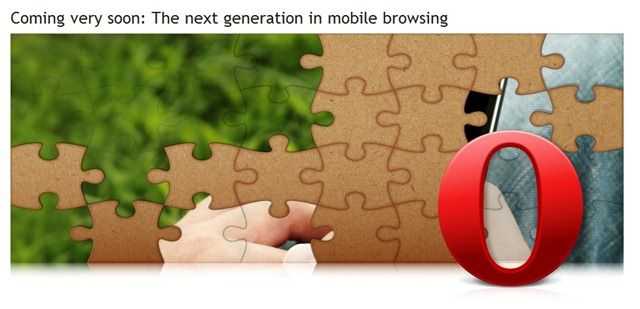
It’s a question that Opera is going to answer very soon. The next generation in mobile browsing. There are few clues from Opera as to what it could be but Will Park of Into Mobile has had a preview and he says that the headline will soon make sense. The puzzle is gradually being completed (the image is being completed) as time goes on at the Opera teaser site. Right now you can see the right-edge of a device being held in two hands. The ‘alt’ text for the image is ‘Opera Next.’

operanextgen

Is it going to be a new Opera Mini or Mobile product and what features would take it to the next level? Opera has already pushed the boundaries with their proxy, widget and sync features so what could be next? Touch friendly UI? Flash 9.5?

Support for more operating systems (Android has been promised) would be good but that’s hardly groundbreaking. How about location-enabled browsing? will the next Opera Mobile or Opera Mini app include the Geo API? Will Park says that there are clues in the teaser page and references ‘source code.’

Personally I think we’re looking at Opera Unite for Mobile based on what I read at GigaOM last week.

If Opera reveal one piece of the puzzle per day, we’re looking at a completed picture on Monday 28th September.

Google Chrome OS. Round-Up, Podcasts, Thoughts.

Tags: , , , ,


chrome_logo On the 7th July, Google announced that they are developing an operating system called ‘Google Chrome OS.’

“Google Chrome OS is an open source, lightweight operating system that will initially be targeted at netbooks. Later this year we will open-source its code, and netbooks running Google Chrome OS will be available for consumers in the second half of 2010.”

“…redesigning the underlying security architecture of the OS so that users don’t have to deal with viruses, malware and security updates”

“..Google Chrome running within a new windowing system”

“…Google Chrome OS will run on both x86 as well as ARM chips.”

The world of Internet journalism went mad and Techmeme lit up as a result of the announcement. Thousands of blogs responded too. It was quite an interesting response for what is essentially another Linux distro. Perhaps it reflects the desire for a real consumer-level alternative out there. It certainly proves the power of the Google brand and that could be the most important aspect of the whole product.

Read the full story

Thoughts on proxy browsers.

Tags: , , ,


This post is based on some notes I made in 2008. Following the release of the Opera 10 ‘Turbo’ preview client and the announcement of Opera Mobile 9.7 with ‘Turbo’ (Proxy) option I thought it would make sense to publish the notes.

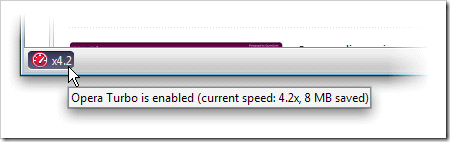
turboOpera 10 preview with ‘Turbo’ Option

Disadvantages of Proxy-based browsers

  • Scalability. Size of server farm. Global distribution?
  • Business model – Pay-for browser or will the operator ‘tweak’ advertising? Carrier controlled server farm? Free value-added service by carriers?
  • Security. SSL terminates at proxy?
  • Privacy. Data mining and sale of data. Police access to browsing records.
  • High latency
  • Accuracy can’t be guaranteed
  • Single point of failure
  • Net neutrality – You lose geo targeted advertising and content.
  • Geographic focused content (geo-restricted content could leak E.g. Hulu. Geo targeting fails)
  • Plugins (in-line WMV, flash 10 etc)

Advantages of Proxy browsers

  • Far more efficient bandwidth utilisation
  • Reduced time to display full content (on lower bandwidths)
  • Lower client processor requirement (battery life saving)
  • Content reorganisation for the target screen.
  • Easy to implements system-wide safe browsing controls. (Can also be regarded as a walled-garden and marked as a ‘disadvantage’)

Legal question. Are proxy services republishing content with modification? How can content owners be sure their content (including ads) is presented as they wanted it? Can they prevent proxy services from using their content?

List of proxy browsers.

I’m a fan of both proxy and client-based browsers and as such, a browser like Opera 10 with the ‘Turbo’ option really interests me. It would save data when I’m roaming or on a limited data plan and would speed up the display of information when in low bandwidth or on low-cpu situations. For the smartphone or MIDs based on ARM, the Opera Mobile solution with ‘Turbo’ (option again) seems to be perfect too. I also like the idea of an intro-level unlimited browsing service that can be tacked on to a users cellphone account for little-to-no cost thus introducing people to the advantages of having the Internet in your pocket. As a content producer i’m a bit worried that my geo-targeting will suffer but if it introduces people to the idea of Internet on the go, I’m more than happy.

Turbo-Enabled Opera 10 Preview Available

Tags: , ,


I love the community we have here.  Just 60 minutes after posting about Opera Mobile 9.7 and mentioning that it would be interesting to have a desktop version with Turbo, Hrundik drops a comment in to say “Opera Turbo preview for desktop is already available.”

And sure enough, there it is in Opera Labs for Windows, Mac and Linux.

UMPC users, this is something you have to have in your toolkit. Turbo Mode is going to save you bandwidth (if you’re on a restricted data plan) and speed up your browsing (if you’re on a slower connection.) I think it’s also going to reduce the CPU usage on rendering pages as the ‘Turbo’ servers do most of the work.

I’m off to do some testing. If you’ve already discovered Turbo-enabled Opera 10 preview, let us know how your testing went.

Opera. Turbo-Charged and LiMo luvin!

Tags: , ,


I just wanted to round-up a couple of Opera-related news items that have come through the wires over the last few days. The first is an announcement about a ‘Opera Turbo’ and the second is an announcement that Opera are joining LiMo.

The Opera Turbo announcement is one I’ve been waiting for ever since the 9.6 SDK announcement way back at IBC in September. It’s OBML support, now renamed and re-marketed as Opera Turbo. At least I think it is! OBML is the process/protocol that Opera Mini uses and all the diagrams and descriptions point to the same methodology although the OBML acronym isn’t actually mentioned anywhere in the documentation.

operaturbo

What it means is that you could have one program for both WLAN and WWAN-based usage. If you find yourself in a 2.5G area or your data is being charged on a per-byte basic you can just switch to turbo mode and carry on with your familiar browser using a compressed, proxied service. The best of both worlds!

More details on Turbo in this white paper. (PDF) Press Release

The second announcement came today and informs us all that Opera has joined LiMo the Linux-based mobile software foundation (who also made announcements today.)

Opera Software today announced that it has joined the swelling ranks of mobile Linux leaders in the LiMo Foundation. Opera has a long history in developing its browser for the Linux platform and by joining this mobile Linux community the company hopes to contribute to the advancement of open and accessible mobile phone technology.

Opera’s ‘One Web’ vision revolves around the hope for a single, pervasive Internet, available to anyone, anywhere. By working closely with LiMo, Opera can ensure absolute compatibility with this platform, enabling easier development and faster time-to-market. Together, Opera and LiMo plan to nurture richer services, better user experiences and more affordable devices in the mobile industry by adhering to open standards-based development.

Joining LiMo might not exclude them from joining other organisations but it certainly sends a strong message out to Moblin and OHA.

Press release.

WM Smartphones get a Full Web Bashing.

Tags: , , , ,


wmphones Gizmodo have just completed a browsing speed and accuracy test with three high-end windows mobile devices using Pocket IE and Opera 9.5. The results should hardly be a surprise. There isn’t a single reasonable result among them with page load times well over a minute in many cases and very few of the devices rendering the pages well.

In the test, Gizmodo used the Sony Xperia, HTC Fuze, Samsung Omnia and Samsung Epix. Some of the newest WM-based phones you can buy.

Opera 9.5 appears to have turned in a better level of quality and speed than Pocket IE but there’s still a bunch of ‘fails’ in there which would turn off anyone thinking of relying on the given combo.

We’ve done similar tests here in the past which have proven that, on average, with some of the best ARM-based devices you can find and under good conditions, average page load times are twice as long when compared to on low-end ultra mobile PCs. We’ve even done some extensive Opera Mobile 9.5 testing and can confirm that while it does render well, it needs a lot more horsepower underneath it than the average smartphone can provide. Nothing in the smartphone world, including the iPhone, comes close to the speed and accuracy of even the lowest-level UMPC or Intel-based MID so once again I hear myself saying; If you or your business relies on fast, accurate access to Web-based resources through a browser, don’t risk problems or waste time by using a sub-standard solution. Don’t try and push everything onto one device. Buy a dedicated device. If not for the speed and quality, do it to preserve battery life for your important voice calls!

Take a read of the article and the HUGE bashing that WM gets from author, Matt Buchanan. Its a fun read!

Source: Gizmodo Via Friendfeed

Save battery life, time, the world! Use a script blocker.

Tags: , ,


Admittedly, its not difficult to imagine a scenario where less CPU cycles result in less power drain and this method isn’t going to magically extend your battery life by much but its nice to see the theory tested to the extreme.

SecTheory.com took a notebook PC, a couple of browsers and measured the battery drain on the Top 100 Alexa sites. They then took the worst offenders, that is, the ones that took the most power drain, and blocked script and ads using NoScript and AdBlock Plus. The results were quite significant. On a Dell Inspiron B130 notebook, with a 1.5GHz Celeron M processor and 1 Gig of ram, running fully patched Windows XP SP2, the power consumption when browsing the worst offending sites dropped by 11W, a 20% reduction. If its a 25W TDP CPU we’re talking about here, I can believe the results because browsing website has grown to be a very CPU intensive task.

The effect would be much less on netbooks and UMPCs but I would expect the same test to save 1W average which is about 10% – about 15 minutes for a device with a standard battery. Of course, its not really normal to be picking the worst offending sites and continuously hitting them either. Under normal browsing use, you probably wouldn’t notice any difference but there’s something else you need to be aware of.

Script not only takes CPU and battery life, it takes time. Time to execute, render and in some cases, time to fetch the remote code. By disabling script you significantly improve browsing speeds on low power devices and by definition, you save battery life. I tried it a few weeks ago with the noscript plugin and I’ve seen many comments on UMPCPortal from users that also use the technique. It really works! You lock yourself out of application sites like Google reader initially but it doesn’t take any effort to enable exceptions for these sites as you go along. No more hung page loads waiting for remote sites to time out. No more of those terribly annoying auto-start video ads that make browsing on a low-end PC a misery. There’s even an improvement in security. Its a win-win-win!

Try it. Install the noscript plugin and see how you get on. Yes, I risk killing all of my advertising income if everyone does this on all their devices and I’m sure there are bloggers out there that will read this and cringe but I trust you’ll only use it on your netbooks and umpcs and put the exception in for your favorite sites! Long live the choice between simple html and web2.0!

Source: Sectheory.com

Aigo MID. Browsing and Video Experience.

Tags: , , , ,


As you might have seen from the initial hands-on review, the Aigo MID brings a new level of Internet browsing to the pocket.

The results beat a previously tested set smartphones and other pocketable ‘Internet’ devices by an average 9 seconds per page. In terms of Internet browsing performance, it blows the N800/N810 out of the water and even the iPhone only averages 20 seconds per page over WiFi. [Aigo averages 12 seconds] The only pocketable device that gets close is the new Archos 5 with an average, over a similar set of tests, of 15 seconds.

It does pretty well on video playback too with higher-bitrate files really taking advantage of the high-quality screen. Its just a shame that the media software is so basic. In my opinion, Video, Search and Browsing are the most important elements of a MID’s capabilities so lets see how the Aigo P8860 performs. Videos and notes below…

Read the full story

Pocket Internet Explorer 6. Another Browser with no Hardware!

Tags: , , ,


pie Its nice to see that we might not have to wait too long for a better browser as part of Windows Mobile but is this going to be another case of ‘nice software, shame about the hardware?’ I say that because it was the conclusion I came to with Opera 9.5 a while back. The accuracy, UI and features were vastly improved but the bottle-kneck is the processor. There’s really no way around it. To convert todays very complex html, script and media that arrives through your Internet connection into a useable screen of information takes a lot of transistor switching. ARM9 and ARM11-based devices just don’t have that power. ARM Cortex and Atom do.

Show me a ‘Pocket PC’ a-la HTC Universal (left) with a 4.5″ 800×480 screen, 3G and Wifi, WM6, 5-hour online battery life, running on a a Cortex A8 core and we can talk. The Archos 5 does a fairly speedy job. The Open Pandora device too so we know there’s no hardware limitations. It’s just a case of putting the right software with the right hardware!

Source: Download Squad

Archos 5 browser speed shows promise.

Tags: , , , , , , ,


‘Faster over fuller’ is the expression Jenn uses to describe how consumers want their browsing experience and I tend to agree. Personally I want Firefox 3+add-ons for my browser as it’s long my most important piece of software but I’m not most consumers. A consumer MID doesn’t need to be 100% FIE for most people but it does need to be close.

3mids

The browser on the Archos 5 is, relative to existing consumer and smartphone-based browsers, a big step forward in the eyes of most people that have tested it so it’s nice to confirm it with some stats. Jenn has lined-up the Archos 5, the iPhone 3G and the Nokia N810 in a browser speed test and overall, you’re seeing page load times 1.5 times faster than an iPhone 3G  and about 1.8 times faster than a Nokia N810. But is it fast enough? MIDs and low-end UMPCs are likely to beat these times and return more accurate results but does the difference really matter?

What we’re seeing here is proof of, not just a fast new Archos device, but how the ARM Cortex core could improve the Internet experience. In this case, the ARM core is sitting on the Ti OMAP platform but Ti aren’t the only people using it. Intel really do need to watch their backs in this territory now because they’re not fighting against relatively small companies like AMD and VIA here, they’re fighting against the huge ARM ecosystem and they certainly know a thing or two about mobile hardware and software.

Read about the 3-way test at Pocketables.

Google Chrome Beta. Initial tests not good for UMPC users.

Tags: ,


What’s the most important browser feature for UMPC and Tablet users? Touch screen scrolling. Grab and Drag is the name of the game and if I can’t have that feature on my browser, I’m losing a ton of capability.

chrome

That’s why I’m disappointed with Google Chrome, the new browser from Google. It works well on the desktop with fast speeds and a great ‘most visited’ overview page but on a UMPC its nowhere near as useful as Firefox 3.

I’ll be testing it further over the next day or so but I’m finding it difficult to tear myself away from Firefox 3.

Other notes:

  • No full-screen.
  • No grab and drag.
  • Text zoom only
  • Fast
  • Per tab processes should help with page error lock-ups.
  • Overview feature very nice.
  • Have spotted an Ajax error with the product database here
  • Javascript handling seems to be fast
  • Incognito mode will be good for certain people!!

Anybody else done tests yet?

New Web Browser. Chrome ‘Beta’ from Google. has Webkit and Mozilla roots. Google Window I suspect.

Tags: , , , ,


Breaking News (Meaning I don’t have much information at this stage!) Google have just posted confirmation that they will launch a new browser tomorrow (3rd Sept.)

On the surface, we designed a browser window that is streamlined and simple. To most people, it isn’t the browser that matters. It’s only a tool to run the important stuff — the pages, sites and applications that make up the web. Like the classic Google homepage, Google Chrome is clean and fast. It gets out of your way and gets you where you want to go.

That doesn’t sound too exciting but if its Ajax-focused, it could be interesting for mobile users. Its a hash of Firefox and Webkit by the sounds of it.

We’ve used components from Apple’s WebKit and Mozilla’s Firefox, among others — and in that spirit, we are making all of our code open source as well. We hope to collaborate with the entire community to help drive the web forward.

I’m looking forward to trying it out, testing its capabilities and speed tomorrow. Stay tuned for some UMPC-based Chrome action! Questions to be answered:

  • Is it fast for ajax?
  • Does it support grab and drag (our fave) plugin
  • Is it just a google-focused window to Google apps?

More comment from Matt Cutts (Google.) More official info at the Google blog,

Update: Chrome is now available for download. Have installed on desktop and don’t see any way to ‘grab and drag’ or fullscreen or do any sort of plugin activity. That will kill it for most people I think. What exactly are they trying to achieve with Chrome?

Opera Mobile 9.5 Beta. good, but where’s the hardware? Review and Video.

Tags: , , ,


ipaqom9.5

[This is the second in a series of 3 articles. See previous article here.]

After more than 6 hours of learning, playing and testing on various devices, I’ve come to a decision about Opera 9.5. Beta. It’s technically a great browser with a very good user interface. Unfortunately though, there’s a core problem out there that’s out of Opera’s hands. Hardware. Opera does a good job but limited processing power and small screen sizes and resolutions hold it back from presenting a full Internet experience.

In this review (video below) I’ll be looking at Opera Mobile 9.5 Beta on the iPaq 214 (see previous article for information on the iPaq 214) from a mobile computing perspective. I’ll be comparing the browser to what I’ve seen on MIDs and on Ultra Mobile PCs. In effect, I’m comparing it to the desktop. Not fair you say? I think it is. Mobile devices are now capable of running desktop software and full desktop browsers at impressive speeds. For many, the slower, although cheaper, mobile Internet experience offered by many consumer devices is probably good enough but if you rely on your browser for more than just browsing, you’ll want the fastest and most accurate mobile browsing platform you can find. In the near future, consumers are going to be more demanding of their mobile browsers too. Unfortunately, as I write this, there are very few Windows Mobile devices out there that have the screen-size and processing throughput, from network to rendering, that are able to offer users the chance to experience modern web pages, AJAX applications and to come anywhere near to a desktop-standard browsing speed. Opera 9.5 doesn’t appear to be any more efficient than it’s predecessor either. It has some other issues too issues which i’ll highlight here but please note that this is Beta software. While we are unlikely to see any more features (apart from the ones listed as disabled in the beta here), there could still be bug fixes and optimizations to sort out.

Read the full story

Opera Mobile 9.5 Beta is live.

Tags: ,


If you have a Windows Mobile device and have any interest in a better Internet browsing experience, you should check this out. If your device has flash lite support (v3 I think is needed here) then you shuld be able to watch in-line flash videos. If not, you wont get that support.

Phone Arena have a hands-on and video.

even with our old HTC Wizard with TI processor at 200 MHz and modified WM6.1 OS, browsing a page is a pleasure, compared to doing it with IE

I’m sure there’s be lots of hands-on reports over the next week. I’ll be doing mine as soon as the iPaq 214 turns up. Expected tomorrow. (Unless I can steal my wife’s WM device!)

Download via this link

Via GottabeMobile

Opera Mobile 9.5 Beta Delayed 48hrs.

Tags: , ,


The software that could resurrect Windows Mobile devices as acceptable Internet browsing tools is delayed. Or at least the beta is delayed.

Apparently there’s a few bugs they want to iron out before they release the s/w so you won’t be able to download it until Thursday. Its OK by me as the 624Mhz, 4" VGA iPaq 214 that I was going to borrow to test it out hasn’t turned up yet.

Via The Unwired.

Firefox 3 download day World Record attempt.

Tags: ,


Firefox is my recommendation for any device running a ‘low-end’ platform due to its speed and reduced memory footprint and I encourage everyone reading this website to make sure they test out the release candidate ASAP and download the final  version when its  available. If the fact that it’s fast isn’t enough for you, how about being a part of a world record attempt?

ff3

Mozilla wants as many people as possible to try and download it in the first 24 hours of it being available.

Via The Register, who point out that there is no current record holder for this new category.  Hmmmm!

Speedtest. Firefox 3 Recommended for UMPCs and Netbooks

Tags: , , , , , , ,


ffumpc

Most, if not all of you reading this will have heard of the Firefox browser and many of you will have tried Firefox 3.0 beta. I held back from using it for a long time because it was beta software but the latest release candidate seems stable and has me converted on all platforms now. Firefox 3.0 is fast. Firefox 3.0 is memory efficient. Firefox 3.0 has great features and overall its a clear winner on UMPC and netbook platforms, especially when using online applications.

Like Safari, it appears from my test results that Firefox 3.0 can process java-heavy pages on a Ghz-class UMPC faster than the data arrives over my 6mbps Internet connection which means that for rich Internet applications, the bottleneck is at the remote server and there’s very little else you can do to speed up the experience. Apparently, java processing in FF3 is many many times faster than in version 2 so this explains the big improvement with online applications. Not only is the speed improved but there are some great features that will appeal to UMPC users too. But first, here’s some test results. I took 5 devices and ran speed tests on 3 browsers [*1] using reader.google.com as the target page. It’s a java-heavy page and there’s no flash or major numbers of images to process but its typically my slowest-loading browser application. It represents a typical online application and for web-workers, its a good, tough benchmark.

More info after the jump…

Read the full story


News Discussion

Commenting continues long after an article has left the front page. Keep up with the latest updates on our discussions page

Become a Member of UMPCPortal

Join the forum and join us for discussion about all aspects of ultra mobile computing. Ask questions about devices and usage scenarios and learn from owners and experts. Join up here. If you're already a member, login here.