


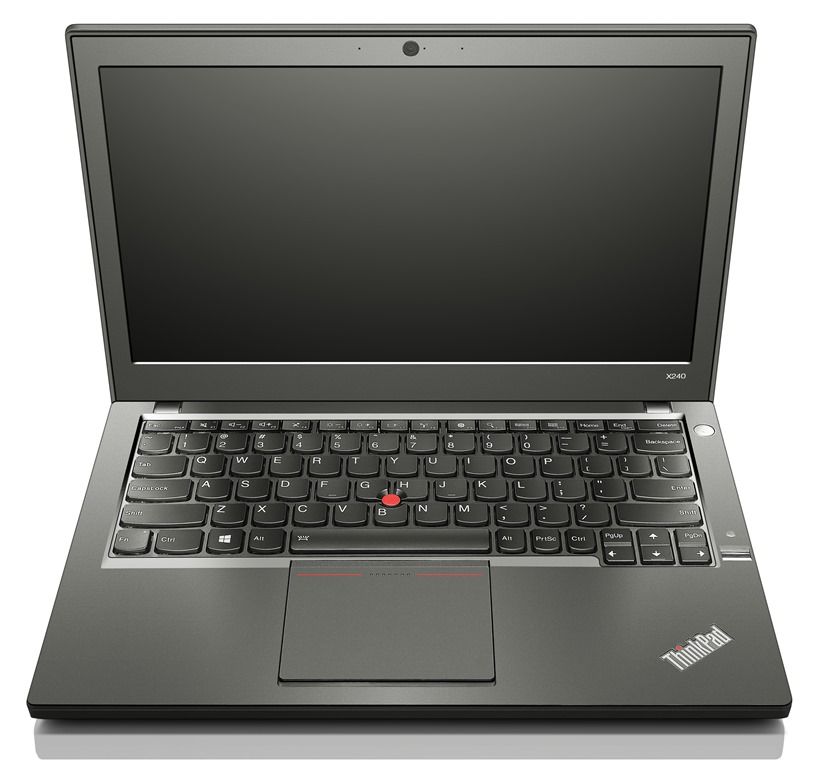
Lenovo launched five new Thinkpads today. We’re taking a closer look at each one in turn. First-up is what we consider to be the one that embraces what we love about Ultrabooks. High mobility, long battery life and lots of technology that helps to ‘get things done.’ The Lenovo Thinkpad X240 will replace the X230 and offer Ultrabook builds on the 15W TDP Haswell processors.
The Lenovo Thinkpad X240 has been re-designed to replace the X230 and includes a smaller screen bezel, a larger trackpad and a hot-swap battery feature called power-bridge which, like the Panasonic AX, allows swapping of a replaceable battery while the internal battery takes the load. External batteries will be offered in various sizes up to an impressive 72Wh.
The X240 will have CPU and panel options that go outside the current Ultrabook standards (a confusing Ultrabook line-up that Dell has also achieved with the 7000 series) but as always, if you’re in the right country or buying the right quantity, you’ll probably find the combination that suits you. A full-HD panel is available, by the way.
As for storage, it’s not clear if all the HDD options (up to 1TB) are SSD-boosted. A One-Link dock connector is included, as on all the new Thinkpads. Backlit keyboard included.
Weight: Under 3lbs. Thickness, 20.3mm.
A closer look at the trackpad shows a big change in the button design. Lovers of the Trackpoint hardware buttons could be disappointed.
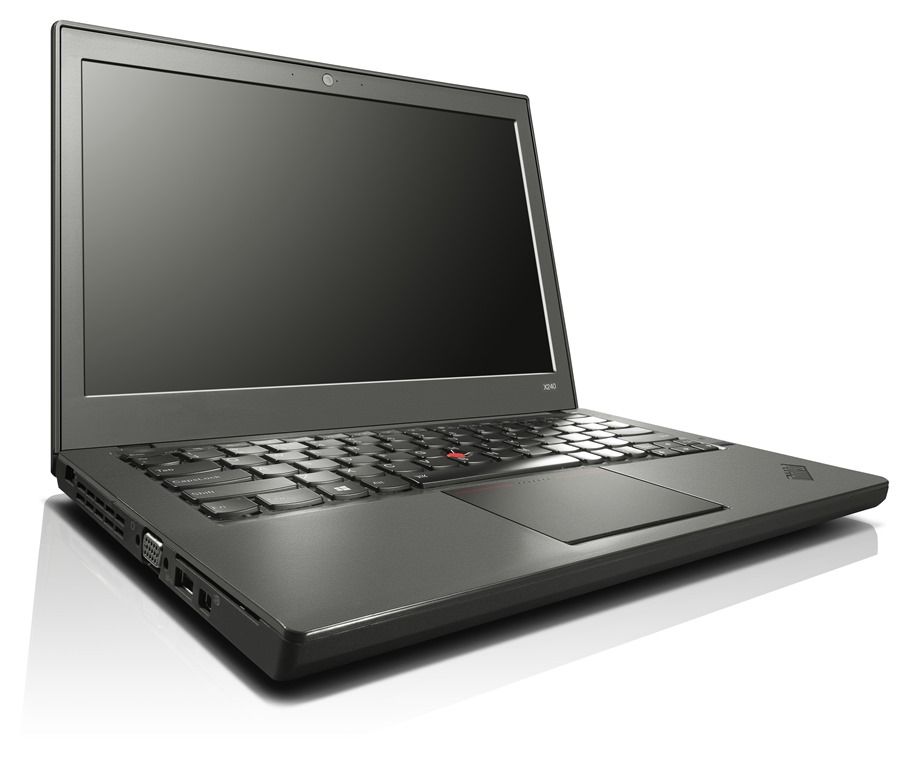
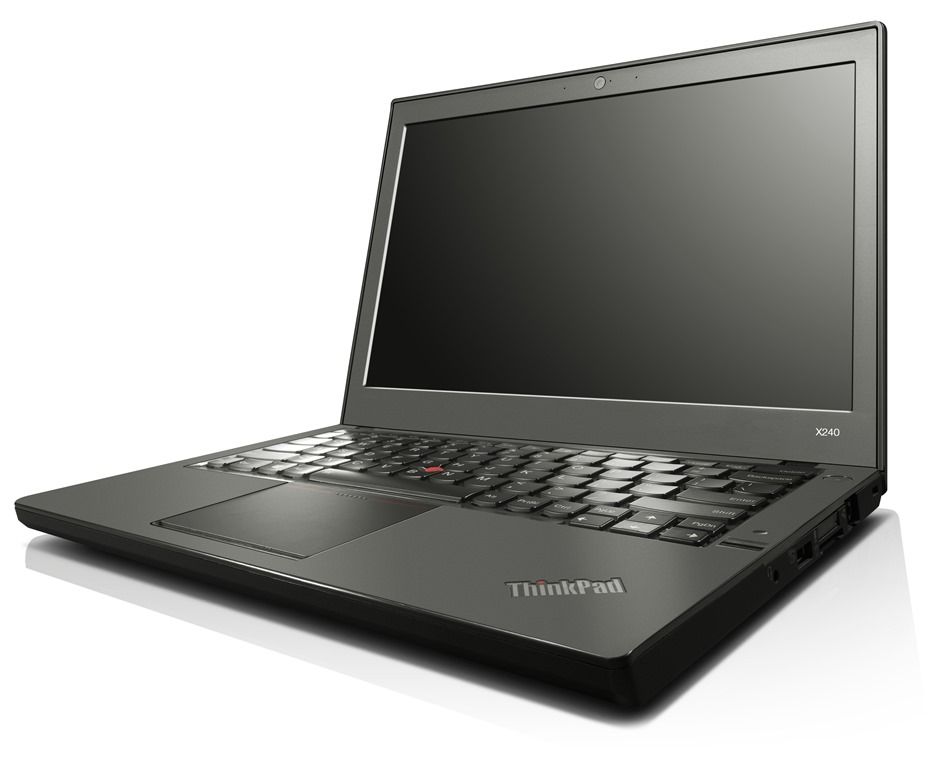
Ports visible on the press images are:
- VGA port
- DisplayPort
- USB 3.0 (x2)
- Smart Card Reader
- Ethernet
- SIM Card slot
- Docking Port
- Fingerprint reader
Not visible on any images are an SD card slot although this is said to be one an external dock along with the HDMI port. This could be a problem for some. (source: PCPer)
The ThinkPad X240 is available starting end of October priced from $1099.
Overall, the move to Haswell is going to be interesting for anyone looking for a new business-level ultraportable. The Full-HD panel on a 12.5-incher could be productivity-boosting for some too. We’ll get some hands-on with this at IFA next week and bring you more information and confirm the details on the docked ports. Until then, what do you think?


















Well, looks like I’ll be looking at the Dell Latitudes more closely now.
Due to buttonless trackpad?
Any mention of a x240t?
No. Sorry.
Will the X240 has option for 16 GB RAM and user upgradable mSATA SSD?
Well I guess that it’s cheaper to upgrade the RAM yourself anyway… I put 16GB on my X230.
Removing the trackpad hardware buttons is a stupid move though, as removing one USB port !
I hope that the batteries are still compatible.
They also could have moved the Ctrl button in the corner !
Power-bridge is a great idea.
Oh I just noticed that you can’t put the slim batterie underside anymore !!! what a pity…
Energia s?oneczna jest aktualnie odk?d ogromnie dawna ,
aleilo?? ludzi korzystaj?cych spo?ród tego jest pó?niej nies?ychanie ograniczona.
Nale?y dodatkowo posiada? ?wiadomo??, ?e bigiel s?oneczna owo nie tylko pr??ny a? do tworzenia energii elektrycznej a? do domu
, jednakowo? przypuszczalnie egzystowa? dodatkowo ?ywy jak wybór gwoli
ogrzewania domu. Inn? rzecz?, wielu ludzi nie s? ?wiadomi , i? istnia?y
cywilizacje , które skorzysta?y z energii s?onecznej , ?eby móc
ociepla? swoje domy w zimie. W tym artykule b?dziemy bra? coraz lepsze pogl?d
na energii s?onecznej , kiedy wykorzysta? owo natomiast
to, co prawdopodobnie egzystowa? wykorzystane a? do .
Podstawy energii s?onecznej jest po prostu zgromadzi?
t? energi? , ?apa? go w akumulatorów w tym momencie jeste?my w stanie owo skorzysta? w celu dostarczenia energii elektrycznej do naszych domów .
Powiniene? i wiedzie?, i? nie lecz wci?? s? ich pe?ne s?onecznych pakiety s? w
stanie przerwa? zakupu , wszak jest dozwolone i wyszuka? programy w Internecie , a?eby pokaza?, kiedy konstruowa? systemy te samodzielnie.
G?ównym powodem, ?e kadry wykorzystuj? te systemy
owo na to samo dlatego, i? odkryli , ?e mog? przerwa? oszcz?dzaj?c mnóstwo pieni?dzy ka?dego miesi?ca od ich kosztów energii elektrycznej .
Trzeba powiedzie?, ?e powiniene? dysponowa? ?wiadomo??, ?e jestwielk? zalet? w pobli?u u?yciu energii
s?onecznej na ?wiecie , albowiem b?dziemy zmniejszenia naszej stosunki od czasu zasobów naturalnych
. Inn? rzecz?, któr? powinni?my pami?ta?,
jest jednym z g?ównych powodów, dla osób nie korzystaj?cych z tej technologii jest to,
i? nie chce mie? panele s?oneczne na dachach .
I dla tych ludzi, b?dziesz zadowolony wiedz?c, i? s?
one chwilowo co gontów , które mog? skorzysta? co niemiara s?o?ca
, a twoja osoba nie b?dziesz musia? si? martwi? o du?ych paneli s?onecznych
produkty na dachu . Co oznacza, i? ??zamiast
tradycyjnych paneli s?onecznych systemów, które
niektórzy kadry znale??du?e oraz brzydkie, mo?e po prostu pomie?ci? nowy gra? na domu za?
pos?ugiwa? si? spo?ród mocy s?o?ca. To po prostu
ma istnie? wysoko maleje Homes zakresy dwutlenku w?gla
wynika. Dla dodatkowej informacji na przedmiot powik?a? ocenionych w ów nadruk w jakim celu
nie mo?na sprawdza? t? fantastyczn? przydatnych
zasobów witryny
That’s a solid proposition but I know old school users might be getting irritated by the changes in design, CPU architecture and the trackpad. I think Lenovo needs to resist the pull of the oldschoolers and essentially move into a more innovative territory. X240 looks, feels and works just fine for its price range and application.