


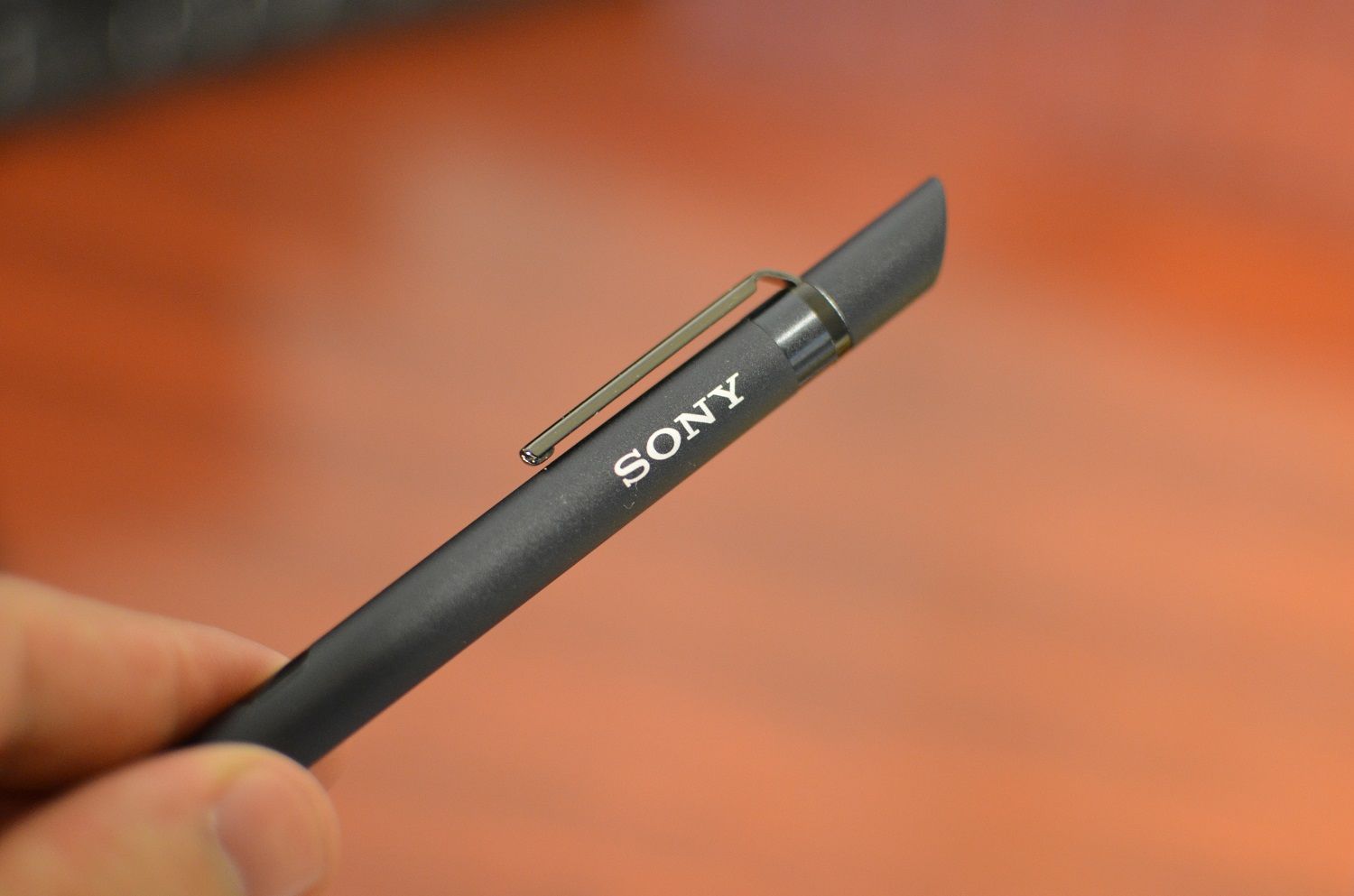
Chippy brought you an initial look at Sony’s new Vaio Duo 13 Haswell Ultrabook convertible, and now I’m digging deep to suss out the details. First up is a look at the stylus and how it works with the unit’s N-Trig active digitizer touchscreen. I’ve got a 25 minute video for you, showing the in’s and out’s of the Duo 13’s stylus. One unfortunate detail that I’ll tell you up front is that the stylus does not work properly with Photoshop… or perhaps Photoshop does not work properly with the stylus….
Note: Windows reports that the Vaio Duo 13 has “Pen and Full Windows Touch Support with 5 Touch Points.” Many capacitive touchscreen Ultrabooks without an active digitizer (stylus) support 10 touch points.



















I kinda like that it has a 5-point touch capability. I mean, how many scenarios other than piano app is there to use more than 5 fingers at once? Most of the UI capabilities only require 2 fingers. Ideally we would see UI and applications give full support and use for 10-point touch, but in reality its just a waste of features and money to have more than its actually used.
Is there really no Duo 11 refresh with thinner bezels and lighter weight? I can’t see myself using touch on a 13.3″ notebook. 11.6″ is already pushing it.
I’ll even settle for the 4.5 W SDP chip that’s permanently set to perform at SDP.
I’m waiting for an 11.6″ or smaller slider that has a mouse (rubber trackpoint preferred) as well. The Duo 11 was too bulky and heavy for an 11.6″ device so I waited for the sequel. Too bad it’s not coming. Let’s hope another OEM comes out with one.
I’m holding out on an 11.6″ slider with a mouse/trackpoint too. Maybe even a 10.1″ one with a Bay Trail Atom unless a Core CPU can fit into one without sacrificing battery life and doesn’t have heat issues like that, likely expensive, 4.5 W SDP Core chip.
With an Atom one, I might be able to set the device on a couch, rug or some other non-hard surface during my travels (mostly non-work). Looking forward to seeing how Bay Trail performs.
Of course, I hope it has a good WiFi configuration as well.
Any rumors of smaller sliders with mice? I’m not an artist nor do I do any CAD stuff where a larger screen with an active stylus would help. I’m just a regular consumer/end user who would like a fairly small and light notebook/tablet device and I really like the slider form factor.
I’ve played with the Duo 11 but it was too big and heavy for something with an 11.6″ screen. Also, the screen angle wasn’t adjustable for better video chat positioning and it seemed fragile. I really liked the sheet battery though. I can see using it for several occasions.
I hear Wacom has a longer distance when the stylus is detected by the device. The stylus doesn’t use a battery either.
I’m also not an artist nor an inker so I don’t really care about the stylus’ performance but if Sony is targetting this towards professionals and enthusiasts wouldn’t you think they should have gone with Wacom? For regular consumers like me, the stylus will mostly go unused or just get lost somewhere.
I wonder if Samsung is getting some sort of discount because all their Note phablets/tablets have Wacom digitizers. Although, most people I know with Notes don’t even use it.
Samsung bought 5% stake in Wacom earlier this year, just google “samsung wacom shares”.
I can’t help but think that has something to do with manufacturers like Sony choosing a stylus that does not work with Photoshop – an obvious usage scenario of a stylus.
Perhaps I’m getting old. I keep seeing example after example of profit for a few people getting in the way of what’s good for everyone.
Thank you for doing a first hand user review of the N-Trig pen utilized by the Sony VAIO Duo 13… …I was surprised to have actually learned a few things; not of the N-Trig digitizer, but about Evernote which I’ve never used.
With that said, I would like to make a request; could you install Sculptris from Pixologic ( http://pixologic.com/sculptris/ ) and inform your readers/viewers if pressure sensitivy works with it.
It is really, REALLY, hard to find information about the N-Trig stylus and what creative 2D and 3D applications actually work with it.
All you ever hear about is the lack of pressure support Adobe Photoshop and Corel Paint. But there must be applications, besides ArtRage and Autodesk Sketchbook Pro, that do have native support for the N-Trig.
There are a lot of creatives out there looking for a tablet PC that will let them run a full suite of drawing, painting, design, modeling, and animation software. Thus far, the Sony VAIO Duo 13 is the most promising; except for the lack credible information about what is supported by N-Trig pen.
The stylus is beautiful. No eraser on the back – shame. Stylus stand – love the idea.
Handwrite has to be super snappy, fluid and smooth. Wacom does a good job in this department. I’ve been always hearing (and seeing on video reviews) that N-Trig does not and that it’s hardware produces jaggy digital ink. This one here, however, looks smooth and fluid.
Full disclosure – I’m in love with wacom stylus on my samsung ativ 500T. Some heavy digital inking. Pysics student here.
It’s remarkable designed for me to have a site, which is beneficial designed for my experience. thanks admin
Can you touch the screen with the hand, while you using the stylus? I mean, it`s the same way as the galaxy note 10.1? I got one, and it does not recognize hand or arm touching the screen while a handwriting note.
Cheers !!!!
@Rodrigo, you can rest your hand on the screen with your hand while using a stylus if the screen has a digitizer, like this one does. In other words, while you’re using the stylus, it will not register hand input.
Fantastic goods from you, man. I’ve understand your stuff previous to and you
are just extremely excellent. I actually like what you’ve acquired here,
really like what you’re stating and the way in which you say it.
You make it entertaining and you still take care
of to keep it smart. I can’t wait to read far more from you.
This is really a wonderful web site.