


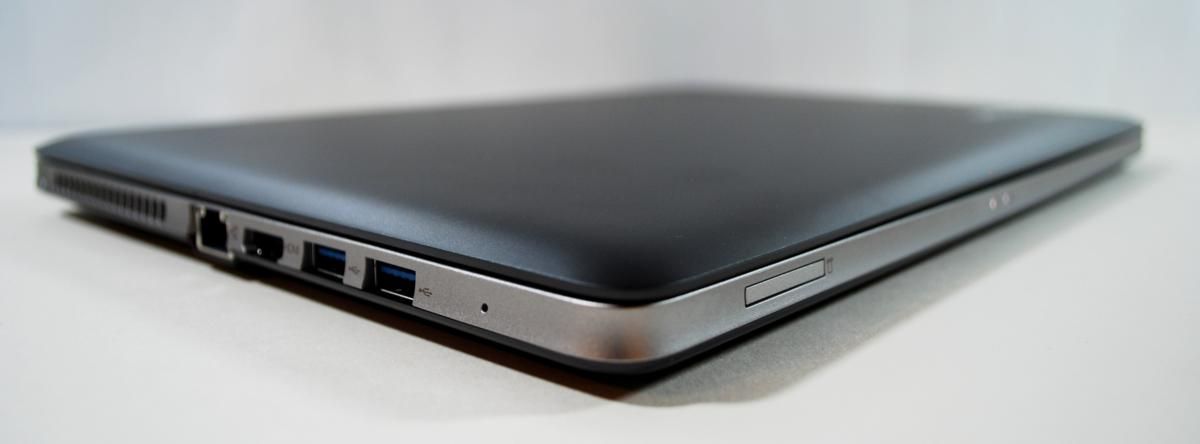
We’ve got the new Lenovo IdeaPad U310 Ivy Bridge Ultrabook on hand for testing. The U310 is the successor to the U300, it’s a second generation Ultrabook with an Ivy Bridge processor featuring HD4000 graphics. This is Lenovo’s entry level Ivy Bridge Ultrabook and can be had quite inexpensively (see the current price in the last section of this article). If you’re looking for an inexpensive back-to-school Ultrabook, the U310 should definitely be on your consideration list. You can find the U310 with a Core i3, i5, or i7 processor. Here are the specs of the model we’re testing:
- Intel Core i5-3317U @ 1.7GHz
- 4GB of RAM
- 500GB HDD + 32GB SSD performance cache
- Windows 7 Home Premium
- 13.3″ screen at 1366×768
- Intel HD4000 integrated graphics
- 1.7kg
Out of the Box
Inside the U310’s box was the U310 itself, a fairly standard A/C adapter and really cheap slip cover, and a some documentation. The slip cover is made from a very thin and cheap cloth material and has a velcro latch. It’s really baggy on the U310 and doesn’t seem like it’s intended to be used for anything other than shipping. It’s a shame that Lenovo couldn’t have included a usable case instead of one simply for shipping.
Upon opening the lid of the U310 I saw that the bezel around the LCD panel was actually hanging loose near the webcam. This was a big disconcerting but I applied a bit of pressure and it easily click properly into place. This certainly doesn’t bode well for built-quality, but after fixing it I haven’t had any further issues with the bezel.
Booting the U310 showed a disappointing amount of crapware installed. Lots of advertising shortcuts placed on the desktop as well as a trial of McAfee’s ever intrusive anti-virus software. Thanks, but no thanks.
Around the U310
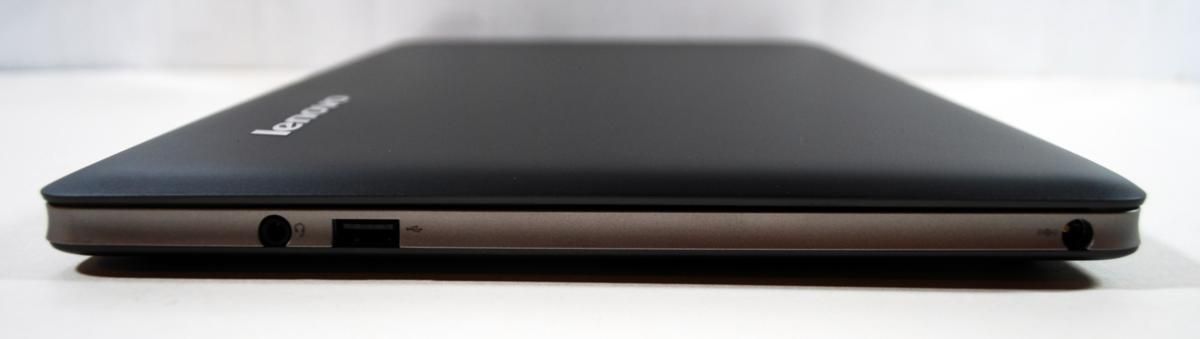
The U310 looks clean and modern thanks to it’s lines that run parallel to the ground. There’s a great balance of straight and curved lines, the result of which leaves the U310 looking serious but not too uptight. Thanks to a choice of colors, this design works equally well for the businessman (in graphite grey) as it does for the student or teen (in aqua blue or cherry blossom pink). The lid and the bottom of the U310 feel like they are made of metal while the palm-rest/keyboard area are made from plastic (though the plastic imitates the metal look well so at a glance you probably wouldn’t be able to tell). The look and styling is ‘premium’ but the build-quality feel comes shy of such a compliment; there is a decent amount of flex toward the middle of the keyboard — not an issue per se but alas it doesn’t quite earn the ‘premium’ moniker.
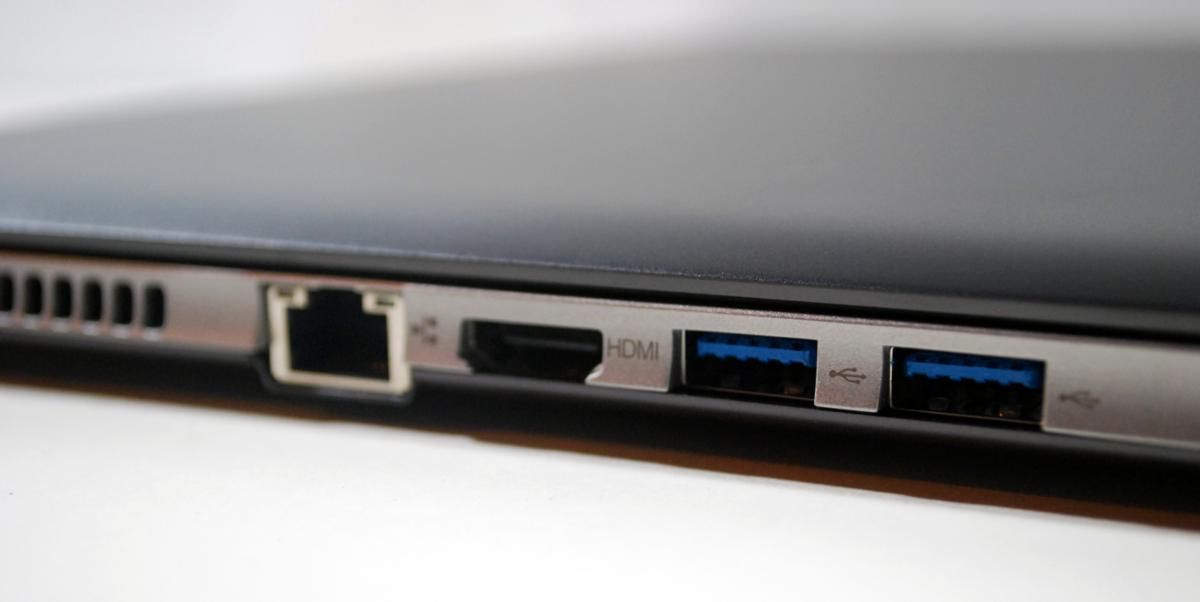
Around the Device you’ll find the following: full ethernet, full HDMI, 2x USB 3.0, 1x USB2.0, 3.5mm headphone/mic combo jack, as well as some vents and a one-touch recovery button. The one touch recovery button launches a utility which helps the user make a backup, create recovery disks (despite the U310 not having a CD-drive), or restore to a backup/factory restore.
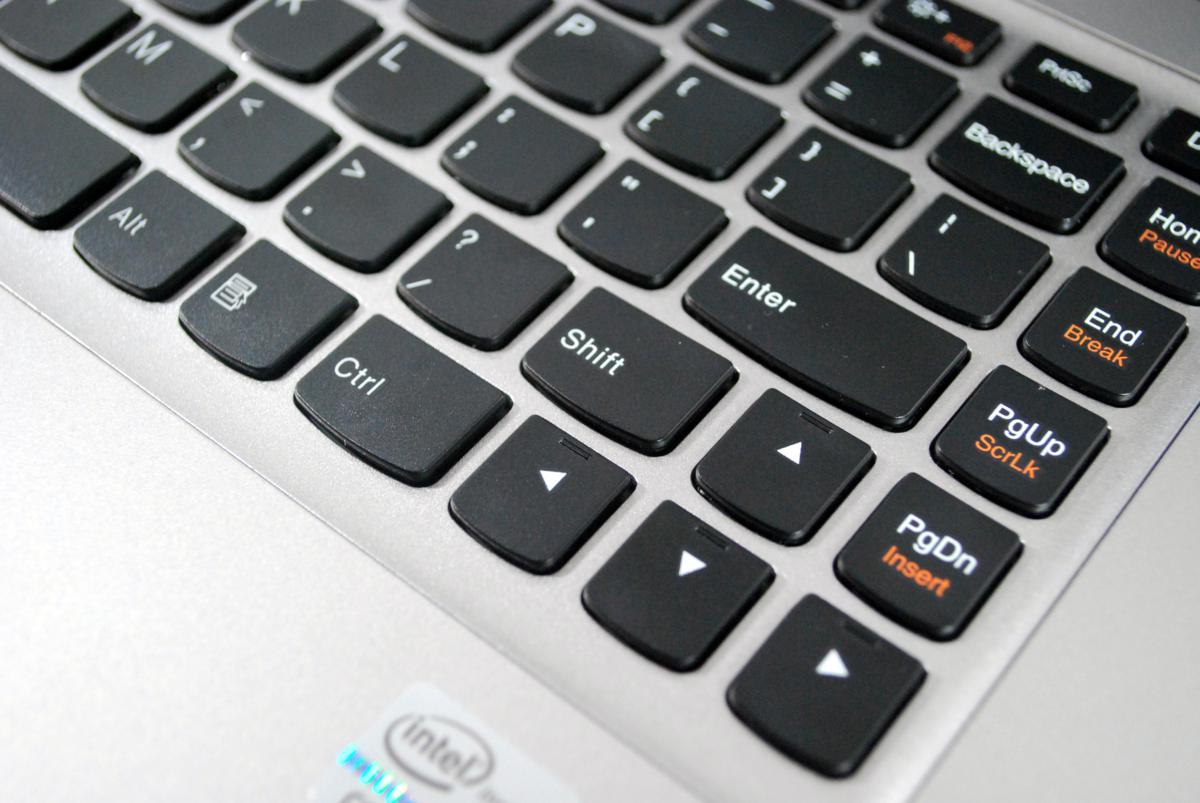
The keyboard feels great with responsive keys that have good travel. If I could steal the U310’s keyboard and put it on my UX31E I’d do it with hesitation! The F-keys are bound to functions like volume control, radio toggles, brightness etc. without the need to press Fn to activate them which I prefer. Using the Fn key will let you use the standard F1, F2, and so on. The backspace button and right shift key are a bit small for my taste. I don’t think this will prevent and real issue, but it might take a bit of time to get used to.
So far it seems that the fan is always on even when the U310 is in Energy Save mode. It isn’t loud, but I’m used to the UX31E which is silent most of the time. I’m currently looking into a way to turning off the fan when the computer doesn’t need it, but it would seem that the U310 engineers thought optimal thermals would be achieved if the fan were always running.
A lot of the built-in utilities, like those to manage WiFi or Intel’s Smart Connect, are really poorly made and will be needlessly confusing to your average computer user. More on this in our full review.
The speakers are really quite awful. I’d never recommend anyone attempt a quality music listening experience on any laptop, but the U310 speakers feel like an afterthought. They are incredibly tinny, not very loud, and often distorted if the volume is at max. They’re hardly useful even for YouTube videos. If you’re planning on getting a U310, plan on getting a good pair of headphones or speakers to go with it.
HD4000 Graphics and Gaming
You’ll be hearing a lot more about this in a later article, but I can tell you that there is a marked improvement in graphical performance from Sandy Bridge (HD3000) to Ivy Bridge (HD4000) with the U310. Again you
WiFi Issues
A number of U310 and U410 users have been reporting problems with WiFi speed and range. I can confirm that there is an issue with the WiFi on the U310. We actually had our hands on two individual U310 units and both have the same problem. We’re researching a fix for this so that we can share it with our readers. For the time being, Lenovo says they’re aware of the issue and working hard to resolve it. It is unclear whether this is a hardware or software issue.




















I’d just like to see how good/bad the screen is (% gamut of sRGB spectrum and contrast ratio would be nice), and how noisy (in dB) the system is.
Nice looking machine! the keyboard looks great but thats Lenovo for ya! Hope to see the video soon .. postings become a little rare lately holiday hgh season i guess:)
I bought the u310 a few few weeks ago and was very excited. the fan wasn’t too loud indeed – however it was a very high pitched whiny noise.. this constant high pitched tone almost made me go crazy (especially as a student in a silent environment like a library a fan that runs constantly even with lowest performance settings is a NO GO)
Keyboard types like a dream. It’s built very well and enjoyed writing on it even more than on my thinkpad i use for work. The overall design is nice (go for the blue/white design, it’s a refreshing alternative to all this macbook-clone looks out there) and build-quality feels way higher than what you pay for.. But the fan pretty much killed it for me.
I sent this beauty back just a few days after i got it…
The i5 version of the U310 does not come with 32G SSD, One will have to look very carefully at their spec on their website (select models). YOu will see it is only available on the i3 version, so there should be no quick start or resume capability. this seems very misleading, i almost fall for it…
Kev you are probably looking at the non-Ultrabook versions of the U310 which has a 500GB HDD. The Ultrabook versions all include a 32GB performance cache for quick resume and quick boot — they have to in order to be called an Ultrabook.
On an unrelated note, for all who bought or consider buying the new samsung series 9 i bought the i5 13 inch with 128 ssd and am happy with it i like to report it works fine with the 64 GB sd card that i bought:-)
Lenovo’s quality feedback system must be NIL. Their non-ThinPad notebooks constantly have wifi fault, since 18 months ago especially their L Series, it is driving customer away from the brand. I am staggered about their inability to test their new systems or even gaining feedback from customer.
I suggest reviewer should recommend DO NOT BUY if this happen ever again. I mean these days we the user live and breath by wi-fi when it comes to Internet access.