


Everyone that has reviewed the Surface 3 so far has been fairly confident that it can be a laptop replacement. Actually it can’t until you buy the keyboard for it but in terms of performance it’s not bad. The issue is that the previous generation Atom arent that much slower. If you look closely at the Lenovo Yoga Tablet 2 (Windows version) you’ll see a product that makes the Surface 3 look way overpriced.
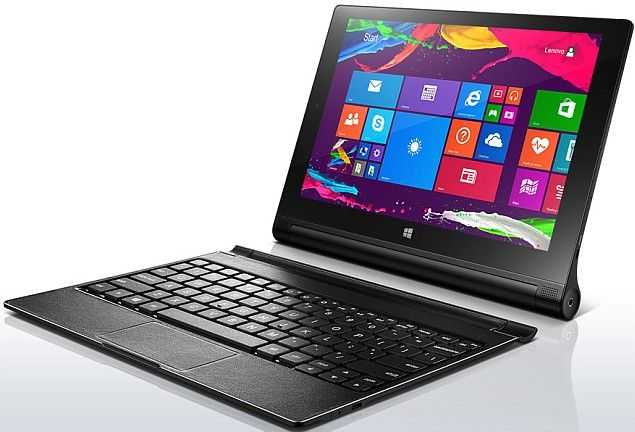
I’m using the Yoga Tablet 2 as the Surface 3 comparison for a number of reasons. It’s got a 1920×1200 10.1-inch (not 10.8-inch) IPS screen, a stand (continuously variable) and it weighs 629 grams which is just 7 grams more than the Surface 3. There’s 2 GB of RAM inside and a 1.3-1.8Ghz Baytrail-T processor. The battery is a huge 34 Wh which is 25% bigger than that in the Surface 3. Storage is small at 32GB (compared to 64Gb and much more usable space on the Surface 3.) The port choice is comparable although there’s only one micro-USB 2.0 port. It doesn’t have AC WiFi, it’s only a 32 bit version of Windows and there’s no digitizer layer.
You can find all the information you need on the Microsoft Surface 3 here, and all the information you need on the Lenovo Yoga Tablet 2 here.
In the USA there’s about $180 price difference. In Europe, where the Surface 3 is more expensive and the Yoga Tablet 2 is cheaper you’ll save yourself €250 and you’ll get the Bluetooth keyboard thrown in for the €349 total price saving around €380 over a base Surface 3 and keyboard. Half the price!
I do agree that the Surface 3 is unique and that nothing directly compares to it but if you’re looking at the entry-level model of the Surface 3 and are not interested in the digitizer then the Yoga Tablet 2 is the better value product.
I love the Yoga Tablet 2. The design is great, the screen pops and the keyboard is good (I had hands-on at MWC and CeBIT) and I like the battery hump because it’s a great way to hold the device. I’ve ordered it twice, and cancelled the order twice. I’m really close to buying one now just to compare in detail to the Surface 3 but you can see all the detail you need in this Notebookcheck review and I’m probably just looking for an excuse to buy it.
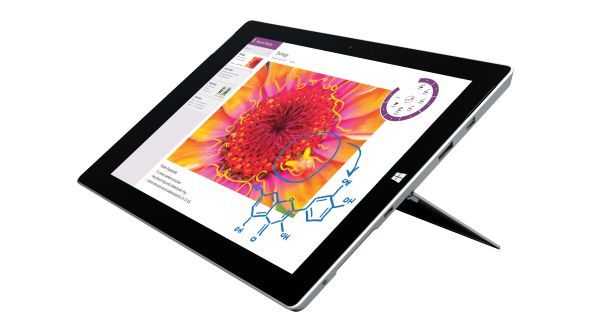
The other reason I won’t buy it now is because you’re going to see newer Atom X7 and X5-based tablets soon. While I don’t see much CPU and disk performance increases on a clock-for-clock basis we have to remember that the 14nm process used on the X5 and X7 frees up some Turbo Boost headroom. The Surface 3 can Turbo Boost to 2.4 Ghz meaning that Web activities are going to be noticeably quicker than on the classic 1.8 Ghz Atom Z3000-series. 4GB RAM is probably also worth waiting for…unless you need it now in which case there’s only one choice. The Surface 3 is unique when it comes to RAM and storage options and the excellent accessory range. Maybe we should stop comparing it to anything and just hope that it stimulates OEMs to launch a good range of competitors later this year.
You can find all the information you need on the Microsoft Surface 3 here, and all the information you need on the Lenovo Yoga Tablet 2 here.




















What are the physical dimensions of the Yoga tablet? Any news on the release date of the LTE version of the Surface 3?
For people with Surface tablets, how’s the driver updates? For other devices I’ve had, I had to manually check the OEM’s site if there were new drivers (if ever) or I may get a new but still outdated driver through Windows update. Is MS pretty good in pushing driver updates via Windows update? If I can just update the entire system from a single interface like on my Linux systems then I’d definitely get a Surface over other hybrids.
GBP 299.- in uk (includes bt keyboard. And currently GBP 50.- cashback on Lenovo uk