


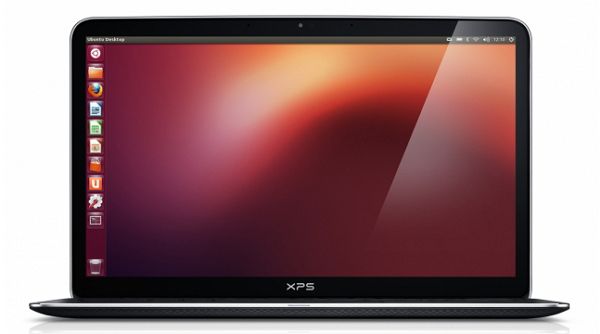
Dell is now offering the
Dell says the XPS 13 Developer Edition is “focused on speed, mobility and cloud readiness.” The unit being sold is the latest version of the XPS 13 (with Ivy Bridge), an upgrade over the Sandy Bridge pilot hardware that went out during Sputnik. The XPS 13 Developer Edition is the same as the Ivy Bridge XPS 13 Ultrabook that Dell is currently selling except it comes pre-installed with Ubuntu and some other goodies for developers. From Dell:
- Ubuntu 12.04 LTS loaded onto our sleek, ultramobile Dell XPS 13 laptop.
- Ubuntu 12.04 LTS augmented with the necessary hardware drivers and basic tools and utilities that support building, testing and producing applications.
- A cloud launcher (beta) that enables “microcloud” creation on your laptop and simulates an at-scale environment; that environment can then be deployed seamlessly to the cloud.
- A profile tool (beta) that provides access to a library of profiles, such as Ruby and Android, to quickly set up your development environments and tool chains. Join in and help build out the community library.
Barton George, Director of Marketing for Dell’s Web vertical, explains more about the interesting cloud launcher and profile tools included with the unit:
You may notice that Dell is calling this a ‘laptop’ and not an Ultrabook. While having Windows installed is not an explicit requirement to be considered an Ultrabook by Intel, it is definitely implicit. More likely than not, Dell simply didn’t apply to have the XPS 13 Developer Edition called an Ultrabook.
The XPS 13 Developer Edition price is $1,449… which seems a bit steep to us considering that they’re using a free OS. Still, the company did spend time making sure that Ubuntu is fully supported, and they’re including the tools they’ve made specifically for developers. The unit is currently only available in the US (and in Canada for large enterprise), though Dell says they’re looking to launch internationally as well. Furthermore, the company says they’re considering a followup to the XPS 13 Developer Edition — possibly a larger developer laptop.
The
For the money conscious: you might be best off buying the Windows 8 version and installing Ubuntu and the fully open-sourced Sputnik software yourself! Ars Technica notes:
Dell worked closely with Canonical and the various peripheral manufacturers to ensure that well-written, feature-complete drivers are available for all of the laptop’s hardware. Out of the box the laptop will just work. They also have their own PPA if you want to pull down the patches separately, either to reload the laptop or to use on a different machine.
You can buy the Dell


















Depending on where you click on Dell’s confusing website, you can configure the XPS 13 with the same specs for $1499.99: http://i47.tinypic.com/16gaeqq.png
I wonder how many people abort their purchase due to Dell’s bad layout.
Dell’s charging $50 for a Windows license, huh. Not bad if you ignore the current promotions going on right now.
Too bad, as with other OEMs, Dell is charging inflated prices for CPU, RAM and storage upgrades. Even worse for the consumer, these ultrabooks can’t or are difficult to user upgrade. So you can’t just buy the cheapest config, upgrade the components and still spend less than buying from the OEM anymore.
Well, such a resolution for a *developer* laptop must be kidding. A dev need space, and a dev with an IDE even more space.
Really, I’m in the process of choosing a new laptop, I’m a dev (Scala), and there is three things I look for:
* a bright screen with a big resolution. 1980×1080 is a minimum, and I need to be able to work outside, in a train, in a plane, etc. And seriously, my phone has that kind of resolution, not my future laptop…
* small but not tiny form factor (14″ is ideal, 13″ may be ok, 12’5 is too small – 15″ is out of order) with long battery life, to spend travels coding
* resonable CPU performance (i5 will be ok), but with a minimum of 8Go or RAM (I need to run an IDE, VMs, compile things, etc).
And as all the developers I met have roughly the same requirements, I’m really wondering who were the devs they target, and if I’m part of some socialy biased group not targeted by Dell (so bad, I have money to spend on my tools…)