


I’m back! Yes, all 23 of my readers can now stop worrying if the ultra mobile PC market crashed overnight and UMPCPortal left the building. Its not true. In fact, I’m closer to you than ever due to efforts over the last two days.
I’ve gone all Web2.0. All thin. All outsourced.
As usual with these ‘little’ projects it started as a tiny tiny job. My wifes company email goes through a server in the cellar here and she had been having ‘lost email’ (check your spam folder Dear!) problems for a while. At the same time as pondering, I was reading this excellent article from Techcrunch UK in which Sam Sethi describes how he has moved some of his applications online. He mentions Google Apps for Your Domain and it gave me an idea. I signed up my wifes domain, reconfigured the MX records and before long, email was flowing into Googles servers. Using the Gmail interface for the first time it was clear that this was a better solution than my home-server version (Built on a LAMP server with Squirrelmail, Courier etc etc.) Problem solved. In fact, as I migrated the other two users in her domain I saw the advantages of calendar collaboration and started looking deeper.
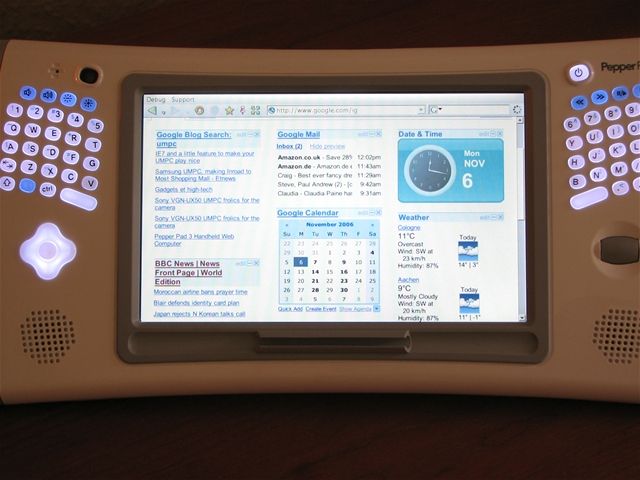
Thats when the project turned into a full-blown weekend affair. I ended up migrating 6 mail domains into Google and, while in the swing of things, 4 web servers away from my old server. I migrated my personal and business mail and, for the first time, set up a personalised Google page and shared my calendar with my Wife. (I wonder if I can find a random appointment generator for evenings and weekends.) After adding a delicious ‘gadget’, the Google blog-search ‘UMPC’ RSS feed, the weather and of course the Google mail and calendar gadgets I was feeling decidedly thin. Pizza time!
My browser-based PC life is now simpler, cheaper, backed-up, spam scant, centralised, syncronised and through a few Java applets (including the super-quick mobile GMail Java app.) very very mobile. I’ll even go as far as saying that I feel more secure now. I don’t take security lightly (force of habit from my last 5 years as a sec consultant.) but having removed a 4-year old server (which needed an OS upgrade to get security updates working again) and storing everything in an online, password-protected area I think its more secure than the risk of information leakage within Google. It is Googles core business to keep data secure (not a job I feel too confident about giving to Microsoft or continuing to place in the hands of my out-of data Linux server) so although there is naturally a risk, I think its minimal. Being able to remove Outlook and hopefully Trillian, LiveWriter, Word and Excel, reduces the risk further. And what about the problem with having to rely on internet connectivity? Well I don’t see that as a problem. I’m happy with using 3G connectivity when needed.
Risk assessment: GREEN.
Its turned my 800×480 devices into much much more productive machines too. I think I can work well with this layout. How many times have you heard the expression ‘clutter free’ on home improvement programs? It works on the desktop too.
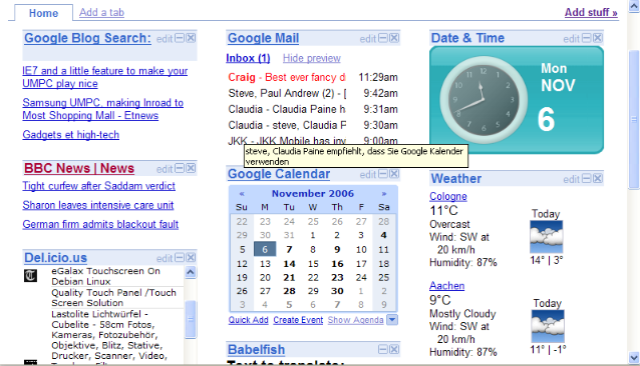
Its a full-screen ie7 on 800×480 showing pretty much all I need to access in my normal day.
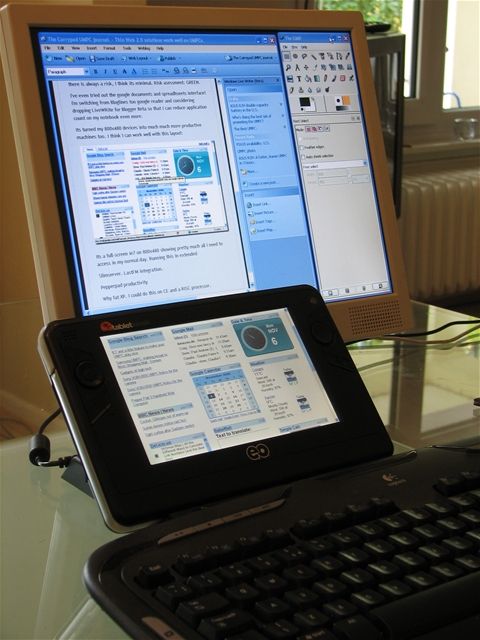
Running this in extended-desktop mode on the i7210 is even more productive. Below you see my three main applications now. Explorer running on the 800×480 screen (full-screen mode, showing Google personalised homepage,) Livewriter and The Gimp on the 1024×768 screen. Trillian is off-screen. I hope I can integrate IM into my Google homepage too.
I’m not the only one trying out this scenario, there are a number of articles out there by early adopters that are moving in the same direction. If this catches on and web-based applications start to receive more development funding, its going to get faster, richer and more interesting to work through online browser-based applications.
It means that as long as you have a browser and an internet connection, you have your applications. Roughly speaking, that could mean that a Ultra Mobile PC and a 3G data contract becomes a killer combination. You don’t even need the power of the ‘high-end’ UMPCs either.
Take a look at the images here. Look at the productivity you’ve got on the screens. Its the same. One of those devices costs $650, the other is double that. Do I really need XP and 1Ghz of processing power on my mobile device?
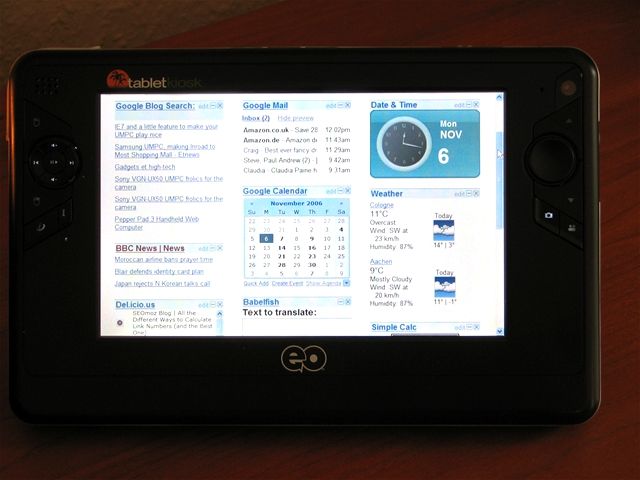
Would a browser on a WinCE device running a 620Mhz RISC processor and an 800×480 screen be any different? One thing is for sure, the RISC-based device would last 3 times longer on batteries, would be thinner, lighter and probably cheaper. Its a UMPCPortal [definition] that most people need, not a bloated, almost Vista-ready, hot and heavy PC.
I don’t see anyone producing devices in this space yet but again, my tea leaves tell me that this is a big sweet spot in the market and if PMP’s, UMPC’s, PDAs and Smartphones all start branching out into this area, ‘thin’ will be the new
Steve / Chippy.
View details of all Ultra Mobile devices in the ultra mobile PC product database.
From N800 to Flybook V5, its all there!



















I’m waiting for Google to integrate their Calendar and mail offerings with a contact database, and reminders (to do list). Then I can dump MS Outlook for good. The only other thing I want (and it’s coming) is the ability to run thin clients (large monitor, keyboard, mouse, CPU, link to net, no storage) from my smartphone/UMPC/PDA. Then I would expect that companies, hotels, airports and other places (Starbucks) would place those devices where I need them.
Sorry, I do not trust a company that will keep my emails (even those I have deleted) forever.
I am one of your 23 readers, and with great posts like this you must be kidding us… I notice that you have been using the PepperPad a lot. I’ve been really thinking of buying one but I live in the desert and we have only dial-up (the 56kps kind) and was wondering if you knew if I could setup a dial-up connection on it. If so I think I buy this in a heartbeat!!!
Be nice when they replace the hard drives with flash, may be 10-20gig, you can always slip in a thumbdrive for extra storage and the battery will last longer.
Have you heard any on the LED backlit screen?
Like I stated before; Your Carrypad Newsletter is the first one I go to when I open Gmail which I’m currently using 97 MB (4%) of my 2782 MB, LOL. //bob
Dial-up. Wow.
I never really thought about that scenario but its perfectly valid. My Mother still uses it in the middle of a town!!
There is, apparently a hidden serial port inside the device so it should be possible to set it up. Linux is pretty easy to get going on a dial-up. You should also be able to install any tools you need from the Fedora Core 4 package store that Pepper maintain.
Alternatively, you could use a windows XP machine to dial-up and then share the connection via WiFi. Quite easy under XP.
Oh and thanks for the nice feedback. OK, maybe i’ve got more than 23 readers but its difficult to tell, my RSS feeds are a complete mess at the moment. I’m trying to consolidate them but no-one appears to be moving over to the new feed. Might have to tempt them over with some unique ‘never seen before on Carrypad’ content!!
Steve.
Before buying a PepperPad for dial-up, I suggest inquiring on their forum http://www.pepper.com/forums/index.php
The best option might be a dial-up wi-fi router, see http://www.wiflyer.com/StoreFront.bok
I have no idea how well this works, but you would then potentially have wireless between your home computer’s and a shared dial-up connection to the rest of the world.