


Conclusion
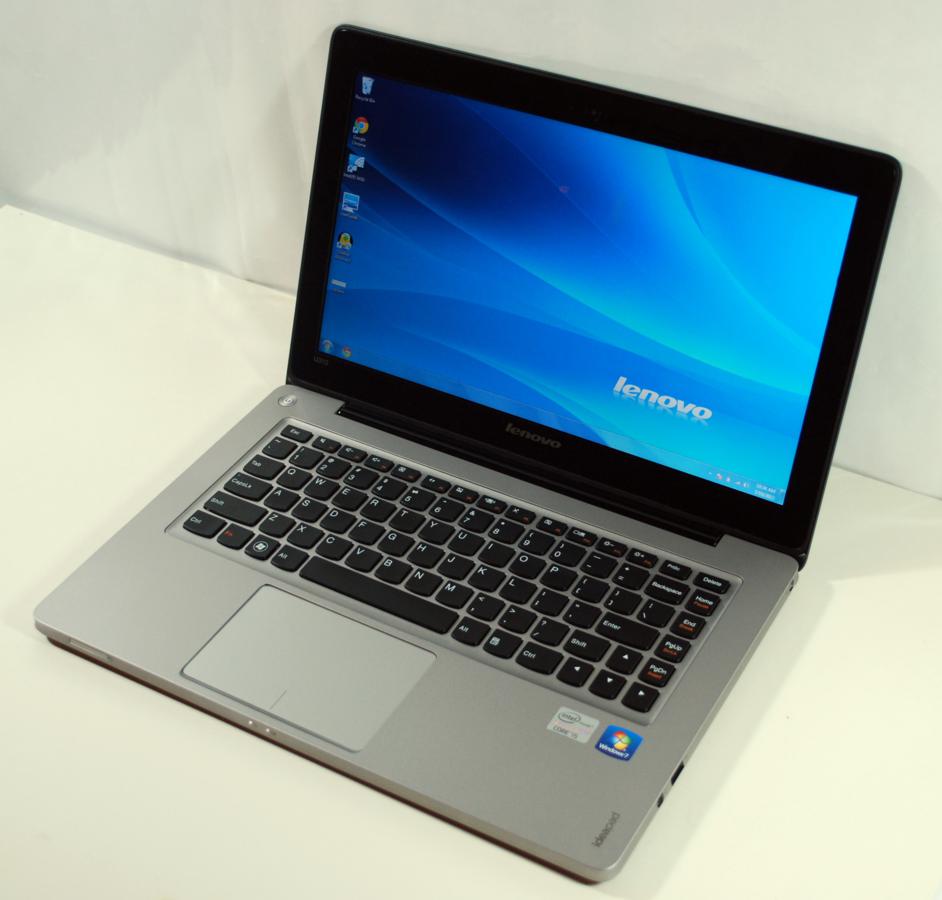
The U310 is a hit-or-miss Ultrabook. The performance is quite good, especially in the gaming department. The keyboard is great, but the trackpad is not so great. The screen is acceptable, but tends to be annoying because of how small the sweet-spot is. Sleep and wake performance is great — just like that of an SSD-equipped Ultrabook. Most of the built-in utilities are redundant, confusing, and/or crippling to the user-experience or, in the case of Lenovo Smart Update, to performance as well. The design is quite nice but upon close inspection is not executed very well. The port set is pretty good but the speakers are abysmal.
If we’re looking at a balance beam of recommendation which can tilt toward ‘buy’ and ‘don’t buy’, the U310 is nearly perfectly balanced thanks to ample good and bad points. But there’s one last thing to add to the ‘don’t buy’ side, and that’s the WiFi issue mentioned at the bottom of page 2 of this review. Given how poorly Lenovo has handled the situation, I’ve got to recommend that, unless you can guarantee the date of manufacture before purchasing, you don’t buy the U310. There are other similarly priced and speced options available which won’t potentialy have the same issue.




















you can prevent the disabling of the touchpad while typing: in the synaptics control panel, move the slider under the “PalmCheck” setting to minimum.
contrary to your experience, i’m really happy with this laptop:
– the build quality isn’t the best, but you need to look carefully to notice that
– the touchpad is one of the best i’ve used
– the bezel around the screen is not wider than on other laptops
– i actually like the low-res screen, since it makes text more readable (i have normal eyesight), the brightness could be better though
– the speakers aren’t great, but good enough for youtube’n’stuff, not significantly worse than on other laptops
– the only real drawback would be the wifi issues
for the price, it’s a really great machine.
the keyboard doesnt seem to be backlit?
Correct, it is not backlit.