


Thanks to all that turned up for the live review yesterday evening. We spent 2hrs testing the Samsung Series 9 15” and got some good work done. We’ve found some good stuff, and some not so good stuff. Videos and summary below.
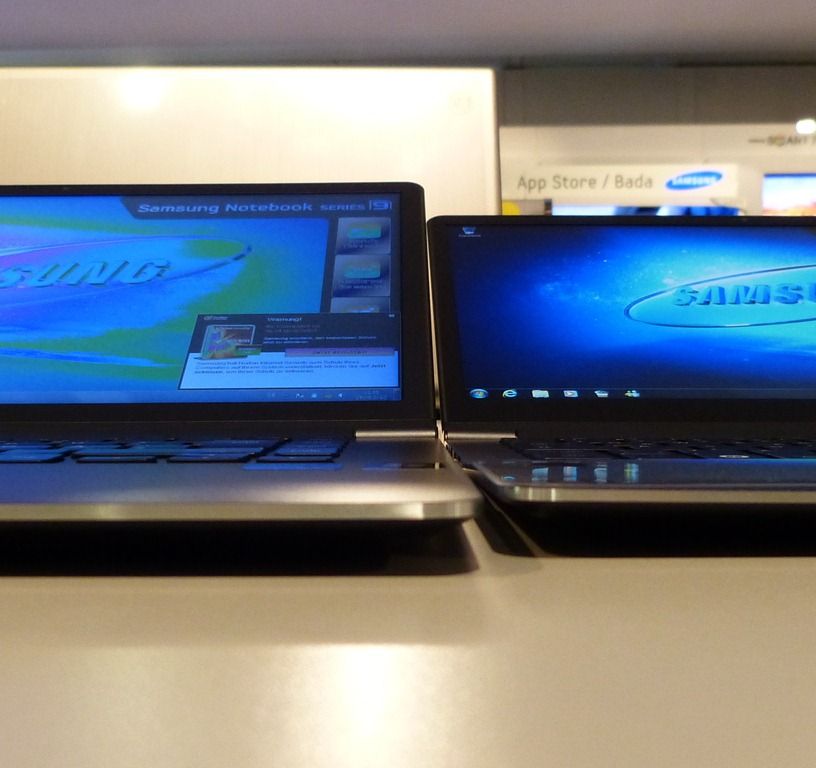
Firstly, let me highlight something about the screen. The 15” version we have here (900X4C Germany) does not have the PLS wide-angle display that is found on the 13.3” version. It’s a nice screen with strong brightness, good colour, a matt finish but it’s not wide-angle; certainly from a vertical perspective.
The 900X4C has a 61Whr battery which immediately gave us a good feeling, especially as we saw very low, screen-off, Wi-Fi off, idle power drain of 2.8W. Average in-use power drain is very close to what you’ll see on Sandy Bridge although certain use-cases seem to be improved. 1080p playback, for example, almost left the CPU untouched. Expect up to 7hrs of Wi-Fi/Web usage, about 6hrs of multitasking office use and up to 3hrs of gaming or video editing.
In the summary video (the 3rd in the playlist below) you’ll hear me talk about three issues.
1 – Micro VGA port with no supplied adaptor.
2 – Lagging / momentum on touchpad
3 – Turbo Boost disabled under battery power.
The port issue applies to all mini-sized ports. You’ll need to buy and remember to take those adaptor cables.
The laggy touchpad with momentum-driven cursor (Elantech) is strange. At first it appears smooth but trying to hit windows elements with a pointer that has momentum is something you’ll need to practice. We tried to disable this but couldn’t find a way. We’ll talk to Samsung about this.
As for Turbo boost, we don’t understand why Samsung would disable it under battery power. Sure, disable it under low-power settings but there’s no reason to disable it under high power mode. We saw this ‘polite’ setup on the Series 5 too. In effect you lose about 30% CPU power under battery mode. In a Cinebench CPU test the result was 47% faster under mains power compared the battery-powered results. This Turbo Boost issue doesn’t affect 3D or media performance which seems to perform just as well (read impressively) under both battery and mains power.
On graphics power we saw a Just Cause 2 benchmark run at 70% faster than on Core i5 Sandy Bridge Ultrabooks. A Cinebench Open GL test was 100% faster than on Sandy Bridge. There’s a huge advantage for HD 4000 over HD 3000 and it matches closely what Intel have been claiming.
In general, the Samsung Series 9 15” seems like the perfect large-format Ultrabook. It’s got an incredible amount of style and seems to be exceptionally well built. A strong screen hinge and quality metals give it a robust feel. At 1.67KG and slightly less wide that most 15” laptops it’s in a world of it’s own. If that mouse pad issue can be fixed (and we suspect it can, very easily as it’s a software issue) then we’ve got an impressive desktop-to-road-warrior device on our hands here.
Notes:
- Strong Wi-Fi through Intel 6230 Centrino module
 Fan noise kept to minimum and fan-off in low-use cases. Fan-off was experienced during 1080p playback
- Some heat build-up noticed on keyboard under heavy load.
- Smart control panel takes 3-4 seconds to appear
- Ambient light sensor needs more testing but we expect it to be well tuned as it was on the previous Series 9
- Full SD card slot is nice to see.
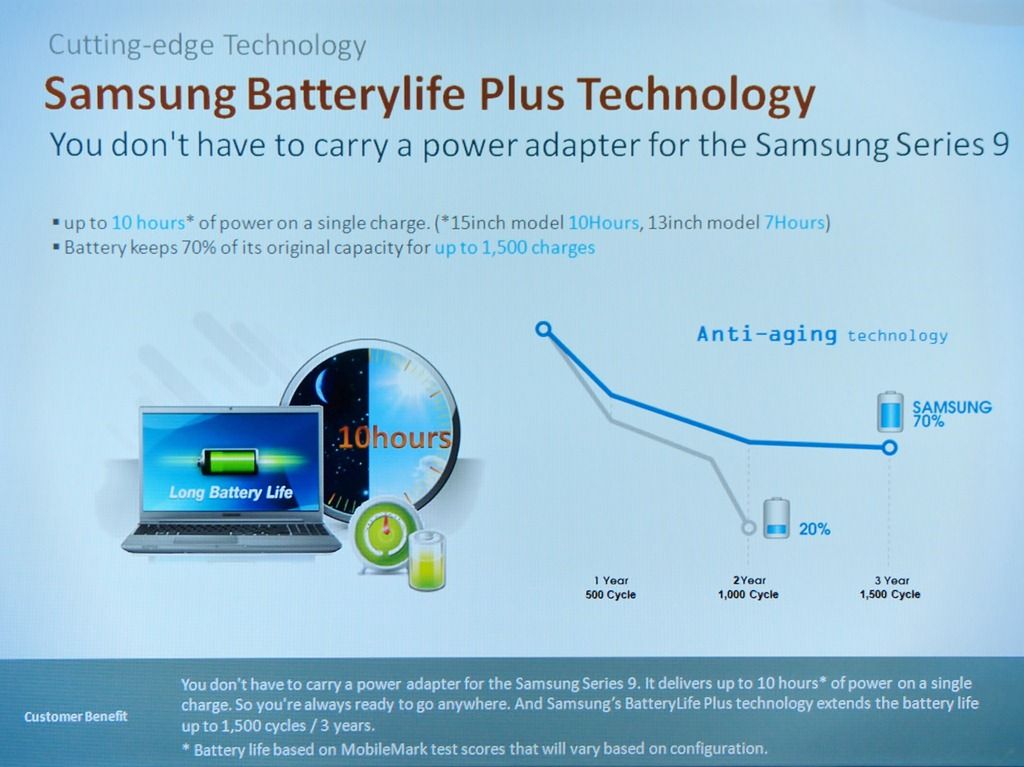
- Battery is said to last 3years with a 70% retained capacity but only when using the battery extender setting which limits the battery charge to 80%
- Screen brightness is very good but takes a lot of power. 5W range of drain from low to bright.
- Availability in Germany – July



















I was able to catch up on the review no thank you chippy great job as always … i am very keen now to get the zenbook prime comparission now … things to like about the samsung are the overall build quality and silent operation … chippy did not make any special reference to the 8 GB ram so i take it that it must make no difference compared to the 4 GB used by other ultrabook .. on paper i start to think more about the zenbook prime now .. on can get core i7 and 256 ssd and IPS panel for the price of a samsung 9 with core i5 and 128 ssd … if its not making noise and is fast it will be a winner
Seems that I would be very happy with the low noise, the screen not to mention the design! Not sure about the SSD. The current 2,5 year old SSD I have (Intel X25-M G2 160GB) outperforms it by quite a margin. 2,5 year is a LONG time in the computer world, so it’s certainly not impressive. Still I suspect it’s all okay since I don’t really do any heavy lifting.
The only thing I want to know now is if it’s any chance of a 13.3″ with 256Gb (and if it will cost under $2k :P)
A fellow Swede got his ux31a today with a 128Gb SSD. He ran a crystal disk test and got these figures: http://i50.tinypic.com/34e6a1z.png
Hi Chippy, first, thanks a lot and keep up all the good work.
One question about the samsung 9 screen. In your video the screen seems to flicker. None of the other reviewed ultrabooks does in your videos. Is there an issue with a lower screen refreshment rate? Have you changed the recording equipment?
Concerning the touchpad: I heard there are new drivers available already, have you checked those?
Hi Chippy,
thanks for the great review!
However, I am a little unsure about what I should think about the screen.
I have read so many comments about it being a bad display in terms of viewing angle and contrast and that it would not be appropriate for the high price. But in your review it didn’t sound that bad. Is it from your point of view really that bad? Or is it rather the point that it just isn’t an IPS panel?
Thanks a lot and please continue with the good work!
eric