


As many of you know, I’ve been using a Raon Digital Everun as my ‘personal’ mobile computer for the last 6 months. I’ve used it as a MID style device which means it’s been in my pocket, has been HSDPA-enabled and has been used for web browsing and apps, emails, IM, Google reader and, when needed, the occasional moblog. It’s been a superb device and one of the first PC’s I’ve been able to grab and go with without having to worry too much about battery life. Its also one of the first PC’s I’ve really started to care for. In a way, it’s been the most personal computer I’ve ever had.
Today though, and possibly for the next few months, I’m using my Q1 Ultra. I may not go back to the Everun.
The Q1 Ultra is not a new device for me as I’ve had it for about the same length of time as the Everun but I never really got into it until a few things happened recently that finally made me want to try a switch. The main reason for the change was an encounter with the Q1 Ultra Premium at CeBIT. With the Core Solo processor and the extended battery it was in a different league to my own Q1 Ultra and seeing the smooth video capabilities made me think about giving my Q1 Ultra a second try with an XP installation. The second thing that happened was that I hit the limit of the Everun’s processing capabilities quite a few times at CeBIT. Simultaneous live blogging, photo capture and photo editing was too much for the Everun despite my attempts to be patient and efficient. There’s no doubt that, despite its portability and suitability for browser-based work, it reduced my productivity in certain situations. Not surprising I guess from a 600Mhz Geode-based device!
Unlike the last time I attempted to run XP on the Q1 Ultra, the installation was 100% successful this time. All the drivers were available and all hardware was working. Immediately, even after just the first few seconds of use, it was clear that the device was a lot faster and a lot more fluid than with Vista. I guess I shouldn’t have been surprised! Boot time was quick. The disk light wasn’t flashing like a Vegas slot machine. The battery life figures were looking a lot better and the grab-n-drag plugin for Firefox was working far better than it did on the Everun. After a week of using it around the house and enjoying the SD card slot, a lot more storage than the Everun, the wonderful screen and some quite impressive battery life with the extended battery, I decided to bite the bullet and drop an HSDPA module in. I took the module from the Everun (including the antenna that was shipped as part of the kit from Mobilx) and after re-soldering the connector (I broke it as I took it out of the Everun) it worked. It hasn’t got the reception quality I was getting from the HTC Shift (the current king of 3G reception in my opinion) but it’s working well; probably as well as on the Everun, and my bus test this morning was very successful.
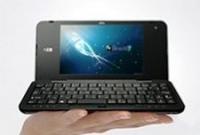
So here I am in a local cafe with the Samsung Q1 U and the Q1 keyboard enjoying a more productive time with my ultra mobile PC than I probably would have with the Everun. I’ve lost that pocketability and it’s something I’m worried about but if the Q1 Ultra increases my productivity I’ll use a small shoulder bag and carry it with me for times when I know I need to work. For the other times, when I only need emergency computing capability, I’ll either take the Everun or even risk it with the Nokia N82 as a read-only device. It’s possible that the Q1Ultra might be a better fit with the Nokia N82 than the Everun was.
Moving up the PC chain certainly makes you think about how high you need to go to achieve the right balance between productivity and size. I’m quite lucky in this respect as I’m taking the easy route by coming from below. Others, used to a fuller computing experience on their laptops, are coming down the chain which is much much harder. Should I go one step further and buy an Eee PC 900? A Flybook V5 perhaps? Its certainly worth considering but the only thing I would be gaining would be the font size and an always-available keyboard. While the big keyboard is certainly very useful and it’s true that the Q1 Ultra keyboard has limited use, I have found that I’m getting used to working round the mini keyboard limitations quite well by using bookmarks, desktop links, history and Google. I can always take a mini-keyboard when I think i’m going to have to get productive. A also have to admit a fondness doe this, almost unique, computing method and i’m certainly enjoying showing and telling others about it.
If you don’t want to attack the steep, sometimes frustrating learning curve of a mini split-keyboard layout, there are plenty of other options.
I’ve always thought that the Q1 Ultra was a great all-round ultra mobile PC and judging by the number of people that are buying them (Dan and Cristi are two more recent examples) it looks like others are thinking the same. With an extended battery, 2GB RAM, XP and 3G module its a great combo but with the base Q1 Ultra at $699 now, you can enter the Ultra Mobile genre at a very reasonable cost. The community of Q1 users is growing fast too and I’m quite enjoying being one of them right now.
More info on the Q1 Ultra range in this comparison table.
If anyone is interested in upgrading the Q1 Ultra with HSDPA or EVDO, check out the kit supplied by Mobilx. The antenna fits and works fine for me. Click image left (aff.) for more info

I have recently purchased a q1up-v and want to do the 3g upgrade, but am unsure of the device specs for the wifi card and antenae… also the link to moblix does not go to the specified component anymore..
thank you for your time and consideration
Peace With You