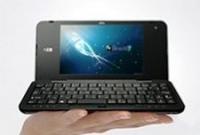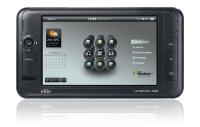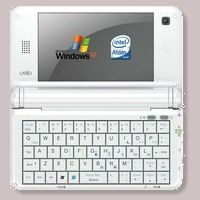


During the course of the last 24 hours I’ve been pulling together all the Fujitsu ultra mobile PC stats and specs that have been coming out of WinHEC and Fujitsu’s press releases and website. I think I’ve got all the stats ironed out now but one stat intrigues me a little and that’s the 4 hours battery life figure. Of course it seems high but in this case its been tested against a standard. The Jeita standard for battery life tests. Could it be a real battery life figure rather than a marketing managers dream? To answer the question I dived into the Jeita paperwork and have found out the answer for you. As you probably guessed, the Jeita test is not exactly real-world.

I estimated last month, that the smaller McCaslin devices would have 20W/hr batteries and run for about 3hours (average drain about 7 watts) I got the battery capacity right – the Fujitsu has a 19W/hr battery (2 cell – standard version.) but what about that battery life. They claim 4hrs under XP. That’s 30% more than my figure. Why?
Its because the Jeita battery life test is as about the easiest ‘test’ you could ever give a UMPC. Totally unrepresentative of a real-life scenario. Here’s how it works. (You can look through the English specification here – PDF Link)
First, you turn on your UMPC. Then you turn all the radios and audio off. You turn down the brightness to 20cd (I’m assuming its 20cd/m2 – 20nits = nothing!!) and set the power-saving setting to a point where a given video file plays smoothly. Make sure the ultra mobile PC is fully charged, pull out the mains supply and start the test. Play the Jeita video file (with the player of your choice) until the device dies. You are allowed to turn off all the standby/hibernation alarms too so that it doesn’t turn off at 3% battery capacity. The video file is an MPEG-2 (easy to decode) 1.2mbps file. Nothing too taxing.
I’ve just run the test on the Q1P next to me and the battery life, unsurprisingly, shows a healthy 3.2 hours. If I fire up notebook hardware control, the battery drain is very low at around 10 Watts and the CPU has stepped down to 600Mhz and is working at 10%. Not exactly pushing the ultra mobile PC to its limits is it! But wait. It gets better. There’s a second part of the test and this one even even worse. Basically you turn everything off, stop all programs, put the brightness to minimum (backlighting must be on though.) and wait until it dies. On the Q1P, that test returns an estimated 4hrs run time at under 8W drain.
To get the Jeita battery life figure you add the results of the tests together and divide by two. This gives you the battery life figure. In this case, with the Q1P I get 3.2 + 4 / 2 = 3.6 hours which is, funnily enough, about 30% more than in real life scenarios. Jeita turns out to be nothing more than a minimal-usage battery life test.
To make things simpler for the future, I’ve come up with 2 new rules. Chippy’s rules of ultra mobile PC battery life are 1) Reduce manufacturers claims by 30% 2) Check the real figures that I post on the product portal after the device has been through the hands of trusted users. Users, not testers!
Using rule 1) The Fujitsu ultra mobile PC has an estimated 3 hours of real battery life on the 2-cell battery (under XP. Less with Vista.)
Click for Fujitsu ultra mobile PC specifications