Tag Archive | "firefox"

UMPCPortal Product Awards 2009

Tags: , , , , ,


bestof2009 2009 was, again,  a tough year for designing, building and selling UMPCs. Windows Vista continued to drag down performance and the economic situation meant that many UMPCs didn’t reach the market. Despite that, the advances we’ve seen in 2009 have been some of the best ever. Performance was boosted with the availability of high-speed SSD drives. Battery life was improved through the use of the Intel Menlow platform and market pressure meant that the price/performance ratio took a huge step forward. In one of our videos this year I talked about ‘double the battery life, for half the price.’ That’s how far we’ve come since 2006 but into that equation go more features like GPS, 3G, haptic feedback, better designs, silent operation and lighter weight. Only last week, Fujitsu launched the UH900 which makes it, if our database serves us correctly, the first 5.6” UMPC to break the 500gm barrier. Amazing.

In this article we would like to highlight four products that we think deserve ‘Best of 2009’ status.

Best UMPC of 2009.

Viliv X70 EX, SSD.

We’ve chosen the Viliv X70 EX SSD because of it’s focus on quality and it’s flexible form factor. Battery life, build quality and disk speed help to make this a solid and reliable device and a good part of an ultra mobile setup that can go from sofa to car to desktop. The SSD helps to make the X70 EX rugged too which is very important. 3G, Car mount, quality casing solution and even voice capability are options if you want them.

bestofviliv

Viliv have proven that many of the most important elements for quality ultra-mobile computing can be put into a device at a very reasonable price. A huge step forward.

We also considered.

  • Viliv S7. Another very solid and reliable device with amazing battery life. The S7 is focused on ultra-portability though and is best used on a table-top.
  • Fujitsu U820/U2010/Loox U. A device from 2008 that is still able to offer excellent all-round UMPC qualities.

Best Mobile Accessory of 2009

This was an easy one. First tipped as accessory of the year in March, it proved itself during the rest of the year. The Novatel Mifi 2352 (GSM/UMTS) version is simple, reliable and performs very well as a bridge between a single 3G data connection and a WifI hotspot that up to 5 devices can ride on. With a built-in web server and router firmware it’s exciting to imagine how this access box could turn into a content delivery platform. We predict many variants and versions of this popping up in 2010.

2352_BLK_UKonly_Top_1

We also considered:

  • Nothing else came close.

Stay tuned here and at Carrypad.com for details about how you can WIN A MIFI 2352 over the next week.

Best Mobile Software of 2009

2009 was the year that the mobile application market took off in a very very big way. There are thousands of mobile applications to choose from but the one application that continues to help mobile computing users more than any other is Mozilla Firefox. Version 3.5 saw a much faster javascript engine being introduced and it’s plugin ability allows mobile and small-screen users to tailor their web experience in ways that bring huge productivity and efficiency advantages. Notable plug-ins include the ever-useful Grab and Drag, No Script and of course, Mozillas own Weave plugin which is a bookmark, password and tab syncing software that can save a lot of time and keypresses.

bestoffirefox

We also considered.

  • Google Chrome for it’s CPU and javascript efficiency.
  • Tweetdeck
  • Amazon Kindle for PC
  • PDF Annotator
  • Favorite applications from the Wakoopa UMPC team

2009 ‘Showcase’ award.

bestofarchos

We simply have to give an award to the Archos 5 Internet Tablet. This isn’t a UMPC, isn’t a 3G-capable mobile internet device and is still in need of a lot of firmware work but the technology, operating system and price are a huge step forward for ARM-based devices. The web experience is good (although far from perfect) and the battery life puts all UMPCs to shame. As for sizing, we’ve never seen so much internet-connected capability is such a small device. The Archos 5 Internet Tablet shows us what could be possible in 2010. Full review here.

Biggest Disappointment of 2009

While deciding this award, the team discussed the Crunchpad/JooJoo. We also wanted to list the ASUS R50A too but the first hasn’t been launched yet and the latter was a 2008 device.

In the end we settled on the Always Innovating Touchbook as the biggest disappointment of 2009.

We first reported about it in May and were excited to see what Linux and an ARM cortex processing engine could bring to the sector. The design, a modular slate/netbook design was interesting too. We were so excited, we ordered one. Fortunately for us we weren’t part of the early set of customers and after we read the early reports, we withdrew our order. Users reported stability issues in the software and even stability issues in the device itself; it had a tendency to tip. Battery life was unimpressive, the firmware poor and all-in-all, it looked like customers were being asked to pay to join a beta-testing program. The story hasn’t changed much since then. Always Innovating have released a ‘fix’ for the early balance problems; “a small plastic part that customers can glue at the back of the keyboard part” and there have been a number of firmware updates but core hardware updates need to be done before this is a real product that can serve duty in the ‘pro-mobile’ sector.

It highlights a very important point because the Archos 5 and Always Innovating Touchbook are based on similar hardware and software platforms. Specifications are only half the story.

Top Articles of the year.

Here are the most popular articles of the year. Thanks to Ben for two articles that went viral and crashed the server!

Top searches of the year. (from search engines)

  • Viliv S5
  • Viliv S7
  • Asus T101H
  • UMID M1
  • vgn-p limited edition

Also see the keyword analysis article here.

Predictions for 2010

We’ll be posting a UMPC predictions article very shortly so stay with us.

N900 Web Browsing (+Video)

Tags: , , , ,


One of the key focal-points of the N900, and one it does better than any other smartphone I’ve seen to date, is the browsing experience. Fast, reliable and supporting a full flash plugin on an 800×480 screen with finger-focused controls it tries to do what desktops do, in a fraction of the size.

Like other small-screen browsers it has the same screen real-estate issues where pixels don’t help. Fingers cover large areas of the screen when browsing. Top and bottom toolbars hide 30% of the content area and standard web fonts require a zoom to read and reduce the size of the effective window even further. Until we get to the stage where expandable screens become thin, cheap and reliable enough to design into a pocketable device, the issue will remain.

Given the constraints, Nokia, the Maemo teams and partners have done a good job. It will get better too as Fennec becomes available next year and includes features like slide-in/out toolbars, synchronization features and plugin support and then, in 2010, better again when Flash 10.1 is introduced and enables 3D and video playback improvements.

Here’s the situation today though. In the video you’ll see standard web sites, flash, javascript and embedded video working well.

Update on Fennec from the Maemo Summit

Tags: , , , ,


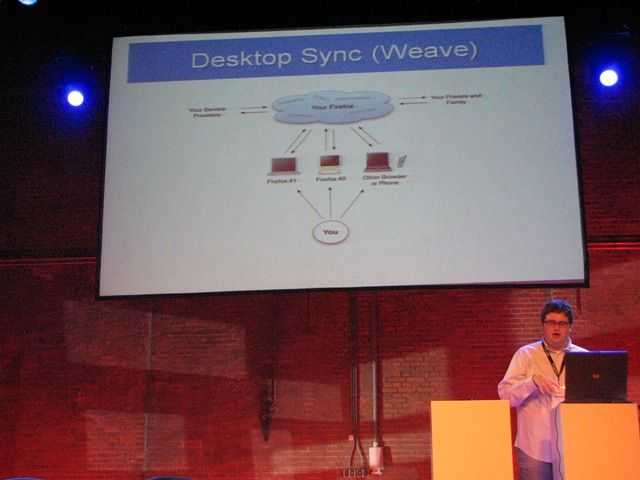
I’m a big fan of Weave, Mozilla’s sync technology and i”m interested in Firefox too. Putting the two together in a mobile device is just mobile web heaven!

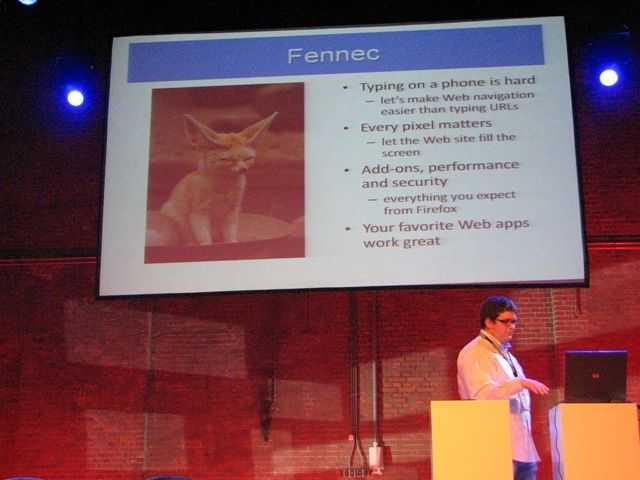
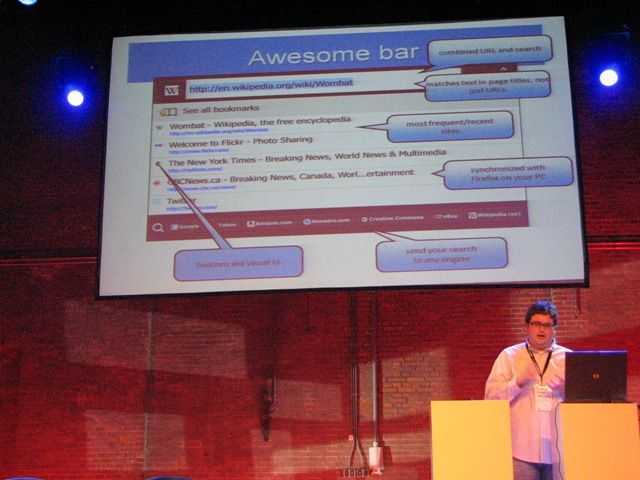
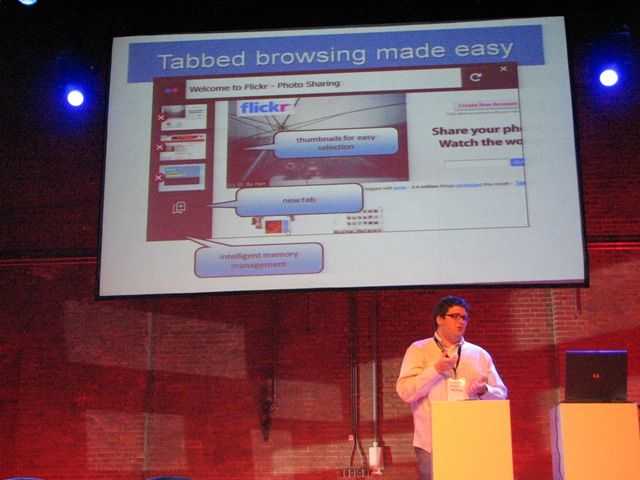
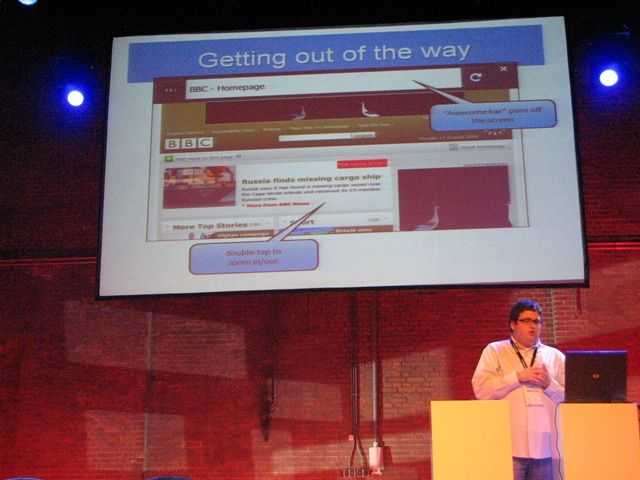
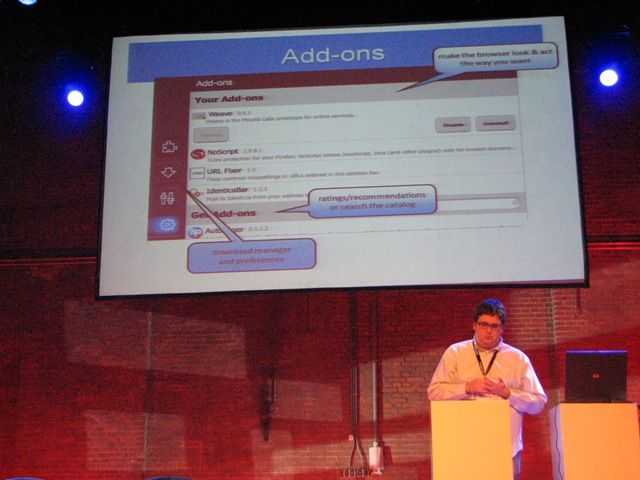
Mozilla are here at the Maemo summit and are presenting information on Fennec, the weave, plugin and awesome bar-enabled mobile browser. Click the images for larger versions.

Capture_00107

The awesome bar helps reduce typing once it’s populated with history and search results. Weave adds instant-history to that.

Capture_00108

Pull-in side-bars keep screen space used for the web page.

Capture_00110

tabbed browsing and memory management along with image icons help use multiple pages simultaneously.

Capture_00109

One of the biggest features of Firefox – add-ons. Add-ons will be supported and Mozilla are working on improved memory management and security in this area.

Capture_00111

Weave. Ties together configuration and history from desktop and mobile PCs

Capture_00112

Beta 4 is out already (and will be in the Maemo ‘Extras’ area on the N900 very soon.

Full version will be available before the end of the year for Maemo 5.

Improve your UMPC performance….for free.

Tags: , , ,


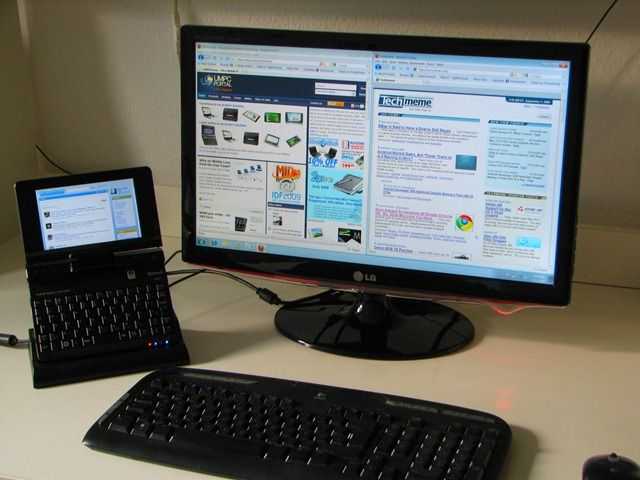
Loox U with desktop screen

I’m sitting here in front of a huge 1920×1080 screen with a 1280×800 screen as an extended display. Windows 7 is running and I’ve got 10 Firefox tabs open, Windows Media player, Tweetdeck, Windows Live Photo Gallery, Windows Live Mesh, Windows Paint and Windows Live Writer running. (Love those Windows Live apps!) It’s all running smoothly on the tiny Fujitsu Loox U (U820/U2010) in 1GB RAM.

The last time I was able to do this was with the 1.8Ghz version of  the OQO 2+  but it wasn’t as smooth as this. Why?

1 – OS

2 – Fast SSD

3 – NoScript

Point 1. Windows 7 is better than Vista. No argument.  The second point is also well known. A fast SSD helps with program and file access. It also helps with swap files when, in situations like this, you’ve used up all your memory. I’ll talk more about the (awesome) Runcore Pro IV that i’ve got installed, in another post. (Hint: 80MB+ max read speed)

The last point is something I’ve talked about before but can now highlight in a very very simple way.

With 10 tabs running on Firefox, the chances are that you’re using a few heavy ajax or flash-based sites. It should be no secret that web browsing is one of the most CPU intensive tasks you can do on a device and even if you’ve got windows minimised, it’s still using the CPU in the background.

Enter Noscript.

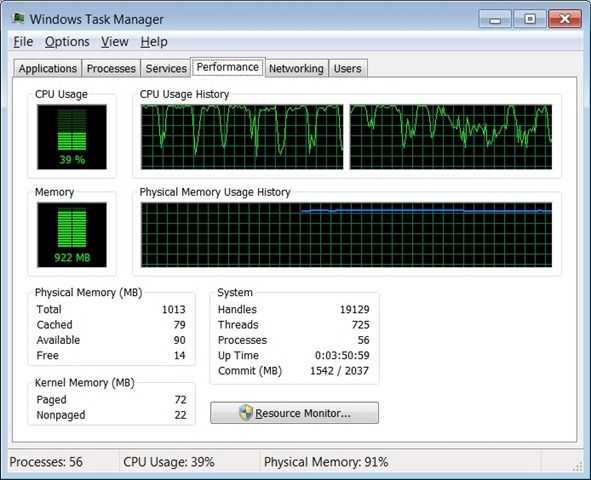
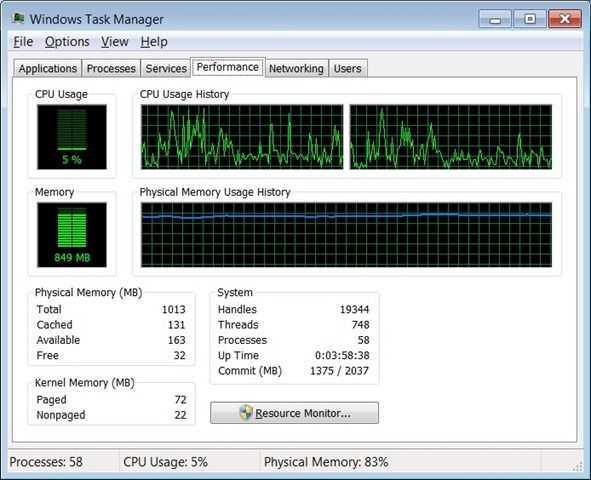
I’ve used Noscript in the past to optimise my browsing experience and there are other, more scientific tests that highlight the advantages but today, because of the dual screen setup I have here, the effect is extremely pronounced.These two CPU graphs taken over about 2 minutes of browsing, show the difference.

Before. Browsing websites. Hitting CPU limits. You can see the typical heartbeat of a flash animation.

beforenoscript

After. Browsing websites. CPU not hitting limits. Average utilization is much much less and that heartbeat has gone. A few more processes running in this test too.

afternoscript

Side-by-side view:

 beforenoscript (2) afternoscript (2)

The difference is huge, very noticeable and within 2 minutes of installing NoScript, the fan turned off. It’s firing up every now and again but it’s not pegged on like it was before. As I type this I have 12 tabs open, the Firefox process is averaging 4.5%. I’ve done tests like this in the past and seen the CPU averaging 15-20%.

Bloggers and advertisers will hate you for it but if you’re using a UMPC, it’s one of the best CPU/Battery life/heat/noise savers there is out there. And it’s free.

Pause when minimised.

There’s something else that can be learned from this. When using web-based applications, there is no such thing as a device in standby. ARM and Intel would do well to encourage desktop browser developers to enable an optional ‘pause when minimised’ feature (there’s a reason that the iPhone doesn’t multi-task) . It will have a huge effect on the mobile web experience. If it saves as much as I’ve just seen it would be more significant for the mobile web than a couple of years of technology development. I vote for Opera 11 to have this feature. Combined with ‘Turbo’ it would make Opera the best browser for mobile computers.

Mobile Firefox (Fennec Beta 1) demo [video]

Tags: , , , , , , ,


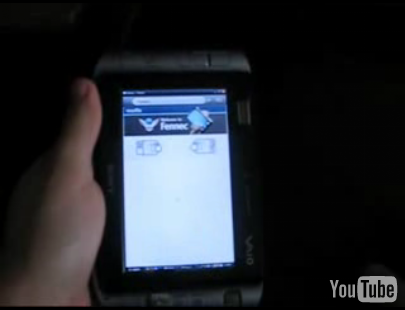
fennec The first beta of Mozilla’s mobile focused browser was recently released, and provided that it runs on Windows, Mac, and Linux, I thought I’d give it a try on my Sony VAIO UX180 [Portal page]. I flipped the unit into portrait mode and recorded a quick demo of the action. I’m pretty impressed so far and I like the interface. They still have some work to do and it will be really interesting to see how good of a web experience you can have on a Linux powered device (like the N810 [Portal page]) with lots of familiar Firefox addons running in conjunction with Fennec. Check out the video below:

Fennec + Moblin2 news.

Tags: , , , , , ,


fennec Fennec, the small-screen version of Firefox, is important for ultra mobile fans. Not just because its a small-screen, finger-optimised browser but because it has been chosen as one of the browser options (the other being Firefox 3) for Moblin 2, the latest version of the Intel-led core operating system for MIDs planned for first release in Spring 2009.

Fennec has support for add-ons but unfortunately, it doesn’t support the mainstream add-ons that are available for the Daddy of the pack, Firefox 3. Thank goodness people are starting to jump on board then because add-ons help a lot with individual tailoring, an important part of the ‘personal’ part of the UMPC equation. ReadWriteWeb reports that the URL Fixer add-on is now ready.

Exactly what the add-on does isn’t really as important as the signal it sends out to developers and adopters. Fennec is starting to gain traction and awareness amongst developers.

clutter For more about the browser choices on Moblin check out this part of the Moblin website. While you’re there, don’t miss the clutter user interface demo video. Clutter is the new 3D-capable UI architecture that will replace Hildon. The demo looks fantastic. Oh, one more thing I noticed. It looks like they are working on open source hardware-driven video decoding based on libva APIs. In fact the whole Moblin project is looking far more organised than it was 6 months ago and there’s quite a few exciting things to check out on the site if you’re interested in Atom-based MIDs.

Remember though, Moblin 2 is for OEMs to brand and enhance.  Its not an end-users distro.

Use bookmark keywords in Firefox to reduce key presses

Tags: , ,


Like most people, I’m a big fan of anything that will save time. I find that there are many shortcuts to assist us in the way we interact with our computers that will help us work more efficiently. Firefox is definitely my most used application and thus I utilize many of its tricks and shortcuts. A while back at MPCT, I shared a trick to help squeeze more bookmarks into your bookmark bar. This is especially helpful for mobile computers running at lower resolutions. Similarly, I hope this trick helps people increase the speed at which they can access sites from small computers, such as those with painful to type on keyboards… (continue reading)

Read the full story

Firefox 3 download day World Record attempt.

Tags: ,


Firefox is my recommendation for any device running a ‘low-end’ platform due to its speed and reduced memory footprint and I encourage everyone reading this website to make sure they test out the release candidate ASAP and download the final  version when its  available. If the fact that it’s fast isn’t enough for you, how about being a part of a world record attempt?

ff3

Mozilla wants as many people as possible to try and download it in the first 24 hours of it being available.

Via The Register, who point out that there is no current record holder for this new category.  Hmmmm!

Speedtest. Firefox 3 Recommended for UMPCs and Netbooks

Tags: , , , , , , ,


ffumpc

Most, if not all of you reading this will have heard of the Firefox browser and many of you will have tried Firefox 3.0 beta. I held back from using it for a long time because it was beta software but the latest release candidate seems stable and has me converted on all platforms now. Firefox 3.0 is fast. Firefox 3.0 is memory efficient. Firefox 3.0 has great features and overall its a clear winner on UMPC and netbook platforms, especially when using online applications.

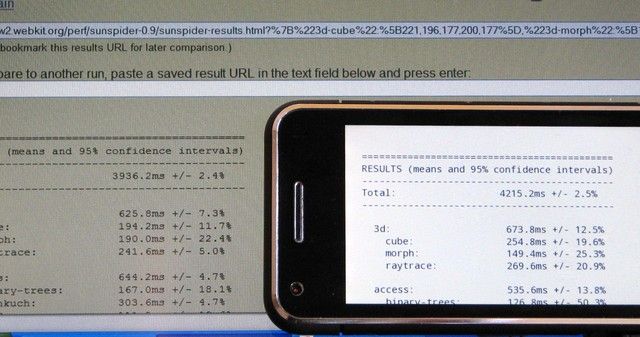
Like Safari, it appears from my test results that Firefox 3.0 can process java-heavy pages on a Ghz-class UMPC faster than the data arrives over my 6mbps Internet connection which means that for rich Internet applications, the bottleneck is at the remote server and there’s very little else you can do to speed up the experience. Apparently, java processing in FF3 is many many times faster than in version 2 so this explains the big improvement with online applications. Not only is the speed improved but there are some great features that will appeal to UMPC users too. But first, here’s some test results. I took 5 devices and ran speed tests on 3 browsers [*1] using reader.google.com as the target page. It’s a java-heavy page and there’s no flash or major numbers of images to process but its typically my slowest-loading browser application. It represents a typical online application and for web-workers, its a good, tough benchmark.

More info after the jump…

Read the full story


News Discussion

Commenting continues long after an article has left the front page. Keep up with the latest updates on our discussions page

Become a Member of UMPCPortal

Join the forum and join us for discussion about all aspects of ultra mobile computing. Ask questions about devices and usage scenarios and learn from owners and experts. Join up here. If you're already a member, login here.