Tag Archive | "smartphone"

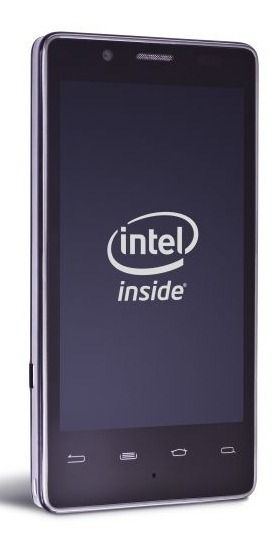
Intel’s Smartphone Platform and Atom Z6XX Unveiled with 1.5Ghz, Android and MeeGo Capability. Analysis.

Tags: , , , , , , , , ,


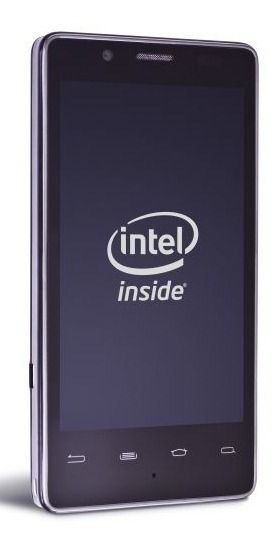
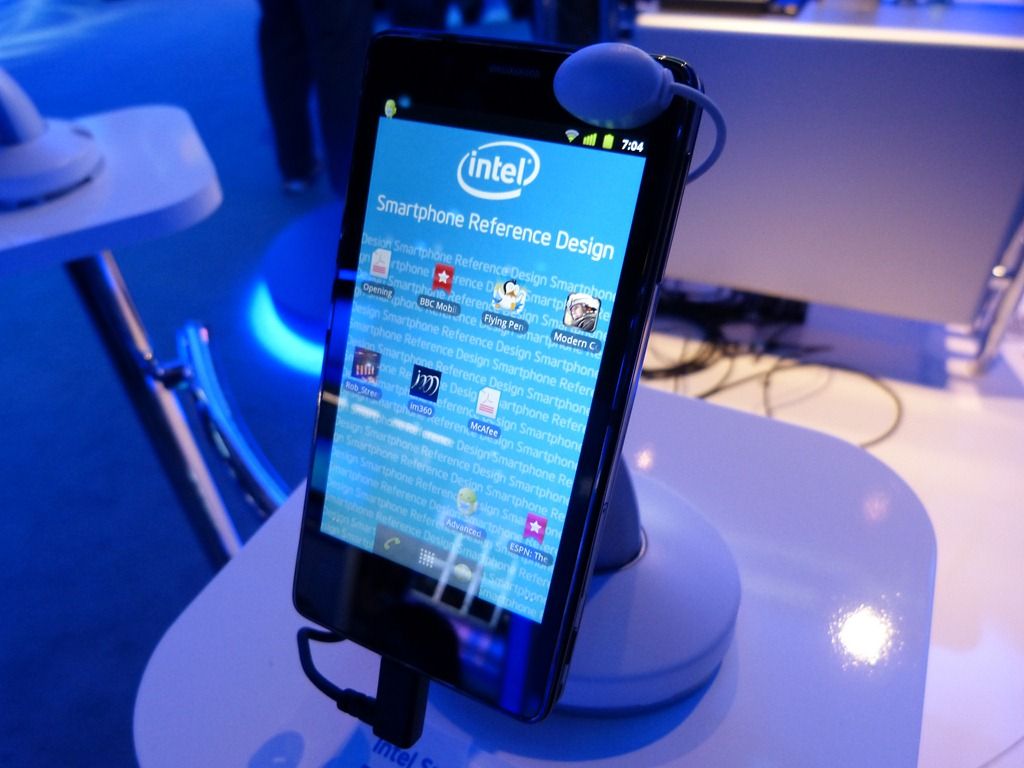
In a press-release from Intel today they have announced more details on what we know as Moorestown; the low-power computing platform that should take Intel to the historical moment of enabling an X86 mobile phone. The two-component platform will implement the Z6XX processing unit (was Lincroft) containing Atom-based CPU, GPU, 1080p video decoders and 720p encoder, and the MP20 ‘Platform Control Hub’ (was Langwell) alongside a power control module that has previously been referred to as Briertown.


Moorestown. As seen at IDF 2009.

Our analysis of Moorestown can be found here.

Details in the press release highlight much of what we have gleaned before but there are two very interesting bits of additional info. First the summary…

Collectively these new chips deliver significantly lower power including >50x reduction in idle power, >20x reduction in audio power, and 2-3x reductions across browsing and video scenarios – all at the platform level when compared to Intel’s previous-generation product1. These power savings translate into >10 days of standby, up to 2 days of audio playback and 4-5 hours of browsing and video battery life. When combined with 1.5-3x higher compute performance, 2-4x richer graphics, >4x higher JavaScript performance, and support for full HD 1080p high-profile video decoding and 720p HD video recording, these low-power innovations bring a rich, PC-like visual experience to powerful handheld computers.

In effect you’ve got a platform that halves the power profile of the previous generation platform while introducing new features that enable lower power states and power control over individual CPU sub-modules know as power islands. That will bring the average platform utilization down to 1W levels (in-use) which, if you’ve done any MID-style activities on a smartphone lately, means it’s in the same ballpark as modern smartphones. Intel’s ‘4-5 hours’ browsing figure is based on using a 5.5wh battery (1500mah single-cell) with all the usual power-hungry components like screens and radios.It’s unlikely to beat the battery life on the best smartphones but there’s another twist here. Turbo!

These power management capabilities, when combined with Intel® Burst Performance Technology for high-performance on demand, and Intel’s Bus Turbo Mode for high-bandwidth on demand, help to deliver industry leading performance and power efficiency across a range of handheld devices.

So if you add the low-power idle features with the turbo modes you’ve got a platform that spans a wide range of uses. The smartphone version of the Z6 is going to be able burst to 1.5Ghz [We’ve heard that it nominally runs at 600Mhz] and there will be a higher-power version that will burst to 1.9Ghz and could make a sweet sweet MID, or ‘smart’ computing platform.

All this new technology is going to need a new operating system and that’s what Moblin was for. Intel built Moorestown and Moblin in parallel so that they would dovetail together. Don’t expect Windows to be running on these platforms.

Of course, Moblin is migrating into MeeGo (where it will support two competing architectures; X86 and ARM) but there’s another OS mentioned here. Android.

Why would Intel mention Android and not Windows? Probably because they are working with Google on a X86 version of Android that would slot in well here. Remember, Intel are members of the OHA, the organisation that brought you Android. There’s been no formal announcement on Android yet but Intel are not exactly trying to keep it a secret. How that will sit with MeeGo is anyone’s guess but it does give Intel an important second-string to their bow.

Update from the fact-sheet: “Intel has worked with Google over the past few years and is providing support for the Android platform at launch”
Fact-Sheet (PDF)

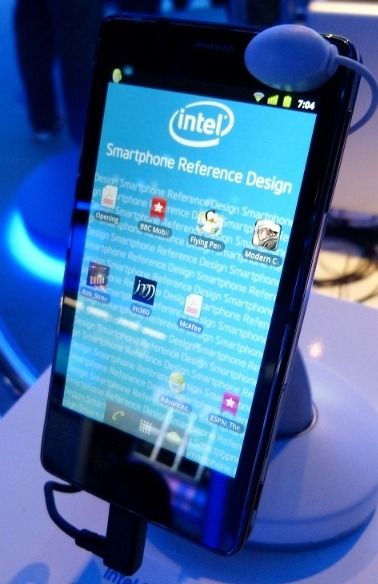
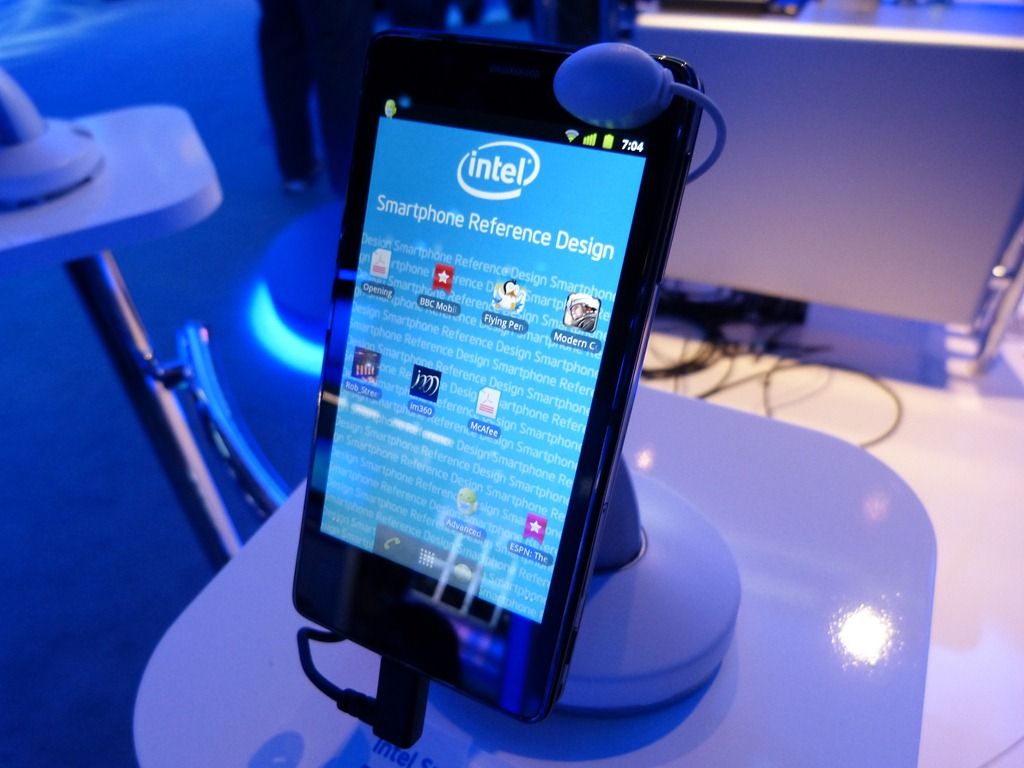
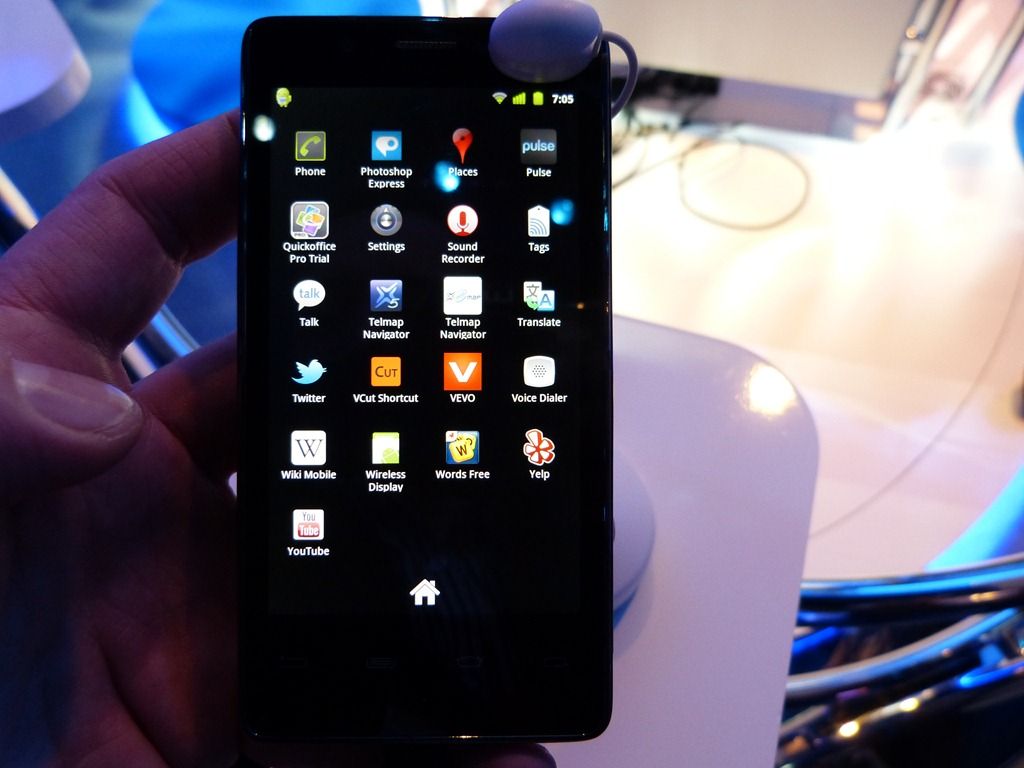
Here’s a video of Android running on a Moorestown smartphone from MWC in Feb.

Additional info: What Moorestown Means for Consumers.

One last thing to mention is that Intel are now happy to talk about tablets in their PR again. It seems that the old days of hopeless ‘tweener’ UMPCs are behind us now! Personally I think there’s more potential in social netbook-style devices than tablets but that’s another story.

We’re meeting Intel at Computex next month (as an Intel Insider I’ve been invited to Computex) where I’m sure we’ll hear about launch dates, devices and a whole lot more so stay tuned. The only problem is, does all this belong on UMPCPortal, the productivity-focused mobile devices website, or Carrypad, our sister website devoted to consumer internet devices? Moorestown has the potential of spanning both and that’s exactly the big story here.

Update: I’ve posted some more analysis of the Operating system options here.

Z6XX Press Kit
Press release.

Lots more Moorestown reading under our ‘Moorestown’ tag.

Source: Carrypad

Xperia X10. Is Total Convergence The Answer?

Tags: , , , , , , ,


When the N900 was launched, Nokia positioned it as a total convergence device. It’s a dream (and the subject of my first ever blog post in 2006). The X10 is also aiming to be a total convergence device and does an incredible amount of activities with impressive quality but again I say no; and that’s not all. Battery life is a major problem with every smartphone I’ve ever used. I wrote about the problem back in 2008 and again in January. The X10 re-confirms my theory. There is NO SUCH THING AS IDLE and screens and communications continue to take the lions share of battery drain. Smartphones, when used professionally  as smartphones, don’t bring all-day battery life.

X10compare

Forget talk about cpu idle power claims because it’s totally irrelevant. 2W is the headroom needed to do all the things the marketing people tell you are possible and assuming you ‘only’ use the device for 15 minutes every hour, you’ll need a 7.5wh battery to get you through a full day.

The X10 has a 5.5wh battery which means it’s not going to hit the mark for many. It needs attention, a top-up late in the day and if you’re to be ready for the next day it needs plugging in before you go to bed. That late-day top-up is a big risk if you’re a pro user and relying on being able to take an important phone call or respond to an email at any time and if that risk is there, you’ll need to manage it. In this case it means either a spare battery, a universal charger or, and I suspect that this is going to be the easiest route for many, take a second phone. Either way, you’ve got a second device and a problem.

Corner cutting.

The X10 pushes the boundaries in so many ways but it does it within the confines of a pocketable size, smartphone pricing and smartphone life-cycles and that means (and always will mean) cutting corners. The web experience is great but even though you’ve got 800×480 pixels, the pixels are too small. a 5” screen has always been better for mobile web browsing from the hand and now that people are experiencing even bigger handheld web experiences, the 4” screen has issues. Zooming to click a link is a pain in the backside.

Then there’s the camera. How do you keep the price down and still provide a superb photo solution? You stick to daylight-only scenarios, drop the flash and choose a daylight sensor. The X10 is crap at low-light and flash situations. My 2 year-old N82 beats the pants off it.

How do you keep the design simple, reduce parts costs and avoid having to ship 500 different physical keyboard layouts? You make a tablet device with a software keyboard. Losing 50% of a landscape screen to a keyboard isn’t nice but it’s a great way to reduce the time-to-market costs.

How do you tackle the audio issues? Speakers need space, always. To fix that problem you ship it with a standard 3.5mm headphone port and hope no-one wants to use it as a radio. The speaker on the X10 is far from ‘top quartile.’

A great MID.

A 500 Euro smartphone is an expensive item but when you look at what the X10 is giving you it’s hard to put much weight on the corner-cutting. In terms of mobile internet, the X10 blows away any Intel-based MID I’ve tried. Sure, I’ll have to put up with a no-flash experience but the X10 brings me email, PIM and calendar integration, sync and accessibility that I’ve never had before. The dedicated GMail J2ME app on my old Nokia 6280 was really fast but this is something else altogether. Being able to push information around (sharing with email, IM, Twitter, Flickr, Facebook and other important networks) is easier than on a PC and when you add the always-on feature, GPS (location based search adds a lot of value) a WVGA video capability and an 8MP camera that puts every PC-based 1.3mp webcam to shame, you’ve got something special that goes way beyond browsing. With 4-6hrs full-on web browsing time, 9GB storage and a 138gm (measured here) weight, you can forgive it not having the ability to beat a dedicated digital camera in a low-light photography test.

What have I learnt?

I’ve learnt that I use the Internet too much for a smartphone. Actually I knew that already which is why I’m still looking for the ultimate MID but the X10 serves to re-iterate that point. No smartphone battery can keep up with me.

I’ve learnt that Android fits me perfectly. I’m a Google user and Android brings my services to me in a way that no other device ever has and that means that I won’t pursue a Windows-based mobile internet device. Actually, I never did. I knew that a dedicated OS was needed from day 1 but the choice just hasn’t been there. [History: Carrypad was started in 2006 to journal my question for a mobile internet device]

I’ve learnt that I love having a top-end, stylish smartphone. Just because! (Who doesn’t?)

I’ve learnt that the ARM/Android platform is able to bring a consistently high-speed, multitasking and flexible web experience. I experienced it on the Archos 5 and it’s here again on the X10. Android will easily scale to bigger screens and given the apps, would be able to provide a productive internet experience.

I’ve reaffirmed that the Marketplace is critical. Without it, Android devices just can’t keep up.

I’ve learnt that the X10 may not be for me but I know it will be difficult to part with it. I’ve tasted Google Android at 1Ghz and I don’t want to step down from that. The Dell Mini may be my savior.

HTC Nexus One / Desire, Motorola Milestone / Droid

Many of you have been asking how the X10 compares to these two phones. I’m afraid I can’t comment on the Desire and N1 because my hands-on was with a device that kept crashing but from my brief hands-on with the Nexus One I can say that the experience is very comparable. As for the Droid, I’ll immediately say that the Droid is a better value device. It’s available for under 400 Euros now and has the 2.1 upgrade. It offers similar photo, web and UI experience. If you’re a Google user and smartphone oriented,you’re not going to walk away from a Droid purchase unhappy.

The fact is that all five devices are top quality Android smartphones and offer an experience that will is likely to lock you in to the Android way.

Detailed first impressions and review.

I’m writing about the X10 in detail on a separate sub-blog and have just posted Part 1 of my first impressions. The article highlights three potential show-stoppers so take a look, comment and check back soon for part 2 where I cover the good stuff. Part 2 is going to be much longer than Part 1 I’m sure!

Also on the XperiaX10 blog:

Sample Daylight Photos. Wouldn’t it be nice to be able to create photo’s and videos on a UMPC!

Size comparison. Includes Archos 5, 5” PMP.

Information on the screen.  It’s transflective. Why didn’t UMPCs ever get good outdoor screens?

Unboxing and Open Review (with JKK)

Mobile (and Stealthy) Computing Tips For Dads

Tags: , , , , , , , ,


Baby Nicklas Computes

This could be a long article or a short article because my 8-day old Son, Nicklas is sleeping and who knows when he’ll wake up. Everything I do at the moment has to be flexible, portable and completed in multiple short bursts. Many of you Dads out there will know what I mean and many of you will have tried, like me, to slip a little bit of ‘work’ into the quiet periods.

When you’ve got a studio full of mobile computers to choose from it’s interesting see see what bubbles up as the most used devices and I want to take a few minutes (or 30) to show you what I’ve been using. One thing is for sure though, my desktop keyboard is getting dusty!

[1st break – Clearing kitchen for lunch prep.]

We’re camped-out in our lounge during the daytime and with the kids off school (I have a 9 year old daughter and the kids are enjoying the Easter sun in the neighborhood gardens) and the midwife popping in every day it’s turning into an incredibly dynamic living space. I’m out most days doing some form of shopping…

[2nd break – Kids at the door]

…and trying my best to do as much cooking as possible along with helping where I can.

[3rd break. Baby woke. Now typing with one finger.]

[4th break. Had to take over the cooking]

OK, lets get to the point here. 4 mobile computing devices…

[5th break. Kids need a drink]

[6th break…oh wait. Wife is handling that one.]

..4 mobile devices have bubbled to the top.

IMG_2995One-handed use – Smartphone

Jenn Lee wrote an excellent article about this recently. [See: How Motherhood turned me into a smartphone Whore.] One-handed computing is so, so important for mobility and therefore you need a device that works with the thumb. You need to be able to do as much as possible in one hand too so that means convergence. Modern smartphones are therefore the ultimate solution. Forget that UMPCs can give you a faster, more complete Internet experience with faster keyboard input because you don’t have space for that second device. Forget a netbook too in this situation because despite being able to put a netbook on the side of an armchair and getting a great consumption experience, typing with one finger is hopeless and this static position won’t last for long. (See this post!)

As for convergence you want the best camera you can find when you have a new baby. I want to say that again because despite your thoughts of buying an HD cam or DSLR, you’ll find that, unless you are an absolute stickler for image quality, you’ll use a cameraphone more often and take more natural pictures. In addition to the cam, you’ll need a screen that’s not too large (thumb needs to reach all the way across) and you need, of course, great access to online data. That means not only having a web browser but also having finger friendly applications and references. Comfortable e-reading is a plus. Ensure your device has Wifi for unlimited home-based Internet activities.

One other tip: ‘Working’ with a smartphone is often more acceptable both socially and in the family situation than using anything that looks like a computer. Pulling out a netbook smacks of ‘work’ or ‘browsing’. With a smartphone you can pretend you’re sending an SMS to the mother while you check email.

[7th break… 2nd Pizza is ready.]

[8th break…clearing up.]

[Hiding further interruptions]

Best Choices for One-Handed Use.

I’ve got an N82 right now and its a great cameraphone but it’s not ideal for this scenario because when it comes to running multiple apps or browser windows the experience is relatively poor. There are so many phones out there that would be better and funnily enough, the Omnia Pro I gave to my wife would fit in really well here. (She’s sitting across from me right now thumbing the excellent Samsung on-screen keyboard in portrait mode.) Top choices right now would be HTC Desire/Google Nexus One (I question the camera quality on those having seen and taken a number of iffy-quality images that have characteristic plastic-lens fogging.) or, for a good value choice with an excellent camera and big capacitive touchscreen, the Nokia X6. The Motorola Milestone / Droid is also a great value choice and the recent Android 2.1 upgrade makes it even faster and more usable. The slider form-factor also helps with the bedroom scenario below. The Sony Ericsson X10 would be an expensive choice and if you can put up with some poor UI elements you can have one of the best videophones on the market, the HD and continuous-focus Sony Ericsson Vivaz. Again, get a great cameraphone because there will be many times when it’s the only camera/videocam you have. False friends here would be the Nokia N900 (terrible one-handed experience, slow camera software) and HTC HD2 (the screen is too large for most thumbs.) I wouldn’t recommend the iPhone because of the poor camera although the 3GS would just about creep into the ‘acceptable’ category. If you want a super-cheap cameraphone with a 5mp auto-focus Carl Zeiss lens, Xenon flash, lens-cover, free navigation and a T9 keypad, the Nokia 6220 Classic is amazing value at under 200 Euro for  (Make sure you have a data contract as there isn’t WiFi on this model.) My choice from the above: Motorola Milestone. SIM –Free with Android 2.1 for under 400 Euros + spare battery, bed-side docking station and car charger.

IMG_2989

Mobile Office.

3 years ago I would be looking at something like the Flybook V5, the Fujitsu P1620 or an Everun Note and considering the $1000-$2000 cost with 3G. Today, I have a choice of 10 or more 3G-capable mini laptops for $600 or less. The Gigabyte Touchnote I bought in 2009 is working out really well. The touchscreen helps with one-handed browsing, the 3G is strong, the SSD is fast and as I’m largely located in the armchair or out for a short errand, the relatively short battery life isn’t a problem.

Listen, I know that an iPad sounds like more fun but you probably need to do some work at some point on a laptop so put those thoughts of an iPad to one side and get yourself an ASUS T101MT or similar. If you’ve got the money, buy a Viliv S10 with the 32GB SSD and 3G. It’s one of the lightest, most rugged, connected and longest battery life touchscreen convertibles out there. If I didn’t already have a Gigbyte Touchnote, that’s the device I’d buy. [Yes, I have one for testing but it might have to move on to another review soon.]

IMG_2991Bedtime Reading.

As a new father you’ll spend many hours awake in bed where a mini-Slate comes in extremely useful for e-reading, music, games, tweeting and more. One-handed use isn’t an issue (quiet at the back!) so I’m finding myself using the Archos 5 Internet Tablet. Great battery life, great screen, a good selection of apps, flash gaming capability, ebook applications, fast browser and super light-weight means it fits in extremely well. A large-format high-end smartphone would also work well here but if you do that, don’t forget to keep it charged for the morning. A Viliv S5, iPad, Milestone/Droid, HD2 or something similar (just choose something that suits you or works with your smartphone usage) is a fun device to have.

IMG_2987Ultra Mobile Computing.

One area you need to cover is the unplanned requirement to do something serious. Fixing a web server, answering an email with a modified spreadsheet, editing an , printing a document or even taking advantage of 20 minutes while waiting for the doctor means you need something reliable and something familiar. This is where the UMPC has always been the perfect companion as you get to take all your desktop apps and processes on the road with you. I’ve been using the UMID BZ with the Mifi 2352 (and tethered to my smartphone) and it’s been working out well. I also keep it by my bedside for occasions when I need to do some real work while in bed and to be honest, I could use it instead of the Archos 5. The Archos 5 is more fun though!

You could use a netbook in this scenario but netbooks are relatively heavy (especially when you need to carry a bag full of baby ‘stuff,’ and need a stable surface.

[5 interruptions hidden]

So Dads, as you can see, there are some opportunities out there and that it’s not just the Dads that sneak in some mobile computing while looking after their babies. In the spirit of parenthood then, what tips have you got to share? Anyone worked out how to have two hands free? I’ll be testing a baby sling soon so stay tuned for some more mobile Dad tips!

The ‘Full Internet Experience’ of 2010

Tags: , , , , , ,


pcmobileThe Internet experience has split into two in the worst way possible. The mobile internet is no longer a subset of the ‘Full’ Internet; it is now a separate world offering features that the desktop just can’t offer and the worst thing is that there isn’t a single device and operating system out there that spans the two Internet worlds. In this article I look at the feature-set of the ‘Full Internet Experience’ and how those features impact netbooks and other ‘mobile’ PCs.

Read the full story

Spotted at Intel CES Keynote. (Nokia, Tablet, 3-way Video)

Tags: , , ,


Capture_00004 At Computex in June 2009 I had a press meeting with Anand Chandraseker and one thing he mentioned as the press challenged him about netbooks and smartbooks was the fact that Moorestown could make a good platform for smartbooks. If I remember correctly, the words he used were ‘a better smartbook than ARM-based products.’ (Analysis here)

ARM platforms are scaling well and in mid-2010 a multi-core ARM processor will be able to reach processing power levels that are close to what we’re seeing on Atom (with a single core.) The power envelope of a Moorestown-based tablet or smartphone won’t be significantly higher either so when you think about Moblin, its stability, its brand and potential for a lot of Intel-backed marketing, the code-sharing that’s happening with Nokia and its Maemo teams, its ‘appup’ store, its roadmap, and the support it’s getting from leading computer manufacturers you can see a lot of advantages over skinned WinCE, non-existent Chrome OS and re-hashed Android open-source models.

Proof that tablets and ‘smart’ devices are possible was given in the keynote speech and I’ve included the relevant 5-min segment below. You’ll also here a very interesting line in the first 20 seconds. Paul Otellini specifically mentions that Nokia is in partnership with Intel ‘around’ the Moorestown platform. That could be the software development work that’s going on (Nokia and Intel are sharing a lot of software across Moblin and Maemo) but it could be something else too!

Skip to the following segments for specific information on the key elements from the Ultra Mobile section of the keynote.

00:21 ‘We’ve announced partnerships around Moorestown with leaders like LG and Nokia’

02:00 Multipoint (3-way) video conference on Moorestown smartphone. (from Vidyo.com)

03:40 HD movie demo (720p)

04:30 Open Peak tablet demo. (Note e-reader application)

Next stop: Mobile World Congress, Barcelona.

4 problems with recent no-name MIDs out of Asia

Tags: , , , ,


Wow… and I thought netbooks were boring…

Seems strange that we’ve been seeing quite a few MIDs lately, but not in the capacity in which they were expected. Intel is responsible for propagating the term MID and the initial plan was to couple these devices with the Atom platform to have pocketable web access ‘companion’ device that could also function as a media player and productivity tool. However this hasn’t quite come to fruition as the current Atom lineup just doesn’t lend itself to the type of device that people want in their pocket. Instead of X86 architecture running a full OS for two or three hours, the masses seem to want always-on all day devices. At this point, we’ve only seen that achieved with some combination of the ARM platform and a ‘mobile’ OS (Android etc.). Seems like we’ll need to wait on Moorestown to see Intel’s true vision of a MID.

Until then, we’ve seen a relatively small number of attempts from large companies to create MID devices. The Archos 5 Android Internet Tablet is a good example of a pretty well done MID, but at this point not many other big companies are following suit.

Filling the void seem to be a bunch of ‘no-name’ MIDs coming out of Asia from companies that I’ll wager most of us never knew existed. We should be happy that there are MIDs being made, right? Unfortunately there are several problems with these devices:

1. Inconsistent specs and info

As is the nature of these devices, it is hard to find solid and consistent translations of specs or convincingly official information about a given device. Maybe it’s our fault for trying to buy devices which are designed for the Asian market, but most of the time it seems that emails need to be sent to the manufacturers to determine exactly what the specs of the device are, what version of software they are running, included wireless radios and supports bands, etc. “Marketing” seems to only come in the form of YouTube videos showing off what seem to be perpetually early builds of these foreign devices.

2. Early-adopters as beta testers

Another frightening trend with no-name MID companies is their willingness to ship units ripe with bugs, or lacking features that were claimed. Several of the devices out there today mention “Android capable”, but ship with Windows CE instead, promising updates at later times. But how is a consumer to know whether or not these companies will follow up on those promises in a timely manner? Even if they do provide these updates, how many users really want to go through the process of a firmware upgrade? Is it too much to ask that these devices be released once they have been thoroughly tested and polished?

3. Availability

This is one of the most peculiar problems. Even if someone wants one of these devices, it is rarely clear whether they are yet on the market, or where to buy them. Best case scenario, you can pick up a device through a big name importer, which usually makes sure that these devices are in working order. But these random MIDs we’ve seen lately aren’t hitting the big name importers, they are often sold direct through the OEMs website and sometimes can only be purchased in bulk! One of the biggest roadblocks to actually owning one of these is deciding whether or not you trust the company to ship the MID to you after forking over your cash, the vast majority of consumers (and even of hardcore gadget gurus) aren’t going to be tracking these guys down and trying to ascertain a unit from overseas.

4. None of these devices are going mainstream

All of the points listed above lead to these devices staying random no-name MIDs. Even when one breaks out of no-name land and makes rounds on the web, like the SmartQ 7, all of the above issues prevent these units from being anything more than a geek toy. Which is really sad considering this is the state of the majority of MIDs that we see today.

For those of you paying attention to the segment, it seems like MIDs never really took off as Intel envisioned them, but they picked up an additional component, phone capability. Now we see devices like the HTC HD2 which could be considered a pretty good attempt at a MID, but we are still calling these devices smartphones. So maybe Asia hasn’t caught on that we’ve made the jump from standalone MIDs to MID + phone devices, or they just really like to cobble together generic Slate devices running Windows CE – either way, these no-name MIDs that we’ve seen lately are doing nothing but giving a bad name to the term MID, and I’m really hoping that they aren’t a sign of things to come. Maybe if Dell would hurry up and show us a decent attempt with their rumored Streak MID, we could break out of this boring no-name MID era.

And just in case you were wondering, this article was inspired by this device as well as other random MIDs we’ve seen over the last few months.

6 WVGA Smartphones that Push The Mobile Web Envelope.

Tags: , , , , , , , , , , ,


Finally, after years of waiting and wishing, I can finally say that there are smartphones on the market that offer fast, high quality internet experiences and offer the web-focused user a converged product on which they can do tasks that, until now, required a true mobile computer. In this article I take a look at 6 of the best.

6midphones

Read the full story

Chippy and Smartphones on the WinMoWorld podcast.

Tags: ,


podcaster_full-273x300 It was a pleasure to join three smartphone experts yesterday evening for a podcast about the Omnia Pro and the reasons why someone who focuses on MID and UMPC devices is messing around with a Windows Mobile smartphone.

We have a good discussion over 1hr 25 mins (wow, I thought our Meet:Mobility podcasts were long) about the Omnia Pro B7610  and then drift into some good discussion about UMPCs, the Archos product range, Android and Moorestown.

Thanks to:

…for your patience with a MID and UMPC fan!

You can listen to the podcast by going to this page (Polish.) You’ll see the embedded player half way down. If that doesn’t work, try the direct MP3 link.

Nokia N900 price dropped to 558 Euros already.

Tags: , , ,


image

Update: Great marketing trick from Amazon.de The price is back up to 599 Euros today. (18.09.09)

Somewhat earlier than expected, the price of the Nokia N900 has dropped. At Amazon.de (Germany) you can now pre-order the device for 558 Euros.

It’s still expensive but I think the price drop indicates that we could be looking at 499 or maybe even 450 Euros by the end of the year, especially if Archos and friends keep turning the screws.

Nokia N900 specifications and information

[Support UMPCPortal and use our Affiliate link if you are buying this product in Germany.]

N900 Outed in Proto Expose.

Tags: , , , , , , ,


Amazing. The Mobile-Review team out in Russia have had a prototype N900 for a while and because of the leaked information they have seen on it they have chosen to air some initial thoughts including device images and a ton of images about the OS. There’s a lot to analyse here. It’s a phone. It’s running Maemo 5. It’s looking like Nokia really is moving to Maemo as their high-end OS. I’m quite stunned that Maemo has come this far. Hats off to Nokia. I’m going to try and get myself down to Stuttgart for Nokia World now because clearly this is going to be on the agenda there in just a few weeks.

N900-clean

We’ve added all the specifications we could confirm from the article into a new N900 information page which we’ll be updating as new information comes in but for now, the best information is over at Mobile-Review.

As usual there’s a lively conversation over at Internet Tablet Talk. Your immediate thoughts are welcome in the comments below.

MIDs approaching from the Smartphone market.

Tags: ,


htcleoLocation, Entertainment, Connectivity and Productivity. The four elements of a MID as proposed by Intel a few years ago (March 2007 although the label was ‘UMPC’ at that point. It changed to ‘MID’ a month later) It’s clear that it’s a winning combination because a lot of people appear to be moving in to cover the same ground.

With the Web and social networking being two of the biggest growth areas in mobile computing we’re now seeing smartphone manufacturers addressing the area and the rumoured HTC Leo is a prime example.

4.3” screen, 800×480 resolution and a high-end Snapdragon processor in a stylish pocketable format. Sounds like a MID to me!

With an efficient ARM platform battery life should be reasonable and with the Windows 6.5 OS there’s a lot of application options too but will the built-in browser or Opera 9.5 mobile be enough? Without flash there’s going to be a huge chunk of the internet missing too. How’s the speed going to be? Devices like this and the Toshiba TG01 will be good benchmarks to compare against Intel MIDs against in the coming months, especially those based on the voice-capable Moorestown platform due by the end of 2009.

Intel isn’t alone in the MID market now and as it moves to a smartphone-capable platform, the mitts will be off for an all-out competition. Consumers only stand to benefit as the best of technology is paraded before them. The market should receive a boost as a result of the competition too so it’s great to see that the MID category has the seal of approval from everyone!

HTC Leo news. Via.

Taking the Voice from Smartphones. Samsung Mondi

Tags: , , , , ,


swd-m100_qwertyfront3There are two ways to look at the Samsung Mondi, the oversized slider-style PocketPC with built-in WiMax. Either you wonder why Samsung didn’t go all the way with the convergence theme by adding in the cellular voice capability or you look at it as a flag-bearer in the Smartphone and MID market. One of the first devices that promotes the use of internet based services for all your communications and a real benchmark for pricing and capability.

Read the full story

MIDPhone News. Leo, Mondi, X3 and TG01

Tags: , , , , , , , , , ,


As time goes on, more and more of my time is being taken up reading very interesting smartphone news. WVGA, Android, WM6.5 and Cortex are the important keywords and every time a device comes up it becomes clearer that the push towards the MID market is greater from the Smartphone manufacturers than it is from the Intel-based MID and UMPC market. With Menlow in a strange UMPC-like state (with no Moblin support now) there’s a long wait until consumer-focused MIDs come out on the Moorestown platform in 2010. It’s even clearer than before that ARM will have the upper hand in the MID space in 2009 by building up from existing products and brands that already sell millions of devices. Intel will have to sit back and wait for the time being.

Today has been particularly active in the ‘MIDPhone’ space.

Orange_Toshiba_TG01_SlashGear_15-540x303 As I was updating myself on the status of my Samsung Omnia order (no delivery date in sight) I took a quick look at other options that are available and the Toshiba TG01 (soon available in the U.S.) jumped up at me. With a screen size of 4.1”, a resolution of 800×480 and  processing power that is 2-4 times as much as the Nokia N800 / N810, it’s difficult to ignore. Pricing is now under 500 Euro for an unlocked version and 02 in Germany are selling it for 150 Euro with a 25 Euro / month contract. Add 15 Euro on top for Internet and you’ve got an interesting option that you I could walk out and buy tomorrow. Chris over at SlashGear has just finished his review and although he wasn’t impressed with the UI and predicts that the WM operating system could be an issue, I still think that the device represents great value for mobile internet fans. When Windows Mobile 6.5 comes along it could make it even more interesting, especially if Opera 9.7 works on it. I’m looking forward to seeing some browsing speed tests on this one. Note: No keyboard!

As I was finishing up reading Chris’ article a news item about an HTC Leo popped up. The Ai.rs blog has posted what they say are the specifications for this new HTC device. I don’t know who Ai.rs are but everyone seems to be following up the story. WMPowerUser (a blog I frequent more and more these days) says that the device is the HTC Firestone. All I know is that it’s rumored to have a 4.3” screen and run a Snapdragon platform at 1Ghz. This is definitely another one to add to the MID list. Again, it looks like there’s no keyboard.

samsung-mondi-wimax-smallOnly a few minutes later I read the news that the Samsung Mondi is launching. The Mondi is an even bigger device with a slider form factor and a 4.3” screen. Samsung are dropping a WiMax module inside and handing it over to Clearwire for a launch in Las Vegas. It’s an ARM11-powered device running Windows Mobile again. No pricing, No availability details. Style and feature-wise it’s not too exciting and in fact it doesn’t even support voice so this is really focused at mobile internet activities.

The Mondi’s compact design provides the user with a more mobile form factor and ease-of-use than the typical laptop or netbook. While it is small enough to fit into the user’s hand or pocket, the Mondi packs an impressive Web browser, powered by Opera 9.5, which takes full advantage of the device’s 4.3-inch touch screen.

I’d like to see this with HSPA, Android, a high-end CPU and a big fat battery for all-day mobile internet use!

Press release. Via.

Finally, in addition to all that, there’s news about a Sony Xperia X3 which had previously been known at ‘Rachael.’ Dutch blog ‘All About Phones’ found the information in an Expansys we page and it’s quite the interesting read, largely because it’s going to be running Android and will have a 4” 800×480 screen. As yet, the CPU information is unknown. If you’re thinking about an HTC Hero, you might want to wait for final specs and pricing on this one.

Breaking: Xperia X2 news is coming in

None of these devices represent the ultimate MID yet but you can see where things are going. The 4” to 5” space is getting very busy already. I’ll beadding some of these (if not all!) to the database very soon.

MIDMoves prepares for @IDF09

Tags: , ,


idf2009logoI’ve just had confirmation that Intel is going to sponsor MIDMoves to cover one of the Mobile Internet highlights of the year. The Intel Developer Forum 2009 in San Franscisco. This is fantastic news.

I attended IDF last year under my own steam with UMPCPortal and it turned out to be one of the most important weeks of the year for getting hands on, speaking to the OEMs and finding out exactly what’s going on in Intel with regard to Mobile Internet Devices. This year is going to be even better.

Menlow refreshed. The Z515 CPU will be appearing in a new MID, the Compal KAX-15 and I feel sure that we’ll see some more devices too. Viliv have the S7 almost ready for launch and I know for sure that they have a few devices up their sleeve for the latter part of the year. Then there’s the stuff we don’t even know about yet!

Moorestown details. Up until now we’ve only been given basic details about the architecture of the Moorestown platform. At IDF, all will be revealed. We’ll find out about the graphics core and get real hands-on with devices. If we’re really lucky there will be time for an in-depth testing session. Just how long will that platform idle? Those 50x idle power reduction promises need to be tested.

mediaphone2.jpgMoblin. The Moblin story gets more and more interesting by the day. The Menlow platform is pretty much out of the Moblin picture but for the netbook platform and the Moorestown platform it’s a different story. Computex was a real eye opener in terms of Moblin support and with Wind River now in the picture, things could get very interesting indeed. Expect to see netbooks running the final cut of Moblin with modifications and enhancements.

Pine Trail. The next-gen netbook platform will be revealed and it promises to be leaner, cooler and more efficient. Netbooks have already reached into the UMPC segment with the existing platform but Pine Trail could widen the scope even further.

The Technology Showcase was a real suprise for me last year.I never expected a big exhibit hall and I never expected to get so much hands-on with the MIDs, netbooks and UMPCs that were there. This year looks to be just as good with a MID community and Moblin community to check out.

The keynotes are always interesting and entertaining and this year I may even have a chance to question the speakers in a private session.

Inter-twined across the whole three-day event are the technical sessions. This is where you can get down to the nitty gritty of the technology and meet the people that work day-in, day-out with the technology. In the MID technology area we have a ‘Meet The Experts’ session, a session about gaming on MIDs and sessions on MID and smartphone security, entertainment and user interfaces. You can see the huge range of sessions listed in the IDF content catalogue.

The extra events in and around IDF will also be interesting. This year I plan to attend the tweet-ups and other social events around the event to talk about MIDs and learn from others in the mobile computing industry. I also plan to hang around after the event and try to arrange some sort of Mobility event. Cycling, camping or just a series of meet-ups and demos. I’m not sure what it will be yet but if you have ideas, please let me know.

Stay tuned for the lead-up to IDF over the next weeks. The event starts on the 21st of September but as always, the leaks start earlier and I’ll be tracking them all here on MIDMoves.com.

You can find out more about IDF at the Intel website.

IDF-related information is also available on Twitter. Follow @idf

Mobile Microblogging Devices. A List that Doesn’t Include Intel.

Tags: , , , , , , , , ,


Back in Feb, I listed a set of devices that should be high on your list if you’re thinking about mobile microblogging. It included MIDs and UMPCs. As the market for mobile social networking, mobile web search, mobile content creation, location based services and lifestreaming (my rough definition of Mobile Microblogging) gathers steam we’re seeing more and more devices coming into the segment and it’s mainly from the smartphone sector. UMPCs and MIDs aren’t getting a look-in. In fact, in my latest list, below, you won’t find a MID or UMPC.

Smartphones with bigger, higher resolution screens and high-end processors are appearing on the radar almost every week. Smartphone-based mobile software development is increasing too as more and more mobile device application stores tempt developers with easy-to-use, rich SDKs and APIs, a channel that reaches right down to millions of users devices and a good cut of any earnings.

ringoffieWhat’s really interesting about the Mobile Microblogging phenomenon is that very little software development is happening for today’s Intel MIDs, the very devices that were targeted into this segment. Intel have stopped work on the Moblin OS for them and they’re effectively UMPCs. You could even argue that there are no Intel MIDs any more! They are being totally left behind in both software and hardware until Intel push the reset button when Moorestown MIDs with Moblin hit the market. Until then, it’s desktop operating systems for MIDs and UMPCs.

You won’t find an easy-to-use, small-screen, GPS-enabled search service on Windows. You can’t even link Google Maps to a GPS on the browser. Forget the thought of a compass helping with augmented reality, an accelerometer, an FM receiver with RDS or, if you’re into internet photography, a half-decent snapshot camera. There’s no application store either. Only on smartphones will you find the creative software and hardware that is driving the mobile microblogging market and making it exciting, fresh, competitive and, quite frankly, desirable.

Moblin-based MIDs do have a chance as do Maemo 5 based devices but you won’t find any on the market yet so it’s going to take time for the developers to warm to those platforms. Come back in 2010 to discuss that!

Apple and Android have done a lot for the new generation of mobile internet devices and usage scenarios and so it should be no surprise to see smartphones dominating this Mobile Microblogging segment to the point where UMPCs and MIDs don’t get a look-in. UMPCs and Netbooks still have big  advantages for general purpose, day-to-day productive computing but if mobile creativity is your thing, there’s nothing better than the new generation of smartphones.

One could argue that smartphones have grown into the MID segment but for me it was always about usage scenarios rather than device categories. As Intel said, communication, location, entertainment and productivity. It’s a shame that Intel’s MIDs aren’t living up to their own hype yet. (see my recent Moorestown article for thoughts about 2010)

(continued on next page…)

Omnia Pro B7610 Smartphone is another MID contender.

Tags: , , , , , ,


The CommunicAsia expo is happening in Singapore right now and Samsung have taken the opportunity to show off a previously ‘leaked’ product, the Omnia Pro B7610.

Like the HTC Touch Pro 2, it’s got a slider keyboard, an 800×480 screen and Windows Mobile. it’s got a 5mp camera and an 800Mhz CPU. 800Mhz sounds quite hefty but the CPU architecture details aren’t known yet so don’t get too excited about this being the ultimate pocketable browsing device.

It’s said to ship with WM6.1 but Samsung have promised an upgrade to WM6.5 which should keep this device current for a good year or more. While some of you might not like Windows Mobile, I still find it a productive and relatively open environment with a great software ecosystem. It should also be capable of running Opera Mobile 9.7 too which is one of the most advanced mobile browsers out there.

omniapro

One more thing. The screen is a 3.5” AMOLED type which will provide great indoor color saturation but may not be the best choice for outdoor use. Expect a release in Q3 or even Q4 and keep your fingers crossed for 720p recording and the high-end processor that could make Opera Mobile a truly slick mobile browser experience.

Via Akihabara News

More thoughts on pocketable communications solutions from the smartphone bracket in this article.

What Moorestown means for Consumers

Tags: , , ,


I wake up this morning to a clearer understanding about where Moorestown fits but to an article that highlights that there’s a lot of marketing to be done by Intel. The new platform, demonstrated yesterday on a number of working devices, appears to be technically very capable and extends through a number of product sectors. It brings new levels of processing power and leads in making the Internet in your pocket more ‘real’ than with any other platform I’ve researched and yet there’s a surprising lack of interest. In fact, over the last 24 hours, there has been more interest in Intel’s deal with Wind River than with their move into the smartphone market. What happened?

Image3

E3, smartbooks, booth babes, an Apple conference, Palm Pre reviews and a lot of other news have a lot to do with it so perhaps the timing wasn’t exactly perfect. Perhaps Intel could have helped too. They’re calling it a MID platform and up to now, there really hasn’t been much penetration for the term and certainly no big-number consumer hit so attention levels could have been low when Intel mentioned that the platform is voice-call capable. They also failed to mention that the platform is 720p recording capable and that it could be used to make some amazing Moblin-based smartbooks. Intel is confident that they would be better than the ARM based ones too!

Maybe I can help, just a little, by trying to simplify the key points. What does Moorestown mean for consumers?

Moorestown is a computing platform, based on a more efficient version of the Atom CPU and big changes in the way that the other components in a traditional ‘computer’ are built. There will be versions that will run Windows XP or Windows 7 or other desktop platforms but that’s not really what Moorestown is intended for. Intel have built their own software to go on top of it and its a snug fit. It controls the ‘computer’ in a way that means it can continue working in a state where it’s effectively sleeping with one eye open and that opens up a whole new world of possibilities. Here’s some examples:

IMG_9425 Smartphone

Expect Moorestown-based devices to be as small as a smartphone and to be able to run, on a smartphone sized battery, for over 24 hours. Intel are telling us that devices will idle with 50x less power drain than today’s Intel Mobile Internet Devices. The worst MID I ever tested ticked-over for about 1 hour on the juice of a smartphone-sized battery. Intel says that this will increase to 50 hours. The best-case scenario, based on testing I’ve done on the current best-of-Intel is 3-times that figure. 3-days active standby.

Smartbook

Moorestown scales. It sleeps with one eye open but when it wakes up it’s capable of Internet browsing speeds, accuracy and richness that you will have never seen on an ARM-based device. I’m expecting high-end versions of Moorestown to bring sub 10-second average page loads to every web page on the Internet. The current best smartphones take twice as long as that and the next-gen may only shave 50% off that.

Mobile Creativity

I really wish Intel had highlighted HD video  recording as it’s an important benchmark figure these days. Smartphone manufacturers are building these facilities into their devices and HD video is a huge growth area on the Internet. Moorestown enables 720p video recording. Not only that but the software layer has been designed with that in mind too. GPS-enabled applications with social-networking capabilities are baked into the software making it easy to make compelling mobile applications.

No more 99c apps

Moblin, the name of the software that runs on Moorestown, is a standard-compliant software stack too so there’s a huge library of free software out there. Moblin has the potential to offer a very rich choice of software, for free and because it scales and can be connected to the internet all day, introduces new revenue generating models.

For me, those are the key features of Moorestown but it clearly brings advantages for existing MID, PMP, Navigation, and UMPC market segments too. Think about it – you won’t have to turn Intel’s mobile devices off any more. That alone, is a huge change for a mobile ‘computer.’

Intel still has a journey ahead and there’s some good competition out there but I, for one, will be looking forward to putting the Moorestown Internet experience in my pocket

Search UMPCPortal

Sales Information


Our Network

  • ARMShowcase Tracking ARM-based mobile products
  • Big Beach Our marketing advisors. Located in UK.
  • Carrypad Tablets and consumer mobile products
  • Chromebook News Chromebook news, products and specifications
  • Device Manufacturer List List of all device manufacturers, and products, from our database
  • JKKMobile JKKMobile – Mobile computing and hacking – Partner of UMPCPortal
  • Liliputing Netbooks and small-form-factor laptoping – Partner of UMPCPortal
  • MeeGoNews News, reports and inside info from the MeeGo Ecosystem – Partner of UMPCPortal
  • MeetMobility Mobile computing podcast broadcast every two weeks – Partner of UMPCPortal
  • Netbooknews Netbooks and other mobile devices – Partner of UMPCPortal
  • Ultrabook News Ultrabook products, specs and news

Donators (Last 20)

Buy Laptop (€5.00 EUR) Says:
Sep 18, 2011 at 7:43 am

Awesome website, great read!

Jez@SammyTablet Says:
Oct 15, 2010 at 8:25 am

Keep up the good work! UMPCPortal and Carrypad are always a good read :)

MiKeN (€5.00 EUR) Says:
Oct 15, 2010 at 5:13 am

Microsoft AutoRoute Says:
Sep 3, 2010 at 10:46 pm

Trip planning and satnav software for PC

MMORPG Says:
Oct 6, 2009 at 2:07 am

Keep up the great work on UMPCPortal :)

Laptop Computers Says:
Jun 9, 2009 at 8:00 pm

Laptop reviews, ratings and netbook computer buying guides.

Laptop GPS World Says:
May 10, 2009 at 2:01 pm

PC GPS SatNav reviews and forums.

Ultimate-Netbook Says:
Apr 11, 2009 at 2:48 pm

Ultimate-addons supplier of netbook accessories

Steve Paine Says:
Apr 2, 2009 at 8:44 pm

Test from Steve