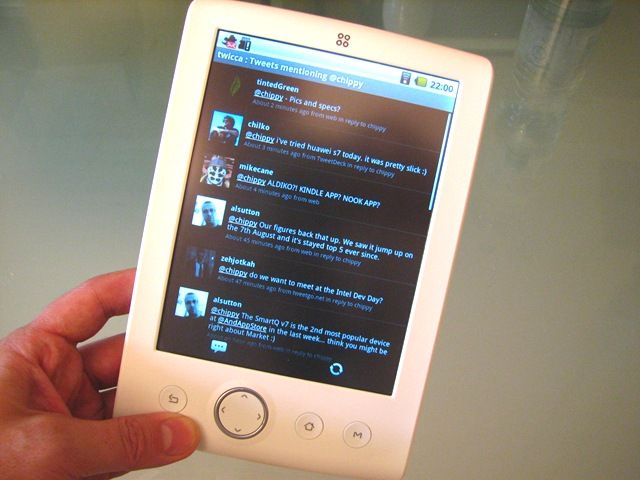
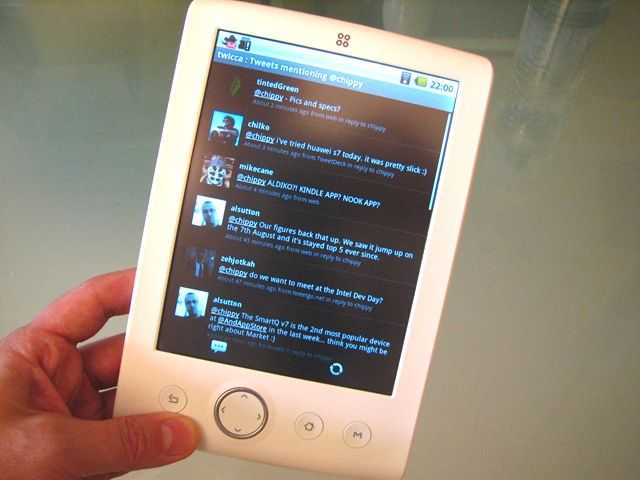
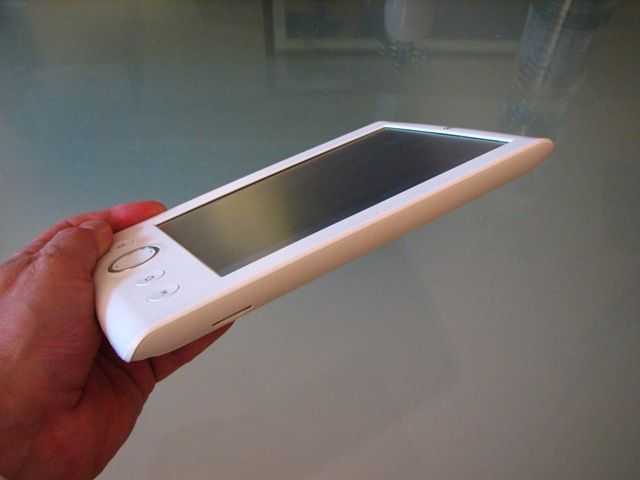
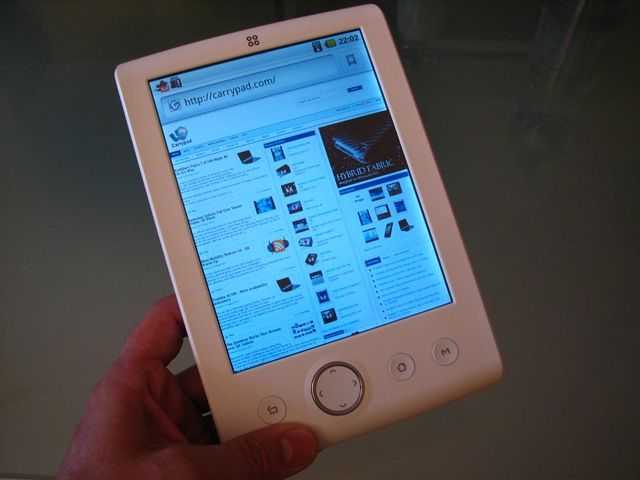
I’ve just finished the photo shoot of the Viliv S10….
View the full gallery (70+images) in the UMPCPortal Gallery.
I’ve just finished the photo shoot of the Viliv S10….
View the full gallery (70+images) in the UMPCPortal Gallery.
Clearly the GSMA have been looking for guidance on what to choose as a top mobile gadget at MWC, saw that we had awarded Mobile Accesory of the Year to Novatel’s MiFi and followed suit by giving their own little award for Best Connected Device (Non-handset)
Or maybe they checked it out and realised it was a damn fine bit of kit on their own.
Either way, Novatel just picked up another award for the MiFi from the GSMA
SAN DIEGO Feb. 22, 2010 Novatel Wireless (NASDAQ: NVTL), a leading
provider of wireless broadband solutions, is pleased to announce that its
MiFi Intelligent Mobile Hotspot has won the GSMA Global Mobile Award for
Best Mobile Connected Device (non-handset). The GSMA Global Mobile Awards is
the mobile industry¹s leading annual award presentation that honors
excellence and innovation in the mobile communications industry worldwide.
Well done Novatel. Keep that Mifi-love flowing. Our wish-list is below:
The MiFi 2352 (HSDPA version) saved our bacon quite a few times at MWC. It was the hotel WiFi, our live podcast feed and we used it countless times around the site and at events with a cheap, 35 Euro flat rate SIM card from Vodafone ES. I even used it for advertising. I set my SSID as ‘Chippy and Carrypad are here’ and people actually found me because of it too.
It goes without saying that we thoroughly recommend it and if you’re interested in the HSDPA version, it’s available through our friends at Mobilx for just 214 Euro inclusive of EU taxes. Trust us, it’s worth it! (Affiliate link.)
Unlimited pre-paid 3G data via USB stick for $39 per month might sound like a rather unexciting deal for many Europeans but for the U.S, this is a long-overdue breakthrough. Prices for 3G data in the US have been too high for too long.
The service is being brought to the market by DataJack with very few strings at all. On the contrary, it’s promoted as a truly flat data service (on a GSM/UMTS network judging by the mention of ‘EDGE’ in the marketing material) along with a free moth of service after using it for 12 consecutive months.
We suspect that this is a locked service but fingers crossed that DataJack brings out a SIM-only version of the product. It would make a nice partner for an unlocked MiFi unit.
DataJack to Launch Unlimited Prepaid Mobile Broadband for $39.
I fly to San Fransisco for IDF in about 24 hrs and I’ve been trying to work out what computing devices to take. Netbook, check! UMPC, check! Smartphone…not so sure.
I have two problems that mean my new and expensive smartphone will stay at home during my trip.
1) The touchscreen and camera will get scratched if I put it in my pocket. I’ve already got a horrendous scratch on it from finger-scrolling. The chances are that if I keep it in my pocket next week it will get trashed. At the very least the camera lens will be covered in dust just as I go to take an important picture.
2) Roaming data costs mean I will have no mobile internet connection.
Twitter, web browser, active sync, email, RSS and podcast downloads will all stop working leaving me with a voice-enabled PIM and MP3 player. Quite frankly, I don’t need to be carrying over 400 Euro of large smartphone just for that. No, I’m afraid it’s time to choose the right man for the job. The Nokia N82 has no hinge, no touchscreen, a better camera (with real flash and lens cover) and smaller size will be a better choice. My UMPC will be with me all day so if I want to Web-it-up in a Wifi area, I’ll do it with that. Horses for courses as they say.
Kitlist for IDF:
Where there’s a product launch, you’ll always find Mr Blurycam. This time he’s posting under the name of Ludovic Perrier on a blog called thoout.com.
With only a day and a half to wait until what we believe will be the official launch, it won’t be long until we see the real thing but it’s always good to get some fodder for the brain while you try and refine that toplist of MIDs in preparation for a possible order tomorrow evening!
You’re looking at the appslib app store according to Ludovic, an Android developer.
Via Archos Lounge
The A5S (the SSD version presumably) is expected to run on a Ti OMAP / Cortex core platform as found on the Archos 5. There should be a 3G version although it’s not clear how this will be marketed. The device will be running a modified version of Android and should be priced starting at around the $300 / 200 Euro mark. Full specifications are unknown at this stage.
Update: I missed these live, non-blurry pics from Joanna at Gizmodo yesterday. (Thanks Rob)
Highlighted by the Mobile Barbarian yesterday and recieved by email from Viliv today is news that Viliv have released a software patch to allow the simultaneous use of BT, 3G and Wifi on the X70 EX 3G. Previously this had been disabled in software but now you can 3G route and BT call (tested OK via a BT headset in and outboud) to you hearts content!
Downloads:
vilivManager Download
CubeUI Download
Install Guide Download
Video: Voice call test on X70 UMPC
There have been rumors flying about for a while now that the X70 UMPC [#2 in our charts today] includes the voice-capable version of the Huawei 3G modem so when Viliv sent me a replacement for my pre-production X70 sample the first thing I did was to check the 3G hardware and software.
Sure enough the installed software includes a phone dialer and the hardware is wired up to the mic and speakers. It’s a phone! Video demo below…
As always, respect to Mobilx for shipping the retail Mifi 2352 over in super-quick time. Their stock came in yesterday and I’m sitting here, 24 hours later, with one in my hand/pocket/rucksack.
More images in the gallery here.
I’ll be heading out for a camping weekend in Holland in a few hours (yes, the Mifi is coming too) so I don’t have time to write too much at this stage but yes, it’s working as expected and I still think it’s the mobile computing device of the year. I need to do some testing on battery life and reception quality and that will come next week. In the meantime, enjoy this overview unboxing and demo video. You’ll also see the built-in Micro-SD card slot in use.
If the ‘HQ’ button is available on the player above I recommend clicking it for higher quality playback.
The unlocked Mifi 2352 is now available for 220 Euro (inclusive EU taxes) from Mobilx.eu. (Direct link) I’m not aware of any other resellers that have it yet but if you know of someone else selling it, let us know and we’ll happily add the details here.
Update: Expansys are listing it.
We’re happy to say that Mobilx is a long-term and trusted affiliate of ours. You can support UMPCPortal by buying your MiFi through the affiliate advertising.
We’ve been slightly distracted by the X70 EX over the last week but next in line for some tender love and testing is the ViliV S5 Premium Air. The 32GB SSD version with the built-in 3G HSPA (high speed upload + download) modem. Where the Viliv S5 with HDD was good, the SSD is even better. The change to SSD is very noticeable and if you an stretch to finding the extra $50, we thoroughly recommend it not just for speed but for additional ruggedness too. Built-in 3G is a matter of taste. Personally I’m still a fan of built in 3G as it’s far more reliable than tethering but you have to pay for it. Another $150 in this case. Considering you can build a 4-6hours personal server/hotspot for all your other Wifi devices though, I’d say it’s worth it for people looking for the smallest tablet UMPC solution.
Dynamism are first up with pre-orders and there’s a little surprise offering in store. Not only do they have the 32GB SSD Premiums-S version and the 32GB SSD+3G Premium 3G version but there’s a mind boggling 128GB SSD+3G version too.
Viliv S5 Premium-S – Intel Atom Z520 1.33GHz, 1GB Ram, 32GB HD Solid State HD, GPS, Windows XP Home
- $649
Viliv S5 Premium 3G – Intel Atom Z520 1.33GHz, 1GB Ram, 32GB HD Solid State HD, GPS, Windows XP Home, Built in HSPA modem – $799
Viliv S5 Premium 3G (128gb) – Intel Atom Z520 1.33GHz, 1GB Ram, 128GB HD Solid State HD, GPS, Windows XP Home, Built in HSPA modem – $1299
Our full review of the Viliv S5 (HDD version)
Dynamism Pre-order page. Availability information not available yet.
Update: We bought one. Here’s what we think.
The MiFi is my tip for Ultra Mobile Product of the Year. Cutting across Wifi hotspots, 3G dongles and multiple carrier contracts or pre-paid SIM cards in one go, the MiFi is simply a must-have if you’re an Ultra Mobile type of person.
Mobilx have announced availability and final pricing.
220 Euros (inclusive of European sales taxes) buys you a HSPA-capable device with the specifications shown below. First devices are expected to be available in the third week of June 2009.
We’ll be getting one for testing very soon now. Hopefully it will be in my postbox when I get back from Computex.
Mobilx – MiFi 2352. (aff link)
Specifications:
Access HSPA (7.2 Mbps download and 5.76 Mbps upload) mobile broadband networks with the world’s first Intelligent Mobile Hotspot
Operates virtually anywhere in the world with multiple frequency band operation in HSPA, UMTS, EDGE, and GPRS† providing high speed mobile Internet access.
Connect up to 5 Wi-Fi enabled devices
Allows up to 5 Wi-Fi enabled devices to simultaneously connect to the Internet.
Easily fits in the palm of your hand
Sleek and tiny, MiFi is perfect for on-the-go connectivity.
NovaSpeed capable
Enhances performance of video, online gaming, simultaneous uploads and downloads, and large file transfers with minimal interruptions or buffering.
Integrated high-capacity microSDHCTM slot
Provides expandable storage capacity of up to 16GB, allowing access from all connected devices over Wi-Fi.
GPS-enabled for location-based services
SIM Unlocked!
Technology/Bands
Antenna
Software and Applications (optional)(USB Tethered Mode)
Data Speeds
LED Indicators (2)
Operating system
Standard Package Contents
Dimensions:
WLAN
Standards/Approvals/Certifications
Battery
Interfaces
Following the much-blogged, much twittered news of Verizon launching their MiFi product last week, it’s now Sprint’s turn. There doesn’t seem to be a day plan, only a $60 5GB plan and a bundle which includes a phone. Availability is ‘June’. More details here.
It’s no secret that Telefonica have already announced the Mifi 2352 HSPA version in Spain (under the Movistar brand) and I’m hearing ‘days’ rather than ‘weeks’ for availability which means I’ll probably be able to get hold of an unlocked version for testing. Can’t wait!
“Among the key attributes of MiFi 2352 is an on-board Linux based operating system capable of delivering mobile software applications and media. These advanced capabilities add to the intelligence of MiFi and will enable future support for applications such as automatic VPN connectivity and automatic email synch. The combination of internal (ROM) storage, up to 16 GB of expandable memory via MicroSD and on-board GPS capabilities make MiFi 2352 a flexible and robust platform capable of supporting a variety of location-based applications and enabling the storage of personal content such as music, video and pictures.” [Source]
The MiFi is clearly going to be a very popular product this year so excuse me if I don’t report on every carrier deal across the world!
There’s a lot of excitement around the MiFi ‘personal hotspot’ at the moment. In the mobile computing community at least, nearly everyone wants to get hands-on, test, and probably buy one too.
Phone Arena have got hold of the Verizon MiFi 2200 and have posted some pics and speed test results. Forget the speed test results because your mileage will vary wildly depending on where you are and who’s sharing the tower with you. Fingers crossed that it’s not someone with another MiFi! It’s rated for EVDO Rev 0 which means it supports the latest 2Mb/s+ theoretical download rates. The more interesting test would have been a battery life test but Phone Arena don’t mention any test figures. I’m guessing that Phone Arena have put up a quick first impressions test and will follow up with a more detailed article. They have confirmed, however, that the device can be used via USB. It’s supposed to charge via USB too but again, no word on that from the Phone Arena team.
As we found in CeBIT, it just works! “We found connecting to the Verizon MiFi 2200 very straight forward, and was up and running in only a few minutes” What more can you say except, HSDPA flavor please!
There are more images in the article.
Update: Keep an eye on SlashGear. Apparently they’ve got one coming in today!
Prediction: The MiFi will be mobile gadget of the year for many many people. With it’s ability to bundle 5 non-3G devices via Wifi over one 3G connection, its tiny size, reasonable battery life, USB charging/use, built-in web server and very easy operation, it really adds a lot of value to the kit bag and puts a stop to multi-contract situations like this. Sure, built-in 3G can be better quality and the fact that it’s another gadget to carry may annoy some but the advantages, especially if you already have Wifi devices that you want to mobilise, make this one desirable mobile gadget. Which is why we gave it the Best of CeBIT 09 award over at MeetMobility.
I’m not sure how carriers are going to like it though. On one hand you gain some customers but on the other hand you risk losing contracts as they become shared which is probably why Verizon are launching it with very expensive data rates. $15 for a day pass. $40 per month for 250MB and $60 per month for 5GB although the following per-MB cost is only 5c which isn’t bad) Cost (we assume with the plans) is $150 but there’s a $50 mail-in rebate.
In Europe, you’ll get a much better deal. The Mifi will launch through third party resellers at an estimated 200 Euros but it will be unlocked and will allow you to slot your own providers SIM in giving you the choice of the best deals. In many countries you can get 30 days of 3G on a pay as you go plan for under 20 Euros. A day pass, under 2 Euro.
There’s no doubt that the MiFi will sell like hotcakes and is likely to affect the sales of 3G USB dongles. Also expect to see every coffee shop, bar and supermarket dropping these in place which could kill the European paid-for hotspot model overnight. T-Mobile Germany will have a lot of calculating to do on this one. Increased data per 3G channel, shared 3G contracts and loss of Wifi hotspot revenues could be significant. On the other hand, T-Mobile have a chance to put these out for free with a captive server inside that promotes their own content. Free 3G, paid-for TV, opt-in ad injections? It could be a few years before they work out a successful model but i’m sure you’ll see these being given away to households as a content gateway. Is the Mifi the future set top box?
One thing to watch out for though – rogue hotspots. The Mifi has a server inside which I assume is going to be hacked very soon. Public-data farming is going to happen very quickly with these battery powered gadgets around. First targets – tech expo’s.
Verizon’s MiFi will be available on May 17th.
We’re expecting to have final EU pricing and an HSDPA version for review very soon. In the meantime, you can check out a video we made when we tested the Mifi at CeBIT 09. Also check out a glowing report from the New York Times.
A brave owner of the Viliv S5, Sky, has open his S5 Premium and taken some useful pics of the internals. You’ll see the 1.8″ Zif-connected drive, soldered RAM and a PCI-e space without connector. It’s difficult to tell if the PCI-e slot is reserved for HSDPA or not. It’s possible that on the ‘Air’ models, Viliv will use a half-length SSD and put a PCI-e 3G in there but there may also be an option to connect a 3G module via USB.
It’s been a long time coming, but someone finally managed to throw some 3G into their Sony VAIO UX UMPC [![]()
User Oginger1 of MicroPCTalk has managed to put a Huawei E169G USB 3G Modem inside of his UX for internal 3G goodness. The US versions of the VAIO UX come with a built in EDGE modem, but Sony never refreshed the line with a 3G capable model. Oginger1 wasn’t even able to use the slow EDGE connection as he owns an international model (UX50) that comes with a CF slot instead of an EDGE module. He documented the process and gave a rough guide of how to do the mod (definitely not for newbies). To understand just how small the modable space inside the UX is, you should note that he had to cut out one of the back hand grips and raise it up 2mm, then epoxy it back into place to be able to squeeze the unit inside. Head over to his thread to see the whole process.
This thought popped into my head today for no reason what-so-ever and I wanted to see if I could get a discussion started.
Imagine this: One year ago, there was a huge battery breakthrough. All of your mobile tech gadgets have a battery that is good for an entire day of computing. I’m not talking about what a big company calls “all day computing” (maybe 8 hours?), I mean 24 hours of continuous use on a single charge no matter what task you are doing.
Now answer these two questions:
When you are done, tag some people who you’d like to hear thoughts from.
Allow me to start:
How would your current computing habits be different?
First of all I think I would remove all of the wireless radio toggle software from my devices. Why turn them off if we have the power? Second, I might carry a more powerful device as my pocket computer. I would probably use the UX180 in place of my current iPhone, knowing that I could get more done on the 180. There probably wouldn’t be much need to turn my devices off so I would have an always online status. Services like Google Latitude would be active on my devices so friends could see me and I could see them. I used to carry my UX around in my pockets, but I also needed to bring the AC adapter with me.
Two years down the road, what would gadgets evolve into knowing that they were designed with all day battery life in mind?
I think that smaller devices that would function as notifies would become popular. Envision a normal looking wrist watch, that has 3G connectivity and GPS, aggregating all of your notifications (email, IM, social networks, etcetera) and tells you what is going on right then, without having to pull something out of your pocket. I imagine a vibration from the watch letting me know that a friend is nearby (located with something like Google Latitude), and clicking a button on the side of the phone at that time would connect via Bluetooth to my phone and call my nearby friend. The watch would display other short info like micro-blog updates or SMS from my phone right on its own screen. I think that HD content would be much more prevalant, given that even handheld cameras would be powerful enough to do all day HD recording. This might have an affect on demand for faster bandwidth because people would be flocking to YouTube to be uploading or watching lots of HD videos, and they would want to do it with the same speed that they are used to watching SD videos.
Tag, you’re it:
Jenn from Pocketables.net
James and/or Kevin from JkOnTheRun
Also, link back to the people that linked to you, so they know that you responded.
This weekend brought some relatively nice weather and I thought it would be a good time for a hike. With some friends I went out to a local preserve, hiked up a large hill, and we had a mini picnic and enjoyed the warm weather. On our way back, we decided it would be a good idea to not go back the same way we came (which involved using a bridge to cross a river), but instead walk down the length of the river and find a downed tree or thin gap that we could cross. We came to a ‘good’ crossing point that had a pretty lengthy jump to a lower bank, but it would get us across. A friend leapt across and I tossed him his gear. It was my turn to jump and after a nice running start I was about to go flying through the air to the other side, when the bank gave way. Short story even shorter, most of me ended up in the water. This included my iPhone 3G which was on my belt. My first mistake was not tossing my phone to someone on the other side, and my second mistake was trusting the edge of the bank to be a good jumping point.
Anyway, the iPhone shut itself off immediately and wouldn’t turn back on; I wasn’t surprised. The phone was only submerged for a few seconds, but it was plenty of time to short some important connections. After a wet drive home, I knew what needed to be done. I pulled a bag of rice out and poured it into a bowl, then buried my iPhone in it. The rice quite readily absorbs water, and if there was any hope for the phone, the rice bath would be the thing to bring it back to life. After several hours in the rice spa, the iPhone powered on! This was a good sign, but it wasn’t completely functional yet. The hardware buttons were shorting out, and the phone constantly thought someone was holding the volume down button and the power button. I used the included SIM ejector key to eject the SIM card from the SIM slot on the top of the phone. This was good because there were visible water droplets covering the SIM card which would have caused problems later. I dried the SIM card and SIM card holder separately and put the iPhone back in its rice bath to try to continue to extract water from it, and hopefully get the hardware buttons back to a working state.
By some inconceivable occurrence, there were two grains of rice in the bottom of the SIM slot several hours later when I checked the phone again. I discovered these after the SIM would not go back into the phone. The SIM slot is a very slim space and it was really hard to see inside. I had to close one eye and line it up with an LED flashlight to be able to see the rice down there. The SIM card contact points are springy and jut out into the middle part of the SIM slot, trapping the rice and making it very hard to remove. The slimness of the space made it hard to get tools down there and around the SIM contact points to remove the rice. All-in-all, I spent at least and hour and a half looking into the slot with a flashlight, then trying to get the rice unstuck using a pocket knife and a paper clip. This was not a fun process, but after much toiling, I finally freed both grains of rice from the SIM card slot.
By this point, the phone’s hardware buttons were functioning fine. I did a restore of the software just to be safe, and had to reload all my media, which took a little while, but it was much better than being without a phone for several days and having to buy a new one.
The moral of this story? Rice not only tastes good, but can bring a soaked gadget back to life. If you are ever in a similar situation, get your device into a bowl of rice ASAP and leave it for several days to give it a fighting chance.
So that was my weekend, did any of you do anything fun?