Tag Archive | "microsoft"

Microsoft Up For 7-inch UMPCs Again.

Tags: , , , , , ,


x70_windows7-slate_thumb

There’s an interesting story developing out of an investor call that Microsoft held yesterday.

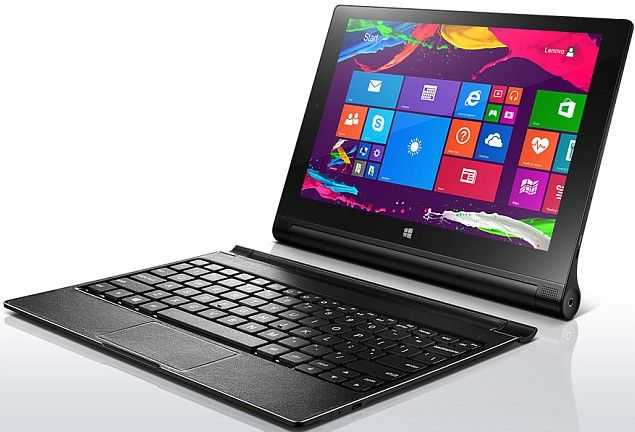
We’ve discussed 7-inch Windows 8 tablets before, confirmed they are technically possible, analysed the market for them and we came out positive but it takes more than just a small set of potential customers to make a product. Microsoft say they’re “set up” for 7” Tablets so it’s really up to the manufacturers now. 7-inch Windows 8 Tablets could be on the way.

Read the full story

Microsoft, Make These Changes to WP7, and I’ll Switch from iOS and Recommend That Others Follow

Tags: , , , , , , , , , , ,


I’ve spent the last several days with the HTC Titan, a WP7 phone with a zippy 1.5GHz CPU and a huge 4.7″ screen. I’ve been keeping a running list of areas where WP7 is lacking, or places where they could push it to really excel. If these things were fixed, I would switch from iOS (which I’ve chosen to use for my last 3 phones) to Windows Phone 7 and recommend that others follow. And just so it is clear, all information in this article pertains to Windows Phone 7.5, AKA Mango.

To start, I want to point out that I’m extremely impressed with WP7. This is one of Microsoft’s biggest consumer facing undertakings in the last few years, and I see massive potential in the OS. WP7 is beautiful and unique. I’d call it the best looking OS on the market today, hands down. It makes Android and iOS feel like they were designed in a veritable stone age of mobile OS design.

Most unfortunately, it’s lacking in a number of vital areas. A friend asked me what I thought of WP7 the other day. Because he isn’t a tech-geek like myself, I used a metaphor. I told him to imagine the most attractive sports car he’d ever seen. With the car come a few caveats: the steering wheel sucks and it doesn’t have any tires. Although my choice of steering wheel and tires weren’t supposed to represent specific issues with the iOS (but rather say: it’s missing stuff), looking back now perhaps mentioning the tires was a good choice, after all, the OS is lacking traction.

If I didn’t think WP7 had tremendous potential, I wouldn’t be wasting my time or yours with this article. But I truthfully think that WP7 has something special going for it. Microsoft just needs to hone it and push it hard. My hope is that this list gives them a good place to start:

The List

  • Core Social Applications — Facebook, Twitter, and Google Plus, are necessary to offer the majority of users access to their preferred social networks. Even more if you hope to include everyone. Official Facebook and Twitter applications exist,  and while they look nice, the functionality is quite weak. Facebook has hardly any native support for the things that users actually do within it. You’ll find that you are constantly getting kicked out of the app and into the browser to a mobile site, and half the time you’ll be met with a frustrating error message once you arrive there. Both Facebook and Twitter suffer greatly from the fact that notifications in WP7 are poorly implemented. Google Plus doesn’t exist as an app on the app Marketplace, and the browser doesn’t support the most modern version of the Google Plus web app, instead dropping you back to a version that would likely still be supported by my Palm OS running Sony Clie UX50.
  • Multi-calendar Support through Gmail — This is simply frustrating. You have the option to configure a Google account directly in WP7, and you can select if you want to sync calendars, contacts, and email when you create it. This makes the user believe that all of these things are fully supported, but there is no indication that there is no support for sub-calendars in Google calendar. If you are a serious Google Calendar user, you likely have a number of sub-calendars under your main calendar for better organization. Unfortunately, only the main calendar will sync over, so if rely on sub-calendars, you are out of luck.
  • Notification System — It is claimed that WP7 has notifications. Evidence of these notifications, however, are completely absent. I’ve spent nearly a week very close to WP7 with Facebook, Twitter, and Email accounts configured on the device, and I’ve not seen one single notification unless I explicitly look at the Me hub (more on that below). I actually had my iPhone sitting next to the HTC Titan and was using the iPhone as a notification system to decide when to check the Titan; this was almost comical!
  • Expand the ‘Me’ Section – The ‘Me’ section of WP7 would be the notification center of the OS, if notifications actually existed. This brings together your notifications into one place and let’s you interact with them. Between iOS, Android, and WP7, the Me hub is the only native system that I would actually consider using, but it needs a lot of work and it will require maintenance. The promise of the Me section is to bring your life into one place. The Me hub is unique beyond Apple’s Notification Center and Android’s Notification Menu because instead of dishing you out to other apps, you can interact directly with the notifications. For twitter mentions, you can send a reply, and for Facebook posts, you can comment, like, etc.. This is really awesome, but it needs deep support if people are actually going to use it. At the moment, it really only consists of Twitter and Facebook. Why email isn’t included is beyond me. When I wake up in the morning, I grab my phone to see what I’ve missed. Usually there are a few texts, emails, and some social network notifications. These should all go into the Me section so I can see everything at a glance, and respond to them if needed, without jumping out to other apps and becoming distracted by noise within. In order for the Me section to prosper, it needs support for a greater number of social networks, needs to (optionally) wrap in email, and it needs to be on it’s toes about updates. I will always use a first-party or third-party app over OS=level implementations if the OS level implementation lacks support for the stuff that I actually want to do (like posting to a Facebook group, or including a photo in a tweet). When new social network features come about, users are not going to wait 6 months or a year for the OS to be updated to support them, instead they are going to leave for a readily available app. Keeping the Me section on its toes could be done in two ways: 1) having an internal team dedicated to making sure that every way that a user might want to interact with a notification is covered. This will require the ability to do automatic OTA delta-updates. 2) alternatively, make the Me hub completely developer driven by allowing applications to push info into it. This way, you’ll never end up with broken or missing functionality, because once the app gets updated, its interaction with the Me hub will be updated as well. The Me hub also needs to alert the user that there are new notifications from the lock screen. Currently, an unread email count is the only info you get on the lock screen with regards to notifications.
  • Skype — Microsoft owns Skype and yet it is on every major mobile OS (yes even WebOS) except for WP7. Do I need to say any more?
  • Quick Jump to Top and Bottom of Start Screen — Because of the design of the Start screen can cause it to get rather long, there needs to be a way to quickly jump to the bottom. Currently, you can tap the Start button while on the Start screen to jump to the top of the list, but there is no way to quickly get to the bottom. If you are at the very top of the Start screen, the Start button should send you to the bottom of the screen and vice-versa.
  • Next/Last Input Field Navigation — When entering text into a text field in the web browser, it can sometimes be difficult to select the next input field because it has the tendency to get cut off by the keyboard (which has a hit-zone that expands beyond where the keyboard stops visually). This means that you see a sliver of the next text box and try to tap it, but end up pressing a key instead. Having buttons to navigate between input fields (like on iOS) would be very useful.
  • Faster Access to Tabs in Web Browser — I don’t think any serious computer user has used Android and asked, “Why is it so annoying to manage browser tabs?”. WP7 is making the same mistake. Getting to the tab menu in the browser requires that you pull up the URL bar, tap the tab button, then make another input to close, select, or create a new tab. This is too many taps to get to tabs and the result is that tabs become underused and the person using the browser uses it less efficiently than they should be able to. Improving interaction with tabs in the browser quickly and easily increases the productivity of those using it; they will thank you.
  • Better Standards Support in Browser — It seems that Internet Explorer will never be able to shake free from the chains of its past. Yes, I said it: standards support in IE on WP7 sucks, and that’s not surprising to anyone. Between WebOS, Android, iOS, and WP7, I bet you can guess which one scores the lowest on the HTML5 test. Having weak standards support means that when you don’t have native apps (and let’s be honest, this is a problem for WP7 right now), at least users can fall back to modern web apps which are usually a decent replacement. Unfortunately, because of the lack of standards support and a useragent that no one seems to care about, users get stuck with simplistic web offerings. Having a browser that works as expected is also tied to the confidence you have when using it. If I want to buy concert tickets through some no-name website through iOS, I’d put my money on it working with no problem. With IE on WP7, I’d bet against the process going smoothly. I want to have confidence that I can do anything on my mobile browser (within reason) that I’d be able to do on my desktop browser. IE on WP7 does not give me that confidence. Just for reference, here’s the current HTML5 test tally for modern mobile browsers:
  • Open in Background Tab — In addition to making tab interaction faster, there really needs to be a way to open a link in a background tab. Unless you have the attention span of a hyperactive child, you probably choose to read information online while opening relevant links in the background to check through after you finish the current material. Opening in the foreground is just distracting and forces the user to navigate back to the original tab.
  • Global Landscape Support — Windows Phone 7 has the most responsive and best looking transition from landscape to portrait of any mobile OS. Show it off! Landscape support is a scarcity throughout the OS. At very least, the multitasking menu needs landscape support so that when you pull it up from one of the few apps that do support landscape, it is oriented the right way.
  • Deeper Live Tile Functionality – I think Live Tiles are a great idea, but they aren’t being used often by developers. Where they are used is often for eye-candy rather than functionality (like the People hub which flips through a bunch of photos that are too small to really see). Talk to developers and find out what tools they need to best use Live Tiles, and encourage them to make use of this unique functionality!
  • Expand Pin to Start and XBL Friends List– Pin to start is another great idea. On iOS, there are specific albums that I love to listen to, but every time I want to play them, I have to launch the Music app and navigate through some menus to find them. In WP7, I can ‘pin’ these directly to the home screen and play them with a single tap, which is awesome. I want to see more of this. Specifically, you need to allow Xbox Live users to pin their friends list to the start screen, and then, using Live Tiles, you should be able to see how many friends are online. Invites, messages, and friend requests from XBL friends should probably end up in the Me hub, but I think a case could be made for leaving them in the XBL hub.
  • Change Accent Color Automatically — The accent color (configurable in the Settings app) is a cool way to spice up your phone, but it’s bothersome to change manually. There should be an option to have the accent color change by the day, week, or month. This way, instead of finally deciding, “I’m bored with this color,” and then finally changing it manually, you can be surprised by a new color on a new day, week, etc.
  • Use LED Light for Notifications — The HTC Titan has an LED on it which does nothing more than indicate charge status. This should be tied into the Notification System, should one ever actually exist.
  • Quick-scroll to Top of Page — Some webpages are long (like Wikipedia articles), this is a fact of life. Please find a way to allow the user to jump to the top of the page quickly because that’s where most websites’ navigational elements are found.
  • Folders — I understand that ‘folders’ might feel outdated; call them Magnets if you must make them sound as trendy as the rest of the OS looks, but they are necessary on the start screen regardless. I know the folks responsible for WP7 can think of a beautiful way to display folders to the user on the Start screen. Make it happen, otherwise my Start screen is going to end up being 5 miles long. Additionally, newly installed apps should be highlighted on the app list, instead of making you hunt them down through their alphabetic sorting. Offer pin-to-start at app install so that the user can skip the step of installing, finding in the list, then pinning.
  • Hire the people From Lazy Worm to Make Your YouTube app — or license their existing app and include it with all windows phone 7 devices. This is the one dev I’ve seen that’s making full use of Live Tiles and Pin to Start functionality, check out this video demo of his upcoming Metrotube app which lets you pin your favorite YouTube subscriptions and see when they are updated through the Live Tile.
  • Faster way to Return to Root of App — When you are 5 menus deep within an app, it’s annoying to press the back button 5 times in order to return to the top level of the app. There needs to be a way to jump to the top level in just one press or gesture. Pressing at the heading of the app might be an option, or perhaps a pull down gesture might do the trick.
And that’s what I’ve compiled over just several days of using Windows Phone 7.5 Mango, there will certainly be more to come. I submit this as an earnest list of what I hope Microsoft can fix and improve with WP7. The OS has massive potential, and I would like to be able to call myself a WP7 convert, and confidently tell others to follow me, but there is work to be done by Microsoft before that will happen.
Have anything to add to the list? Please drop a comment!

Nokia: More Relevant in the US Than Ever (Maybe)

Tags: , , , , , , , , , , , , , , ,


Nokia has only been relevant for me once in my smartphone life, and that was when I was overseas. Since returning stateside, I have not given Nokia news more than a miniscule glance as I pore over the day’s tech reports. In fact, I have not honestly cared about a Nokia phone release since the mid-90s, when they were one of the top name brands in the US. Until this year that is. Nokia has become relevant again, although not quite in the way that you might think. And while their partnership with Microsoft may be doing a little-bit to correct their sky-diving financial position, I question whether Redmond is doing the best thing overall for increased adoption of Windows Phone.

Before we continue on with the editorial, let’s hit some of the facts of the last week’s announcements. At Nokia World 2011, Nokia introduced two phones that are expected to eventually make their way to US carriers. They are the Nokia Lumia 800 and 710. The latter has a 3.7” display with a resolution of 480×800, a 5MP camera that can shoot 720p video, weighs in at 4.4 ounces, has 8GB of flash storage, 512MB of RAM, runs on the Qualcomm MSM8255 chip, which is a 1.4GHz single-core CPU, and communicates on GSM bands.

The Lumia 800 also has a 3.7” display, a high resolution 8MP camera, weighs in at 5 ounces, has the same 480×800 resolution on an AMOLED display with Gorilla Glass, 16GB of storage and 512MB of RAM, and an identical processor…in fact, much between the two phones is identical.

Back to the editorial. There are a few things I see as positive about Nokia-Soft’s announcements. Kudos to them for getting the product out on time. We did not need another smartphone-delay storyline to track across months of PR apologies. And the big thing? People are talking about Nokia again, and not only in negative terms. At least not entirely.

Nokia needed to hit one of the park last week at Nokia World, but there are a few areas where these announcements fall well short of that. The announcement of these two phones, to me, is more like a “we’re still hanging in there” level of effort. It feels very analogous to the Palm Pre release, which offered some compelling potential. But from the announcement of the Pre through the first several months up to release, I felt like I was watching a once great boxer taking jabs in the ring, wobbling, unable to put his hands up and protect himself, but still able to remain standing and even dodging a jab from time to time. But I knew that the other guy was eventually going to land a haymaker that the former champ would just not be able to take.

I get the same sense from the Nokia announcements last week. Maybe the better analogy would be watching a once great boxer through the last few bouts of their career. They keep losing, but in each bout there is a round or a few moments when you think they are on the road back, before they finally succumb each time. While the Lumia product line shows promise, and seems to offer a steady, work-horse level device, neither of the two devices are game-changers. Nokia is in the same position that Android tablet-makers are. They cannot afford to bring a device or devices that are within arm’s reach of the current benchmark products, and offer them at the same price. While there is no pricing information on either of the Lumia devices, I cannot see them being offered at less than $199 and $149 price points for the 800 and the 710 respectively. I believe this based on the pricing of Nokia’s handsets in the past within North America, and the fact that, for some reason, they have struggled to land on carriers with subsidized prices. The Nokia Astound debuted back in April on T-Mobile at one of the most affordable release prices for a Nokia smartphone in North America ever — $79.99. But I do not see Nokia being able to match that pricing for either one of these phones. If they come out at or near the same $199 price point as many premium Android handsets or the $199 iPhone 4S model, when the Nokia phones do not have front-facing cameras or equally high resolution screens, their ability to compete will be sorely lacking.

If Nokia can get the Lumia 710 down to a $99 price point, and slug it out against low-end Android phones, then maybe this maneuver has a chance of gaining traction. As for the Lumia 800, I expect it to come out at $199, and likely on T-Mobile as I do not see AT&T having a lot of interest in this device. So it will go to the smallest of the big four US carriers. But it will also be on the one carrier that does not have the iPhone, so for its current customers who enter the market for a new phone, it could very well be a viable choice. I was on an HTC HD7 on T-Mobile at the beginning of the year and was very happy with that selection. But right now, the only thing Microsoft seems to be touting as the differentiating, breakout feature of Windows Phone is Xbox Live integration [ed. note: that integration is majorly lacking and painfully bolted-on]. This was a nice hook at the beginning of the year, but the Xbox is six years old now, and even as a gaming platform, its pre-eminence as being a new place to go is not as shiny as it once was. As for hardware, Nokia phones have always been appealing to photo buffs for their excellent cameras. But great photos and Xbox Live are not enough to bring Nokia back to relevance in the US.

Overall, this does not feel like the mass offensive that it needed to be. Nothing out of this announcement was anything that was not entirely predictable. At the end of the day, it feels like less than what Nokia needed to do to right its burning platform. These are not devices that will save Nokia’s bacon. Nor is it indicative of a strategy that shows a glimmer of things to come that will make sweeping changes in Nokia’s business position within the market. Nokia seems to have generated much more buzz about their one-off Meego phone, the Nokia N9, than their just-announced Lumina series (though it may still be too early to call).

While falling short of what is needed, I also felt like Microsoft and Nokia weakened Microsoft’s position with its other hardware partners. If I were HTC or Samsung, I would have had sharp words the following day over the use of statements that proclaimed the Lumia line as the “first real Windows Phone(s)”. The hardware manufacturers that stepped out with Microsoft for the launch of Windows Phone, at very high risk to their own earnings, should not have suffered the suggestion that their efforts and their hardware designs were of little value. While not all CEO’s make decisions out of spite, I think the Microsoft and Nokia statements would have at least caused me to ask my CFO for the most recent accounting statements on my Windows Phone product line to evaluate how much value-adding it was really providing.

Microsoft took a risk when it migrated its smartphone strategy away from an Enterprise-focus to a consumer-centric one. Without the old corporate in-roads to lean on, they now have to compete in the same arena with the same rule-set as the iPhone and Android products. I do not see the Lumia has being a huge crowbar in that battle. I like Windows Phone, and would not have a problem selecting it as one my next devices. But I still do not see the operating system, the ecosystem, or the new Nokia devices as converging recommendations that I would give to non-techy customers looking for advice on their next smartphone, or first-time smartphone buyers. It is not clear to me where Microsoft and Nokia are heading in terms of starting an offensive that will lead to all of this increased market-share that so many analysts are claiming Windows Phone will achieve in 2014/2015.

The Lumia devices appear to be beautiful hardware, and I thoroughly enjoy Windows Phone 7 when I use it. But this is about what Microsoft and Nokia are doing to convince the consumer population that is not already on their side that the Nokia devices are viable and competitive alternatives to the iPhone and premium Android devices. Based on last week’s event, I am having a hard time convincing myself that the two companies have done enough. This smells very much like the Palm Pre launch (except for fact that Nokia’s phones appear to be arriving on time as promised). Microsoft and Nokia will need to come in at lower price points than the competition, and quickly get to offering compelling, differentiated features and offer unique service partnerships to compete against Apple and Google. Seeing as how it appears that they have missed those targets within this window of opportunity, I am not sure when they can pull this trifecta off before suffering that aforementioned haymaker that could be in the works. An iPhone 5 announcement in the spring, or arrival en masse of Ice Cream Sandwich phones could quickly push Nokia off the stage of relevance if they and Microsoft cannot push some major offensive in the interim. Oh, yeah, and after scoffing at everyone else’s Windows Phone devices, I would not expect help to arrive from the camps of HTC and Samsung anytime soon.

Everything You Need to Know About the Windows Phone 7.5 Mango Update

Tags: , , , , , , , ,


Windows Phone 7.5 (AKA Mango) has been previewed by Microsoft for months now. Numerous bloggers have been given access to early builds of it, and it’s been pretty much revealed from head to toe… or so we thought.

Today, Microsoft is officially announcing the rollout of Windows Phone 7.5. Along with that announcement comes the reveal of tethering functionality and a browser-based version of the application store which will offer an easy way to peruse the application store on a computer, much like https://market.android.com/.

Microsoft tells us that Mango updates began this morning around 10AM PST. The process is beginning gradually and will slowly ramp up — they hope to have the update available to most existing customers within 4 weeks. The update is being deployed globally, across all carriers and phones. They say that 98% of existing Windows Phone 7 devices will have access to the update when all is said and done. Kudos to Microsoft for getting the update to nearly all devices, rather than just to a specific carrier or specific phone before everyone else (*cough*Google/Android*cough*).

If you want to find out where your update is, Microsoft has a page which will give you some detail as to the status of the update for your particular carrier. If you’re on a US carrier, you’ll want to check here. International folks should give this link a try for Windows Phone 7.5 Mango update status. You’ll receive a message on your phone when the update is ready, and you’ll need to plug it into your computer for the update to commence. If you don’t already have the Zune software, or Windows Phone 7 Connector (OSX) installed, you’ll want to do that as they are required for update instillation.

If you’re looking for a final list of what will be included in the Mango update, Microsoft has a fairly extensive list of features that you’ll find in Windows Phone 7.5. If you’re a new customer and considering a Windows Phone 7.5 device, take a look at Engadget’s exhaustive review.

As mentioned, previously not revealed facets of Windows Phone 7.5 include tethering functionality and a web version of the App Marketplace. Reports indicate that tethering will only be coming to new phones with Mango installed; it’s unclear whether or not this is a software or hardware problem (my vote is on the former). The web Marketplace is already available for browsing and is part for the course — offering ratings, screenshots, top app lists, and the ability to download apps to your phone wirelessly, thanks to your phone’s association with your Windows Live account.

HTC Announces Two New WP7 (Mango) Phones, the Titan and Radar – Available Beginning in October

Tags: , , , , , , , ,


Not satisfied with letting Samsung steal the spotlight completely today, HTC had scheduled a number of media events around Europe where they revealed two brand new Windows Phone 7 devices, both of which will run the oft-previewed (and enjoyed) but yet to be released, Windows Phone 7.5 (aka Mango). HTC has a knack for making beautiful hardware and these devices don’t look like they’ll disappoint in that respect. The real question is whether or not WP7 Mango is enough to keep people interested.

HTC Titan

htc titanJust based on the name alone, you know I’m going to rip on this phone for its screen size; before that let’s at least look at what it brings to the table:

  • WP7 Mango
  • Single-core Snapdragon MSM8255 @ 1.5GHz
  • 512MB of RAM
  • 4.7” capacitive LCD touchscreen @ 800×480
  • 8MP rear camera (BSI sensor, dual-LED flash), 1.3MP front camera
  • 720p recording-capable
  • Micro USB
  • 16GB capacity
  • HSPA+
  • 1600 mAh battery
  • 160 grams (5.6 ounces)
  • 9.9mm thick aluminum body

So yeah, the phone looks great, it’s quite thin, and though I haven’t held it myself, I can tell from hands-on reports that it is going to have that classic HTC hardware build-quality to it.

And while WP7 doesn’t use the same interface paradigms as Android, there’s still a lot of issues with a 4.7” and near-16:9 screen which you can read about in detail here.

It seems like people are finally starting to catch on to what I’m saying about these huge phones. This Is My Next makes the following note:

…although the Windows Phone Metro UI keeps things relatively centered and easy for one-handed usage, it’s still not necessarily easy to reach the top of the screen with your thumb when holding the device in one hand, and accessing the power button required a bit of in-hand shuffling in order to climb a finger up to the button located along the top-right edge of the device.

That’s also a mighty big screen for the 800×480 resolution; it might not look as crisp as some of the other devices that have launched or are launching soon (ie: iPhone 4 [960x640], Atrix [960x540], Galaxy Note [1200x800]).

As seen in videos of the phone taken by Engadget and This Is My Next, the single-core CPU running at 1.5GHz runs Mango very smoothly and I that doesn’t surprise me as the 1GHz HTC Surround that I played with last March was able to run the WP7 UI with impressive fluidity.

This is My Next has a massive gallery and a hands-on video of the Titan, take a look.

HTC Radar

htc radarThe Radar appears to be for people like me, who actually want to be able to use their phone effectively with one hand. Instead of the classically too-big 4.3” screen, they’ve actually brought this one down to 3.8” which I’m quite thankful for. The annoying part, however, is that this smaller phone offers lesser specs, so the idea of top end phones being required to have giant ergonomically crippling screens is still firmly in place. But hopefully we’ll see a lesser price than the Titan as well.

  • WP7 Mango
  • Single-core Snapdragon MSM8255 @ 1.0GHz
  • 512MB of RAM
  • 3.8” capacitive LCD touchsceen
  • 5MP rear camera (BSI sensor), front facing camera (currently unspecified MP)
  • 8GB capacity
  • 720p recording-capable
  • 1520 mAh battery
  • 137 grams (4.83 ounces)

The Radar actually looks a lot like a mini HTC Flyer, and it doesn’t have a user-replaceable battery, which is a point of contention for some but not all.

Viewing angles on the phone look really good and even if the contrast ratio isn’t as ridiculously impressive as the Galaxy Note or Galaxy Tab 7.7’s AMOLED displays, I’ve found that the high-contrast visual design of WP7 negates that problem by a large degree (of course you’ll probably be quite upset if you try to watch any movie with a dark scene on the phone).

Like the Titan, the Radar’s rear camera uses backside illumination technology which helps capture more light for better low light performance (an area where smartphones are often extremely weak). This is great news because the HTC Surround’s camera took some pretty muddy shots in low light. The BSI technology is one of the reasons why the iPhone 4 still takes some of the best pictures in the smartphone category, so I welcome seeing it come to more phones.

This is My Next also has lots of great shots of the Radar as well as a hands-on video. If you’re interested, take a look.

HTC says that the Titan and Radar will become available beginning in October with initial releases in Europe and Asia. Pricing hasn’t been announced and it’s uncertain when/if they’ll see a US release, but we’ll keep you posted.

Thanks to Engadget and This is My Next for providing some of the information contained in this article.

Microsoft + Nokia Event Planned for the 17th, What Should We Expect?

Tags: , , , , , , , , , ,


Nokia Sea Ray (alleged; photos courtesy of product-reviews.net)

It seems like we cannot go a full calendar month without one of the tech companies holding some event to make a major announcement. Not that I am complaining one bit. This month we have not one, but two giants partnering to bring us some new juicy gadget promises. At least that is what we assume Microsoft and Nokia’s intentions are for the press conference they have just called for the 17th of this month.

The event is to take place in Cologne, Germany, just as the Gamescom convention kicks off. The truth is, we have no idea what M&N intend to announce at this event. But it is a safe bet that it will have something to do with the Nokia Sea Ray and Windows Phone 7. The announcement Flyer, at least, indicates that they will be giving away 3 vouchers for a Nokia handset running Windows Phone “as soon as available”.  If the announcement is profound enough, it might just pull Windows Phone and Nokia out of the funk they have been for the last several months.

That is the optimistic view. Now for a little pessimism. What concerns me is that this announcement does not have the feel of a planned reveal. It feels rushed and reactionary. So it makes me wonder if this press event is being held in response to pressure. The pressure of Samsung and Apple’s quarterly earnings statements. The pressure of increasing rumors of an impending fall launch of potentially two new iPhone models. The pressure of Nokia continuing to hemorrhage money.

This is not to say that doing something to staunch the flow is not the right move. It is more a recommendation to temper expectations of what may come out of this announcement with a good dollop of skepticism. It is likely that this is just another announcement confirming M&N’s previously advertised timeline for the release of the first Nokia phone running Windows 7. Nothing new.

It will be great if I am wrong. Nokia’s handset arriving early would be an awesome way to bring in the final quarter of the year. I spent the better part of the first half of this year on a Windows Phone 7 handset, the HTC HD7. I am a big fan of the OS and rank it second on my personal ranking of mobile OS’ for phones, behind Android, but ahead of iOS. Still, it is hard to envision M&N pulling off a major reveal at this juncture given what we have seen of the pair in the mobile space so far this year. A big event that does not really reveal anything new or unexpected could be just as harmful to the Windows Phone movement as a delay in the Sea Ray. Let’s hope that whatever M&N have planned, they do it right. The launch of the Fujitsu Toshiba IS12T may be reason to hold on to hopes for something great.

Either way, you can rest assured that we will cover the story here on Carrypad. See you on the 17th (and hopefully every day in between).

Source: Engadget

Windows 8 Brings More Mobility, but Should You Wait?

Tags: , , , , , , , , , ,


Win8-3I, like many others, believe that Windows 8 will re-enable the pocket productivity market and lift us out of this strange consumer-focused mobile mess we’re in at the moment and get us back to a place where we have ultra mobile PC choices for our mobile, flexible working practices and scenarios. Marketing, social networking, price wars and tablet fever are getting in the way of what many people want – productivity in the pocket.

I love Android and IOS of course but I’m not letting that change my opinion that there is a requirement for a full desktop capability in a handheld form factor. The market is indeed fairly small but it’s in many different niches and sectors. [Raise your hands in the comments if you’re one of those ‘niche’ users.] Android and IOS have done a lot for mobility, sharing and mobile media and have quickened the pace of mobile processor developments so much that we’ll all benefit in the end but when you look at the software, the pace of development of productivity software is just embarrassing. On the whole, It’s a sector that focuses on quick-hit, fast turnaround, short-lifecycle software and it’s vastly different to the full-fat, long lifecycle, productive and flexible software you get on the desktop. Two years after this consumer mobile market started taking off there still isn’t a way to buy an off-the-shelf DVB-T module, extend the screen or even log in with multiple user IDs. There are literally hundreds of features that are missing and each one of them is a potential roadblock for the advanced mobile user.

That’s why Windows 8 is an exciting operating system to look forward to. It will retain probably all of the flexibility of Windows 7 but will introduce important features from the world of consumer mobile devices. Always-on, improved sensor support, touch user interface, quick-hit apps and sharing along with support for ARM-based platforms and new X86 platforms that remove some of the old legacy PC features and introduce new boot and power management subsystems. Between now and, lets say, mid 2012, I doubt we’ll see any of the existing mobile operating systems advance so far that they challenge Windows and none of the new operating systems have much of a chance either. Buying an ultra-mobile PC has never been so hard but 12-24 months is a long time to wait for Windows 8. If you’ve got a requirement, you need a device and it’s as simple as that.

Your first strategy would be to sit tight and do nothing.  That assumes you don’t have a new requirement or your current device(s) can be stretched out until then. If you have a new requirement though, be it speed or scenario, and you don’t have a device you can cover it with you could believe the rumors that Windows 8 will arrive early or you could do one of the following things:

1 – Go netbook

It’s a low-cost solution but requires a table or a lap. That’s not quite ultra mobile computing is it! Having said that, if you want to save money until Windows 8 comes along, searching for a surface or using your lap might not be too much of a problem to put up with. My advise would be to look at some of the Atom N550 or N570-based devices with a focus on Samsung who still seem to lead with better build quality and more efficient electronic engineering and screens than others. The NF310 continues to get good reports. Asus are also worth considering and the Eee PC 1015 with N570, 2GB RAM and Windows 7 Home Premium is a real bargain at under 400 Euro in my opinion. There’s even the updated T101MT with N570 and 2GB, Windows Home Premium and capacitive touchscreen at around 500 Euro in Europe. Drop a fast SSD into that and it should make quite a nice Windows convertible.

2 – Buy a Menlow UMPC

Given the age of Menlow and the lack of choices around it’s not something I would recommend to everyone but if the pocket is the destination and Windows is the requirement, what option do you have than to buy a Viliv N5 or a UMID mbook SE? Both companies appear to have disappeared from the radar though so be very aware that major failures may not be fixable.

3 – Wait for an Oaktrail UMPC

ECS and Viliv have both talked about building a 7” Oaktrail-based Windows tablet but unless a major customer or market is found, neither of those solutions are going to hit the market. By all means, wait and see but I personally think it could be a very long wait.

4 – Buy an Oaktrail-based tablet

Early review of Oaktrail-based devices aren’t singing the praises about performance and with the CPU inside being basically the same as before, it’s no surprise. The RAM will need to be 2GB, the SSD will need to be fast, Aero will need to be turned off and I dare say there’s some GPU driver improvements to be made but despite the claims of speed issues, you’ll still be able to render full flash and javascript-enabled web pages with 100% accuracy and faster than any ARM-based tablet out there. Battery life reports are showing marked improvements too so if running a PC in a 5W power envelope is your aim, take a close look at Oaktrail. The Samsung PC7 (TX100, Gloria) slider is one to watch out for and although my recent queries to Samsung don’t return any new information, they certainly don’t indicate that the project has been scrapped. I’ll keep you updated on that one.

5 – Go IOS or Android, adapt your requirements and track the developments

You may want to plug in your DSLR and run the remote capture software but there are alternatives. In this case, check out the Eye-Fi card. For those wanting full Microsoft Office support, look at the Asus Transformer and think about a remote desktop solution. For full-internet-experience browsing, look at whether IOS or Honeycomb will satisfy your needs. On smaller Android tablets, the Dolphin HD and Opera Mobile browsers are coming along nicely. Firefox is progressing too.  Think about a Dell Streak (only 299 Euros here in Germany right now) or a Galaxy Tab (350 Euros) along with a low-cost netbook. Look at PC keyboard sharing solutions for Android. Think about the Google suite too. Android also offers a lot that you can’t get in a PC yet. Location, Sharing, always-on and a large amount of fun!

If you’ve read this far, you’re into ultra mobile computing which is a good thing. It’s fun, flexible and productive but you will also have very individual requirements. The private pilot. The dentist. The courtroom assistant. The musician. The world-tourer. Take a close look at your requirements and see what would want and compare it with what you, realistically, will need. If possible, take a risk or two and ignore that extreme scenario that you’ve got on your list. One thing I would advise all of you to do though is to check out the Samsung Galaxy Tab. I’m not joking when I say it changed my mobile computing world. I no longer have a netbook. I no longer have a high-end smartphone and there are very few scenarios that I can’t cover with it now. I’ve heard people say the same about the Dell Streak (5”) too. If you really can’t swallow that, the iPhone 4 has to be high on the list, the netbooks I mentioned above and even some older devices like the Samsung Q1 Ultra Premium.

Oh, and don’t forget to look at the Toshiba Libretto W100/W105!

Windows Phone 7 Has Become That Which It Hated the Most

Tags: , , ,


wp7 logoHey folks. Here’s an excerpt of of my recent HTC Surround review that I wanted to highlight. It’s way more broad than the HTC Surround alone; it applies to every Windows Phone 7 device thus released. I think it deserves its own place for discussion so I’m offering it up for viewing here in this article. If you’ve spent some time with Windows Phone 7, please join us in the comments after reading. Even if you haven’t yet played with WP7, I’d be interested to hear what people think about the platform after realizing what it has become. Here it is:

I really like the Windows Phone 7 interface. I’ve been really impressed with it ever since I got my hands on the Surround. The Surround doesn’t have the top-of-the-line CPU, nor does it have the most RAM of any smartphone out there. Still, it powers the WP7 GUI with ease. You’ll find slick and smooth animations throughout the core parts of the OS. Particular apps vary in their performance and are sometimes sluggish on the interface side of things.

Though I’m very impressed with the unique interface of WP7, there’s one thing that’s really bugging me. To explain, you’ll have to watch this:

This was the video used to announce Windows Phone 7 a little while back. The analogy of apps being rooms that you can only be in one at a time was a great way to poke fun at Apple’s iOS which, at the time, only ran one application at a time with no apparent backgrounding/multitasking. Microsoft promised that they were going to avoid this and let applications work together and provide glance-able information rather than asking you to jump between different apps.

Now here’s the sad part: While iOS went on to provide a great multi-tasking experience by freezing applications in the background and providing the ability to quick-switch between them, Windows Phone 7 actually became exactly what it was mocking in the WP7 announcement video.

Apps in WP7 function exactly like they showed in the video; as individual rooms. Apps cannot run in the background (beyond your typical email/sms/music). Many don’t even run while the phone is locked! For instance, if I lock my phone while viewing the official Twitter app, then come back to the phone a few seconds later and unlock it, I’ll be greeted with a several second pause and a “resuming” message as I wait for the app to get going again. If I see something online that I want to share on Facebook, I have to exit the browser and wait for the Facebook app to get started.

The video also mentions that apps on other platforms “rarely work together”. In WP7 they never work together. Because of the individual “room” nature of each app, and the lack of cut/copy/paste, WP7 doesn’t feel like it’s geared toward productivity.

“I need to get this address from the web browser into the Maps application… well with no way to copy text, or even switch quickly between the apps, I guess I can’t do that.”

“Wow this is a great webpage, I’d love to share this link with my twitter friends. Wait a minute, can’t do that!”

“I’ll just record this meeting while I reference some notes from my email. Oh no, that’s impossible on WP7!”

Ok, I think you catch my drift. All of the above is quite possible on iOS or Android, but impossible on Windows Phone 7. Clearly, they haven’t delivered on their promise to prevent the app “room” analogy.

Considering that Windows Phone 7 is a total restart of Microsoft’s mobile OS offering, and that’s it’s just out of the gate, it’s impressive. But in a world full of several mature and maturing mobile operating systems, WP7 needs a serious 2.0 update if it hopes to make a dent in the space. If Microsoft doesn’t deploy such an update soon, they might get knocked out of the race all together.

HTC Surround & Windows Phone 7 Review

Tags: , , , , , , ,


IMG_4938Microsoft wants to get in on the modern mobile OS action, and after the inevitable fall of their previous version of Windows Mobile, Microsoft has sought to restart their mobile offering, thus Windows Phone 7 was born. The HTC Surround pairs WP7 with well-built hardware and an interesting approach to phone audio, but will Windows Phone 7 be able to catch on, or is it too little too late from Microsoft?

Hardware

Here’s a quick rundown of the HTC Surround’s specs, follow by a hardware tour of the phone:

  • Windows Phone 7 OS (as reviewed, version 7.0.7004.0)
  • Qualcomm QSD 8250 CPU @ 1GHz
  • 576MB of RAM
  • 8GB of built-in memory (no expansion)
  • 3.8” capacitive touchscreen @ 800×480
  • WiFi b/g/n & BT 2.1
  • 5MP camera with single-LED flash (records up to 720p video)
  • Slide out speaker with Dolby Mobile and SRS audio technology
  • 165 grams (5.82 ounces)

Hardware Tour

IMG_4974

IMG_4976

IMG_4978

IMG_4980

Design

IMG_4927Let me start by saying that the HTC Surround feels great in the hand. It’s been too long since I tested a phone that had some real heft to it (in a good way). Recent phones (cough*Samsung*cough) have left me with a feeling of cheapness. The Surround however feels like a premium device right out of the box.

IMG_4929Metallic accents are found all around the phone . The front is a combination of brushed and polished metal and has a wide ear-piece that fits the look of the phone well. The back is rubberized much like the Droid X [review], and it has just a hint of metallic sparkles in it that you’ll see if you hold it in just the right light. The back is also home to a polished HTC logo, and above that is the 5MP camera and single-LED flash, both of which are encased in a metal accent piece with small radial ridges that emanate from the lens.

IMG_4956But this is all before sliding the device open which reveals a speaker bar that comes about 1/3 of the way out of the side of the phone. I’ll talk more about the speaker bar below, but on the design side of things I wanted to mention that the sliding mechanism could be better. I’ve definitely seen/felt worse, but the Surround’s sliding mechanism could use a bit of work to make it slide more evenly and have less wiggle.

Despite the premium feel of the phone (considering the materials used and the weight of it), the buttons didn’t seem to receive too much attention. All physical buttons on the phone, except for the camera button, don’t provide very good feedback. It’s hard to tell when you’ve pressed the power/lock button. The volume rocker is a bit better with slightly more feedback, but the camera button is the only one that has enough “click” for my taste.

IMG_4954The bottom of the phone has a pry-slot to pull the back cover off, but it generally feels like you’re on the brink of ripping the phone into it’s two sliding halves. I haven’t found a good way to get the back cover off without stressing the sliding mechanism in a way that it wasn’t design to move. If you are a road warrior who relies on swapping batteries during road trips, be weary of this fact on the Surround as repeated removals could lead to breakage.

On general aesthetics of the device: I think it’s a good looking phone. When you make the investment to purchase a phone that will be with you for, perhaps several years, people should expect more than a piece of plastic. The Surround would feel even more solid if they rid it of the sliding segment, but despite this extra hardware, the Surround isn’t much thicker than many of it’s contemporaries.

Meet:Mobility Podcast 64 – NoWinTel or IntelNow?

Tags: , , , , , , , , ,


Meet:Mobility Podcast 64 is now available.

Sashca, JKK and Chippy discuss the Nokia news from Fridays announcement and how that impacts MeeGo. We cover new netbook news and discuss MWC 2011

Listen, subscribe and download at MeetMobility here.

Microsoft Shows Off Windows Embedded Compact 7

Tags: , , ,


wec7 At Computex, Microsoft announced Windows Embedded Compact 7, the latest version of their Windows CE operating system. While Windows CE was generally used for less consumer friendly things in the past (ATMs, cars, automation systems, etcetera) it looks like Microsoft is trying to grab a little piece of the mobile operating system market which is currently being dominated by Android.

Windows Embedded Compact 7 (that’s a mouthful, let’s just call it WEC7) is not an out-of-the-box OS like Android. Instead, it’s more of a foundation for an OS that allows companies to create custom branded software experiences on a given device. Joanna Stern of Engadget has a video demonstrating what sort of interfaces that an OEM could build:

It’ll be interesting to see if any companies decide to create their own OS experience using WEC7 rather than just going with Android.

Windows Phone 7 Series, What Does it Mean for MIDs?

Tags: , , , , , , , ,


winpho 7 If you’ve been paying attention to Mobile World Congress at all today, you’ll find that the big news is Microsoft’s Windows Phone 7 Series (as they are now calling it). This is the latest version of Microsoft’s phone operating system and it is a pretty big change from the previous version. A lot of people are hoping that this will raise the bar for what people expect from a Windows Mobile phone, and update the OS to be competitive with the rest of the players (iPhone OS, Android, Palm WebOS, etc.) Microsoft has thrown away just about everything from the previous version and started anew which a highly animated and stylistic interface (it’s about time.) If you’ve used the Zune HD, you might recognize many of the interface concepts. Check out a video below:

I could tell you guys and gals all about Windows Phone 7 Series here (annoying name, isn’t it?) but the folks over at Engadget are already all over WP7S with plenty of great pictures and videos, so I’ll let them take over in that regard.

What this post is here for, however, is to theorize what this may mean for the MID/MIDPhone segment. What’s interesting about Windows Mobile is that the OS has never really been featured on any modern media-centric devices that aren’t phones. Considering that the word “phone” is actually in the name of Microsoft’s latest version of Windows Mobile, it’s unlikely that we’ll see it pop up in non-phone devices. Is Microsoft creating a silly artificial limit by dedicating this OS to phones? Possibly.

I can’t imagine that they don’t want as much consumer mobile device market share as possible. Take Android for instance — it is the OS of choice on just about any MID (and plenty of phones as well) these days. As smartphones and MIDs continue to meld together, WP7S might just get edged out if they don’t open it up to other devices. Perhaps MS wants to protect the image of Windows Mobile this time around by only letting it run on approved devices to ensure a great user experience? We’ll have to wait to see exactly what happens, but I think MS will be running into a wall of questions such as, “What exactly constitutes a phone?”, as we head into the future. Will a device that relies exclusively on 3G for VoIP calling be considered a phone in Microsoft’s eyes, and thus be allowed to run WP7S?

HP Slate. Origami take 2? Video (and very few details.)

Tags: , , ,


01-06-10hpslate

I’m looking at this and wondering if Microsoft and HP simply jumping on the wave of tablet hype and trying to break through with some viral marketing. There’s no real information available being given on this tablet so I can only assume it was a marketing move.

It looks like a 10” tablet with multitouch capacitive screen running Windows 7 and not dissimilar to a device I had hands-on with tonight.  It’s not a bad thing at all and I’m happy to see it but I wish this crazy tablet marketing race would end now.

Don’t expect too many details to surface on this one very soon but we’ll do our best to try and find out what’s going on here. Maybe it will appear in the Intel keynote at CES tomorrow.

Nokia and Microsoft shake hands on Mobile Productivity.

Tags: , ,


We’ve watched the crossover of hardware happen in the last 12 months, agreements to share core operating system elements between phone and PC manufacturers and today, with an agreement between Nokia and Microsoft, we’re seeing the user-level software seal the deal.

NEW YORK — Aug. 12, 2009 — The worldwide leader in software and the world’s largest smartphone manufacturer have entered into an alliance that is set to deliver a groundbreaking, enterprise-grade solution for mobile productivity. Today, Microsoft Business Division President Stephen Elop and Nokia’s Executive Vice President for Devices Kai Öistämö announced the agreement, outlining a shared vision for the future of mobile productivity. This is the first time that either company has embarked on an alliance of this scope and nature.

Under the terms of the agreement, the two companies will begin collaborating immediately on the design, development and marketing of productivity solutions for the mobile professional, bringing Microsoft Office Mobile and Microsoft business communications, collaboration and device management software to Nokia’s Symbian devices. These solutions will be available for a broad range of Nokia smartphones starting with the company’s business-optimized range, Nokia Eseries. The two companies will also market these solutions to businesses, carriers and individuals.

This announcement builds on the existing work Nokia is doing by optimizing access to e-mail and other personal information with Exchange ActiveSync. Next year, Nokia intends to start shipping Microsoft Office Communicator Mobile on its smartphones, followed by other Office applications and related software and services in the future. These will include:

• The ability to view, edit, create and share Office documents on more devices in more places with mobile-optimized versions of Microsoft Word, Microsoft PowerPoint, Microsoft Excel and Microsoft OneNote

• Enterprise instant messaging and presence, and optimized conferencing and collaboration experience with Microsoft Office Communicator Mobile

• Mobile access to intranet and extranet portals built on Microsoft SharePoint Server

• Enterprise device management with Microsoft System Center

“Having these two major players cooperating at this level will help us continue to meet our customers’ needs and reinforces our future business mobility strategy,” said Diane Sanchez, head of Telefonica USA.

[Source]

There are many many journalists out there that are better positioned and experienced than I so, for commentary, I point you to the huge related linklist at Techmeme.

The only question I want to ask here is, are you excited about this? I personally don’t use Microsoft productivity products as all my work processes use cloud-based services so I’ll be really honest and say that I find this all rather boring! E-series Symbian-based devices and Microsoft Sync couldn’t be further down my wishlist!

‘Pseudotransparency’ on ‘Nano Touch’ Devices

Tags: ,


This is really worth a read.

If the touch-sensitive surface on a mobile device were on the back instead, gestures like pointing, tapping, and selecting wouldn’t get in the way of the screen. At least, that’s the idea. But that creates a new challenge—seeing where your finger is going. So Baudisch’s team has been experimenting with a variety of approaches, including using transparent screens (which, unfortunately, don’t leave room for the electronic guts of most devices) and attaching a boom with a camera to a device’s backside (which is predictably clunky). Baudisch’s newest prototype, and the one he described yesterday, is called nanoTouch. It’s a squarish little gadget resembling an iPod nano, with a 2.4-inch screen that dominates the front and a capacative trackpad similar to the mousepad on a laptop computer attached to the back.

This rear-touch interface is incredibly interesting and very significant for portable devices but there’s more. Wade Roush, the author of the article,  goes on to highlight dual-screen interfaces too. He highlights two OQO devices hooked up into a dual-screen scenario with additional accelerometers that control screen orientation. It’s right up there with the roll-out screen as a distruptive technology. Don’t expect this to appear too soon though.

“The technology isn’t quite there to put dual-screen devices into production. Indeed, the second-generation OLPC device, while sexy, has all the signs of being vaporware. But Microsoft and other companies have poured too much money into tablet- and pen-based computing to let the technology’s development stop now. As Hinckley put it to me after his talk, “This is eventually going to happen. If Microsoft doesn’t do it, somebody else will. So it’s really important to understand what the issues are.”

The video below (from New Scientist) show the rear-touch interface.

Take a look at the full article: At CHI Meeting, Microsoft Turns Computing Interfaces on Their Head, and Side, and Back | Xconomy.

Credit to Patrick Baudisch, Ken Hinckley and Meredith Ringel Morris of Microsoft Research.

3-years ago. A Look Back at the Origami Buzz.

Tags: , , , ,


NOTE. This article was written in 2009.

origami Three years ago today, Microsoft’s Origamiproject.com went live as a teaser website. [See original teaser page] One of the people to spot it was ‘Designtastesgood‘ who appears to have lit the fuse by sending a link to Robert Scoble who effectively posted another teaser. Engadget’s editor-in-chief at the time, Ryan Block, picked it up, added an image he’d acquired and wrote an article that evening which has 190 comments on it. If you have time, scan through them!

“So today Microsoft officially flipped the switch on the buzz machine for their Origami Project — an atypical viral marketing manuveur for a company whose products are usually known about years ahead of time. Scoble says its a device, the Internet’s lighting up with rumors — is it the Xbox portable? Well, we dunno, but as usual got our hands on some pictures. And as usual we can’t guarantee they’re the real deal, though we are pretty confident in their source. So, let’s go over it: these were sent to us detailing it as a Microsoft portable media player, which wouldn’t be too far off from what Jobs and BusinessWeek both prophesied Microsoft doing (despite being pretty broadly denied from within).”

Read the full story

VIA, Microsoft launch ‘Bazaar’ program for white-box netbooks.

Tags: , ,


The blogosphere tends to be fairly polarized in terms of netbook reporting. In the western world, where most of the English-speaking bloggers, readers and advertisers are, we have a slick range of style-oriented designs that are mostly based on the Intel Atom processor. In other parts of the world, the situation is rather different. The focus is on functional, simple and extremely low cost PCs.

In developing countries, where SMS’ are used to agree contracts between remote communities, the idea of a 10" screen with a keyboard alone would be something new. It wouldn’t matter what’s inside it as long as it provides a basic computing experience and that’s why many people believe (including myself) that the big wave, the big sales numbers, will be in China, India and Africa.

VIA already does good trade in these areas with simple designs based on what we consider to an be ‘old’ C7-M processor. Microsoft already does trade with starter editions of XP, again, something we consider to be an old OS but it looks like the two companies want to get together, with a bunch of others, to really optimise their products and marketing for this segment with a new initiative called the Global Mobility Bazaar.

VIA Technologies, Inc., a leading innovator of power efficient x86 processor platforms, today announced the’Global Mobility Bazaar’ (GMB), an innovative industry infrastructure program aimed at driving the rapid global adoption of affordable mobilecomputing devices.

Through the GMB program, VIA is partnering with over 15 GMB manufacturers and infrastructure partners in China on the development of a wide variety of mini-notes, netbooks, and notebooks based around VIA’s ultra low power processor platforms.

Equipped with the Microsoft Windows XP operating system, these systems will deliver an optimized mobile computing and Internet experience across a variety of form factors with screen sizes ranging from 7" to 15".

[full press release. Website]

There are two things to note here. 1) XP looks like it will live on and in this program, you can bet that its being given away for next to nothing. 2) This looks like an X86-only initiative that will be used in positioning against ARM-based netbooks.

I spoke to VIA about this program yesterday. They are obviously excited about it and rightly so. They’ve seen what happened with sales of cheap mobile phones into developing countries and they want to stimulate the same thing with low-end portable computing devices. Sandisk, AMI (BIOS) and other partners are involved and we should be seeing the first netbooks becoming available at the end of December, they tell me.


Recommended Sites

  • Big Beach Our marketing advisors. Located in UK.
  • Carrypad Tablets and consumer mobile products
  • JKKMobile JKKMobile – Mobile computing and hacking – Partner of UMPCPortal
  • Liliputing Netbooks and small-form-factor laptoping – Partner of UMPCPortal
  • Ultrabook News Ultrabook products, specs and news